
Description
This plugin connects a WooCommerce store to an affiliate programme you run at
Affiliatant. It records which referral brought a shopper to the store, and it
tells Affiliatant when that shopper buys, when the order is refunded and when
a subscription renews. Affiliatant works out what is owed. Nothing in this
plugin moves money.
An Affiliatant account is required. The plugin does nothing until you enter an
API key and a programme id, and it requires WooCommerce: without WooCommerce
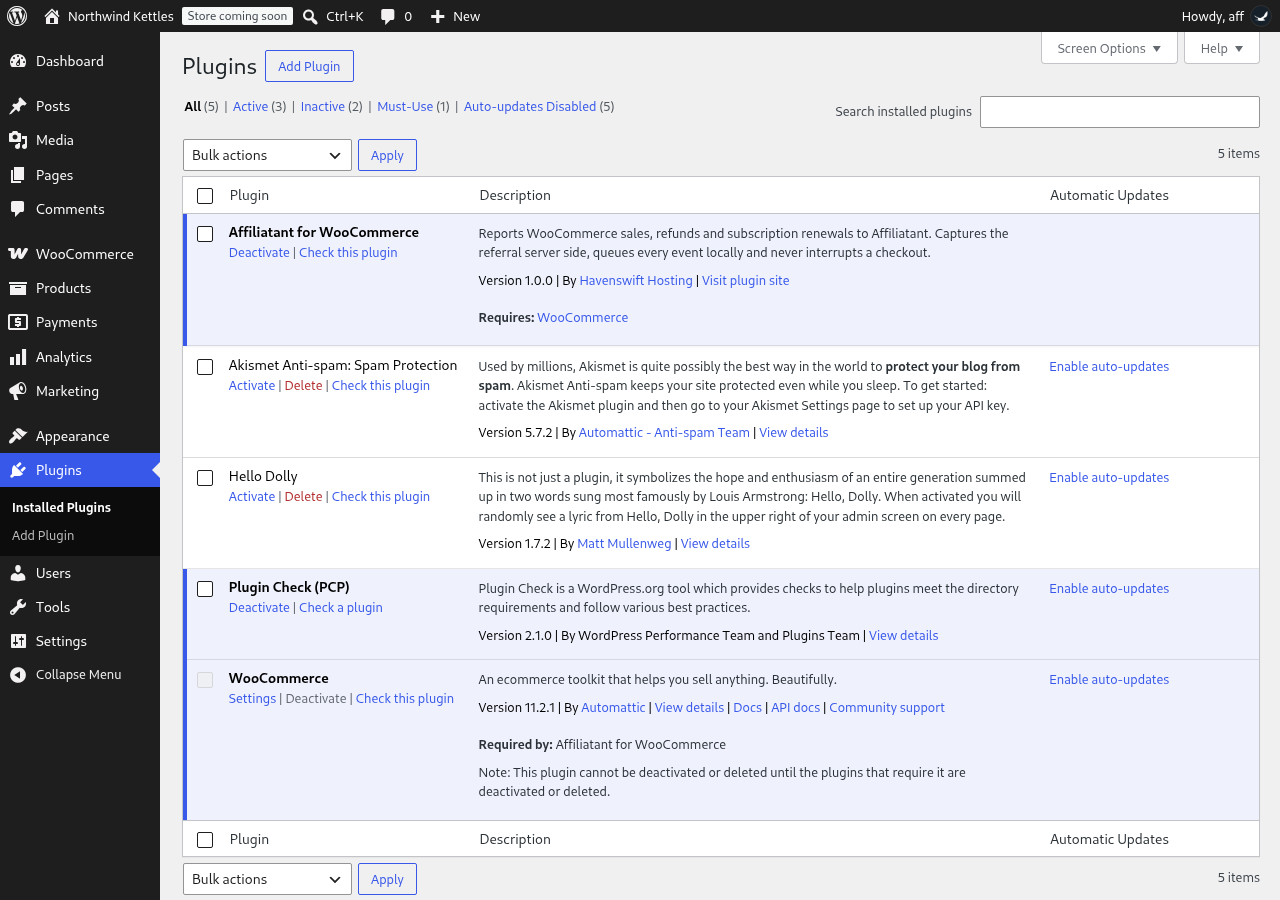
active it records nothing and says so on the Plugins screen.
Everything described below is in this plugin. There is no trial, no licence
check, and no feature here that waits for a payment.
What it does
- Click capture, server side. A shopper arriving with
?aftid=is
recorded by PHP on the landing request. The click id is kept in a
first-party cookie, for thirty days by default, and on the WooCommerce
session. - A beacon for cached pages. A cached page never runs PHP, and some edge
caches strip the query string before the request reaches the origin. A small
script reads the address bar and posts the click id to your own site’s
admin-ajax.php. It posts to your site, not to ours, and it sends nothing
when there is no click id in the URL. - Classic checkout and Blocks. The referral is bound to the order on both
the classic checkout hooks and the Store API hooks the Blocks checkout uses. - Sales. An order reaching a status you count as paid is reported once.
The default is whatever WooCommerce itself calls paid. - Refunds and cancellations. A refund or a cancellation is reported as a
reversal, so a commission can be withdrawn. - Subscription renewals. Renewal payments taken by WooCommerce
Subscriptions are reported, carrying the id of the order that started the
subscription. - Coupon codes. Codes used on the order are sent, so a sale can be
attributed to a code when there was no click to follow. - sub1 to sub5. Five pass-through parameters are carried from the landing
URL to the conversion. - A local queue. Every event is written to a table in your own database
first and sent afterwards by a background job, through Action Scheduler
where it is available and WP-Cron where it is not. A checkout is never held
up by a network call, and an event that cannot be sent is retried rather
than lost. - Reconciliation. The server report and the receipt pixel carry the same
deterministic event id, so one sale is counted once. - A receipt pixel, which can be switched off.
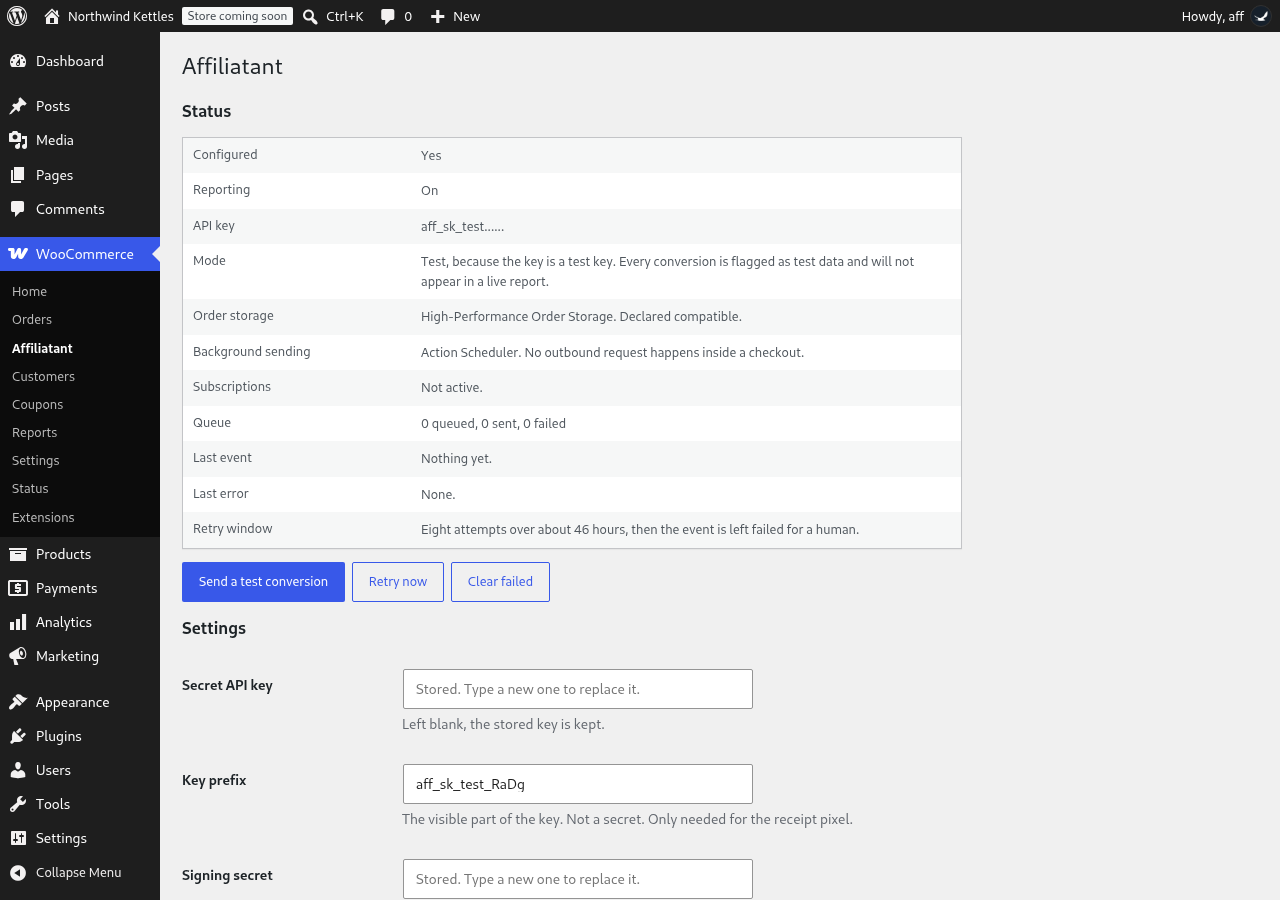
- A connection test that sends a real conversion marked as test data, so
pressing it proves the key, the programme id, the signature and the network
at once without creating a commission. - A status panel showing the queue, the last event sent and the last
error, with retry and clear. - An order meta box showing the click id bound to that order, and letting
you set one by hand. - Test mode, which marks everything sent as test data.
- HPOS and Blocks compatibility, declared. Order data is read and written
through the WooCommerce CRUD API only.
What it does not do
It does not run the affiliate programme. Affiliates, links, commission rates,
approvals and payouts live in Affiliatant, not in WordPress. It does not add
an affiliate dashboard or a registration form to your site. It does not cloak
links. It does not pay anybody.
Money
Every amount is sent as a whole number in the currency’s minor unit, together
with the currency of the order, calculated with string arithmetic rather than
floating point.
External services
This plugin relies on one external service, Affiliatant, and contacts nothing
else. It contacts nothing on activation, and nothing on a schedule, until you
have entered an API key and a programme id on its settings screen.
Affiliatant is a service run by Havenswift Hosting, and it is what makes the
plugin useful: it holds the affiliate programme, matches each sale to the
referral that produced it and calculates the commission.
Affiliatant, from your server. When an order reaches a paid status, is
refunded, is cancelled, or a subscription renews, your server sends that event
to Affiliatant. It is sent by a background job, not during the shopper’s
checkout request. The settings screen’s connection test sends one event the
same way, marked as test data.
What is sent: your programme id and store reference; the order id and order
number; an event id; the kind of event; the order total, tax, shipping and
discount as whole numbers in the minor unit; the currency; the date of the
order; a test flag; the line items, each with its name, SKU, product and
variation ids, quantity, unit and line amounts and tax; any coupon codes used;
the payment method identifier; for a renewal, the id of the original order;
the numeric WordPress customer id where the shopper has an account; the click
id; sub1 to sub5; and the landing URL the shopper arrived on. The request
carries your API key and a user agent naming the versions of this plugin,
WooCommerce and WordPress.
What is not sent: no customer name, no email address, no postal address, no
telephone number and no IP address.
Service: https://affiliatant.com
Terms: https://affiliatant.com/legal/terms
Privacy: https://affiliatant.com/legal/privacy
Affiliatant, from the shopper’s browser. When the receipt pixel is on, the
order-received page includes a one-pixel image served by Affiliatant. The
request is made by the shopper’s browser and therefore carries their IP
address and the address of the page. It is sent only on the order-received
page, and only when the plugin is configured and the pixel setting is on. Turn
the pixel off in the settings and no request is made from any visitor’s
browser.
What is sent: your programme id and store id; the order id; the event id; the
kind of event; the order total, tax and shipping as whole numbers in the minor
unit; the currency; the date of the order; the click id; the coupon code; the
numeric WordPress customer id where the shopper has an account; and a test
flag. The whole query is signed.
Service: https://affiliatant.com
Terms: https://affiliatant.com/legal/terms
Privacy: https://affiliatant.com/legal/privacy
The click beacon described above posts to your own site’s admin-ajax.php. It
is not a request to Affiliatant and no third party receives it.
There is no usage tracking, no telemetry and no analytics of any kind.
The plugin is published by Havenswift Hosting,
https://www.havenswift-hosting.co.uk/
Third-party libraries
The Affiliatant PHP SDK is included at lib/AffiliatantClient.php. It is one
file, written by us, and it is published under the MIT licence while the rest
of the plugin is GPLv2 or later. MIT is GPL-compatible. No other library ships
with this plugin and nothing is minified.
Screenshots
Installation
- Install and activate WooCommerce first. This plugin records nothing without it.
- Upload the folder to
/wp-content/plugins/and activate it, or install it from the Plugins screen. - Create a programme at https://affiliatant.com and generate an API key for it.
- Go to WooCommerce > Affiliatant and enter the API key, the key prefix, the signing secret and the programme id.
- Press “Send a test conversion”. It sends one conversion marked as test data and tells you what came back.
- Place a test order on your store with
?aftid=on the landing URL and check that it appears in the status panel.
FAQ
-
Does it need an Affiliatant account?
-
Yes. The plugin reports to Affiliatant and has no function without an account
there. See “External services” above for exactly what is sent and when. -
Does it work without WooCommerce?
-
No. It reads WooCommerce orders and hooks WooCommerce events. With WooCommerce
inactive it records nothing and shows a notice saying so. -
Does it expire, or stop working?
-
No. There is no trial, no licence check and no feature in this plugin that
waits for a payment. What is in the description is what it does, permanently. -
Can it slow down or break my checkout?
-
The event is written to a table in your database during the request and sent
afterwards by a background job, so a normal checkout makes no outbound call at
all. Nothing in the sending code is allowed to throw out of a WooCommerce hook:
if Affiliatant is unreachable the checkout completes and the event waits in the
queue. -
What customer data leaves my site?
-
The numeric WordPress customer id, where the shopper has an account, and
nothing else about the person. No name, email, address, telephone number or IP
address is sent from your server. The receipt pixel is a request from the
shopper’s own browser, so it carries their IP address the way any third-party
image does; turn the pixel off if you do not want that. -
Only for a shopper who arrives with a referral in the URL. The cookie holds a
token that points at the click, is first-party, HTTP-only, secure on HTTPS,
and lasts thirty days by default. You can set it between one and 365 days. -
What happens to my data if I delete the plugin?
-
The settings are deleted. The queue table is left in place, because it is the
record of which orders were reported and which were not. Drop it by hand if
you want it gone; the name is inuninstall.php. -
Does it work with the Blocks checkout and with HPOS?
-
Yes. Compatibility with high-performance order storage and with the cart and
checkout blocks is declared, and order data is read and written only through
the WooCommerce CRUD API. -
Does it support WooCommerce Subscriptions?
-
Renewal payments are reported when WooCommerce Subscriptions is active. The
plugin does not require it.
Reviews
There are no reviews for this plugin.
Contributors & Developers
“Affiliatant for WooCommerce” is open source software. The following people have contributed to this plugin.
Contributors
Translate “Affiliatant for WooCommerce” into your language.
Interested in development?
Browse the code, check out the SVN repository, or subscribe to the development log by RSS.
Changelog
1.0.1
- The bundled API client no longer contains cURL or stream fallbacks.
All HTTP goes through the WordPress HTTP API.
1.0.0
- First release.