
Description
Members get a WordPress role for each Paid Memberships Pro level, kept up to date automatically. That makes it easier to show or hide content in page builders, using the role conditions most of them already provide. A bulk re-sync brings existing members into line.
Requires Paid Memberships Pro, available from paidmembershipspro.com (it is not in the WordPress.org plugin directory).
It replaces the official PMPro Roles add-on and fixes these issues with it:
- Roles were not being updated when a user changed membership level
- Roles were not being removed on cancellation or expiry
- The administrator role was being removed when a membership was cancelled
What You Can Do With Roles
- Show or hide content in your page builder using role conditions
- Cover several levels with one role, so monthly and annual members see the same content
- Add new levels without re-editing content: give them an existing role
- Use roles in other tools, such as menu visibility and role-based plugin features
Key Features
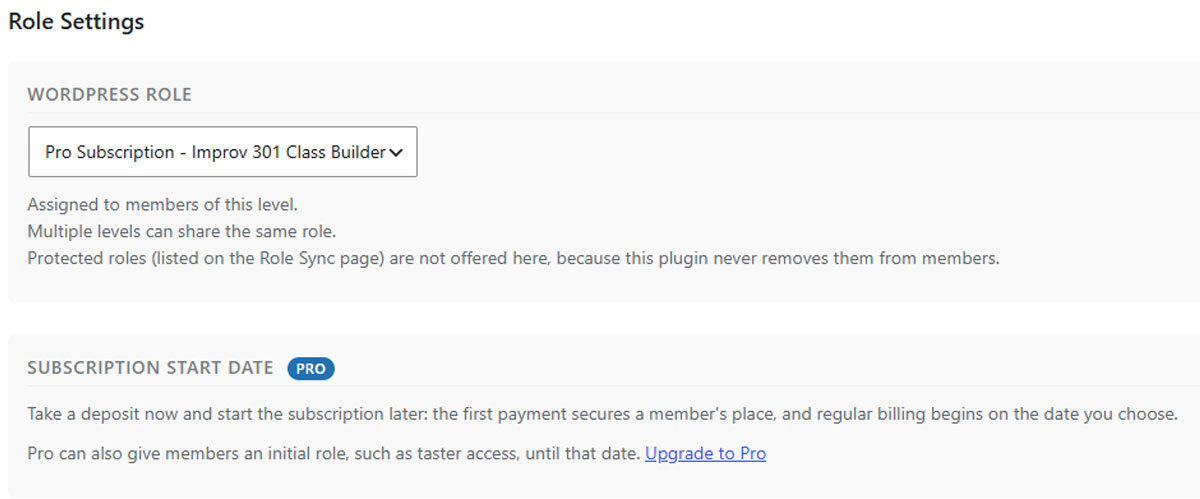
- WordPress Role dropdown on each membership level’s settings page
- Shared role slugs — multiple levels can map to one role (e.g. Gold Monthly, Gold Quarterly, and Gold Annual all
gold) - Protected roles — administrator, editor, author, contributor, customer, and subscriber are never removed under any circumstances
- Admin-safe — users with admin roles get membership roles correctly assigned AND removed without losing their admin role
- Conflict detection — warns if the official PMPro Roles add-on is still active
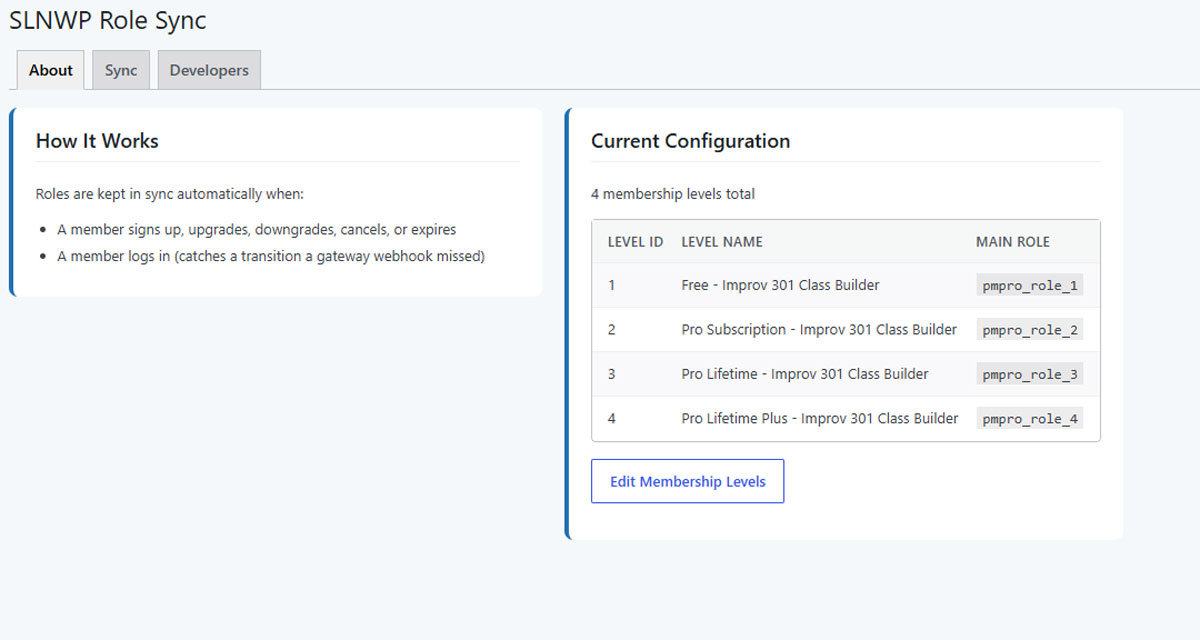
- One-click bulk sync — a single “Run Sync Now” button under Memberships Role Sync fixes all existing users immediately
How It Works
Each PMPro membership level has a “WordPress Role” dropdown in its settings. Choose the role you want assigned to members of that level. Multiple levels can share the same role — ideal for sites that offer the same membership tier at different payment frequencies (monthly, quarterly, annually).
Roles are automatically synced when:
- A user signs up for a membership
- A user upgrades or downgrades their level
- A membership is cancelled
- A membership expires
Protected Roles
The following roles are never removed under any circumstances:
administratoreditorauthorcontributorcustomer(WooCommerce)subscriber
Note: protecting a role only stops this plugin from removing it — a non-member is still assigned the site’s default role (usually subscriber) as normal. Protection just means that role, once held, can never be stripped again afterwards.
For the same reason, a protected role can’t be chosen as a membership level’s role: members would keep it after their membership ended. If a level already uses one, the plugin shows a warning naming that level.
You can add additional protected roles via filter:
add_filter('pmpro_protected_roles', function($roles) {
    $roles[] = 'shop_manager';
    return $roles;
});
Requirements
- WordPress 6.5+
- PHP 7.4+
- Paid Memberships Pro, from paidmembershipspro.com (not in the WordPress.org plugin directory)
- The Multiple Memberships Per User add-on is supported (a member’s levels are each evaluated independently)
- The official PMPro Roles add-on must be deactivated to avoid conflicts
Screenshots


Installation
- Upload the
slnwp-role-extension-pmprofolder to/wp-content/plugins/ - Activate the plugin through the Plugins screen in WordPress
- Make sure the official PMPro Roles add-on is deactivated
- Go to Memberships Membership Levels and edit each level to choose its WordPress Role
- Go to Memberships Role Sync and click Run Sync Now to fix all existing users
FAQ
-
Do I need the official PMPro Roles add-on installed?
-
No — this plugin is a complete replacement. The official add-on must be deactivated to avoid conflicts. This plugin will show a warning in the admin if it detects the official add-on is still active.
-
Yes — this is a core feature. If you offer Gold Monthly (Level 1), Gold Quarterly (Level 2), and Gold Annual (Level 3), simply choose the
goldrole for all three levels. Members will be assigned thegoldrole regardless of which payment plan they chose. -
What happens when a membership is cancelled?
-
The membership role is removed. If the user has no other active memberships, they are reset to the default WordPress role (usually
subscriber). Protected roles such asadministratorare never touched. -
What happens if a user has both an admin role and a membership?
-
Both roles are handled correctly. The membership role is assigned and removed as normal, while the admin role is always preserved. This was a key bug in the official add-on that this plugin fixes.
-
How do I fix existing users whose roles are out of sync?
-
Go to Memberships Role Sync and click Run Sync Now. This is safe to run at any time.
-
How do I add a role to the protected list?
-
Add a filter to your theme’s
functions.php:add_filter('pmpro_protected_roles', function($roles) { $roles[] = 'shop_manager'; return $roles; }); -
What WordPress roles are protected by default?
-
administratoreditorauthorcontributorcustomer(WooCommerce)subscriber
-
Is subscriber protected, given it’s also the fallback role for non-members?
-
Yes. Protection only blocks removal — a member who loses their last active membership is still reset to the site’s default role (usually
subscriber) exactly as before. Protecting it just means that once assigned, it can never be stripped again afterwards, the same as every other protected role. -
Does this work with WooCommerce?
-
Yes — the
customerrole is in the protected list by default so WooCommerce customers are never affected by membership role changes.
Reviews
There are no reviews for this plugin.
Contributors & Developers
“SLNWP Role Extension for Paid Memberships Pro” is open source software. The following people have contributed to this plugin.
Contributors
Translate “SLNWP Role Extension for Paid Memberships Pro” into your language.
Interested in development?
Browse the code, check out the SVN repository, or subscribe to the development log by RSS.
Changelog
2.1.11
- Change: Clearer description of what the plugin is for and what you can do with roles
2.1.10
- First release on WordPress.org