
Description
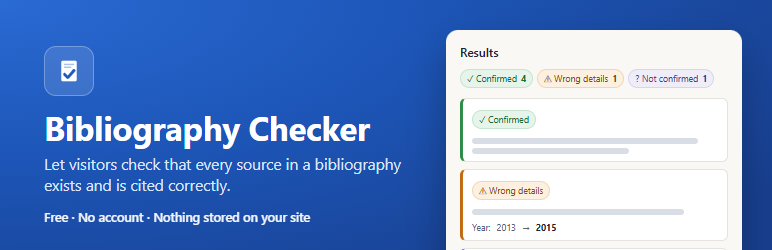
Give students a tool that catches references invented by AI, without accounts and without storing anything on your site.
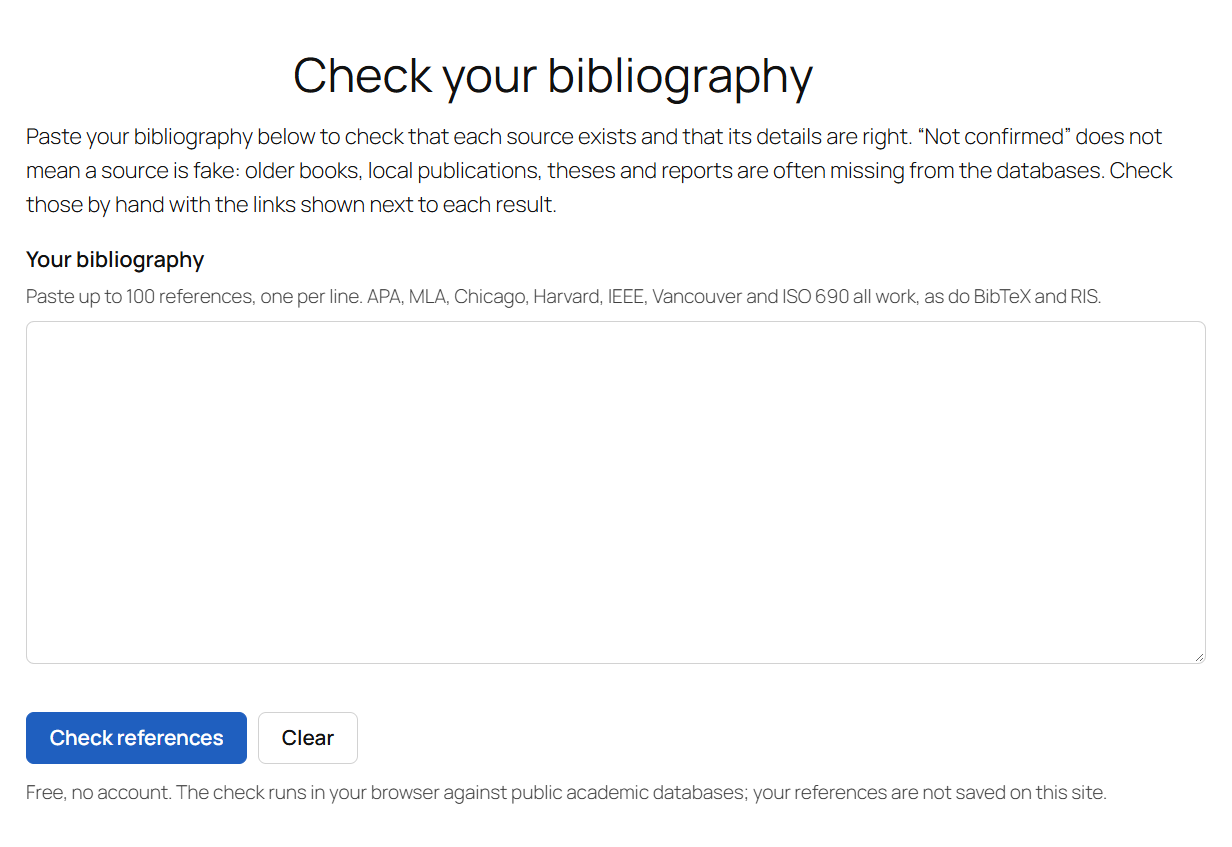
Add the Bibliography checker block (or the [diflowrin_bibliography_checker] shortcode) to any page. Visitors paste up to 100 references and, within seconds, see for each one:
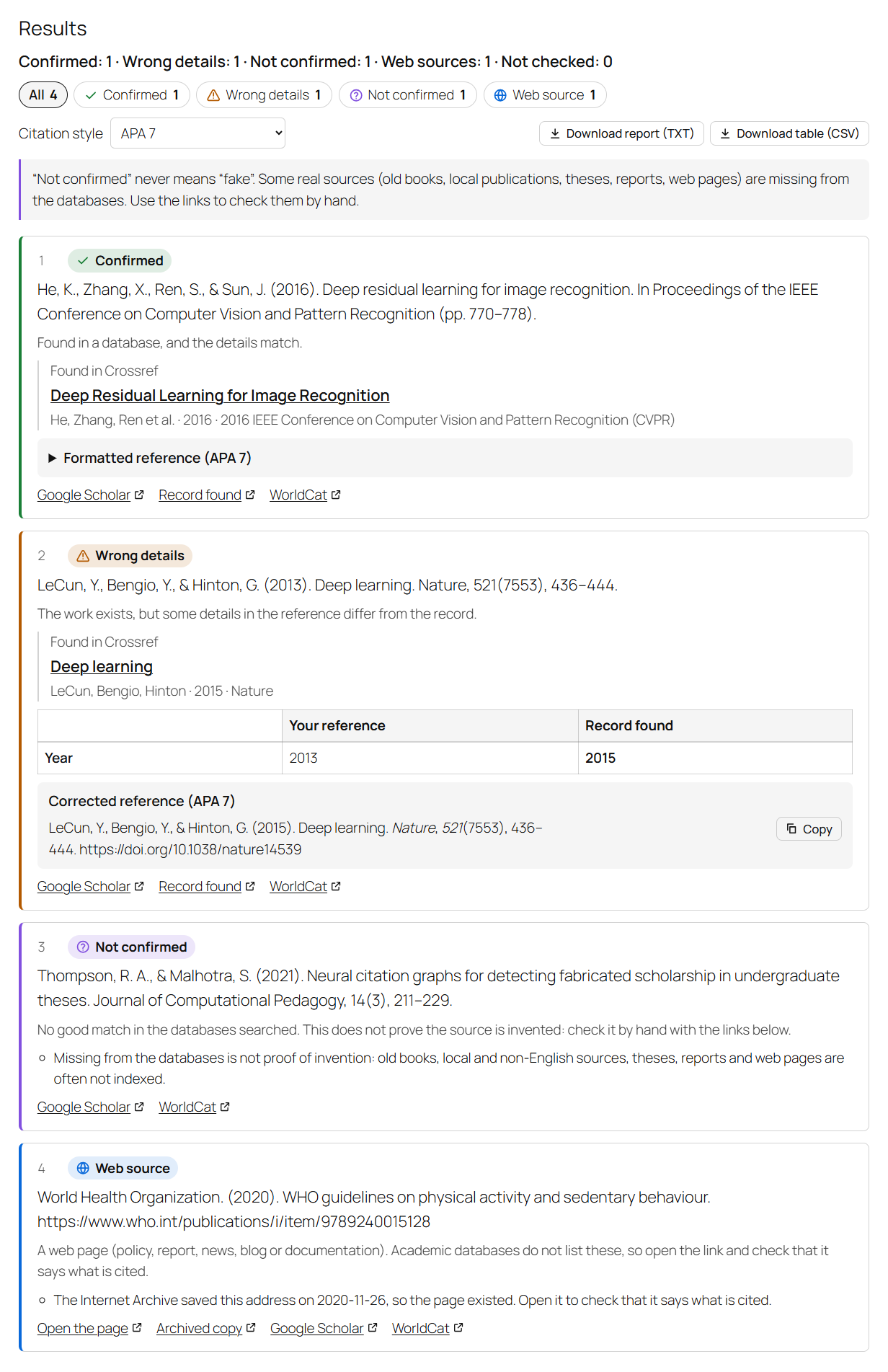
- Confirmed – found in a database, and the details match.
- Wrong details – the work exists, but the year, authors, title, journal or DOI in the reference differ from the record. The plugin shows both values side by side and, when the authors match, a corrected reference to copy, in APA 7, MLA 9, Chicago, Harvard, IEEE, Vancouver or ISO 690.
- Not confirmed – no good match in the databases. The form says plainly that this does not mean the source is fake: older books, local publications, theses and reports are often missing. Links to Google Scholar, WorldCat and, if you set one, your own library catalog help visitors check by hand.
- Web source – a web page (report, policy, news, blog), which academic databases do not list. The plugin asks the Internet Archive whether the page was saved.
Visitors can download the results as a text report or a CSV table, for example to send to a supervisor.
DiFlowRin Bibliography Checker is made by the author of Fake Citation Detector, a free browser extension for Chrome and Edge that uses the same checking engine.
Who it is for
- University and school libraries, for their research guides.
- Writing centers and doctoral schools.
- Teachers and thesis supervisors with their own site.
- Tutoring and academic writing sites.
- Blogs about research methods and academic tools.
How it works
The check runs in each visitor’s own browser. The browser sends the references directly to public academic databases (see “External services” below) and compares what comes back. Your server only delivers the page: the references, the results and the report never reach your site, are never saved in your database, never logged and never emailed. There is no account, no limit and nothing to pay.
Matching uses the reference as a whole, the title, the authors’ family names, the year (one year either way is tolerated, for online-first versus print) and identifiers such as DOI, ISBN, arXiv and PubMed IDs. Pasted text in common styles works, as do BibTeX and RIS exports from reference managers.
Light and accessible
- One small script (about 30 KB compressed) and one stylesheet, loaded only on pages that contain the checker. No jQuery, no React on the front end.
- The form takes its fonts and colors from your theme.
- Results are written out in words, not only shown by color; the form works with the keyboard and screen readers.
Settings
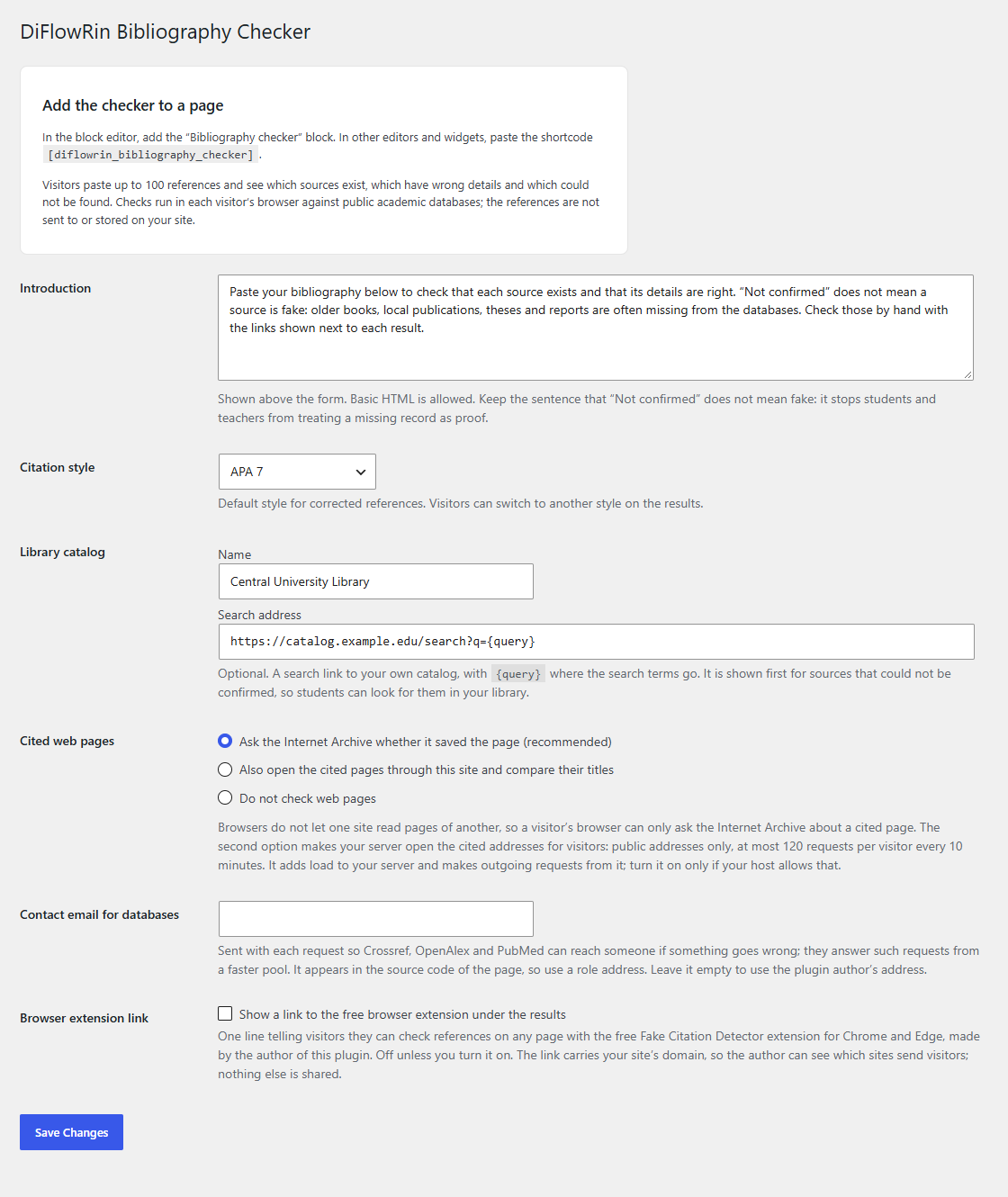
Settings Bibliography Checker:
- Introduction text above the form.
- Default citation style for corrected references.
- Your library catalog’s search address, shown first for sources that could not be confirmed.
- How to check cited web pages (see below).
- A contact email sent to the databases, as they request.
- An optional link to the free Fake Citation Detector browser extension (off unless you turn it on).
Cited web pages
Browsers do not let a page read other sites, so by default the visitor’s browser only asks the Internet Archive whether a cited page was saved. You can instead let your server open cited pages for visitors and compare their titles with the reference. This option is off by default. When on, it only opens public http/https addresses, checks every redirect again, refuses addresses inside your network, reads at most 600 KB per page, and limits each visitor to 120 page requests every 10 minutes and the whole site to 3,000 per hour.
External services
The checker contacts the services below from the visitor’s browser, only when a visitor clicks “Check references”, and only with data taken from the references the visitor pasted. Each request also carries the contact email set in the settings (or, if empty, the plugin author’s address admin@diflowrin.com), as Crossref, OpenAlex and NCBI ask of tools that use their APIs. Like any web request, each service also sees the visitor’s IP address and browser details.
- Crossref (api.crossref.org) – looks up DOIs and searches by the text of the reference. Sent: the DOI or the reference text. API documentation, privacy policy.
- OpenAlex (api.openalex.org), run by OurResearch – looks up DOIs and searches by title. Sent: the DOI or the title. Terms, privacy policy.
- DataCite (api.datacite.org) – looks up DOIs of datasets and preprints, including arXiv, and searches arXiv records by title. Sent: the DOI, arXiv ID or title. API documentation, terms, privacy policy.
- doi.org (DOI Foundation) – checks whether a DOI is registered when no database has its details. Sent: the DOI. Documentation, privacy policy.
- PubMed / PubMed Central (eutils.ncbi.nlm.nih.gov), U.S. National Library of Medicine – looks up PubMed and PMC IDs. Sent: the ID. E-utilities documentation, policies.
- Open Library (openlibrary.org), Internet Archive – looks up books by ISBN and by title and author. Sent: the ISBN, or the title and first author. API documentation, terms and privacy.
- Semantic Scholar (api.semanticscholar.org), Allen Institute for AI – a last search by title. Sent: the title. API license, terms, privacy policy.
- Internet Archive Wayback Machine (archive.org) – asked whether a cited web page was saved. Sent: the page address and the cited year. API documentation, terms and privacy.
Only when you turn on “open the cited pages through this site”: your server requests the cited web pages (any public address that appears in a visitor’s references) and, when a page is gone, its saved copy on web.archive.org. Sent: a request for that address, with a user agent naming the plugin and your site.
Only when you turn on the browser extension link: a link to diflowrin.com, the plugin author’s site, is shown under the results. Nothing is sent unless a visitor clicks it; the link carries your site’s domain name as a campaign parameter. Privacy policy.
The links offered for checking by hand (Google Scholar, WorldCat, Google Books, DOI pages, your catalog) are ordinary links: nothing is sent to those sites unless the visitor clicks them.
Privacy
The plugin stores no personal data in your database and sets no cookies. Database answers are cached in the visitor’s own browser (IndexedDB) for up to 30 days, so checking the same list again is instant and the free databases get fewer requests. The plugin adds suggested text to Settings Privacy Policy Guide that you can copy into your privacy policy.
If you turn on the page proxy, the plugin counts page requests per visitor for 10 minutes under a keyed hash of the IP address (not the address itself), to enforce the limits.
Source code
The front-end script build/public.js is built with esbuild from the TypeScript sources in src/public/ and the shared checking engine in src/core/. To rebuild: npm install, then npm run build. The block editor script src/block/editor.js is plain JavaScript and needs no build.
Screenshots
Blocks
This plugin provides 1 block.
- Bibliography checker A form where visitors paste their bibliography and see which sources exist, which have wrong details and which could not be found.
Installation
- Install and activate the plugin from Plugins Add New, or upload the
diflowrin-bibliography-checkerfolder to/wp-content/plugins/. - Edit a page and add the Bibliography checker block, or paste
[diflowrin_bibliography_checker]into a Shortcode block, a classic editor page or a text widget. - Optional: review Settings Bibliography Checker (introduction, citation style, library catalog link).
FAQ
-
Does “Not confirmed” mean the reference is fake?
-
No. It means none of the databases searched had a good match. Many real sources are missing from them: old books, local and non-English publications, theses, reports, standards and web pages. The form says so next to every such result and offers links to check by hand. Fabricated references usually end up here, but so do some real ones, so please make sure teachers using your site know the difference.
-
How accurate is it?
-
The checking engine is the same as in the Fake Citation Detector browser extension. On two test sets tested in October 2026 (about 400 references: real ones in seven citation styles, real ones with a changed year, journal or author, and invented ones), no real reference was marked “Not confirmed”, all 120 invented references were caught, and all 55 changed ones were flagged as having wrong details. Real bibliographies are messier, especially for older and local sources, so treat the result as a first pass, not a verdict.
-
Is my visitors’ data sent to my server or to you?
-
No. The visitor’s browser talks directly to the public databases listed under External services. Nothing goes to your server (unless you turn on the page proxy, which only receives the addresses of cited web pages) and nothing goes to the plugin author.
-
Will it slow down my site?
-
The script and stylesheet load only on pages that contain the checker, and the script is deferred. Pages without the checker load nothing from this plugin.
-
Can I change the colors?
-
The form uses your theme’s fonts and text colors. The button color follows your theme’s primary color when the theme defines one. To set it yourself, add custom CSS such as
.bibc { --bibc-accent: #0a5c36; }. -
Can I use it in another language?
-
Yes. All texts can be translated through translate.wordpress.org or with a translation plugin such as Loco Translate. The interface follows your site’s language.
-
Can several forms be on one page?
-
Yes, but only one check runs at a time, to stay within the databases’ limits.
-
Why only 100 references at a time?
-
The databases are free public services. Checking at most 100 references at a time, a few at once, with short pauses, keeps the tool within their fair-use rules.
Reviews
There are no reviews for this plugin.
Contributors & Developers
“DiFlowRin Bibliography Checker” is open source software. The following people have contributed to this plugin.
Contributors
Translate “DiFlowRin Bibliography Checker” into your language.
Interested in development?
Browse the code, check out the SVN repository, or subscribe to the development log by RSS.
Changelog
1.0.0
- First release.