

Description
Stop copying supplier data by hand. Import2Shop connects your dropshipping suppliers and wholesalers with your WooCommerce store. Products, images, prices and stock come in automatically and stay up to date around the clock. Orders go straight to the supplier, tracking numbers come back to your store.
This plugin is the bridge between your store and your Import2Shop app. It sets up WooCommerce for you in one click, so you can start importing products right away.
What Import2Shop does for your store
- 60+ suppliers ready to go. Choose from the connected suppliers or have your own supplier connected. CSV, XML, JSON, API or EDI.
- Prices by your own rules. Set your margins once. Import2Shop calculates every sales price and updates it when the purchase price changes.
- Stock that is always right. Stock levels sync automatically, even at night and on weekends. No more selling products your supplier no longer has.
- Orders on autopilot. New WooCommerce orders go directly to your supplier. Tracking numbers come back and your customer is informed.
- Product texts and SEO by AI. Import2Shop writes product names, descriptions, SEO titles and meta descriptions. This plugin puts them into Yoast SEO, Rank Math or SEOPress.
- No product limit. Import as many products as your suppliers offer.
Perfect for dropshipping, drop shipment and anyone who sells products from wholesalers and suppliers without typing them in.
What this plugin does
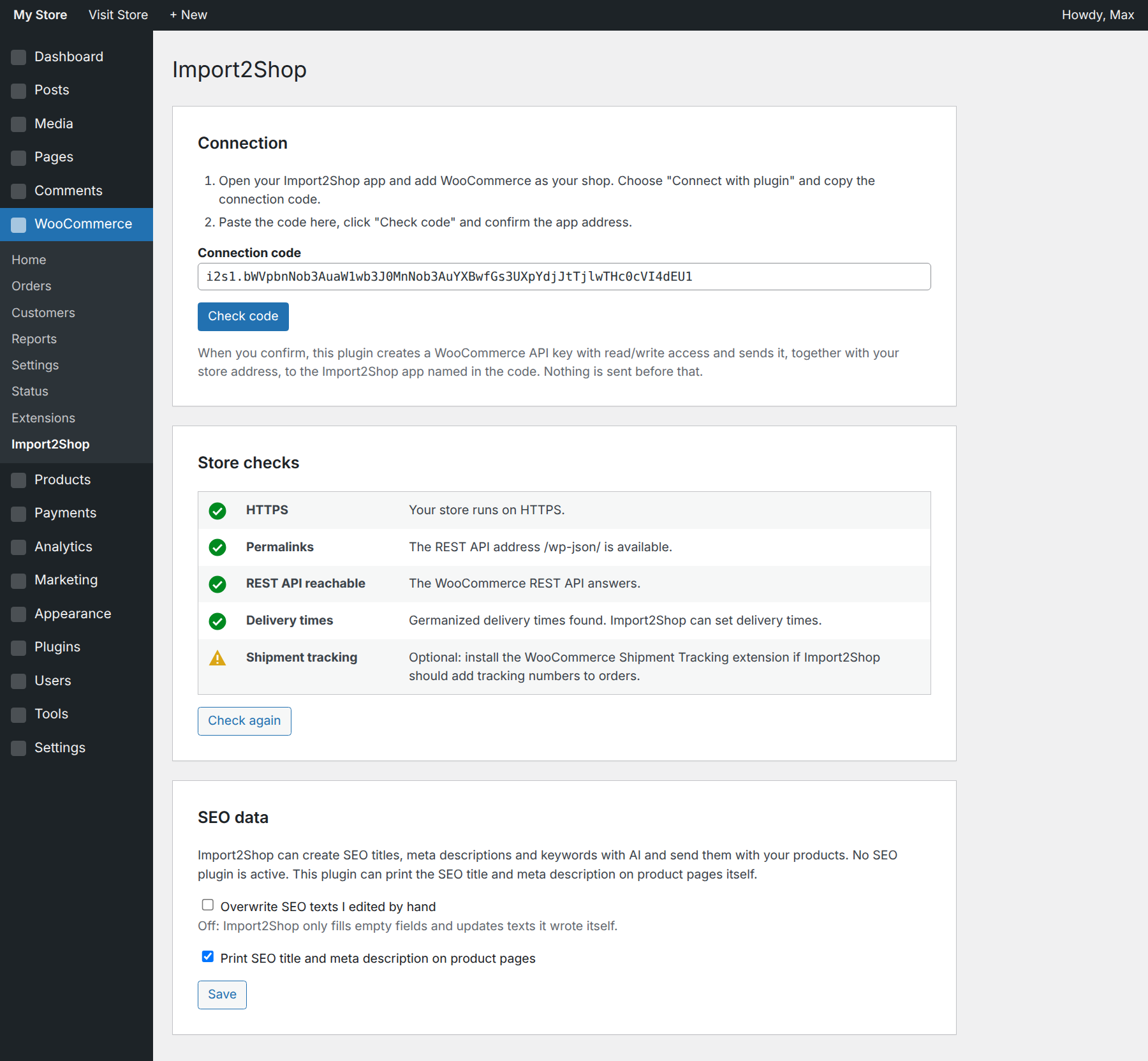
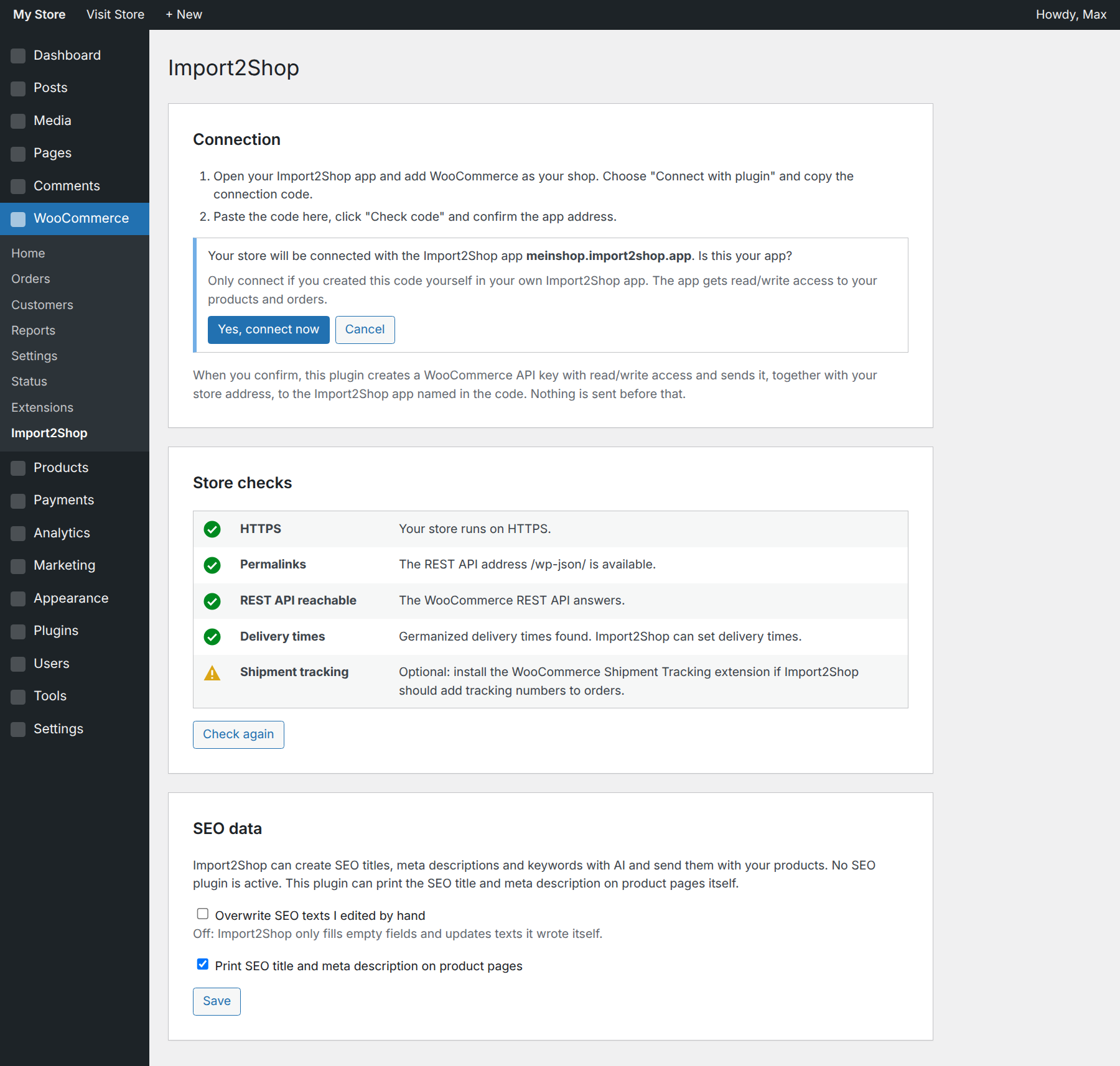
- One-click connection. Copy the connection code from your Import2Shop app, paste it here, click “Check code” and confirm. The plugin creates the WooCommerce REST API key and hands it to your app. No keys to copy, no settings to search for.
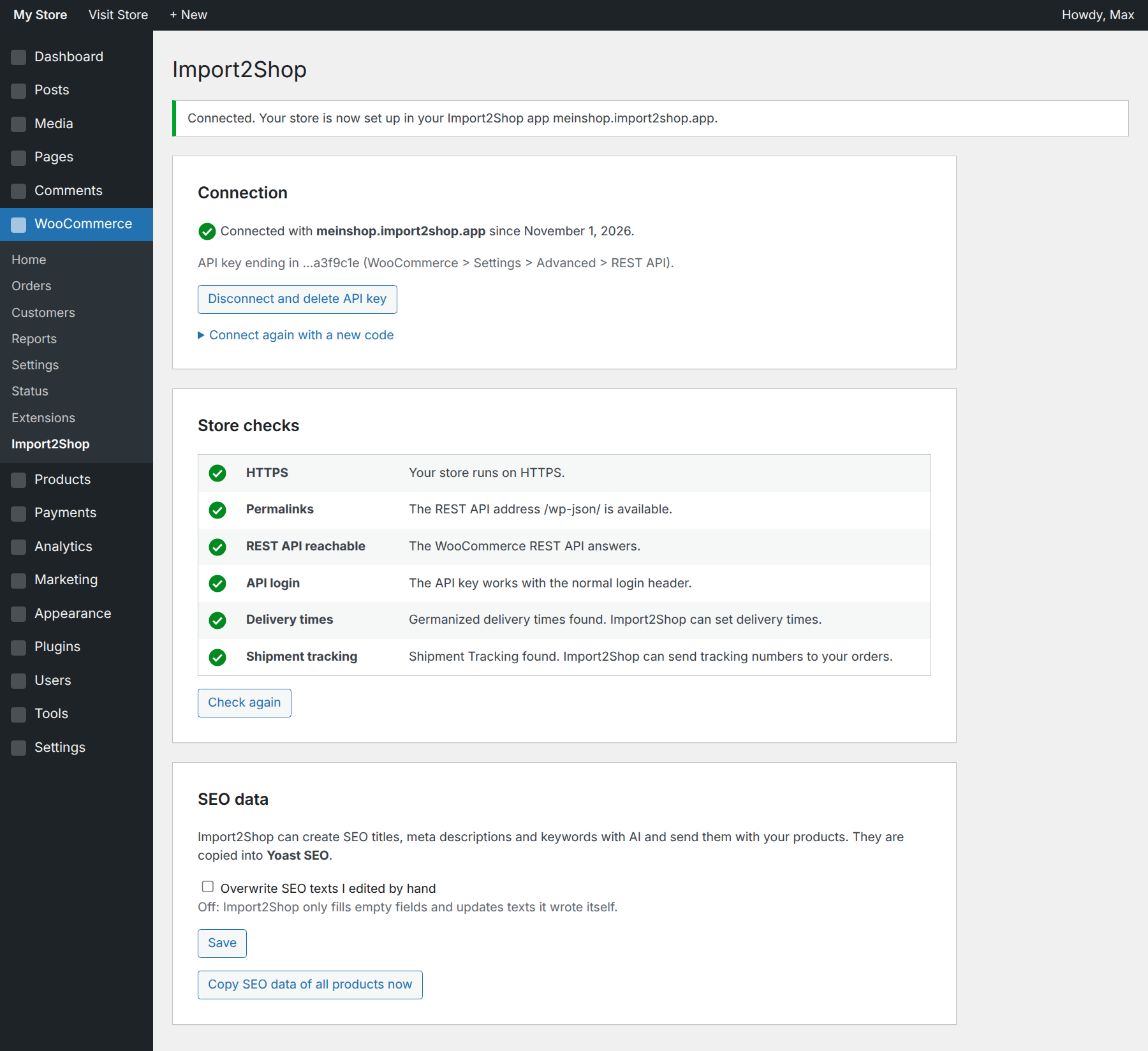
- Store check before you start. The plugin checks HTTPS, permalinks, the WooCommerce REST API and the login header. If your server removes the login header, one click adds the missing rule to .htaccess and it is undone right away if your server does not accept it.
- Shows what is optional. It tells you whether Germanized (delivery times, unit prices) and Shipment Tracking (tracking numbers in orders) are available.
- SEO data where it belongs. AI-written SEO titles, meta descriptions and focus keywords go into Yoast SEO, Rank Math or SEOPress. Without an SEO plugin it prints title and meta description on product pages itself. Texts you edited by hand stay untouched unless you want otherwise.
- You stay in control. Nothing is sent before you confirm the app address. One click disconnects and deletes the API key.
What you need
- A WooCommerce store on HTTPS
- An Import2Shop account. The plugin itself is free. Not a customer yet? Request a demo and we show you Import2Shop with your suppliers.
External services
This plugin connects to your own Import2Shop app instance (a subdomain of import2shop.app) to hand over the WooCommerce API key.
- When: only when an administrator pastes a connection code and clicks “Yes, connect now”.
- What is sent: the one-time token from the connection code, your store address, the newly created WooCommerce API key (consumer key and secret), your store name, the versions of WordPress, WooCommerce and this plugin, and which SEO plugin is active.
- Where: to the app address contained in the connection code. Only addresses ending in import2shop.app are accepted.
After connecting, your Import2Shop app uses the WooCommerce REST API of your store to create and update products and to read orders.
Service provider: Import2Shop, Terms of use, Privacy policy.
Screenshots
Installation
- Install and activate the plugin. WooCommerce must be active.
- In your Import2Shop app add WooCommerce as your shop and choose the plugin connection in the setup wizard. Copy the connection code.
- In WordPress open WooCommerce > Import2Shop, paste the code, click “Check code” and then “Yes, connect now”.
FAQ
-
Do I need Yoast SEO or Rank Math for the SEO data?
-
No. With Yoast SEO, Rank Math or SEOPress the texts go into their fields. Without an SEO plugin this plugin prints the SEO title and meta description on product pages itself.
-
Which access does Import2Shop get?
-
A WooCommerce REST API key with read/write access, owned by the user who confirmed the connection. You see it under WooCommerce > Settings > Advanced > REST API and can delete it there or with the “Disconnect and delete API key” button.
-
Can I use Import2Shop for dropshipping?
-
Yes. Import2Shop imports the products of your dropshipping suppliers, keeps prices and stock up to date and sends every order to the supplier, who ships directly to your customer. You never touch the goods.
-
Which suppliers can I connect?
-
Import2Shop has 60+ suppliers already connected, from electronics and furniture to home and garden. You can also have your own supplier connected. See import2shop.com for details.
-
Does Import2Shop send orders to my supplier?
-
Yes. New WooCommerce orders go to the supplier automatically and tracking numbers come back to your store. With the Shipment Tracking extension they show up in the order and in the customer email.
-
My store does not use HTTPS.
-
WooCommerce only allows API keys over HTTPS. Please switch your site to https:// first.
Reviews
There are no reviews for this plugin.
Contributors & Developers
“Import2Shop Connector – Dropshipping & Supplier Sync for WooCommerce” is open source software. The following people have contributed to this plugin.
Contributors
Translate “Import2Shop Connector – Dropshipping & Supplier Sync for WooCommerce” into your language.
Interested in development?
Browse the code, check out the SVN repository, or subscribe to the development log by RSS.
Changelog
1.0.0
- First release: connection code, REST API checks, SEO bridge for Yoast SEO, Rank Math and SEOPress.