

Description
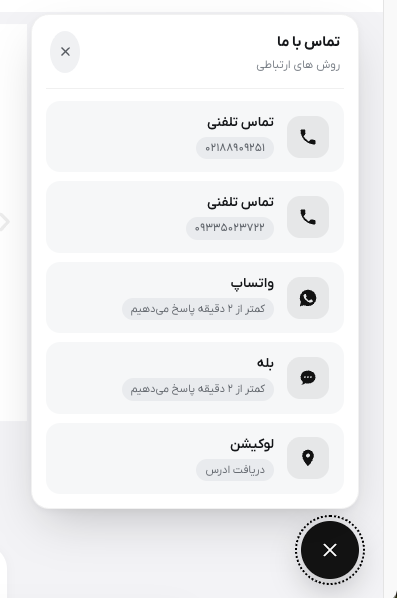
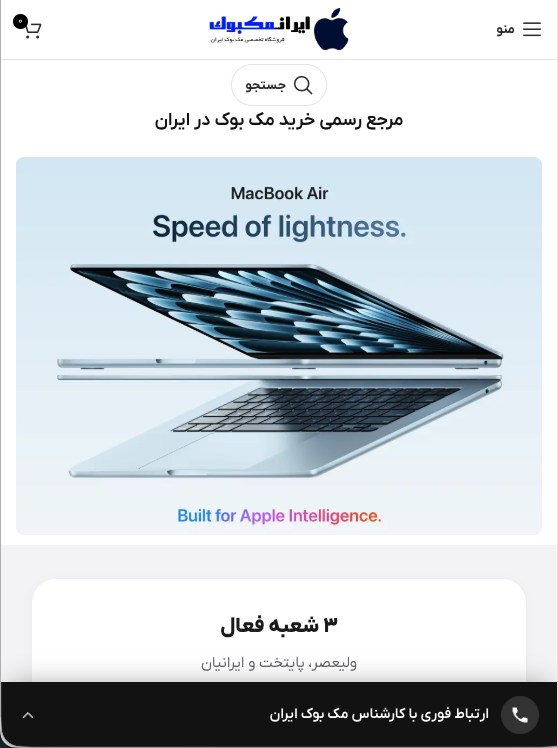
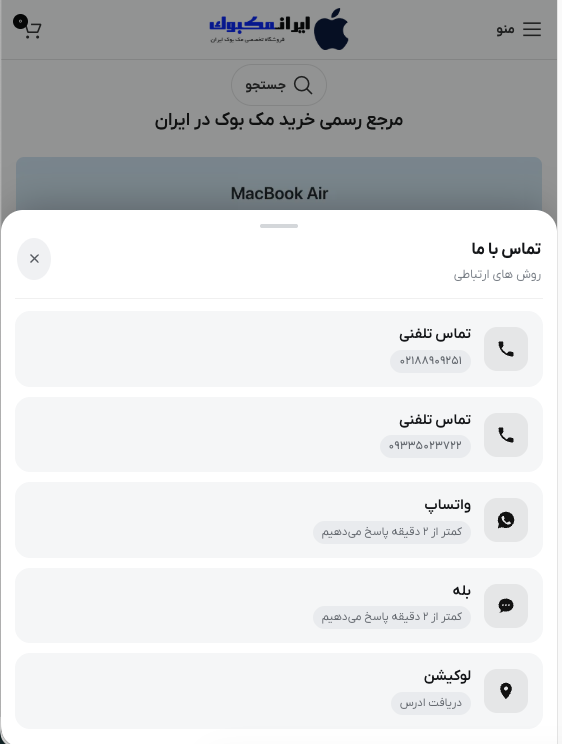
Negah Contact Hub puts your contact channels one tap away. On desktop it is a round floating button that opens a small panel. On phones it can instead be a full-width bar pinned to the bottom of the screen that slides a sheet up when tapped, which is far easier to notice and reach than a corner button.
It was written for Persian and other right-to-left sites, and that shapes what it does differently from a generic contact-button plugin:
- Bale messenger is a first-class channel. Bale is widely used in Iran and is rarely supported elsewhere. Enter a username, a
join/XXXXinvite, or a full link and the plugin builds the correcthttps://ble.ir/address. - Iranian phone numbers are normalised. Type
09121234567in the WhatsApp field and the plugin converts it to the international form WhatsApp expects. Persian and Arabic-Indic digits are accepted everywhere a number is asked for. - Taps open the app, not the web client. On Android the plugin uses an
intent://URL carrying a browser fallback, so a visitor without the app is returned to the web link by the operating system instead of hitting an error page. On iOS it switches to the native scheme and falls back to the web link on a timer. This is what stops WhatsApp links from landing on theweb.whatsapp.comQR screen. - Right-to-left by default. Layout direction, flex order and the number direction inside each line follow the site’s own direction, and the widget inherits the theme’s font rather than loading one.
Built to stay out of the way
- No jQuery, no external CSS or JavaScript files, no web fonts, no outside requests of any kind.
- Styles and script are added inline through the standard enqueue API, and only on pages where the widget is actually shown.
- Icons are inline SVG, so there is no icon font to download.
- The optional attention effects animate only
transformandopacity, so they run on the compositor and never force a layout recalculation. They pause while the panel is open and switch off automatically for visitors who have asked their device for reduced motion. - Nothing is tracked, logged or sent anywhere. The plugin stores one option row and nothing else.
Channels
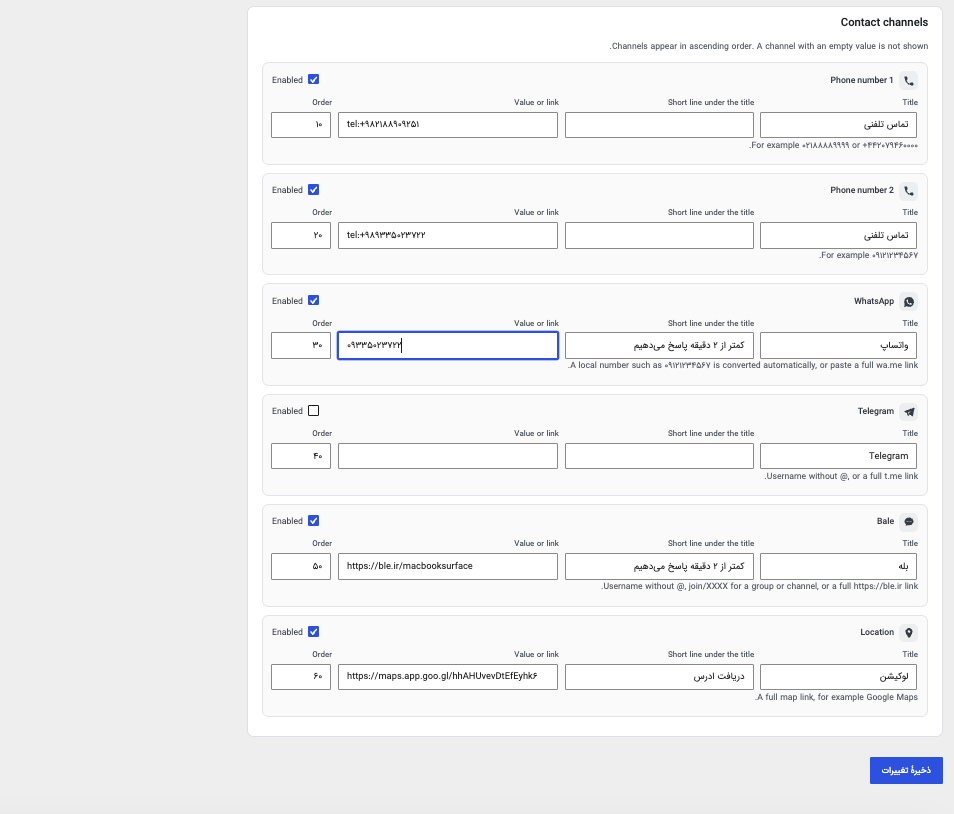
Two phone numbers, WhatsApp, Telegram, Bale and a map location. Each one has its own title, an optional short line underneath, a value or link, and a sort order. Any channel left empty is simply not rendered.
Accessibility
The panel is a labelled dialog, the triggers report their expanded state, every control is reachable by keyboard, Escape closes the panel, and focus outlines are preserved.
External services
This plugin does not contact any external service. It makes no HTTP requests of
its own, bundles no remote scripts, stylesheets or fonts, and sends no data
anywhere. Nothing about your site or your visitors is transmitted by the plugin,
and no analytics or tracking of any kind is performed.
What the plugin does is build ordinary outbound links from the contact details
you enter in its settings, and render them as a button or bar. A link is
followed only when a visitor deliberately taps or clicks it, and the visitor’s
browser or app then connects to that service directly, exactly as it would for
any link you placed in a post. No data is sent before that point, and the plugin
sends nothing itself at any point.
The destinations below are the ones the plugin can build links to. Which of them
appear on your site, if any, is entirely up to the details you fill in; a
channel you leave empty is never rendered and never linked to.
-
WhatsApp – if you fill in the WhatsApp field, the plugin builds a wa.me link
from the number you entered. A visitor who taps it is taken to WhatsApp to
start a chat with that number, carrying the number and nothing else.
Terms of service: https://www.whatsapp.com/legal/terms-of-service
Privacy policy: https://www.whatsapp.com/legal/privacy-policy -
Telegram – if you fill in the Telegram field, the plugin builds a t.me link
from the username or invite link you entered. A visitor who taps it is taken
to Telegram to open that chat, channel or group.
Terms of service: https://telegram.org/tos
Privacy policy: https://telegram.org/privacy -
Bale – if you fill in the Bale field, the plugin builds a ble.ir link from the
username or invite path you entered. Bale is a messaging platform used mainly
in Iran. A visitor who taps it is taken to Bale to open that chat, channel or
group.
Terms of service: https://bale.ai/terms
Privacy policy: https://bale.ai/terms – Bale publishes a single legal
document and its privacy terms are sections of that page, so the two links
are the same. -
A map of your choice – the location field takes a complete map link that you
supply yourself, for whichever map provider you prefer. The plugin stores and
renders that link as given and does not add anything to it. A visitor who taps
it is taken to that provider, whose own terms and privacy policy then apply.
Phone numbers are not an external service: they become a tel: link that hands
the number to the visitor’s own dialler.
Screenshots

Installation
- In your WordPress admin go to Plugins Add New Upload Plugin and choose the zip file, or search for “Negah Contact Hub” in the plugin directory.
- Activate the plugin.
- Go to Settings Contact Hub, fill in the channels you use, and save.
Nothing is displayed on the front end until at least one channel has a value.
FAQ
-
Tapping WhatsApp opens the web version and asks me to scan a QR code. Why?
-
That happens when the link is opened in a new tab, which prevents the operating system from handing it to the app, or when the page is being viewed inside another app’s in-app browser such as Instagram’s. This plugin removes the new-tab behaviour on phones and switches to the native app link, which fixes the first case. The in-app browser case cannot be fixed from a website; for traffic coming from Instagram, put the WhatsApp link in your bio instead.
-
What do I enter in the Bale field?
-
A username without the @, an invite path such as
join/XXXXXXXXfor a group or channel, or a completehttps://ble.ir/...link. Bale does not publish a custom URL scheme, so the plugin uses the standard https link, which the Bale app registers on both Android and iOS. -
Can I use it on a left-to-right site?
-
Yes. The widget follows whatever direction the site is set to. The Persian-specific conveniences, such as converting a leading zero to a country code, only apply when you type a local number; an international number entered with a
+is left alone. -
Does it work with caching plugins?
-
Yes. The markup is identical for every visitor and the device-specific behaviour is decided in the browser, so a cached page behaves the same as an uncached one.
-
Settings Contact Hub Mobile Mobile layout, and pick the round floating button.
-
There is a setting that adds matching space to the end of the page so it does not. If your theme already reserves space at the bottom, turn that setting off.
Reviews
There are no reviews for this plugin.
Contributors & Developers
“Negah Contact Hub” is open source software. The following people have contributed to this plugin.
Contributors
Translate “Negah Contact Hub” into your language.
Interested in development?
Browse the code, check out the SVN repository, or subscribe to the development log by RSS.
Changelog
1.0.1
- A WhatsApp number pasted as a web.whatsapp.com or api.whatsapp.com address is now rewritten to the wa.me form, so a tap on a phone opens the app instead of the web client. Any prefilled message in the link is kept.
- Telegram links written against the older telegram.me host are normalised to t.me, which is the host the app registers.
1.0.0
- First public release.