
Description
Every site that has been around for a while has addresses that no longer go anywhere: a
page that was renamed, a post moved into a new category, a whole blog that moved from
/blog to /news. Each one is a visitor who arrives from Google, a newsletter or somebody
else’s article and finds nothing.
CodeBold Redirects fixes those — most of them before you notice they were broken.
New here? Read the step-by-step user guide, with screenshots of every screen.
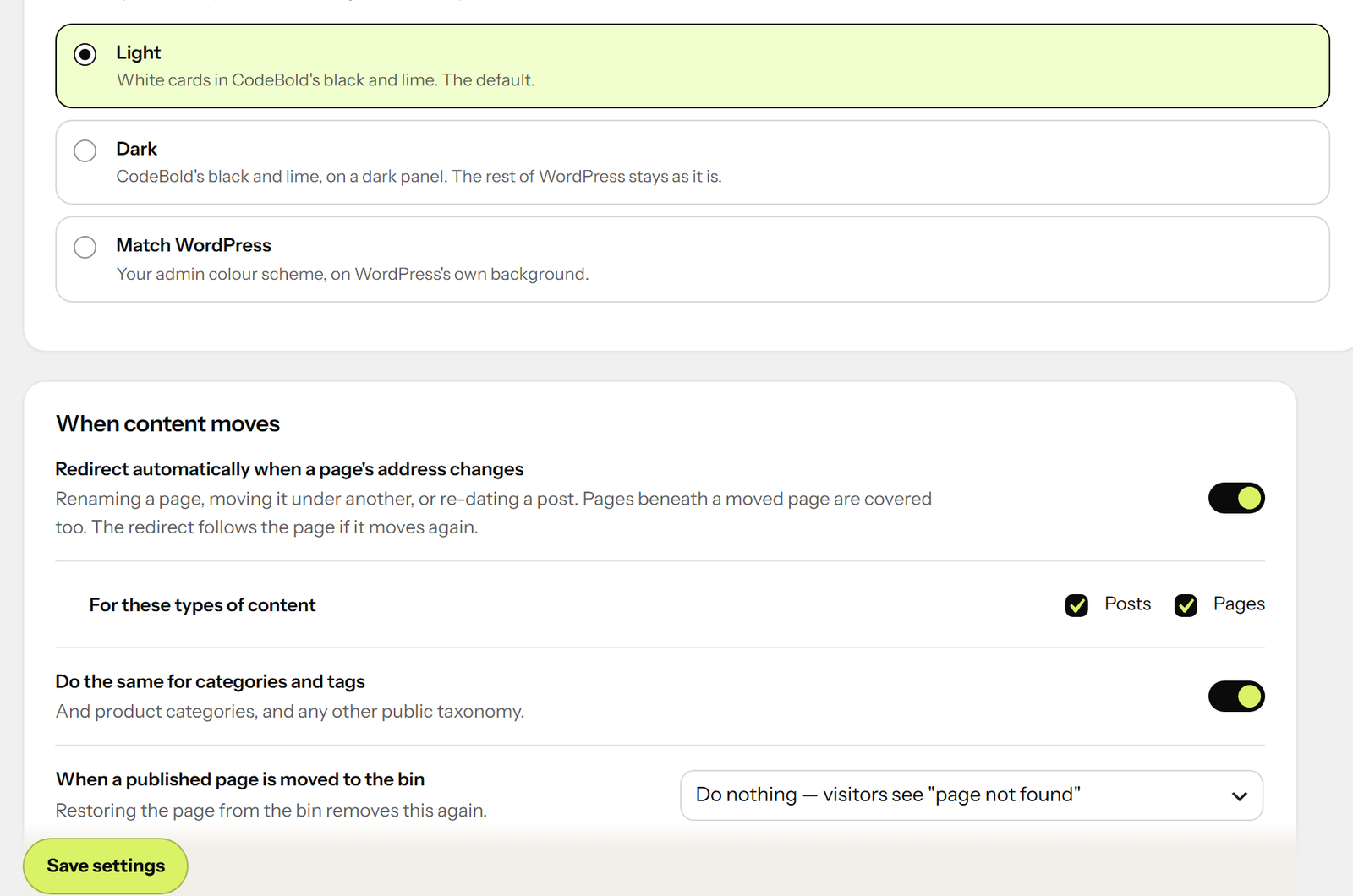
It catches pages that move
Rename a page, move it under a new parent, or change a post’s date, and a redirect from the
old address is made for you. Pages beneath a moved page are covered too, and so are
categories, tags and product categories.
The redirect points at the page itself, not at its new address. Rename it again and every
old address still leads straight to wherever it is now — no chains, ever.
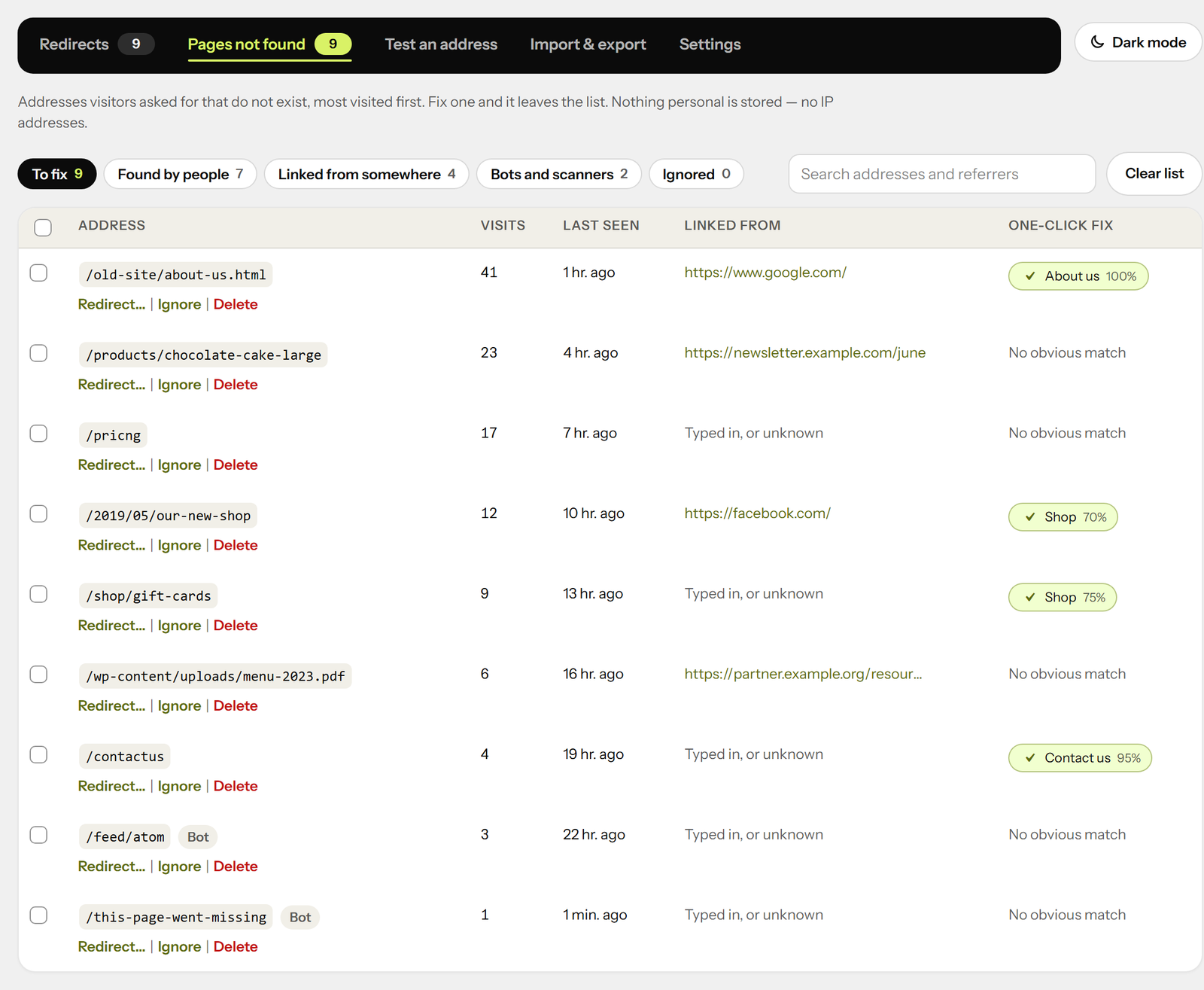
It shows you what is broken, with the fix beside it
Every address visitors asked for that did not exist is listed, most-visited first, with
where they came from. Beside each one is the page it most likely meant, found by its name.
One click and it is redirected — and it leaves the list.
No IP addresses are stored: one line per address, with a count. Scanners probing for
.env files and old phpMyAdmin installs are ignored, so the list is the links that matter.
On a page that was not found, administrators see “Redirect this address” in the admin
bar. The moment you notice a broken link is the moment you can fix it.
Adding a redirect is one line
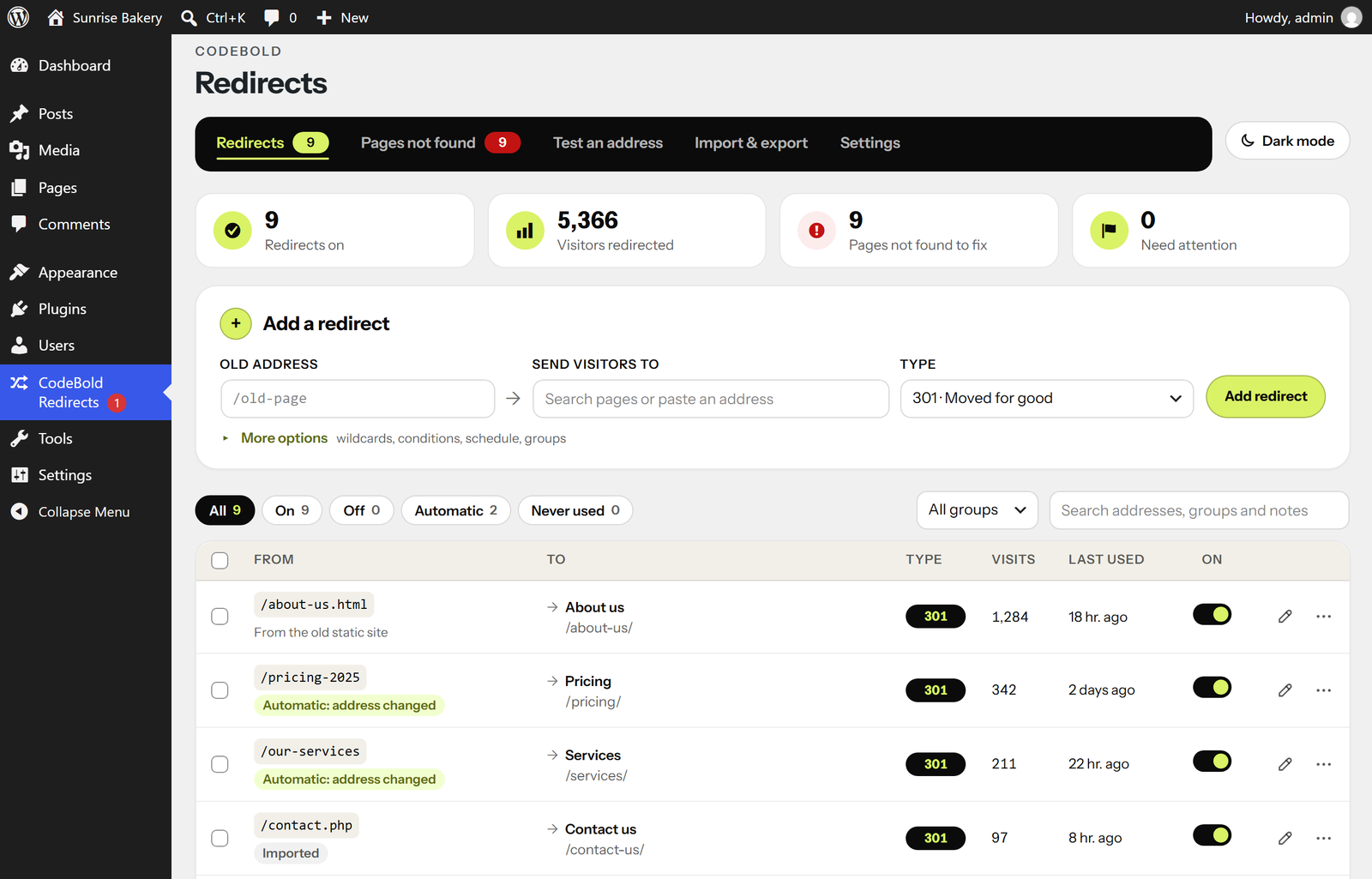
Type the old address, start typing the new page’s name, pick it. That is the whole form.
Pasting full addresses works; trailing slashes, capital letters and campaign tags are
handled for you. As you type, it tells you if the address already redirects, if the new
page does not seem to exist, or if you are about to hide a live page.
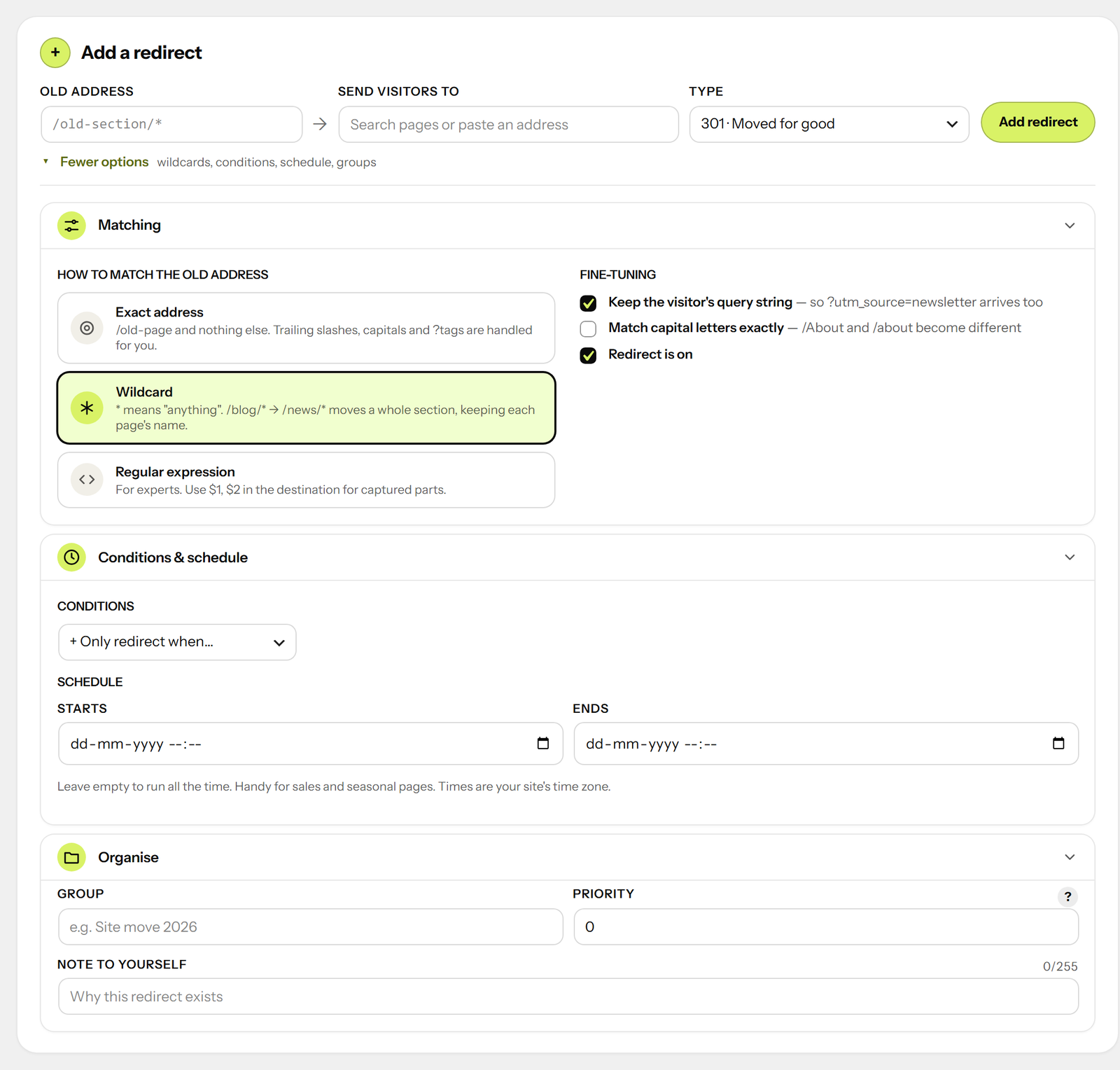
When you need more, it is there:
- Wildcards — /blog/* to /news/* moves a whole section, keeping each page’s name
- Regular expressions, with $1, $2 in the destination
- Conditions: logged in or out, role, phone or computer, where they came from, browser
language, country (with Cloudflare or a host that provides it), cookie, IP address - “Only if the page does not exist” — redirect the old shop’s products, except those you
have since recreated - Schedules — a redirect that starts and stops on its own, for sales and seasonal pages
- 301, 302, 307, 308, and 410 Gone and 451 for pages removed on purpose
- Groups and notes, so a site move or a campaign stays together
It will not break your site
- Refuses loops — including the classic “^/(.*)$ to /en/$1”, which looks right and sends
visitors to /en/en/en/… until the browser gives up - Refuses to redirect the admin, the login screen or the REST API, so you cannot lock
yourself out - A chain of redirects is followed for the visitor in one step
- The destination’s domain can never come from the visitor’s address, so the site cannot
be used to bounce people to somebody else’s website - Browsers are told to remember a 301 for an hour, not for ever — so a mistake does not
linger on visitors’ computers for months after you fix it - Deleting a redirect shows “Undo” instead of asking “are you sure?”
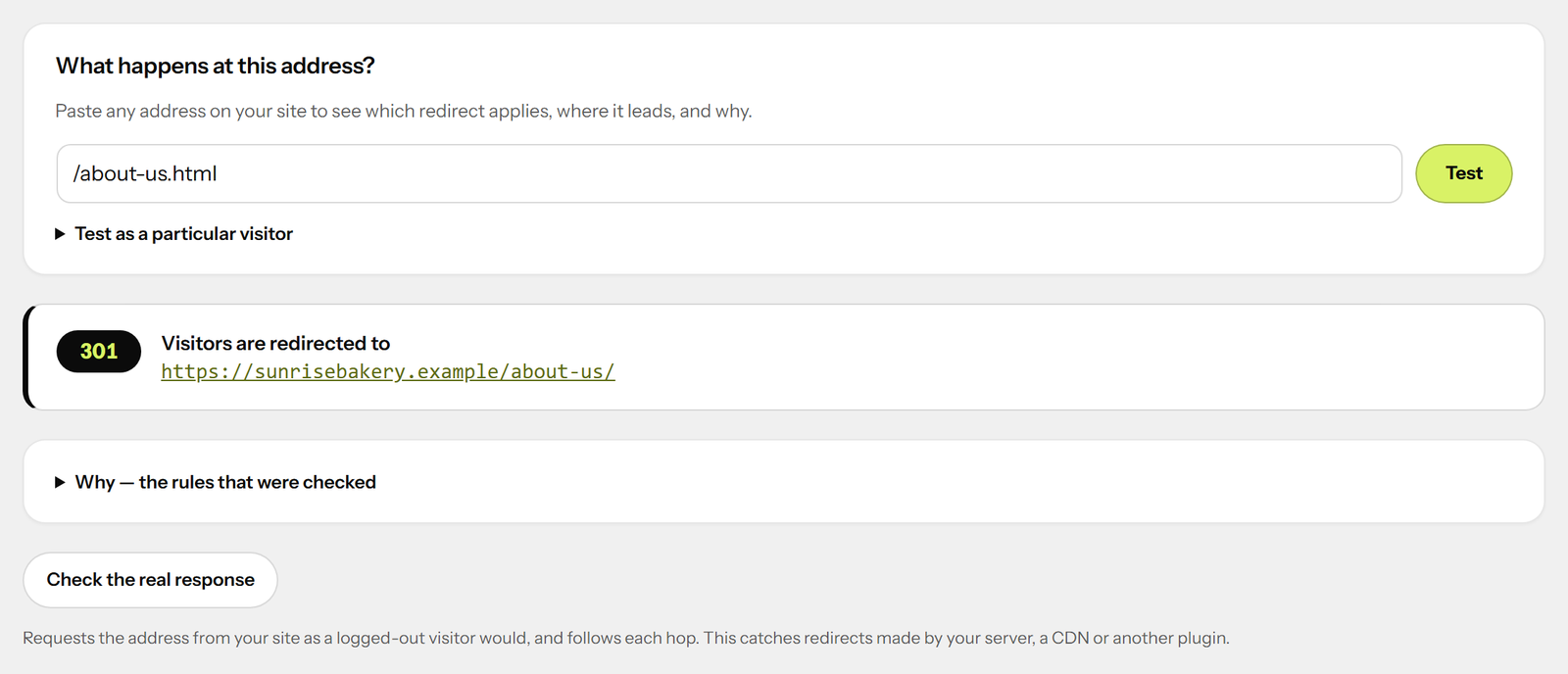
Test any address
Paste an address and see what happens to a visitor there, which rule applies and why — as
a logged-out visitor, a phone, somebody from Facebook, or from France. Then ask your site
itself and follow each hop, which catches redirects your server, CDN or another plugin
makes.
Moving from another plugin
If Redirection, Rank Math, Yoast SEO Premium, Safe Redirect Manager or Simple 301
Redirects has left redirects in your database — active or not — they are found and
offered for import in one click. Their own data is left untouched.
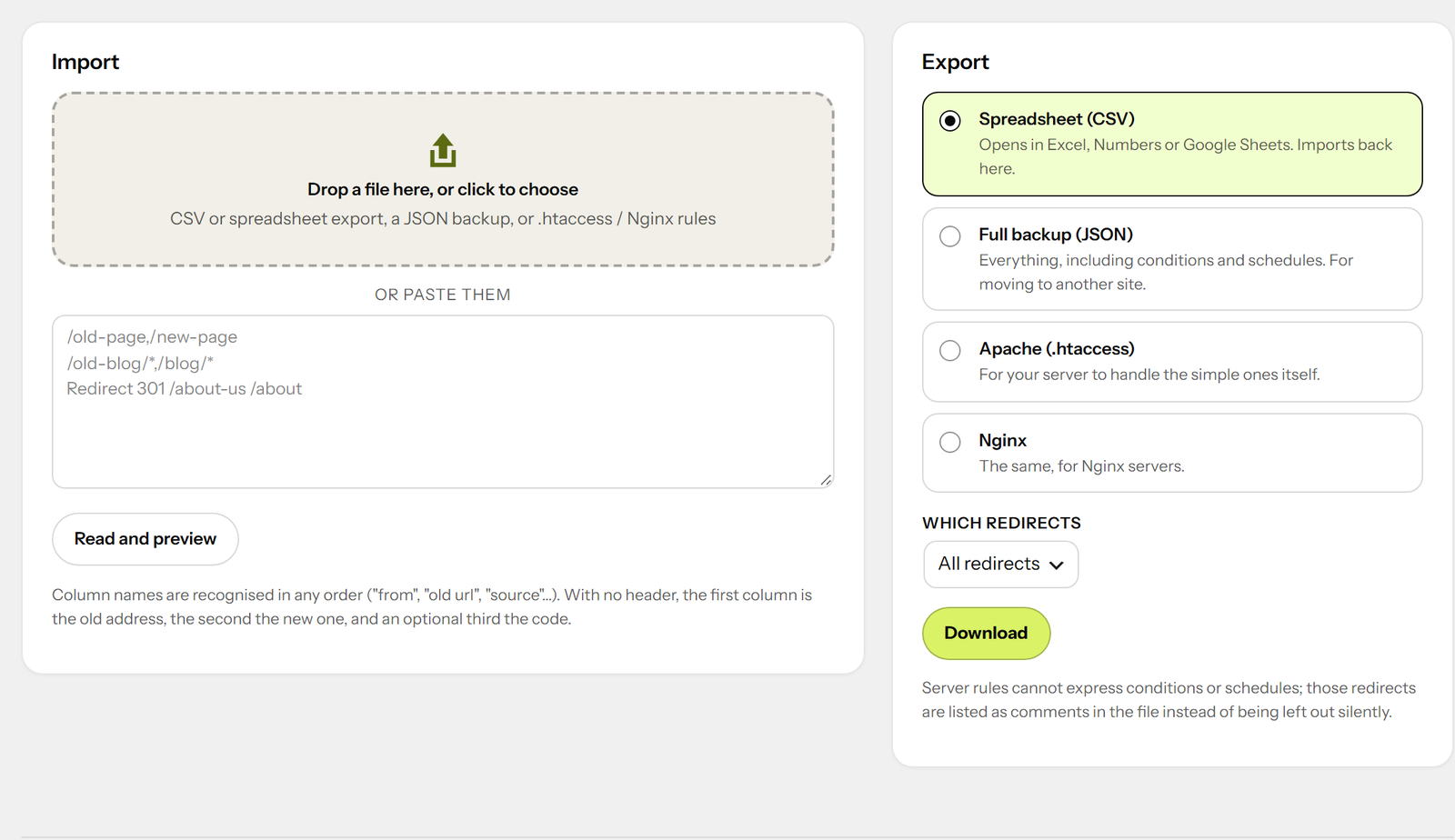
You can also import a CSV from any SEO tool or spreadsheet (column names in any order,
commas or semicolons), a JSON backup, or the redirect lines from an .htaccess or Nginx
config. You see a preview before anything is saved, and every row goes through the same
checks as one typed by hand.
Export as CSV, a full JSON backup, or Apache and Nginx rules for the server to handle the
simple ones itself.
Fast
An exact redirect is one indexed database lookup. Patterns are cached. Redirects happen
before WordPress loads the page that would have been thrown away. Visits are counted with
a single write.
For developers
- A REST API under codebold-redirect/v1 — the screen uses nothing else
- WP-CLI:
wp codebold-redirect list|add|delete|test|import|import-from|export|404s|cleanup - Filters and actions for every decision:
codebold_redirect_should_check,
codebold_redirect_url,codebold_redirect_before,codebold_redirect_site_hosts,
codebold_redirect_country,codebold_redirect_record_404,codebold_redirect_can_manage
and more - An
X-Redirect-By: CodeBold Redirectsheader on every redirect
Made by CodeBold IT Solutions
CodeBold Redirects is free, made by CodeBold IT Solutions. We design and build websites, web apps and WordPress plugins — if you need something made for your own site, get in touch at codeboldtech.com.
Credits
Includes the Instrument Sans typeface, licensed under the SIL Open Font License 1.1 (see assets/fonts).
Screenshots
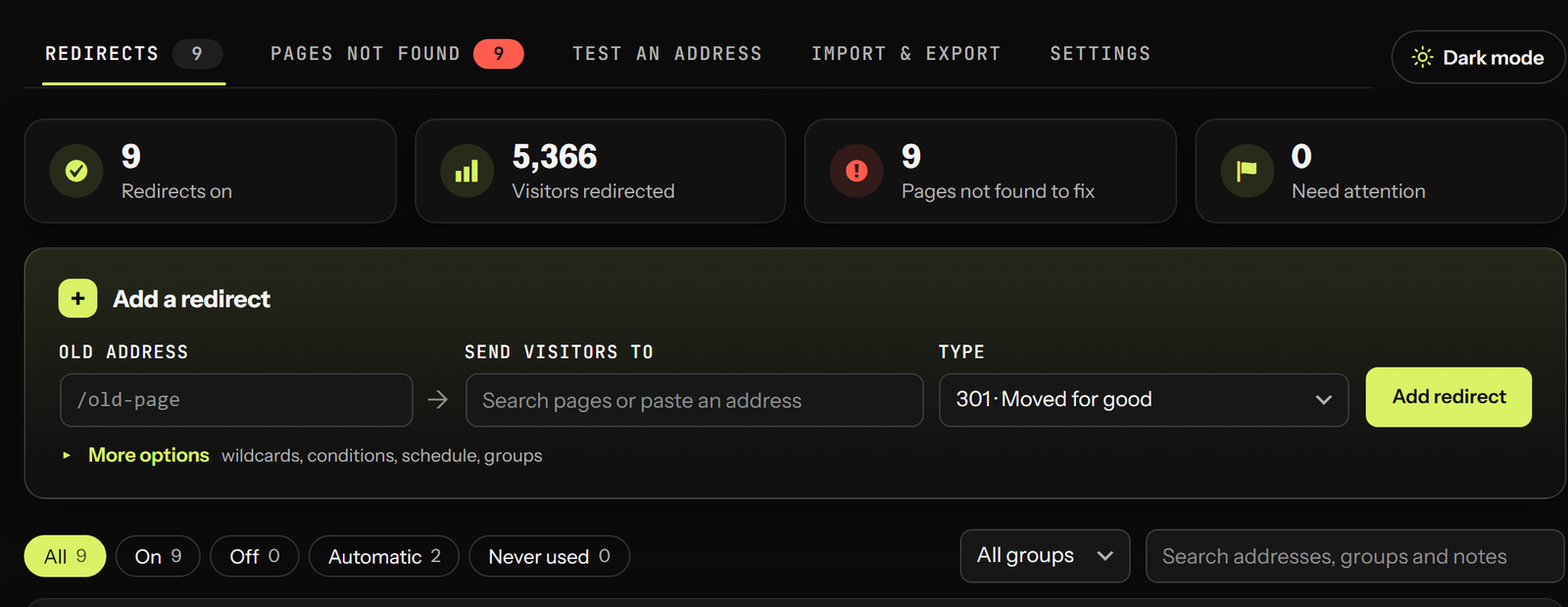
Installation
- Install and activate.
- Go to CodeBold Redirects in the main admin menu.
- Add a redirect — or just carry on working. Renamed pages are handled automatically, and anything broken will start appearing under “Pages not found”.
- For every screen explained step by step, with screenshots, read the CodeBold Redirects user guide.
FAQ
-
Is there a guide with screenshots?
-
Yes: the CodeBold Redirects user guide
walks through adding redirects, fixing pages not found, testing, importing and every setting. -
Do I need to do anything when I rename a page?
-
No. A redirect from the old address is made when you save. It appears in the list marked
“Automatic”, and you can change or delete it like any other. -
What happens to my redirects if I deactivate or delete the plugin?
-
Deactivating keeps everything. Deleting keeps your redirects too, unless you have turned on
“Delete all redirects when this plugin is deleted” in the settings — so deleting and
reinstalling to fix a problem never loses them. -
Should I send every 404 to my homepage?
-
Usually not. Search engines call that a “soft 404” and treat it as an error that also wastes
the visitor’s time. The option is there, along with a safer “closest-named page” one, but
the default is to show your “page not found” page and list the address so you can fix it
properly. -
Why does my redirect not work when I am logged in?
-
It probably has a “logged out” condition. Use “Test an address” — it shows each condition
and whether it held. Also check that a page cache is not serving an old copy. -
Does it work with page caching?
-
Yes. Simple redirects are cached by most page caches just like pages. Redirects with
conditions are sent with no-cache headers, so the next visitor is checked again. A
codebold_redirect_rules_changed action fires whenever redirects change, for purging. -
What is the difference between 301 and 302?
-
301 means “moved for good”: browsers and search engines update to the new address. 302
means “moved for now”: they keep the old one. Use 301 unless the change is temporary. 307
and 308 are the same, but keep a form submission as a submission. -
What does 410 do?
-
It tells visitors and search engines the page was removed on purpose. Search engines drop
it from their results faster than a 404. -
Is visitor data collected?
-
The 404 list stores the address, a count, when it was first and last seen, the referring
page (without its query string) and the browser name. No IP addresses, no cookies.
Reviews
There are no reviews for this plugin.
Contributors & Developers
“CodeBold Redirects” is open source software. The following people have contributed to this plugin.
Contributors
Translate “CodeBold Redirects” into your language.
Interested in development?
Browse the code, check out the SVN repository, or subscribe to the development log by RSS.
Changelog
1.3.6
- A line at the foot of the Redirects screen, and a link on the Plugins screen, to CodeBold IT Solutions, who make the plugin
1.3.5
- Security: links that open the add form already filled in — the dashboard’s “Fix”, the admin bar, the editor box — are signed with a nonce; without a valid one the form opens empty
- The menu’s count of new pages not found is styled through an enqueued stylesheet
1.3.4
- Light is the default look — white cards in CodeBold’s black and lime — with a Dark mode button beside the tabs, one click each way
- Translations load automatically from WordPress.org: the text domain now matches the plugin’s slug, codebold-redirects
1.3.3
- Appearance under Settings, chosen per person: Light, Dark or Match WordPress. Only the Redirects screen changes — never the rest of the dashboard
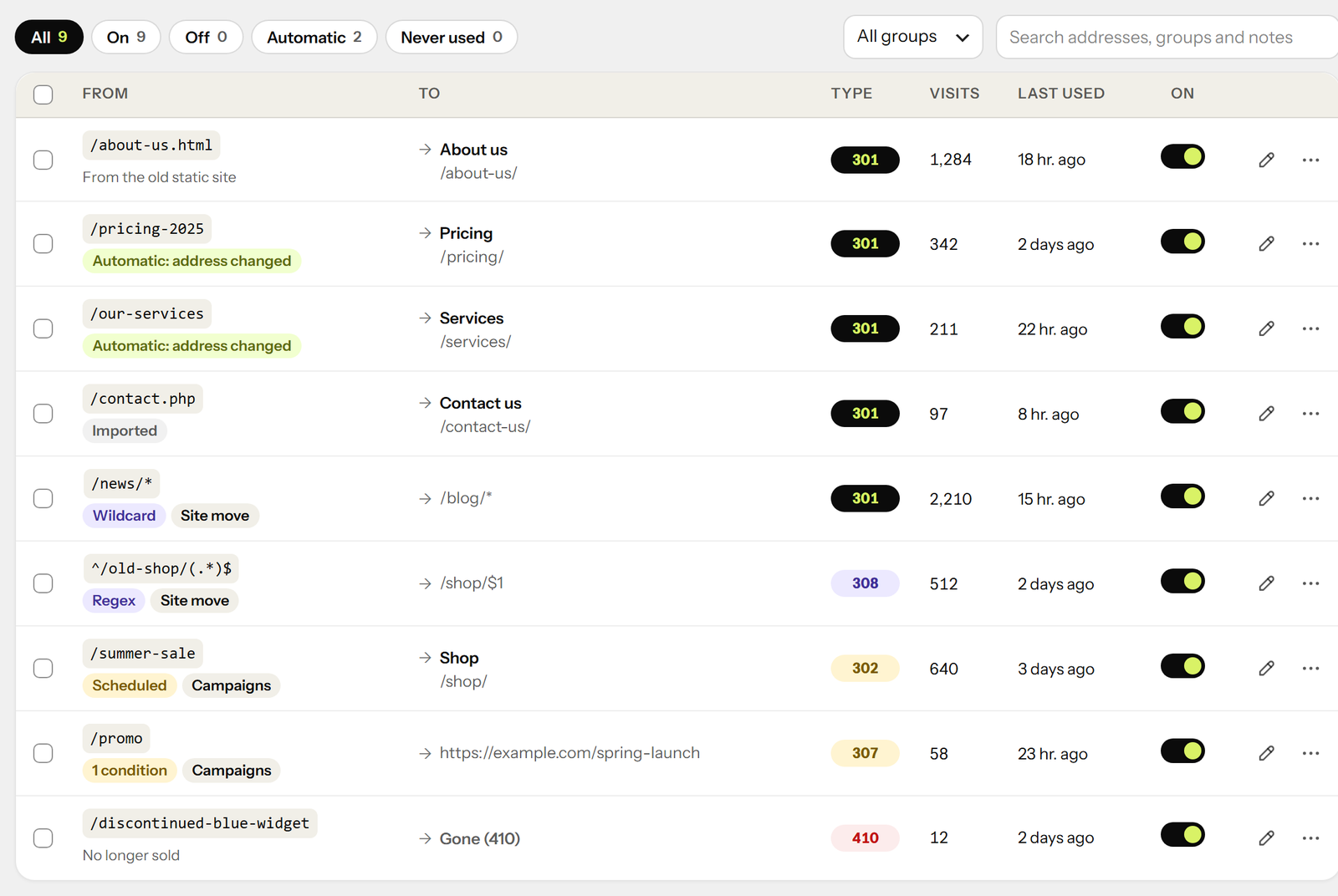
- The list keeps every column readable on laptops: “To” shows the page title over its address, and narrower screens get cards
- The four figures sit two by two on phones; card labels are never cut short
- The dashboard card has figure cards, visit counts and a Fix button
1.2.0
- A cleaner, more compact Redirects screen: four figures at the top, one line per redirect, Edit and a “more” menu on every row
- The add form’s extra options in three folds that remember whether you left them open and say what is set inside
- Friendlier empty screens, loading placeholders and toasts with an icon
- In CodeBold IT Solutions’ own colours — near-black and lime — with Instrument Sans bundled (nothing loads from Google); moves less when your system asks for reduced motion
- Its own “CodeBold Redirects” entry in the main admin menu, instead of under Tools — old links still work
1.1.0
- Easier on phones: every control is a comfortable size to tap, and all tabs stay in view
- Keyboard: focus always lands somewhere sensible, Enter on a button never saves the form
- Page search matches titles and addresses only, and always shows matching pages
- Better suggestions for old addresses, including the shop
- Import preview checks every line before anything is saved, and an interrupted import can be finished
- Undo for deleting, ignoring and fixing entries in “Pages not found”
- Warnings when redirecting the shop, a category or the blog page
- Dates shown in the site’s own format
1.0.0
- Exact, wildcard and regular expression redirects; 301, 302, 307, 308, 410 and 451
- Automatic redirects when pages, posts, children of moved pages and categories change address
- Optional redirect or 410 when published content is moved to the bin
- 404 list with suggestions, one-click fixes and no personal data
- Conditions, “only if not found”, and schedules
- Loop, chain, lock-out and open-redirect protection
- Address tester with live check
- Import from Redirection, Rank Math, Yoast SEO Premium, Safe Redirect Manager, Simple 301
Redirects, CSV, JSON and .htaccess / Nginx; export to CSV, JSON, Apache and Nginx - Editor sidebar box, dashboard widget, admin bar shortcut, REST API and WP-CLI