Description
Zetra AI Chat adds your Zetra AI agent to your WordPress site as a chat bubble, or inside any page with a shortcode.
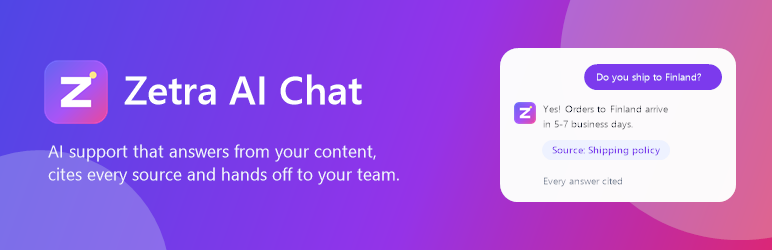
Your agent learns from your website, documents and help articles, then answers visitors’ questions in seconds. Every answer links to the passage it came from, and when the agent isn’t sure it says so and passes the conversation to your team instead of guessing.
What your visitors get
- Instant, accurate answers about your products, services and policies, any time of day
- Sources they can check, linked under each answer
- A smooth hand-off to a person when they need one
What you get
- Set up in minutes: paste your agent ID (or the whole embed code) and the plugin checks the connection, telling you exactly what to fix if something is wrong
- Try your agent from the settings page before your visitors see it
- Train the agent on your site, PDFs, Notion or Google Docs from the Zetra dashboard
- Escalate to your inbox, Zendesk, HubSpot, Freshdesk or Help Scout
- Leads and conversation history in one place, with analytics on what visitors ask
- Choose where it shows: every page except some, or only chosen pages; desktop or mobile only; hidden for signed-in users or on the WooCommerce cart and checkout
- Recognise signed-in users with secure identity verification, so they don’t have to repeat their name or email
- Put the chat inside any page with the “Zetra AI Chat” block or the
[zetra_chat]shortcode - Hosted in the EU and GDPR-ready, with a Data Processing Agreement for every customer
Zetra has a free plan. Paid plans add more messages, agents and integrations: see pricing.
External services
This plugin connects your site to Zetra (https://zetra.chat), an AI customer-support service provided by Zetra. It is required for the plugin to work.
- What is loaded: when the chat bubble is enabled and an agent ID is saved, every front-end page loads the Zetra widget script from
https://zetra.chat/widget.js. The[zetra_chat]shortcode loads the chat page fromhttps://zetra.chat/help/{agent ID}in an iframe. - What is sent, and when: loading the script sends Zetra the standard request data any web resource receives (the visitor’s IP address, browser user agent and the page’s origin). When a visitor opens the chat and sends a message, the message, the page it was sent from, and any details the visitor chooses to give (such as their name or email) are sent to Zetra so the agent can answer and the site owner can follow up. If you turn on “Recognise users”, the signed-in user’s WordPress user ID, display name and email are passed to the chat with a signature, so the agent knows who it is talking to.
- Connection check: the settings page asks Zetra (
https://zetra.chat/api/embed/{agent ID}) whether the agent exists and may run on your domain. Only the agent ID, your site’s address and the plugin version are sent, and only when an administrator opens the settings page. Zetra uses them to show your site as connected in your dashboard. - Who processes it: Zetra, under its Terms of Service and Privacy Policy. Data handling is described at zetra.chat/gdpr and zetra.chat/subprocessors.
Nothing is sent to Zetra until you save an agent ID, and the plugin itself stores only your settings in your WordPress database.
Blocks
This plugin provides 1 block.
- Zetra AI Chat
Installation
- Install and activate Zetra AI Chat from Plugins Add New.
- Create a free Zetra account and train an agent, for example by adding your website as a source.
- In Zetra, open your agent Channels Chat bubble and copy the embed code.
- In WordPress, go to Zetra AI (in the admin menu), paste the code (or just the agent ID) and save.
The chat bubble now shows on your site. Its colours, welcome message and suggested questions are set in the Zetra dashboard.
To show the chat inside a page instead, add the shortcode [zetra_chat height="640"].
FAQ
-
Do I need a Zetra account?
-
Yes. The agent, its knowledge and its conversations live in your Zetra account. There is a free plan.
-
Where do I find my agent ID?
-
In Zetra, open your agent, then Channels Chat bubble. You can paste the whole embed code; the plugin picks out the ID.
-
The bubble doesn’t appear. What should I check?
-
Open Zetra AI (in the admin menu). The status box at the top checks your agent with Zetra and tells you what is wrong: an unknown agent ID, a domain the agent isn’t allowed to run on, or a chat bubble that is switched off. Saving the settings clears the cache of the common caching plugins for you; if you use another one and still don’t see the bubble, clear its cache.
-
Can I choose where it shows?
-
Yes. Show it on every page except some, or only on chosen pages (by page or post ID). You can also limit it to desktop or mobile, hide it for signed-in users, and hide it on the WooCommerce cart and checkout. Developers can use the
zetra_ai_chat_loadfilter for any other rule. -
Can the agent know who my signed-in users are?
-
Yes. Turn on “Recognise users” and paste the identity secret from your agent’s Settings Security in Zetra. The plugin signs each user’s ID on your server, so the agent can greet them by name and nobody can pretend to be someone else. The secret is never sent to the browser.
-
Does it slow my site down?
-
The widget script loads asynchronously in the footer, so it doesn’t block your page from rendering, and the chat window only loads when it is opened.
-
Is it GDPR compliant?
-
Zetra is hosted in the EU and includes a Data Processing Agreement for every customer. See zetra.chat/gdpr. As the site owner you remain responsible for telling visitors about the chat in your own privacy policy.
Reviews
There are no reviews for this plugin.
Contributors & Developers
“Zetra AI Chat” is open source software. The following people have contributed to this plugin.
Contributors
Translate “Zetra AI Chat” into your language.
Interested in development?
Browse the code, check out the SVN repository, or subscribe to the development log by RSS.
Changelog
1.2.1
- Your Zetra dashboard now shows this site as connected under Channels and Integrations once the plugin is set up.
1.2.0
- Redesigned settings screen in its own “Zetra AI” menu: a live status with a setup checklist, tabbed settings with switches, and your agent’s chat beside them to try.
- Dashboard widget showing whether the chat is live.
- Admin bar indicator: see at a glance whether the chat shows on the page you are viewing.
- Quick links to train the agent, change its look, test it and connect your helpdesk.
1.1.0
- Connection check on the settings page, with a clear fix for each problem.
- Try your agent from the settings page.
- Show only on chosen pages, on desktop or mobile only, and hide for signed-in users or on the WooCommerce cart and checkout.
- Recognise signed-in users with identity verification.
- New “Zetra AI Chat” block.
- A setup reminder until the agent ID is saved.
- Saving the settings clears LiteSpeed Cache, WP Rocket, W3 Total Cache, WP Super Cache, WP Fastest Cache and SiteGround caches, so changes show straight away.
1.0.0
- First release: chat bubble on every page, per-page hiding, and the [zetra_chat] shortcode.