
Description
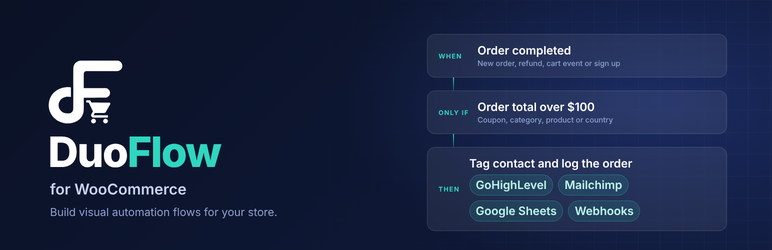
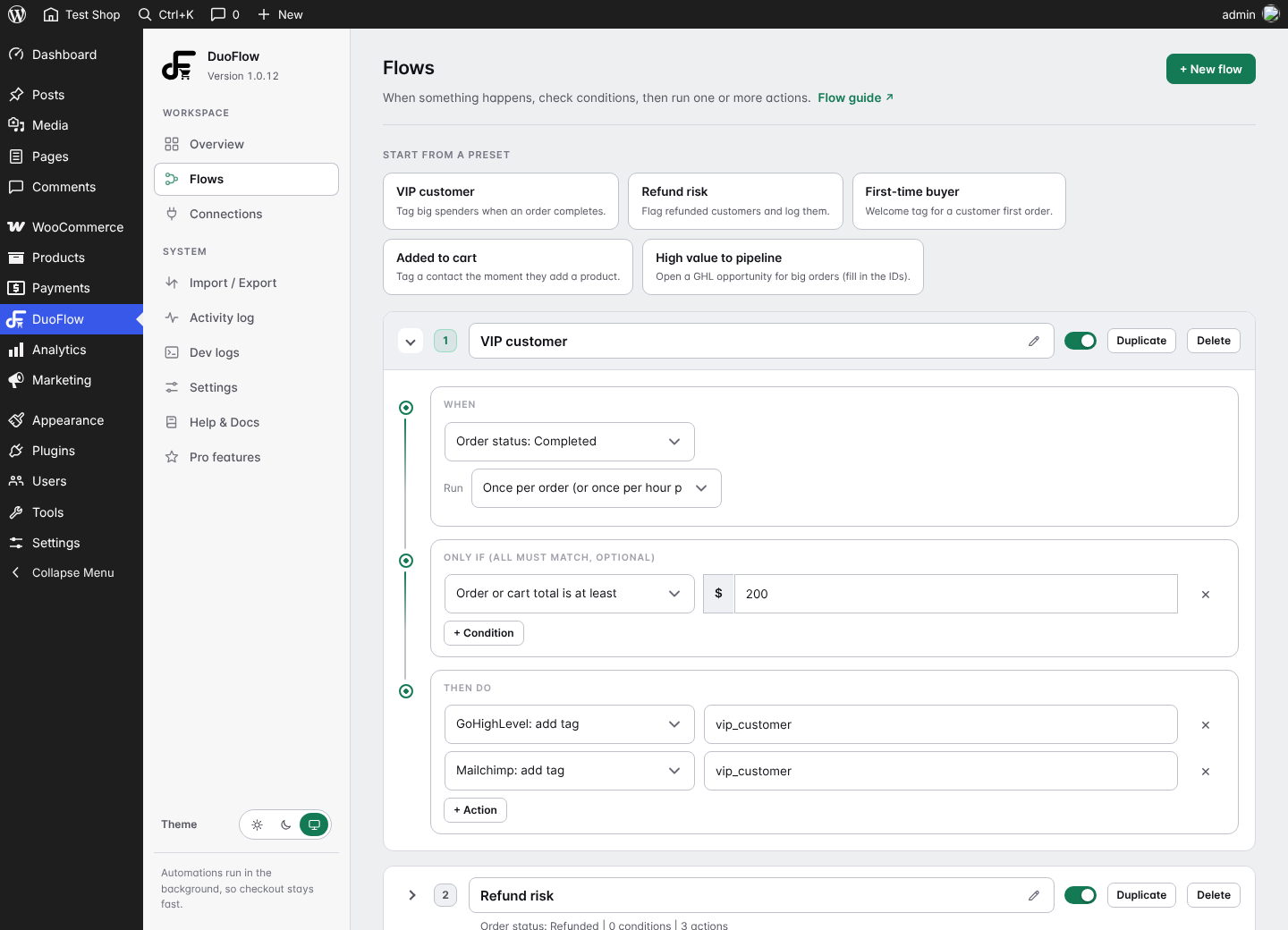
DuoFlow connects your WooCommerce store to the tools you already use. When something happens in your store, a flow runs: when it happens, only if your conditions match, then do one or more actions.
It is built to stay light. Features that are switched off load no code on your store, actions run in the background through Action Scheduler so checkout stays fast, and the dashboard assets load only on the plugin’s own screen.
WooCommerce automation with GoHighLevel
- Create or update a GoHighLevel contact for every order.
- Add or remove tags such as
vip_customeroruser_added_to_cart. - Open an opportunity in a pipeline for high value orders.
Mailchimp
- Add customers who ticked the checkout consent box to your audience.
- Add or remove Mailchimp tags.
Google Sheets
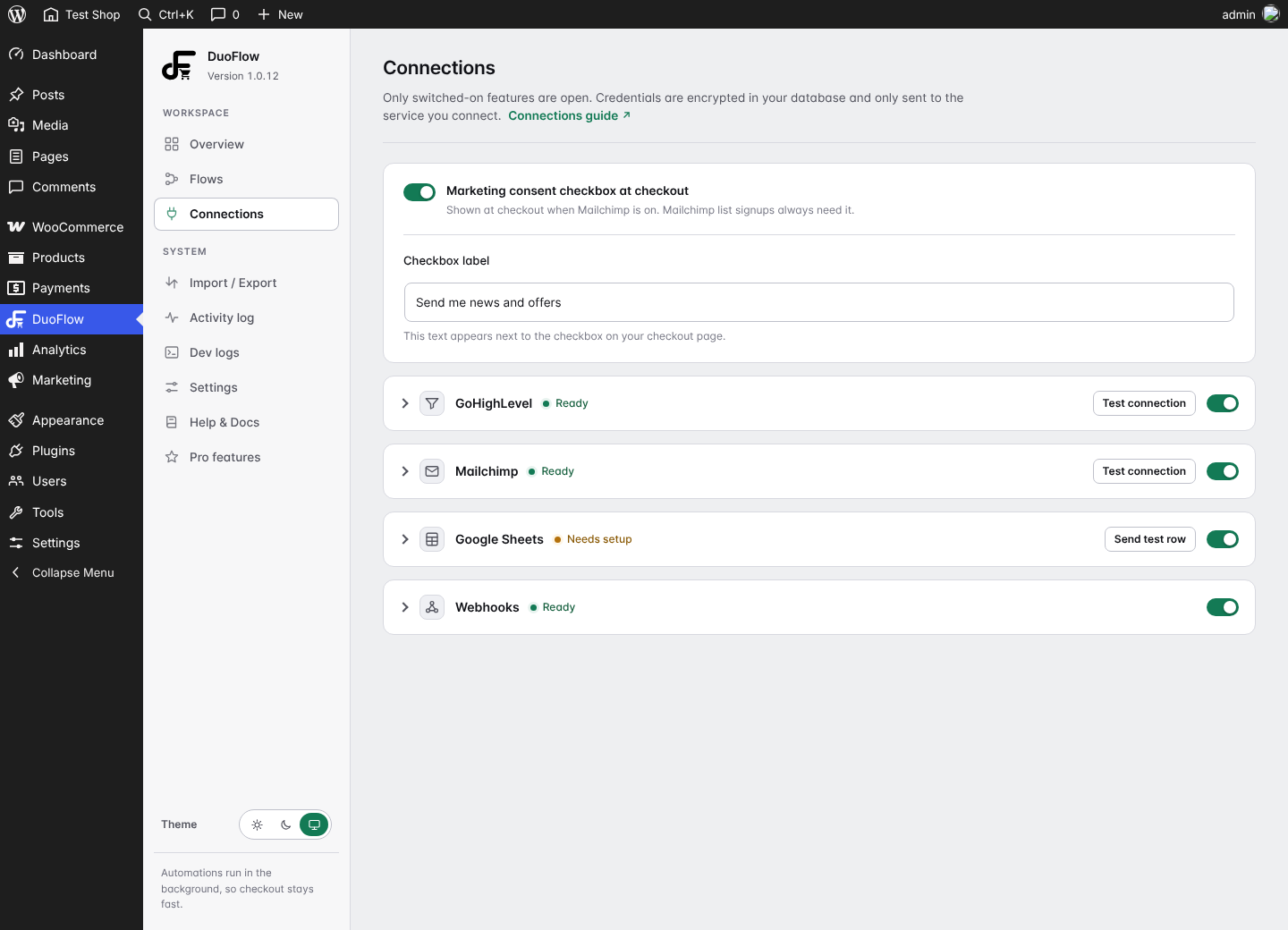
- Log orders and store events to a sheet in your own Google account with a small Apps Script that the plugin gives you. No Google sign in, no API key stored.
Webhooks
- Send a JSON payload to Zapier, Make, n8n, Discord or any https URL when something happens.
- Optional custom JSON with placeholders and an optional HMAC signature.
Triggers
Customer adds a product to cart, order placed, order processing, completed, on hold, cancelled, refunded or failed, and new account registered.
Conditions
Order total, first order, returning customer, coupon used, product category, specific product and customer country.
What is included in the free plugin
- Every feature described above, with no license key, trial period or usage limit.
- GoHighLevel, Mailchimp, Google Sheets and webhook connections.
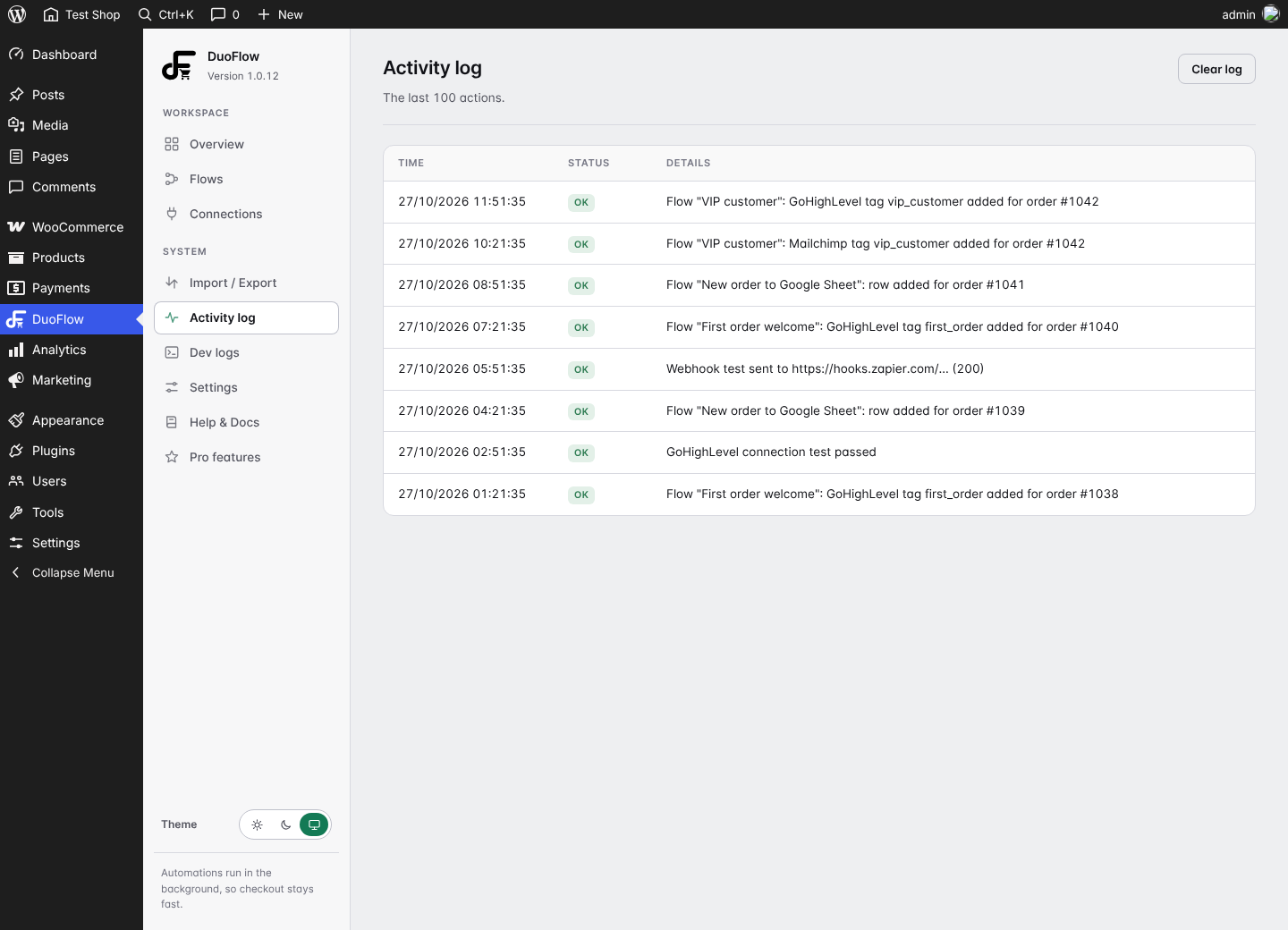
- Ready-made flow presets, activity log, developer log, flow import and export.
- A short in-plugin setup guide.
Flow Connect Pro (separate plugin)
A separate plugin from the same author, available on our own website, adds abandoned cart recovery, Klaviyo, WhatsApp, SMS, field mapping and email alerts. This plugin does not require it and nothing here is limited or locked without it. Your flows and settings carry over if you switch.
External services
This plugin connects your store to third party services only when you enter that service’s credentials and switch it on. Nothing is sent before that. It does not contact our own website, and it does not collect usage statistics.
GoHighLevel
Used to create or update contacts, add or remove tags and create opportunities. Data sent: the customer’s name, email, phone, country, order details and the tag or pipeline values you set in a flow, plus the Private Integration token and Location ID you enter. Sent to https://services.leadconnectorhq.com when a flow with a GoHighLevel action runs, or when you press Test connection.
Service: https://www.gohighlevel.com/ , Terms: https://www.gohighlevel.com/terms-of-service , Privacy: https://www.gohighlevel.com/privacy-policy
Mailchimp
Used to add subscribers and tags to your audience. Data sent: the customer’s email, name, order details you map and the tags you set, only for customers who ticked the consent box. Sent to https://<datacenter>.api.mailchimp.com (the data center comes from your API key) when a flow with a Mailchimp action runs, or when you press Test connection.
Service: https://mailchimp.com/ , Terms: https://mailchimp.com/legal/terms/ , Privacy: https://www.intuit.com/privacy/statement/
Google Sheets (Google Apps Script)
Used to add rows to your own Google Sheet. You deploy the script shown in the plugin to your own Google account. Data sent: the row values (customer name, email, phone, order details, event name) and the shared secret you generate, to the https://script.google.com/macros/.../exec address you paste in. Sent when a flow with a Google Sheet action runs, when “Log every order” is on, or when you press Send test row.
Service: https://workspace.google.com/products/sheets/ , Terms: https://policies.google.com/terms , Privacy: https://policies.google.com/privacy
Webhooks
Used to send a JSON payload to a URL you choose, for example a Zapier, Make, n8n or Discord address. Data sent: the order and customer fields in the payload (or the custom JSON you write), signed with your optional secret. Sent only to the https URL you enter in a flow action when that flow runs. What the receiving service does with the data is covered by its own terms and privacy policy.
Privacy
The plugin stores your flows, settings (credentials are encrypted with libsodium), a short activity log and a developer log in your own database. It adds suggested text to the WordPress privacy policy guide, and it registers a WordPress personal data eraser that removes activity log lines that mention an email address. An optional consent checkbox at checkout records whether the customer agreed to marketing.
Screenshots

Installation
- Install and activate WooCommerce.
- Upload the plugin or install it from the Plugins screen, then activate it.
- Open DuoFlow in the admin menu.
- In Overview switch on a feature, then open Connections and enter its key. Press Test connection.
- In Flows add a flow or pick a preset, then save.
FAQ
-
Does this work with HPOS and the Cart and Checkout blocks?
-
Yes. Compatibility with High-Performance Order Storage and the Cart and Checkout blocks is declared.
-
Will it slow down my checkout?
-
No. Actions are queued and run in the background. Switched off features load nothing.
-
Where are my API keys stored?
-
In your own database, encrypted. They are only sent to the service they belong to.
-
How do I connect Google Sheets?
-
Open Connections, Google Sheets. The plugin shows a short Apps Script. Paste it into your sheet, deploy it as a web app and paste the web app URL back.
-
How do I upgrade to Pro?
-
Install and activate the separate Flow Connect Pro plugin, then enter your key. Your flows, connections and settings are kept. Delete the free plugin only after Pro is installed.
-
Is anything locked or limited?
-
No. Every feature in this plugin works without a key, an account or a payment. The separate Pro plugin only adds more connections and tools.
-
Does it need an account on your website?
-
No. The free plugin works on its own.
Reviews
There are no reviews for this plugin.
Contributors & Developers
“DuoFlow for WooCommerce” is open source software. The following people have contributed to this plugin.
Contributors
Translate “DuoFlow for WooCommerce” into your language.
Interested in development?
Browse the code, check out the SVN repository, or subscribe to the development log by RSS.
Changelog
1.0.12
- Renamed to DuoFlow for WooCommerce.
- Removed the flow and action limits that were specific to this plugin.
- Dashboard scripts and styles now load through the WordPress enqueue functions.
1.0.11
- Upgrading to Pro keeps your existing connections and settings.
1.0.10
- Refined flow builder look: quieter borders and a cleaner connected line.
- The custom JSON box in webhook actions now has its own full-width row.
1.0.9
- Links to the online documentation from every setup screen.
- The GoHighLevel connection test no longer logs an expected check as an error.
1.0.8
- Flow builder blocks use solid borders and a dotted connector.
1.0.7
- Maintenance release.
1.0.6
- Maintenance release.
1.0.5
- New F logo.
1.0.4
- White logo in the admin menu.
1.0.3
- All-white logo with no background.
1.0.2
- White logo on an orange tile. Pro actions are listed in the flow builder.
1.0.1
- New logo and admin menu icon.
1.0.0
- First release in the WordPress directory.