

Description
AbhinavDev Announcement Bar lets you display a sleek, high-converting announcement or promo bar on your WordPress site with zero bloat and zero external dependencies.
Key Features
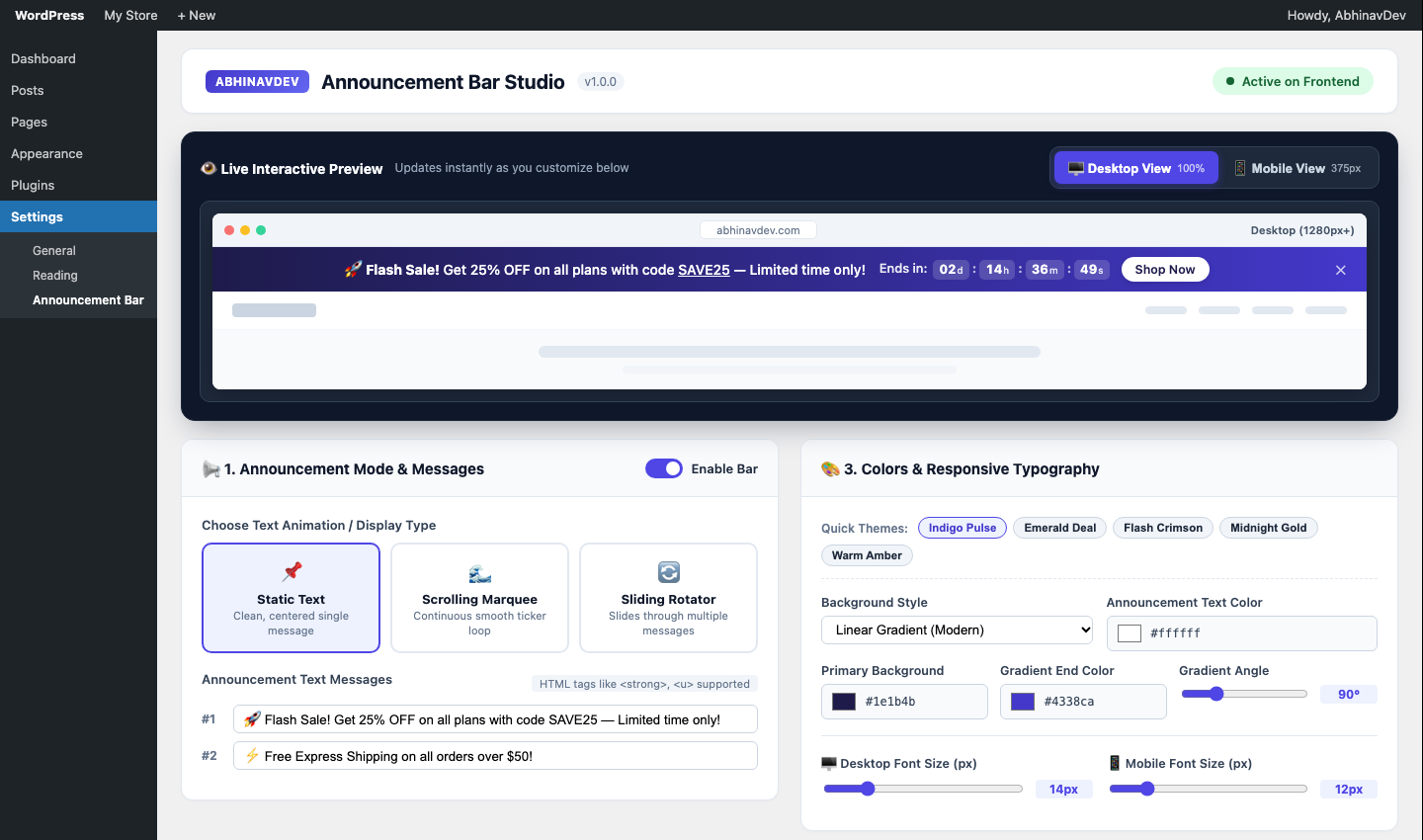
- 3 Display Modes:
- Static Text: Clean, centered single announcement message.
- Scrolling Marquee: Continuous smooth horizontal ticker loop (pauses on hover).
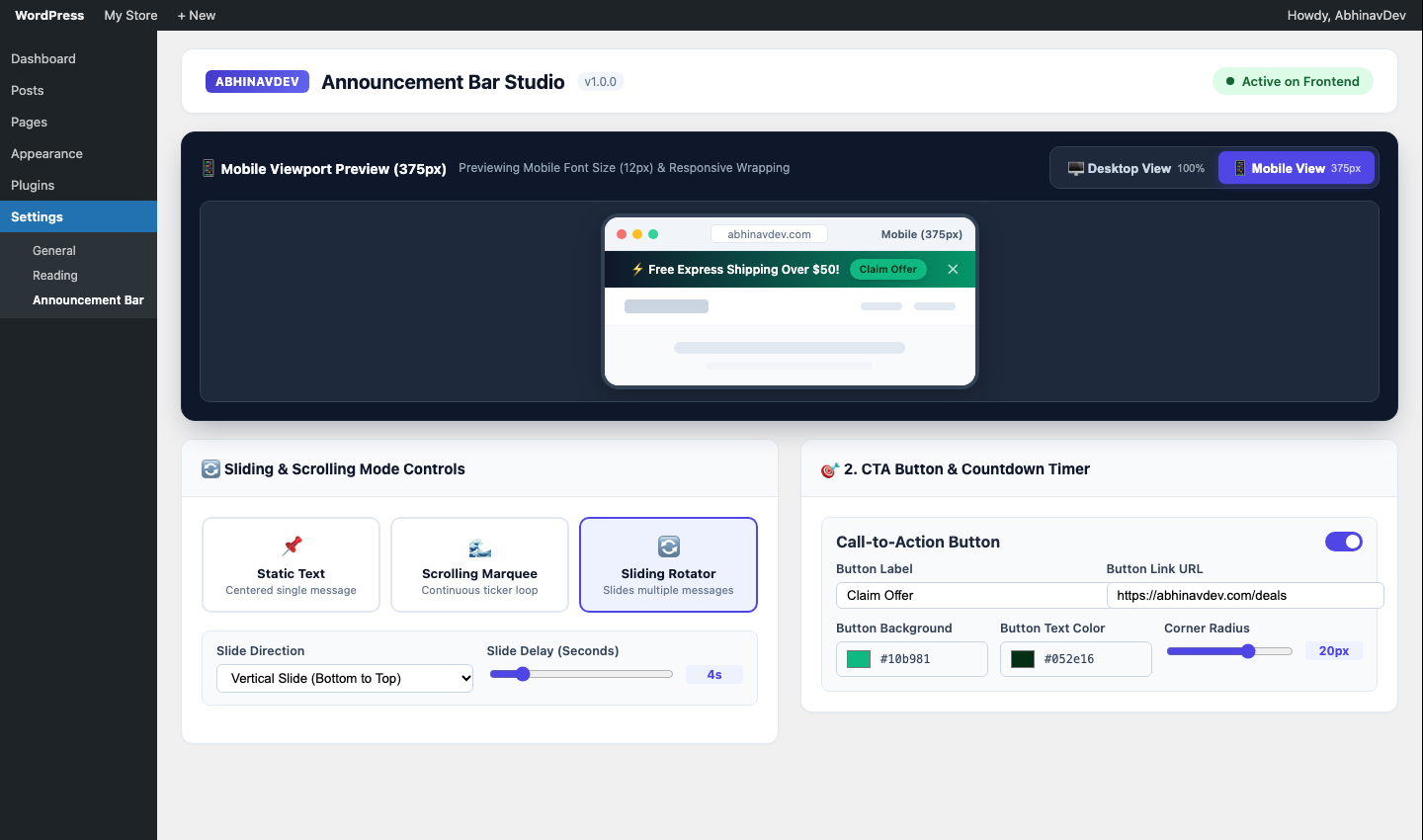
- Sliding Rotator: Smoothly slides through multiple messages (Vertical or Horizontal slide transitions).
- Live Desktop & Mobile Admin Preview:
- Preview your announcement bar in real time inside the WordPress admin dashboard.
- Toggle between Desktop View (100% viewport) and Mobile View (375px smartphone frame) before saving changes.
- Complete Design & Responsive Typography Controls:
- Choose between Solid Background Color or Linear Gradient with custom angle.
- Separate Desktop Font Size and Mobile Font Size controls.
- Separate Desktop & Mobile Height Padding and font weight options.
- 5 one-click color theme presets (Indigo Pulse, Emerald Deal, Flash Crimson, Midnight Gold, Warm Amber).
- Call-To-Action (CTA) Button & Live Countdown Timer:
- Customizable CTA button with custom colors, border radius, and new-tab toggle.
- Built-in live countdown timer (Days, Hours, Minutes, Seconds) for flash sales and events.
- Flexible Placement & Targeting:
- Position at Top Sticky, Top Static, or Bottom Sticky Floating.
- Show on Entire Website or Homepage Only.
- Target Desktop & Mobile, Desktop Only, or Mobile Only.
- Optional Dismiss (
✕) button with configurable cookie/localStorage reappear days.
Screenshots

Installation
- Upload the
abhinavdev-announcement-barfolder to/wp-content/plugins/or install via the WordPress Plugins screen. - Activate AbhinavDev Announcement Bar through the ‘Plugins’ menu in WordPress.
- Navigate to Settings > Announcement Bar to customize your bar and test it in the Live Desktop & Mobile Preview.
FAQ
-
Does this plugin slow down my website?
-
No. It uses pure vanilla JavaScript and lightweight CSS custom properties (under 6KB combined) with zero jQuery or external library dependencies.
-
Can I add multiple messages for scrolling or sliding?
-
Yes! You can add unlimited messages in the admin settings and switch between Static, Scrolling Marquee, and Sliding Rotator at any time.
Reviews
There are no reviews for this plugin.
Contributors & Developers
“AbhinavDev Announcement Bar” is open source software. The following people have contributed to this plugin.
Contributors
Translate “AbhinavDev Announcement Bar” into your language.
Interested in development?
Browse the code, check out the SVN repository, or subscribe to the development log by RSS.
Changelog
1.0.2
- Made “Show Again on Page Refresh” the default close (✕) button behavior, with a clear dropdown to optionally hide the bar for 1, 3, 7, 14, or 30 days.
1.0.1
- Added quick links for plugin reviews, support forum, and custom development inquiries in the settings footer and plugin row meta.
1.0.0
- Initial release with Static, Scrolling Marquee, and Sliding Rotator modes, CTA button, Countdown timer, and Live Desktop/Mobile Admin Preview.