

Description
When an order can’t go out in one piece, Patchwork Split lets you ship what you have now and deal with the rest cleanly.
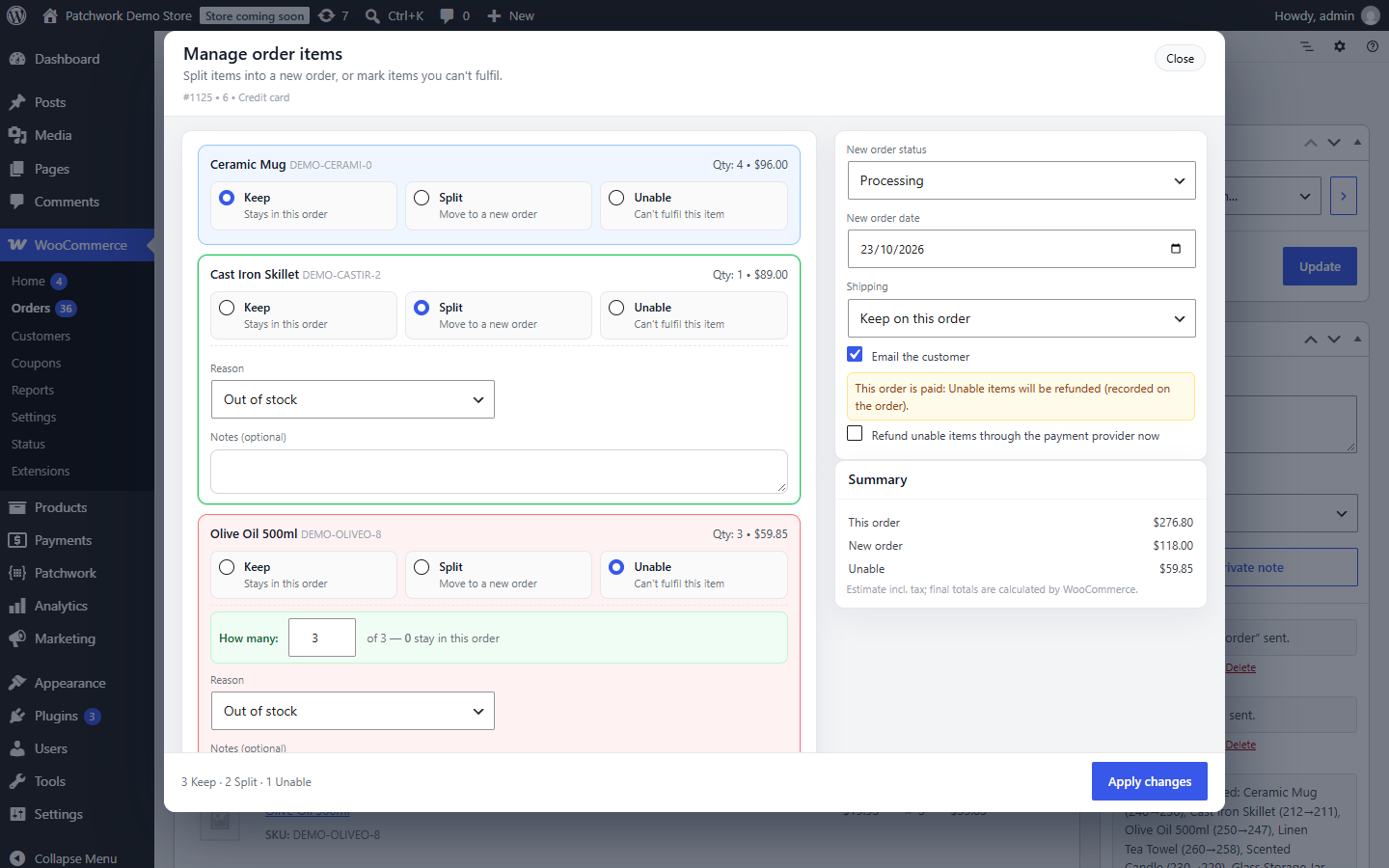
Open the Order Item Manager on any order (or from the orders list preview) and choose for each item:
- Keep – stays in this order
- Split – moves into one new order (all of it, or just some of the quantity)
- Unable – you can’t supply it
Everything is applied in one step, and the money and stock stay right:
- Totals add up. The original order and the new one always equal what the customer was charged. Discounts and taxes are carried over exactly as charged — never recalculated at today’s rates.
- Stock follows the items. Nothing is reduced twice, and cancelling a split order puts its stock back.
- Unable items on unpaid orders are removed, so the customer only pays for what you can send, and go back into stock.
- Unable items on paid orders are refunded on the order (optionally through your payment provider) and go back into stock.
- You decide about postage: keep it on the original order, move it, or add the same method to the new order free of charge.
- No confusing emails. WooCommerce’s “new order” and “cancelled” emails are held back during a split; the customer gets one clear note instead (you can switch it off).
- Safe by default. Orders with refunded items, completed orders and the like are protected from changes.
Backorders, your way
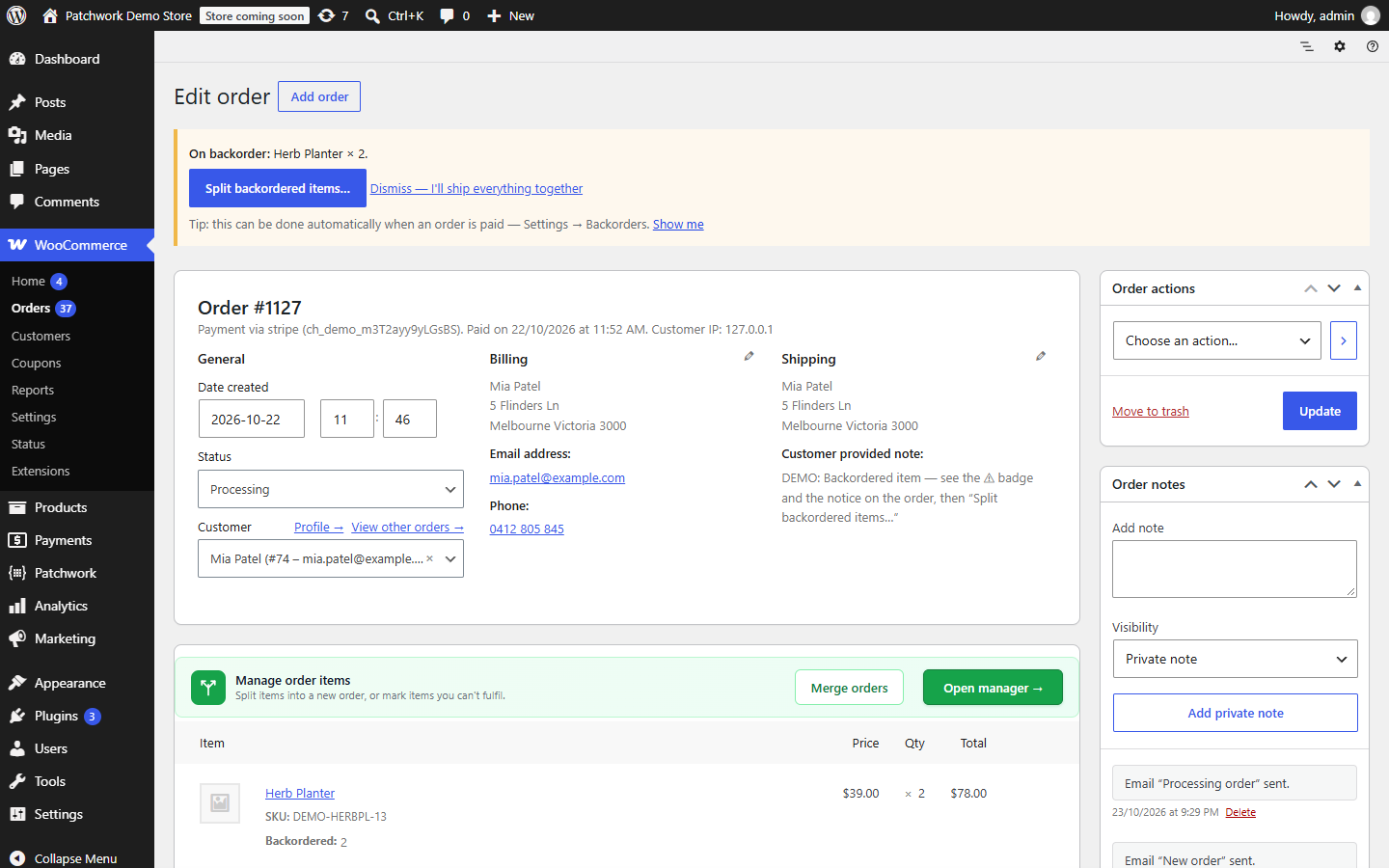
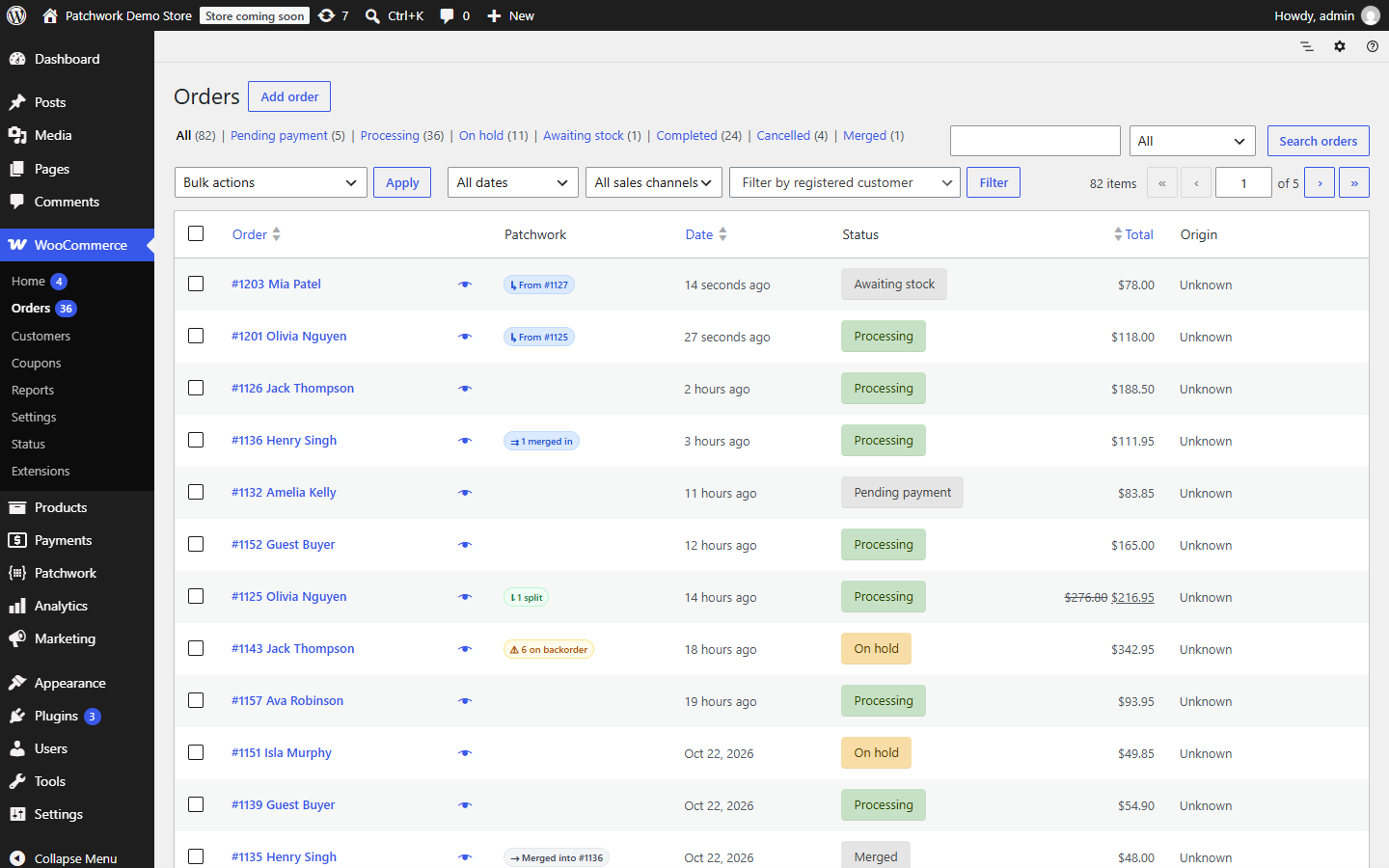
When an order has items on backorder, Patchwork Split flags it — a “⚠ on backorder” badge on the orders list and a notice on the order showing the items and the postage paid. One click opens the manager already filled in, and you decide what happens. Or dismiss it and ship everything together.
One dashboard
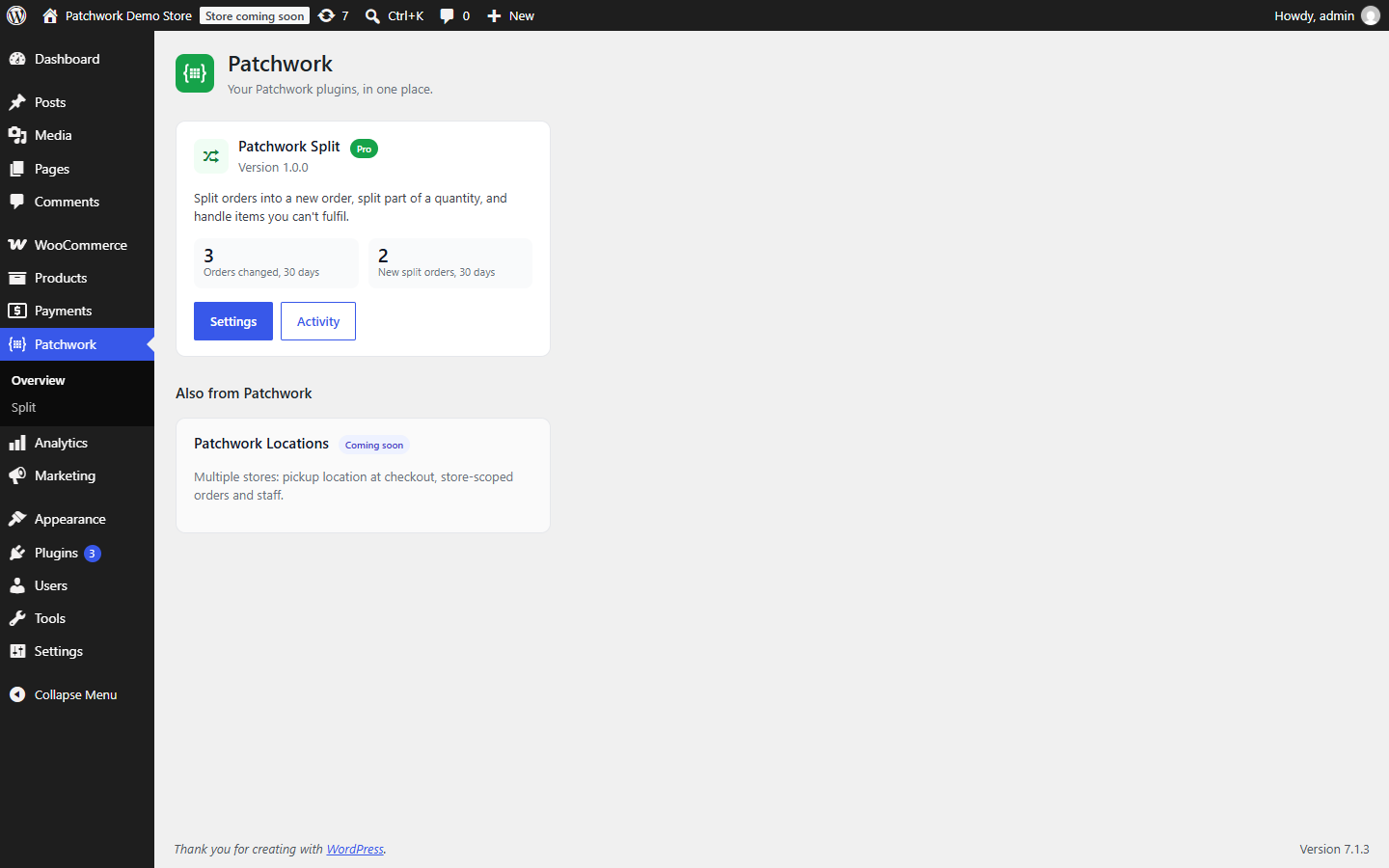
Patchwork Split lives in the Patchwork menu: settings, an activity log of every change, and links between split orders (badges on the orders list and a history box on each order). Works with WooCommerce High-Performance Order Storage (HPOS) and classic order storage.
Pro
Patchwork Split Pro (see Patchwork Split Licence) adds:
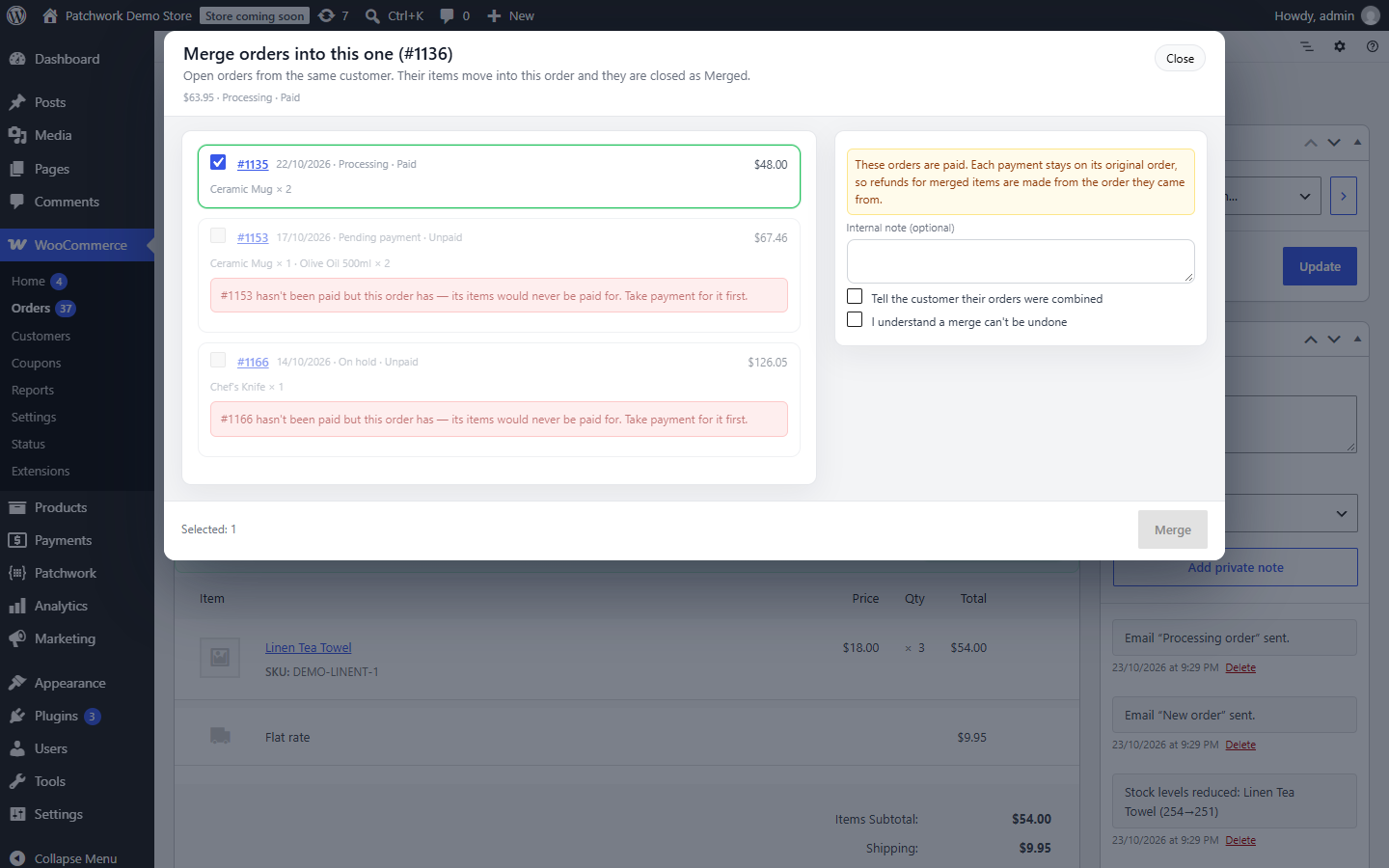
- Merge orders – combine open orders from the same customer so they ship together, with payments and stock kept straight.
- Automatic backorder splitting – when an order is paid, backordered units move into their own order by themselves (plus a bulk action for existing orders).
- Choose the new order’s status – and create your own, such as “Awaiting stock”, with bulk actions on the orders list.
For developers
Hooks such as patchwork_split_validate_batch, patchwork_split_before_child_save, patchwork_split_completed and patchwork_split_order_badges, plus a small JavaScript extension API, let other plugins add to the manager.
External services
This plugin uses Freemius (freemius.com) for licensing, Pro updates and optional usage data.
- Free version: on first use you’re asked whether to connect to Freemius to receive security and feature updates. If you choose Allow & Continue, Freemius receives your name and admin email address, your site URL, WordPress and PHP versions, the plugin’s version and status, and plugin events such as activation, deactivation and uninstall. Nothing is sent if you skip, and you can opt out later at any time.
- Pro version: the licence key, site URL and plugin version are sent to Freemius to activate the licence and deliver updates.
- No order, customer or product data is ever sent.
Freemius Terms of Service and Privacy Policy.
Support requests: the Patchwork Support form emails your message to support@patchwork.guru from your own site, only when you click Send. It includes the plugin you chose, your subject and message, your reply-to email address, any files you attach, and — only if you leave “Include system info” ticked — your site URL and the WordPress, WooCommerce, PHP, theme and Patchwork plugin versions (you can see the full list before sending). Support emails are used only to answer your request.
Screenshots

Installation
- Install from Plugins Add New (search for “Patchwork Split”), or upload the
patchwork-order-splitfolder to/wp-content/plugins/. - Activate it. WooCommerce must be active.
- Optional: adjust reasons, shipping, backorders and emails under Patchwork Split.
- Open any order and click Open manager above the order items.
FAQ
-
Who can use the manager?
-
Administrators and Shop Managers by default. You can allow other roles under Patchwork Split Settings Access; they also need permission to edit orders.
-
Does it refund the customer automatically?
-
Only if you tick “Refund unable items through the payment provider now” when applying. Otherwise the refund is recorded on the order and you refund the customer yourself.
-
How do refunds work for a split order?
-
A split order from a paid order is marked as paid via the original. Make refunds from the original order, where the payment was taken.
-
What happens to postage when I split?
-
You choose each time: keep it on the original order (default), move it to the new order, or add the same shipping method to the new order free of charge. When every item leaves the original order, shipping goes with them.
-
Can a split be undone?
-
Not automatically. Every split is recorded on both orders and in the activity log, so you can see exactly what happened.
-
Does it work with HPOS?
-
Yes — High-Performance Order Storage and classic (posts) storage are both supported and tested.
Reviews
There are no reviews for this plugin.
Contributors & Developers
“Patchwork Split – Split & Merge Orders for WooCommerce” is open source software. The following people have contributed to this plugin.
Contributors
Translate “Patchwork Split – Split & Merge Orders for WooCommerce” into your language.
Interested in development?
Browse the code, check out the SVN repository, or subscribe to the development log by RSS.
Changelog
1.1.1
- Security: order actions now check that you can edit that specific order (respects plugins that limit which orders a user can edit).
- No upgrade prompts on order screens.
1.1.0
- New: Patchwork Support — send a support request (with screenshots and optional system info) straight from your dashboard.
- “Get support” links on the Patchwork overview and plugin pages.
1.0.1
- Requires PHP 8.0 or later.
1.0.0
- First public release.