
Description
Verifycate connects your WordPress LMS to the Verifycate credential platform, so
a verifiable certificate is queued and issued automatically when a learner
completes a course.
Supported course plugins:
- LearnDash
- Tutor LMS
- LearnPress
- LifterLMS
- Sensei
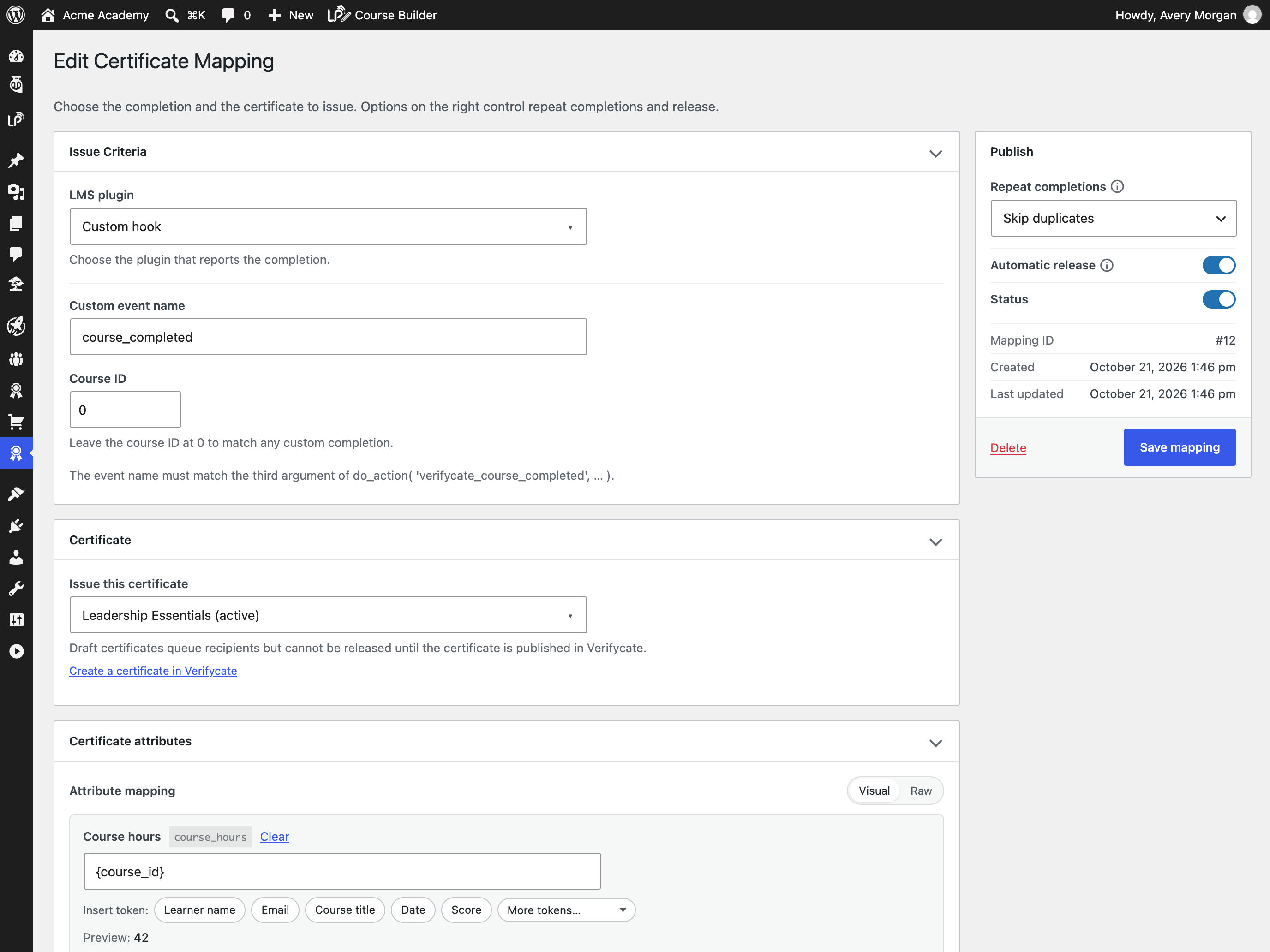
- A generic custom hook for course, membership, e-commerce and in-house plugins
Highlights:
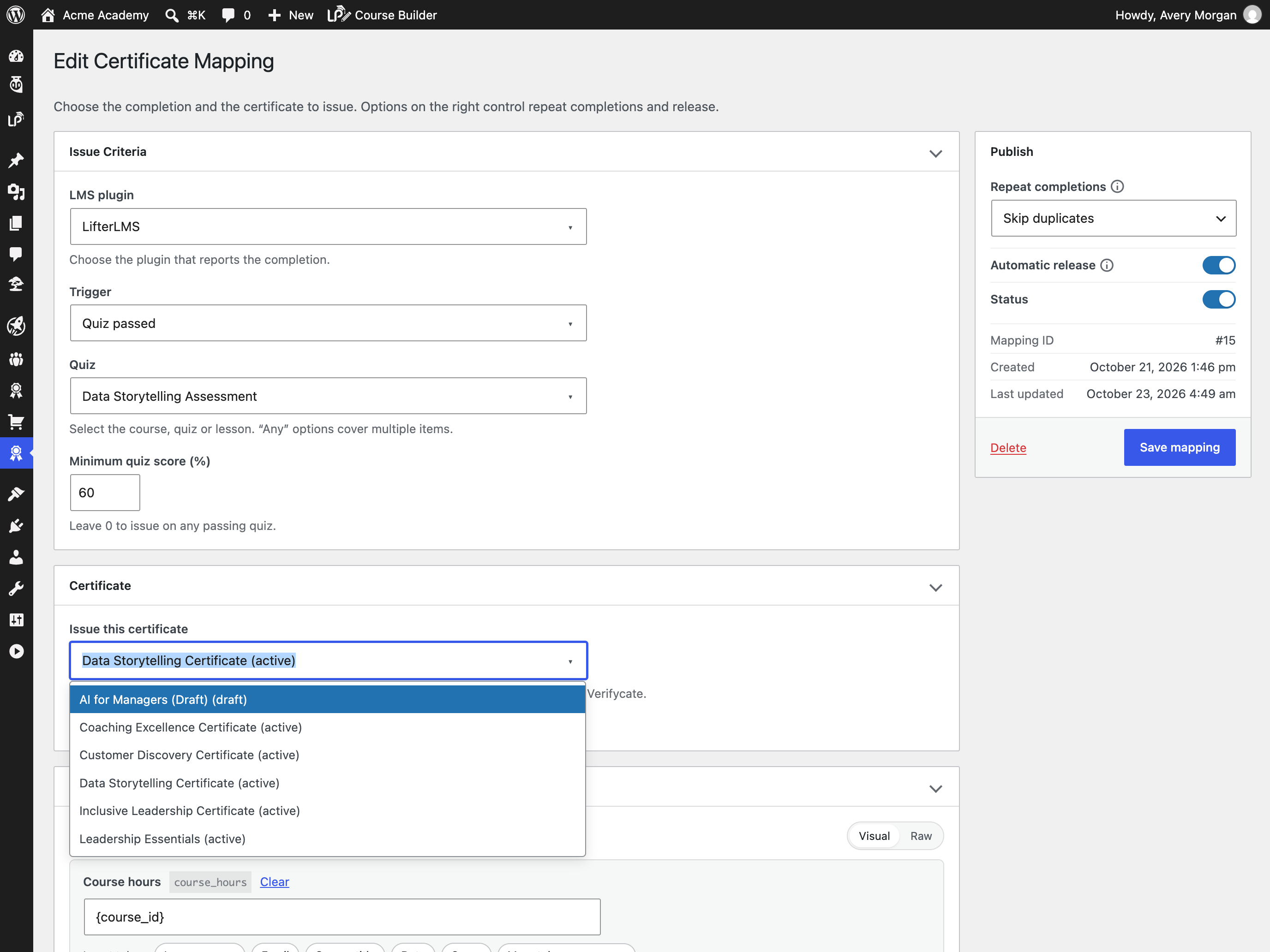
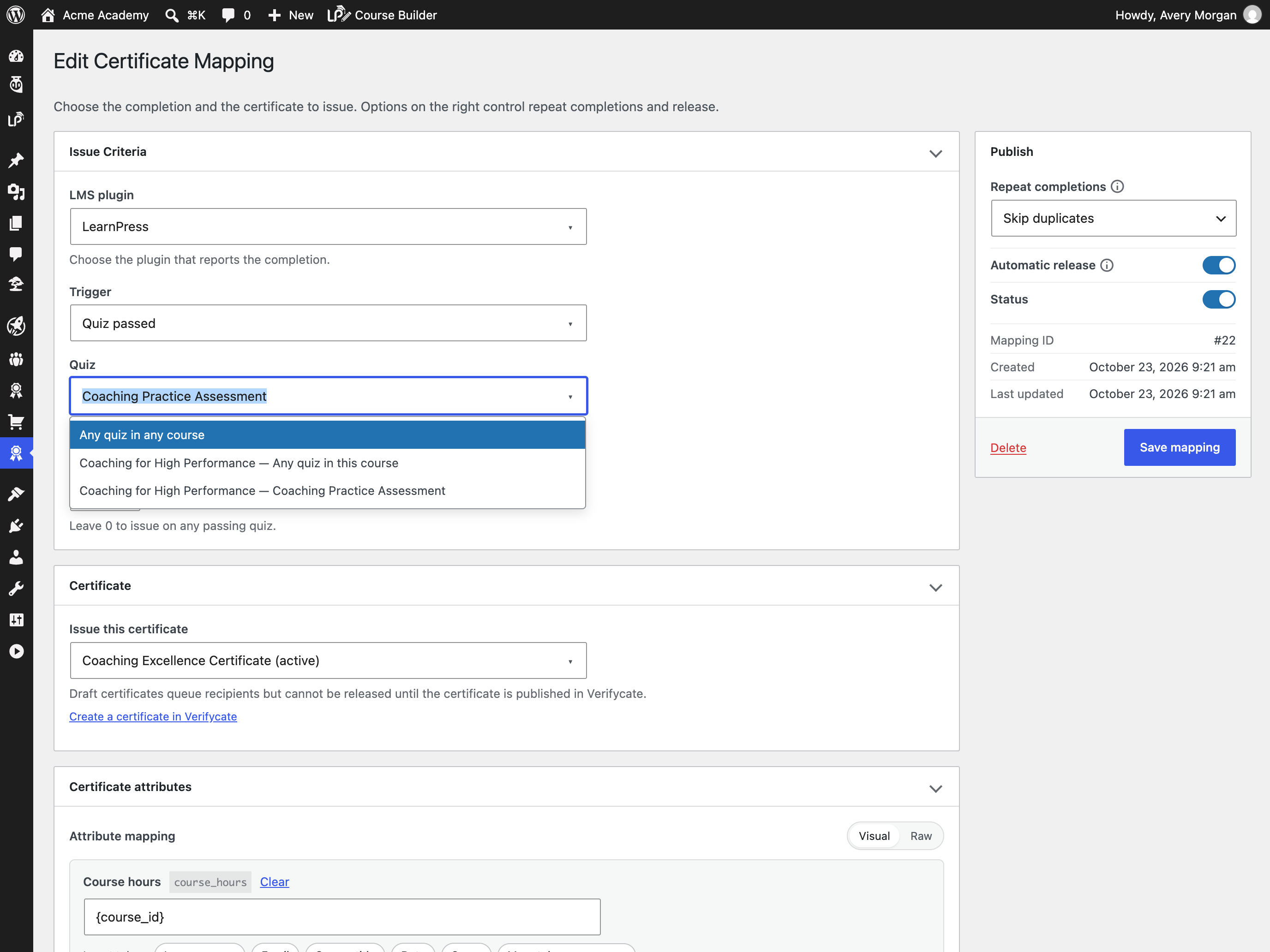
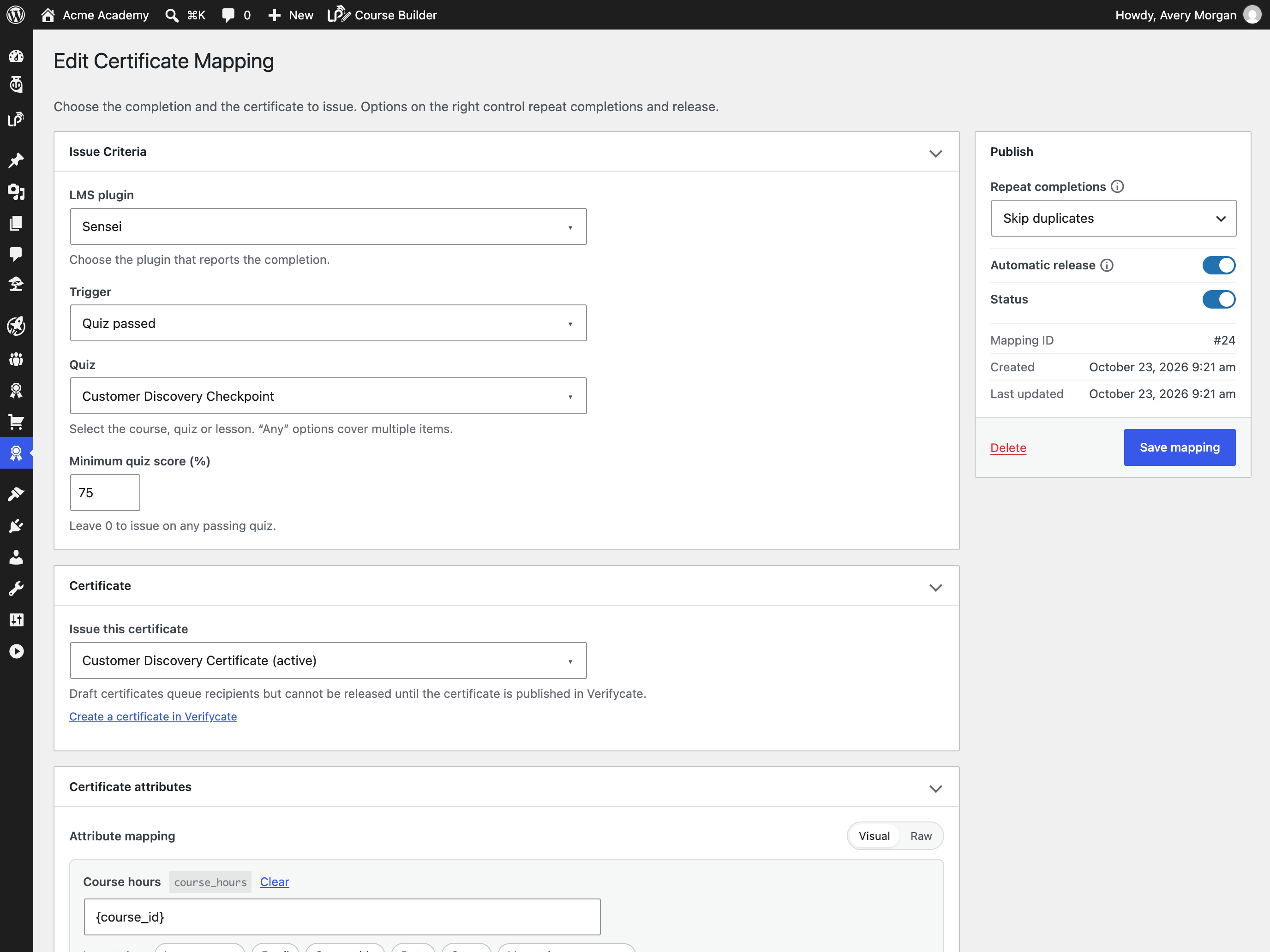
- Automatic issuance on course completion, quiz passing or lesson completion,
with “Any” options so one mapping can cover a whole catalogue or a group of
items. - Optional minimum quiz scores, so a certificate is only issued after the learner
reaches the required result. - Map learner and course data to certificate attributes with tokens such as
{user_name}, {course_title}, {completion_date}, {user_meta:key} and
{course_meta:key}. - Control repeat completions: issue once per learner, or reissue onto the latest
published design for recertification. - A durable issuance queue with exponential backoff, visible failures and a
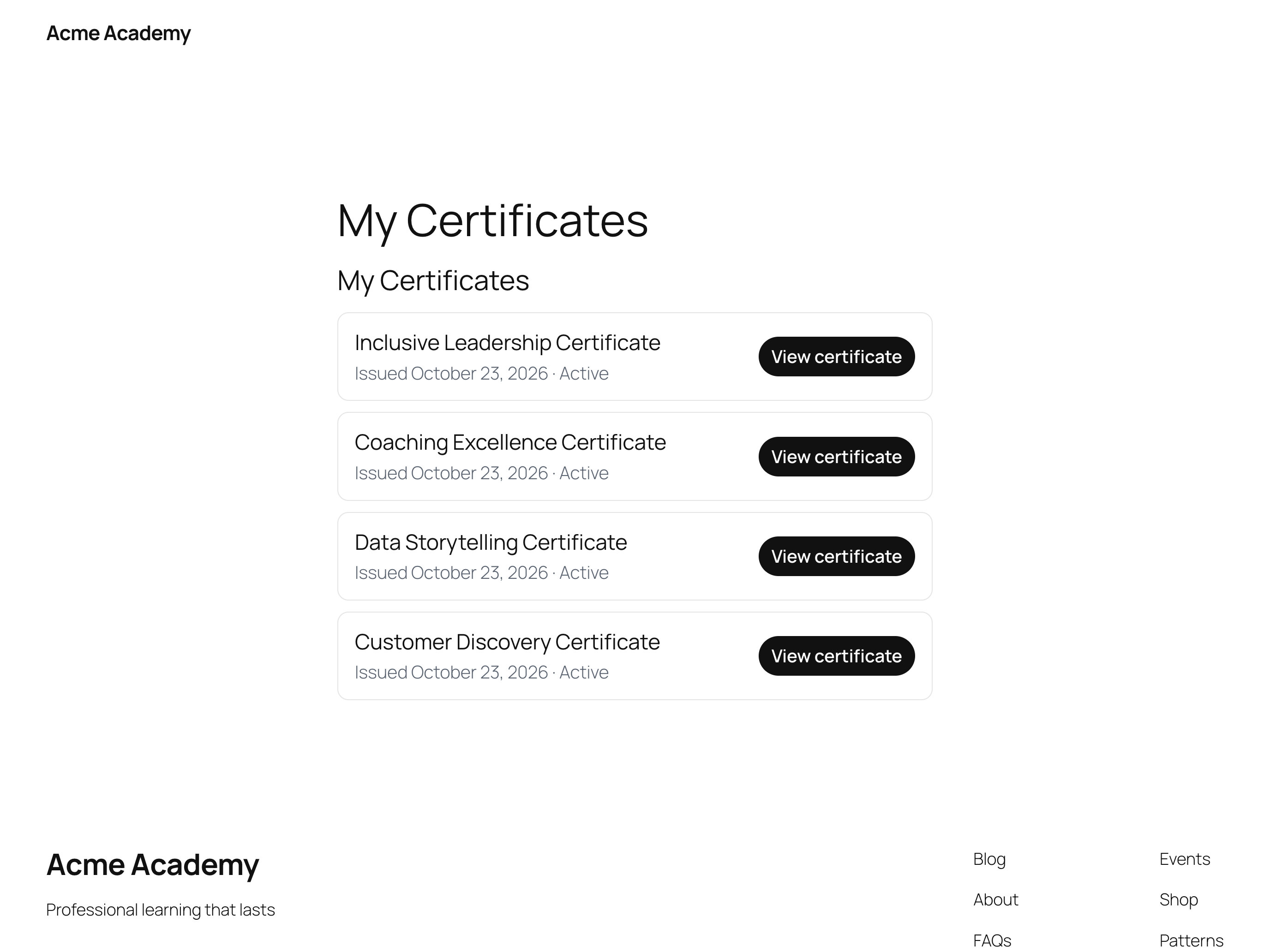
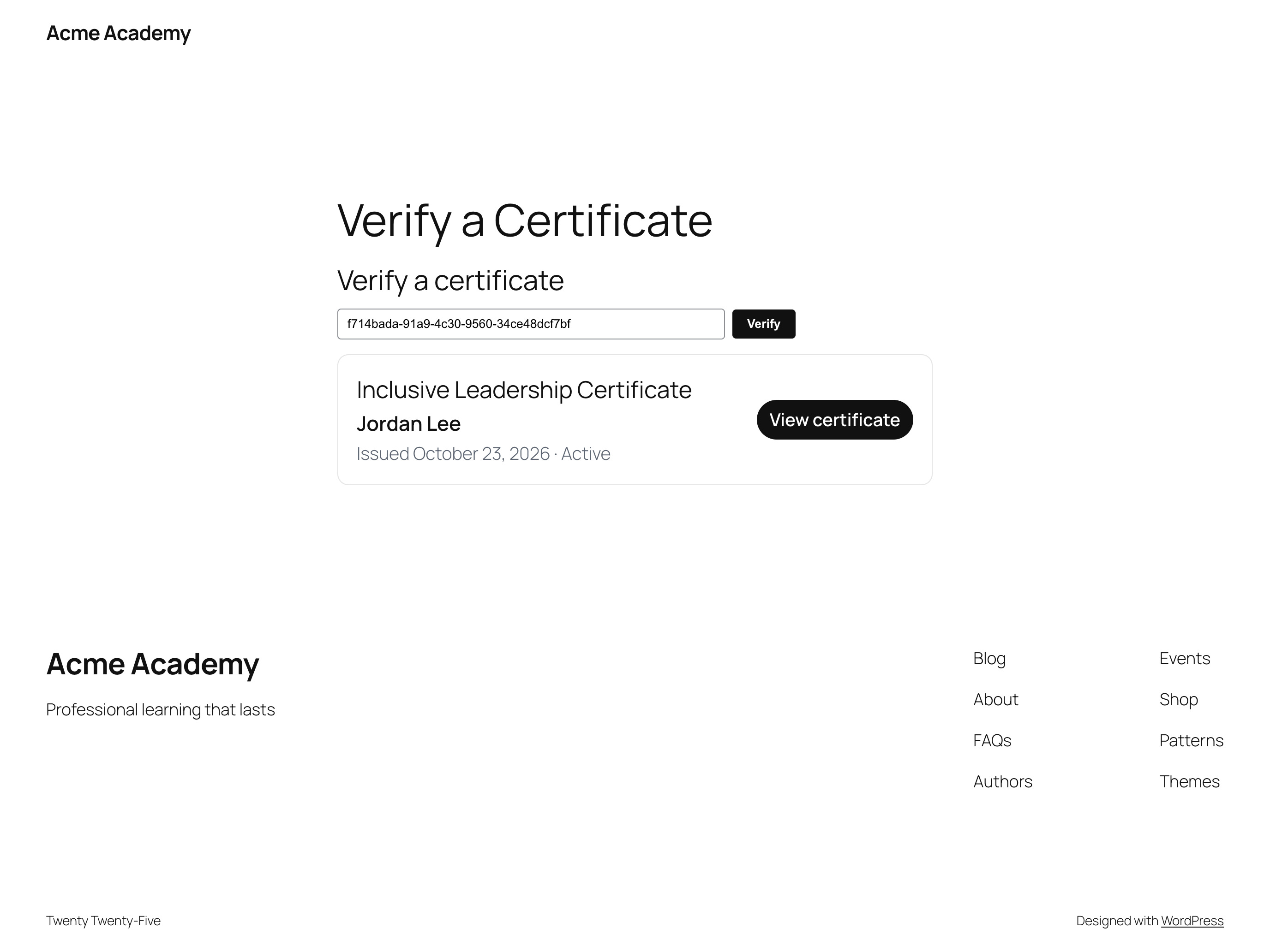
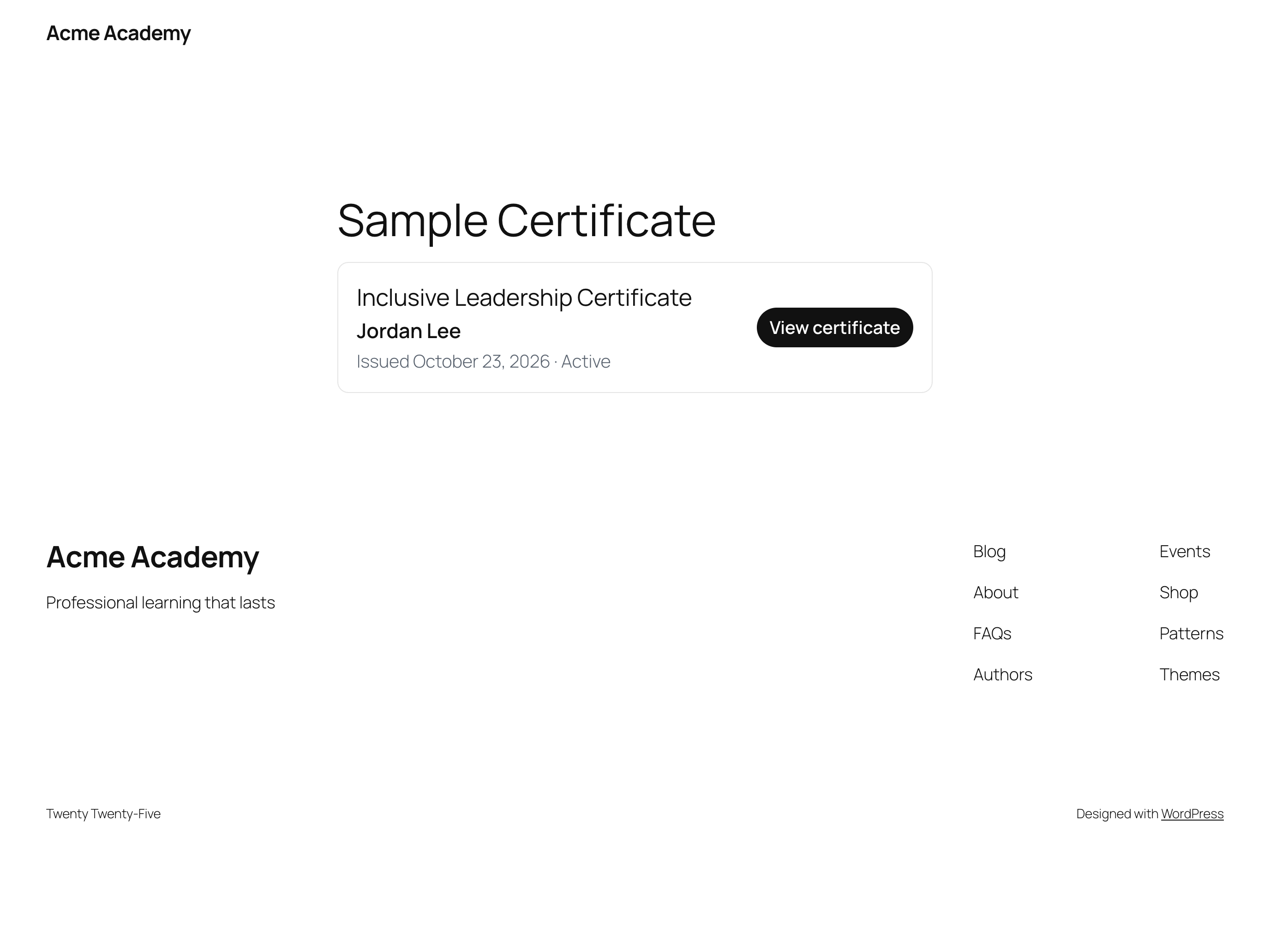
retry action, so a temporary API outage does not lose a completion. - A certificate wallet shortcode and block so learners can open what they have
earned, plus single-certificate and public-verification shortcodes. - Search, sorting, pagination and bulk actions for course mappings.
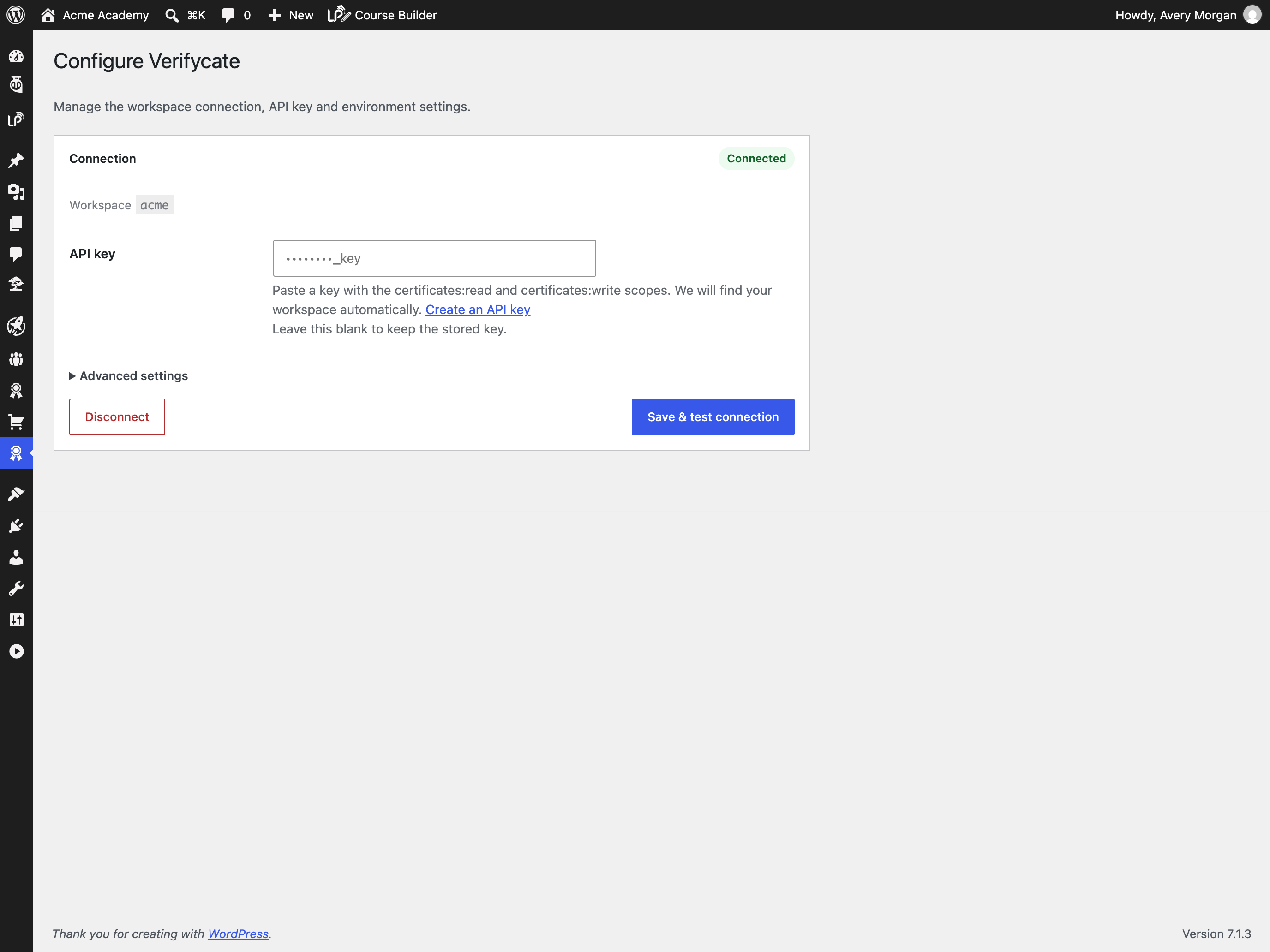
- A dedicated Configure screen for the workspace API key and environment
settings. - Translation-ready, with a bundled
languages/verifycate.pottemplate. - A connection test that explains bad keys, missing plans and permission
problems. - WP-CLI commands for status, mappings, direct issuance, queue processing,
retries and logs.
Designing the certificate itself happens in the Verifycate dashboard. This
plugin handles the connection and issuance.
External services
This plugin connects to the Verifycate API to create and issue digital
certificates.
- Service: Verifycate (https://verifycate.com)
- API endpoint: https://api.verifycate.com
- What is sent, and when: after an administrator connects the site with a
Verifycate workspace API key and configures at least one course mapping, the
plugin sends the learner’s name, email address, the course title, the
completion date, a score when the LMS provides one, and any mapped certificate
attributes to the Verifycate API so the certificate can be created, issued and
delivered. When a logged-in learner opens the certificate wallet, their
WordPress account email is sent to retrieve their certificates. Public
verification sends only the certificate’s public ID. No learner data is sent
by the issuance pipeline before the site is connected and a mapping is saved. - The connection uses the REST API over HTTPS with a workspace API key.
- Terms of Use: https://verifycate.com/terms
- Privacy Policy: https://verifycate.com/privacy
- Pricing: https://verifycate.com/pricing
A paid Verifycate workspace is required for the plugin to issue certificates.
Privacy
Verifycate stores workspace settings, certificate mappings, issuance queue
entries and activity logs in the WordPress database. Queue entries and logs can
include a learner’s name, email address, course, quiz or lesson identifiers,
certificate metadata and API responses needed to diagnose issuance. Logs can be
cleared from Verifycate > Logs. Uninstalling the plugin removes settings,
mappings, queue history and logs only when the administrator enables
“Delete settings, mappings, queue history and logs when the plugin is
uninstalled” on the Configure screen.
Certificate issuance sends learner data to Verifycate as described under
External services. The Verifycate privacy policy is available at
https://verifycate.com/privacy.
Screenshots



Blocks
This plugin provides 1 block.
- Verifycate Wallet
Installation
- Upload the plugin files to
/wp-content/plugins/verifycate/, or install it through the WordPress plugins screen. - Activate the plugin.
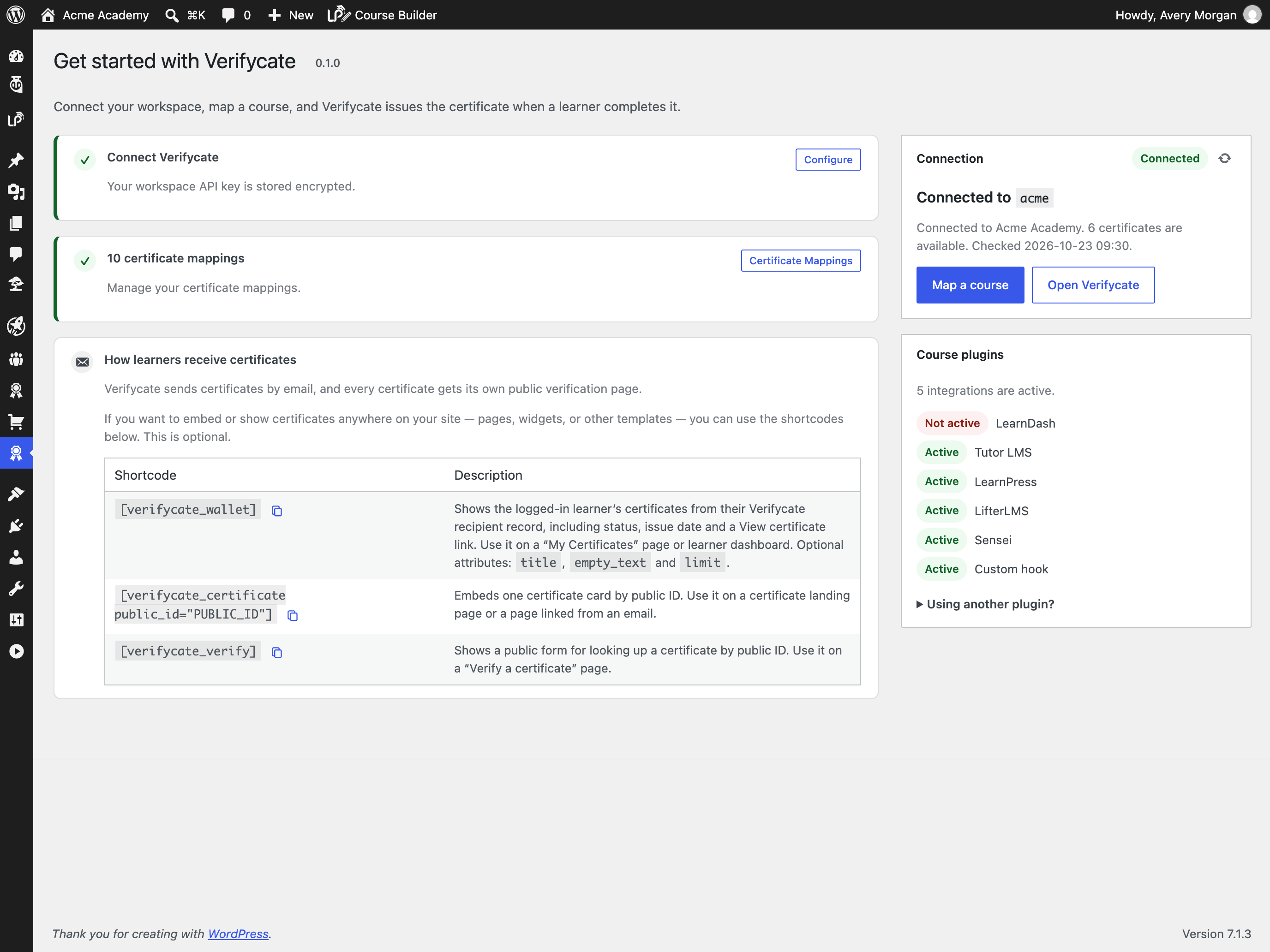
- Go to Verifycate > Get started, paste a workspace API key, and click Connect Verifycate. The plugin finds the workspace, checks the key scopes and plan, and tests the connection.
- Create at least one certificate in the Verifycate dashboard, then map a course under Verifycate > Mappings and choose the course, quiz-passed or lesson-completed trigger.
- Optional: add
[verifycate_wallet]to a learner-facing page, or insert the Verifycate Wallet block.
FAQ
-
Does this plugin require an LMS plugin?
-
No. The plugin works with LearnDash, Tutor LMS, LearnPress, LifterLMS and Sensei
when they are present, and you can also issue certificates through the custom
hook. A custom-hook mapping lets you connect other plugins without waiting for a
dedicated integration. -
Do I need a Verifycate account?
-
Yes. Certificates are created and hosted by Verifycate. The plugin is the
connection between your WordPress site and your Verifycate workspace. -
Does the plugin design my certificates?
-
No. You design certificates in the Verifycate dashboard and map to them here.
-
Can I issue a certificate for a quiz or a lesson?
-
Yes. Choose the LMS, then select the course-completed, quiz-passed or
lesson-completed trigger and pick a specific course, quiz or lesson — or use one
of the “Any” options to cover a whole catalogue or a group of items. Quiz
triggers can optionally require a minimum score. For an event your LMS does not
expose, use the custom hook and triggerverifycate_course_completedfrom your
own code. -
Does it work without an API key?
-
No. Course-completion issuance requires a workspace API key so the plugin can
talk to the Verifycate API. -
The completion is written to a database queue. The plugin retries with
exponential backoff, up to five attempts, and shows the last error under
Verifycate > Logs. Failed jobs can be retried after the connection or mapping is
fixed. -
Where is data stored?
-
Settings, encrypted API key, mappings, queue jobs and bounded logs are stored in
your WordPress database. Uninstall removes them only when the administrator
enabled data removal on the Get started screen. -
Can learners see their certificates?
-
Yes. Add the
[verifycate_wallet]shortcode or the Verifycate Wallet block to a
page. Logged-in learners see the certificates issued to their account email.
You can also embed a single certificate with[verifycate_certificateor add a public verification form with
public_id="..."][verifycate_verify]. -
Can I translate the plugin?
-
Yes. The plugin is translation-ready and includes a
languages/verifycate.pot
template. Use Poedit, Loco Translate, or WP-CLI to create a translation for your
locale, then place the.poand.mofiles inwp-content/languages/plugins/
or the plugin’slanguages/directory.
Reviews
There are no reviews for this plugin.
Contributors & Developers
“Verifycate” is open source software. The following people have contributed to this plugin.
Contributors
Translate “Verifycate” into your language.
Interested in development?
Browse the code, check out the SVN repository, or subscribe to the development log by RSS.
Changelog
0.1.0
- Initial release.
- Connection setup with an API key stored encrypted at rest and a connection
test with actionable errors. - Course mappings for LearnDash, Tutor LMS, LearnPress, LifterLMS, Sensei and a
custom hook, including any-course mappings and attribute templates. - Course-completed, quiz-passed and lesson-completed triggers, with optional
minimum quiz scores. - Durable issuance queue with retries, exponential backoff and a retry action.
- Duplicate suppression and recertification (reissue) policies.
- Certificate wallet shortcode and server-rendered block, plus
single-certificate and public-verification shortcodes. - Search, sorting, pagination and bulk actions for course mappings.
- Dedicated Configure screen for the workspace API key and environment settings.
- Translation-ready with a bundled POT file.
- Admin mappings, queue and activity log screens.
- WP-CLI commands for status, mappings, issuance, queue, retries and logs.