

Description
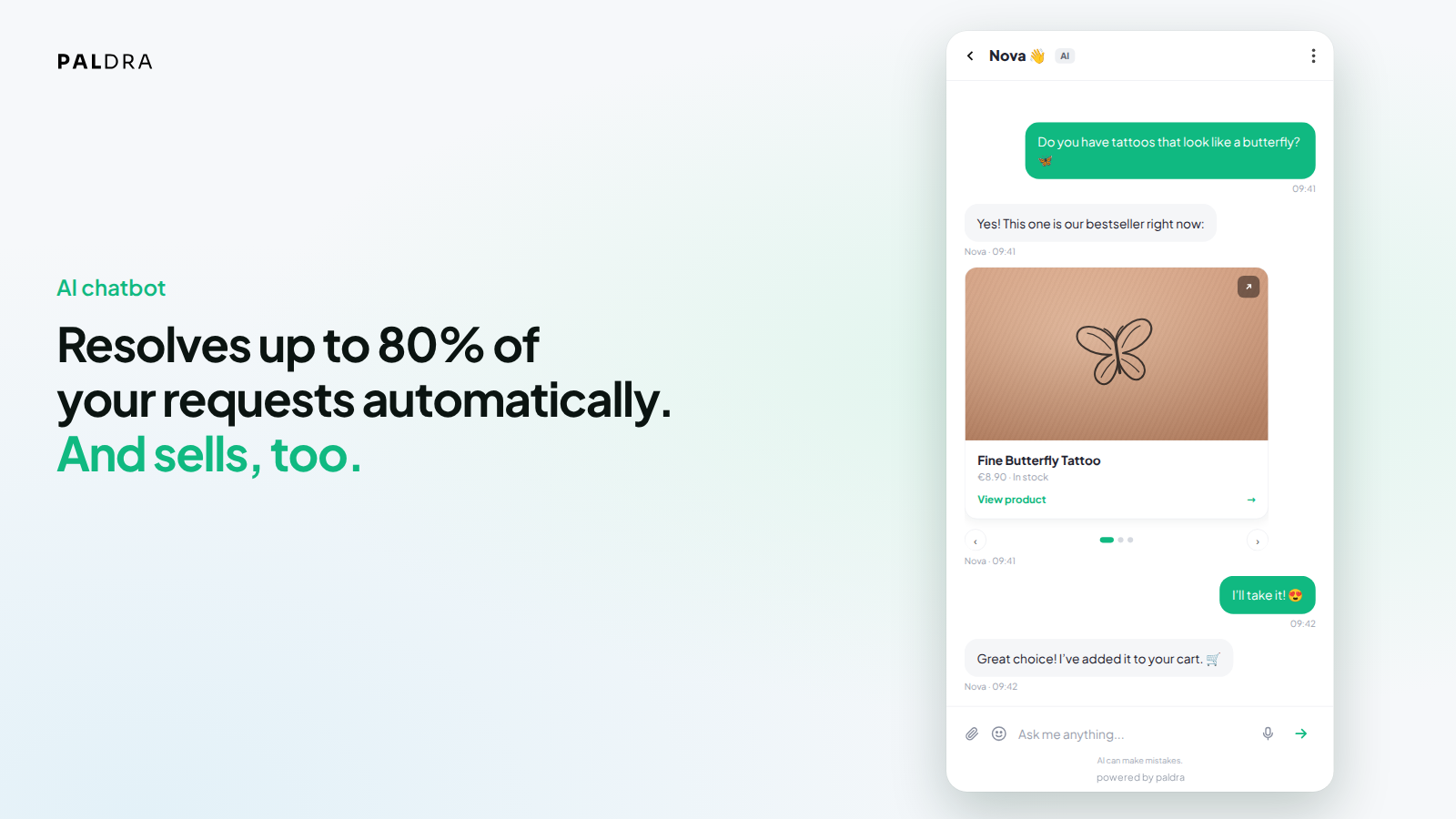
Paldra answers your visitors’ questions directly on your site, based on your own content. The chatbot reads your pages and answers from them. If something is not backed up by your content, it does not claim it: it says that it does not know yet and offers to pass the question on to your team.
This plugin connects your site to the Paldra service (https://paldra.com). An Paldra account is required; you can create one during the connection step and test it for 14 days without a payment method.
What makes Paldra different
- Answers only from your own data: your public pages and, with WooCommerce, your products, prices, stock and shipping rules. No general internet knowledge mixed in.
- Every statement is checked against its source before it is sent. What your content does not cover is removed, not guessed.
- Hands over instead of guessing: if the answer is not in your content, the chatbot says so and passes the conversation to your team.
- WooCommerce order status in the chat, connected automatically with a read-only key.
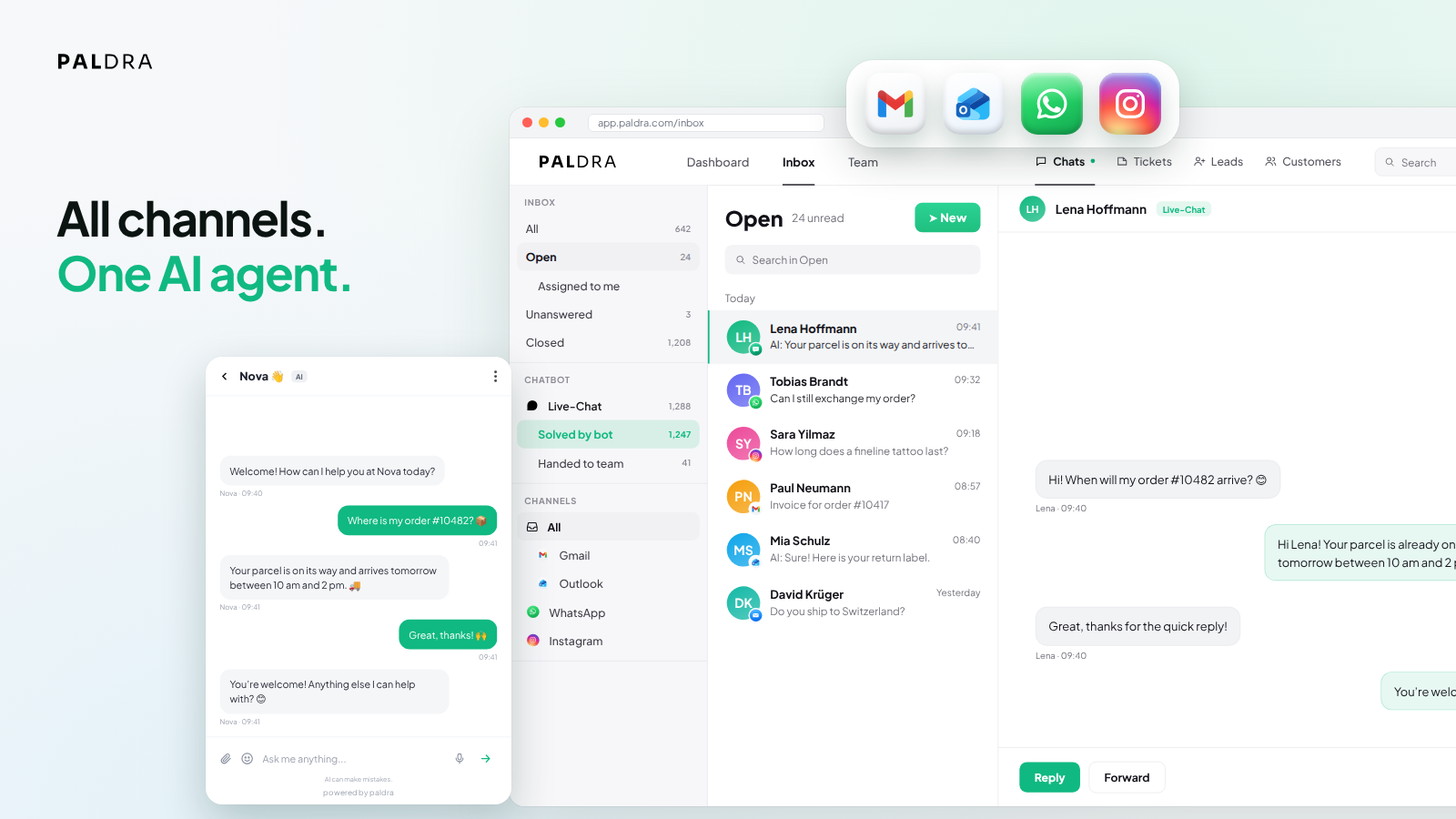
- One inbox for website chat, email, WhatsApp and Instagram, so your team answers everything in one place.
- Hosted in Germany (Hetzner), with a public data processing agreement.
What you get
- AI chatbot that answers from your real page content
- Live chat: take over any conversation yourself at any time
- Shared team inbox for chat, email, WhatsApp and Instagram
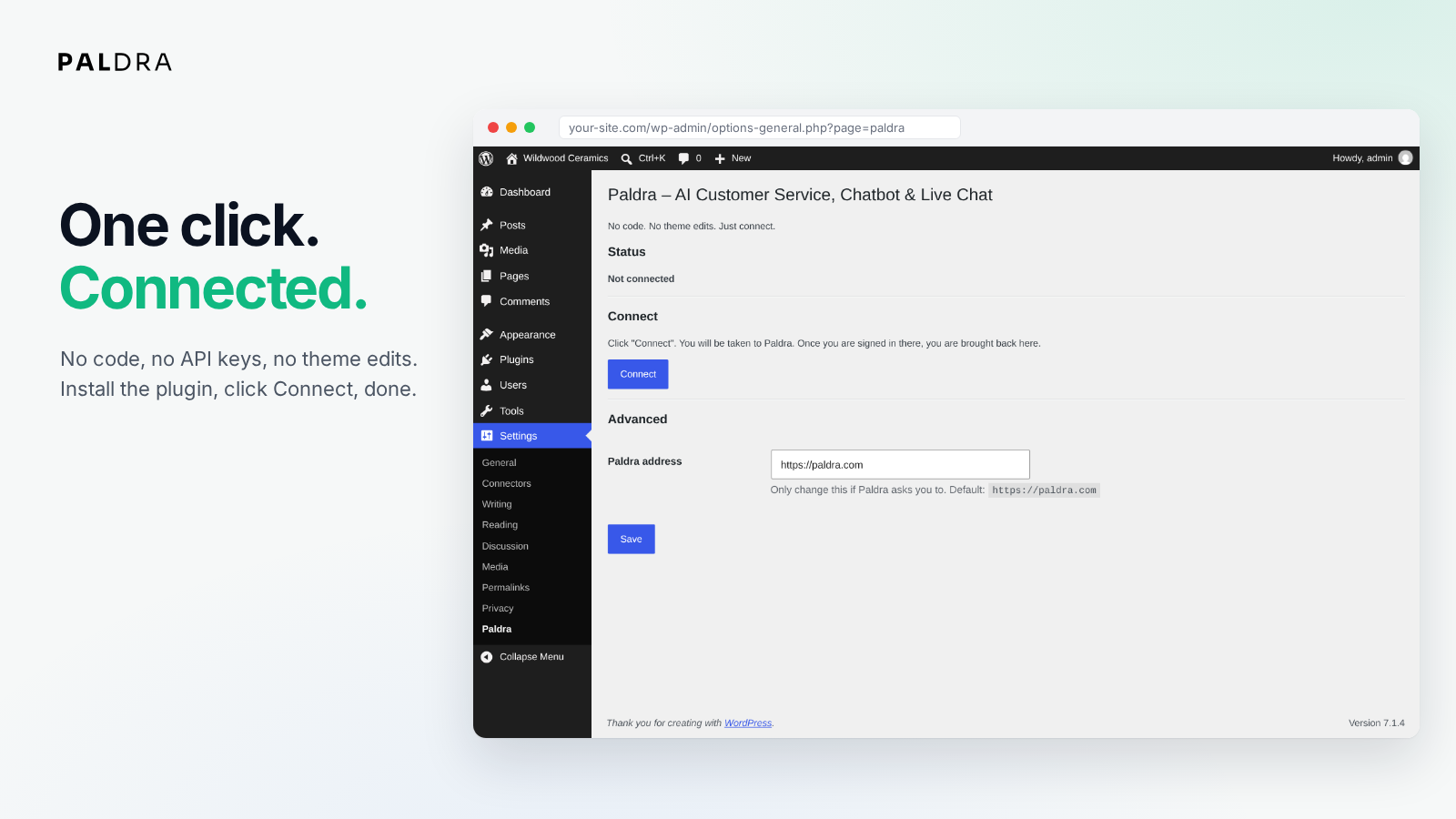
- No code: activate, connect, done. No theme edits, no snippet
- Answers in the language of the question
All features run on the Paldra service. The plugin itself contains no locked features; it only connects your site and loads the chat widget.
Privacy
Operated and hosted in the EU (Germany). A data processing agreement (DPA) is available at https://paldra.com/avv
External services
This plugin connects your site to the Paldra service (https://paldra.com), operated by Paldra, Germany. Without this connection the plugin has no function.
What is sent, and when:
- When you connect (once, started by you in the admin area): you are redirected to paldra.com to link the site to your Paldra account. Your site address and a one-time callback token are sent. After you return, the plugin exchanges a one-time code for a plugin token in a server-to-server request to
https://paldra.com/api/integrations/wordpress/exchange(sent: the one-time code and your site address). - WooCommerce (only if WooCommerce is active): when you connect, the plugin creates a WooCommerce REST API key with read-only permission in your own store and sends it, together with your shop ID and site address, to
https://paldra.com/api/integrations/woocommerce/plugin/connect. Paldra uses it to read products, prices, stock and order status so the chatbot can answer questions about them. “Disconnect” and uninstalling delete this key again. - Catalog changes (only if WooCommerce is connected): when a product is created, updated, trashed or deleted, the plugin sends a short signal (shop ID, site address, the word “product”) to
https://paldra.com/api/integrations/woocommerce/plugin/changed, at most once per minute. No product data is sent with it. - Shipping email copy (only if you set it up in the Paldra dashboard): the plugin asks Paldra for your copy address at most every 12 hours (sent: shop ID, site address, the sender address of your WooCommerce emails) and adds it as BCC to the WooCommerce “Completed order” email. That copy contains what the email contains, for example the order number, the customer’s email address and the tracking number. Without this setup nothing is sent.
- On your public pages: the chat widget script is loaded from
https://paldra.com/public/widget.jswithwp_enqueue_script. It is the only code the plugin loads from outside, and it runs in the visitor’s browser, not on your server. Loading it sends the usual browser request data (IP address, user agent, page URL) to paldra.com. Only when a visitor opens the chat and writes a message are the message and technical details (conversation ID, page URL, language) sent to Paldra to create the answer.
No chat content is sent while nobody uses the chat. The plugin never executes code received from the service; responses from Paldra are only read as data (tokens, status, copy address).
- Service provider: Paldra – https://paldra.com
- Terms of service: https://paldra.com/en/terms
- Privacy policy: https://paldra.com/en/privacy
- Data processing agreement: https://paldra.com/avv
Screenshots
Installation
- Install the plugin from the WordPress plugin directory (or upload the ZIP under Plugins -> Add New -> Upload Plugin) and activate it.
- You are taken to Settings -> Paldra. Click Connect.
- Sign in to Paldra or create an account.
- Back in WordPress, the chat widget is active. If WooCommerce is installed, it is connected at the same time.
FAQ
-
Do I need an Paldra account?
-
Yes. You can create one when you connect and test it for 14 days without a payment method.
-
Do I have to change my theme?
-
No. The plugin loads the widget itself through
wp_enqueue_script. No snippet, no child theme, no code. -
How does the chatbot know what is on my site?
-
Paldra reads your public pages and builds a knowledge base from them. You can view, extend and refresh it in the Paldra dashboard at any time.
-
What happens when it does not know something?
-
It says so and offers to pass the question on to your team. It does not make up an answer.
-
Can I take over a conversation?
-
Yes. In the Paldra inbox you see running conversations and can answer yourself at any time; the bot then steps back.
-
Does it work with WooCommerce?
-
Yes. When WooCommerce is active, the plugin connects it automatically with a read-only key, so the chatbot can answer questions about products, stock and order status.
-
Can I hide the widget on certain pages?
-
Yes, with the filter
paldra_widget_enabled, for example:
add_filter( ‘paldra_widget_enabled’, function ( $on ) { return is_page( ‘imprint’ ) ? false : $on; } ); -
How do I remove the widget?
-
Deactivate the plugin. Nothing is loaded anymore. Uninstalling also removes all plugin settings and the WooCommerce key the plugin created.
Reviews
There are no reviews for this plugin.
Contributors & Developers
“Paldra – AI Customer Service, Chatbot & Live Chat” is open source software. The following people have contributed to this plugin.
Contributors
Translate “Paldra – AI Customer Service, Chatbot & Live Chat” into your language.
Interested in development?
Browse the code, check out the SVN repository, or subscribe to the development log by RSS.
Changelog
1.4.0
- Shipping email copy: if you set up “Shipping email copy” in the Paldra dashboard, the WooCommerce “Completed order” email gets your copy address as BCC, so the chat can tell customers where their parcel is. Without that setup nothing happens.
- English is now the source language of the plugin; a German translation is included.
- Uninstalling now also removes the plugin token, the WooCommerce settings and the read-only WooCommerce key.
1.3.0
- WooCommerce is connected automatically when you connect: the plugin creates a key with read-only permission in your own store. No extra step.
- Catalog changes (product created, updated, deleted) are reported automatically, at most once per minute.
- “Disconnect” removes the created key from WooCommerce again.
1.2.0
- After activation the plugin takes you straight to the connection page.
- As long as the site is not connected, a notice in the admin area shows the way there.
1.1.0
- Security: a callback without a valid one-time token no longer connects the site silently; it now requires explicit confirmation in the admin area.
- Security: the Paldra address is only accepted with https, also when reading a stored value.
- New: “Disconnect” in the admin area.
- New: uninstalling removes options and transients (uninstall.php).
- New: filter
paldra_widget_enabledto hide the widget on single pages. - New: “Settings” link in the plugin list.
- The widget is now loaded through wp_enqueue_script.
1.0.0
- First version for the WordPress plugin directory.