Description
Email addresses and phone numbers displayed in plain text on a website are harvested by bots and then used for spam or cold calling.
Scopika Email & Phone Shield displays your mailto: and tel: links in encrypted form: the link is only decrypted when the visitor clicks on it. The address or number therefore never appears in plain text in the page source.
Key features
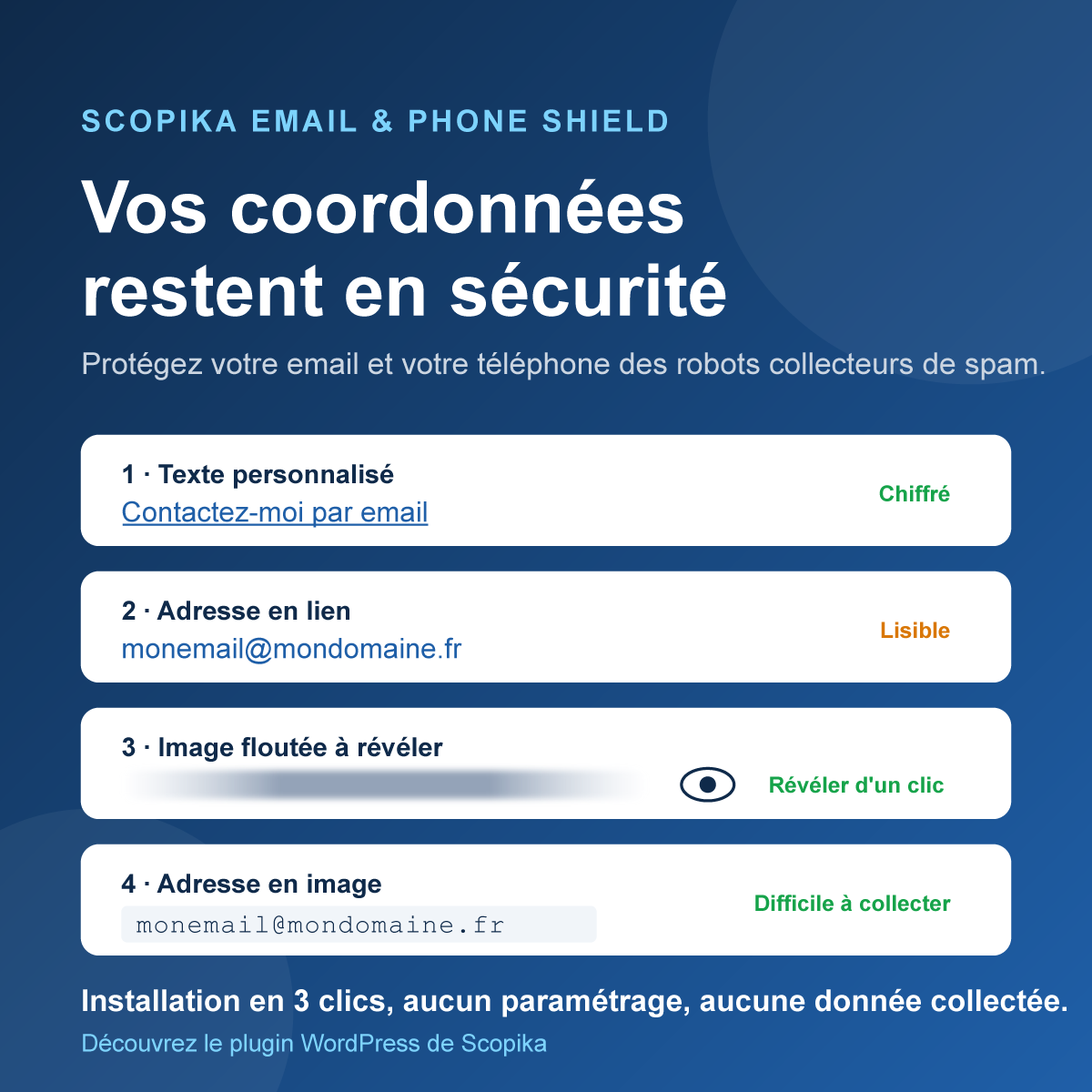
- 4 display modes: custom text, scrambled address, blurred image to reveal, address rendered as an image.
- Automatic detection: a valid email address generates a
mailto:link, otherwise atel:link. - AES-256 encryption with a key unique to each site.
- No data collected: no cookies, no IP addresses stored, no external services.
- Lightweight: scripts and styles are only loaded on pages that use the shortcode.
- Accessible: alternative text on images, reveal button usable with the keyboard.
Usage
Case 1 – Display custom text:
[scopika_shield link="contact@example.com"]Contact me by email[/scopika_shield]
Case 2 – Display the address or number, scrambled with HTML comments to confuse bots (the least protected mode, as the address remains readable in the source):
[scopika_shield link="contact@example.com"]
Case 3 – Display a blurred image and a button to reveal the address:
[scopika_shield link="contact@example.com" type="flou"]
Case 4 – Display the address or number as an image (readable by humans, hard to exploit for bots):
[scopika_shield link="+33 6 12 34 56 78" type="image"]
The class attribute lets you add your own CSS classes to the link:
[scopika_shield link="contact@example.com" class="button button-contact"]Write to us[/scopika_shield]
Screenshots
Installation
- From your dashboard, go to Plugins > Add New, search for “Scopika Email & Phone Shield” and click Install.
- Activate the plugin.
- Insert the
[scopika_shield]shortcode in your content (see the Description section).
No configuration is required.
FAQ
-
Is the protection foolproof?
-
No. It blocks the vast majority of harvesting bots, which read page source without executing JavaScript. A bot that simulates a real browser and clicks on links will still be able to get the address: the goal is to make harvesting costly.
-
Does the plugin collect any data?
-
No. No cookies, IP addresses or personal data are stored. Decryption only checks that the request comes from your own site (Origin or Referer header sent by the browser).
-
I use a page cache, is it compatible?
-
Yes. Encrypted links remain valid as long as the site key does not change: it is generated when the plugin is activated and kept afterwards.
-
What happens if my hosting does not provide OpenSSL or GD?
-
Without OpenSSL, the address is displayed scrambled (case 2) without a clickable link. Without GD, the image mode (case 4) is replaced by the scrambled display (case 2).
Reviews
There are no reviews for this plugin.
Contributors & Developers
“Scopika Email & Phone Shield – Anti-Spam Protection” is open source software. The following people have contributed to this plugin.
Contributors
Translate “Scopika Email & Phone Shield – Anti-Spam Protection” into your language.
Interested in development?
Browse the code, check out the SVN repository, or subscribe to the development log by RSS.
Changelog
1.0
- Initial release.