
Description
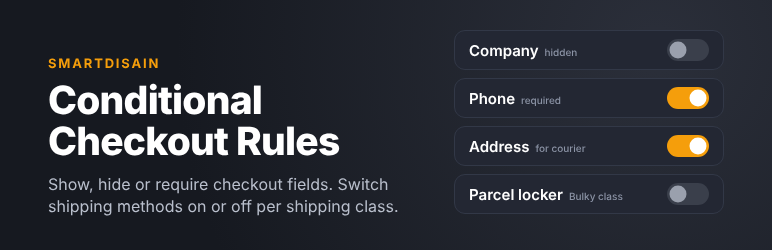
Smartdisain Conditional Checkout Rules for WooCommerce lets you control the WooCommerce checkout by shipping method and shipping class, without code.
1. Checkout fields by shipping method
For each shipping method (e.g. parcel locker, courier, local pickup) you can choose:
- fields to hide (e.g. street, city and postcode for a parcel locker);
- fields to make required (e.g. phone number).
Fields are hidden or made required instantly when the customer changes the shipping method at checkout. A hidden field is not validated and is never required (hiding takes precedence over requiring).
The settings screen shows one card per shipping method, with a simple Default / Hide / Required choice for every field, a search box, a “configured only” filter and the option to copy rules from another shipping method.
Settings: WooCommerce Settings Shipping Checkout fields.
2. Shipping methods by shipping class
A second screen shows one card per shipping class. For every shipping method choose Default (offered as usual) or Disable: a disabled method is not offered when the cart contains a product of that class. Use it, for example, to hide parcel lockers for bulky goods or to offer a courier only for fragile items.
- Works in the classic checkout, the block-based checkout and the cart.
- If the cart contains products of several shipping classes, a method disabled for any of them is not offered.
- Same card layout, search and “copy rules from” as the checkout fields screen.
Settings: WooCommerce Settings Shipping Shipping class rules.
Features
- Per-shipping-method rules for billing, shipping and order fields.
- Per-shipping-class rules for shipping methods.
- Block-based checkout (Store API) and classic checkout support.
- High-Performance Order Storage (HPOS) compatible.
- No coding needed, no external services, no tracking.
- Translation ready: all strings are in English and use the plugin text domain, so translations can be contributed on translate.wordpress.org.
Compatibility
- Requires WooCommerce 9.9 or newer; tested up to WooCommerce 11.2.
- Works with the classic checkout (the
[woocommerce_checkout]shortcode) and with the block-based Checkout (Store API). - Compatible with High-Performance Order Storage (HPOS).
Block checkout notes
The block checkout has no per-shipping-method API for its core address fields, so the plugin uses WooCommerce’s documented woocommerce_get_country_locale filter (also used for Store API validation) and reloads the checkout when a shipping choice changes the rules. Address field rules apply to the billing and shipping forms together. Email and order notes cannot be changed in the block checkout.
Privacy and licensing
The plugin is completely free, has no locked or paid features, makes no external requests, loads no third-party code and collects no data.
For developers:
ccffw_rulesfilter – modify the rules ($rules,$type=hide|require).ccffw_class_rulesfilter – modify the shipping class rules (class slug => disabled shipping method keys).ccffw_blocks_supportandccffw_blocks_reloadfilters – switch block checkout support or the automatic reload off.- A key without an instance ID (e.g.
local_pickup) applies to all instances of that shipping method.
Installation
- Upload the zip: Plugins Add New Upload Plugin.
- Activate the plugin.
- Open WooCommerce Settings Shipping Checkout fields (and Shipping class rules).
FAQ
-
Does it work with the block-based checkout?
-
Yes. WooCommerce does not offer conditional rules for the core address fields of the block checkout, so the plugin sets the rules on the server (the documented
woocommerce_get_country_localefilter) and reloads the checkout when the selected shipping rate changes them. Rules for address fields apply to the billing and shipping forms together. You can switch the reload off withadd_filter( 'ccffw_blocks_reload', '__return_false' );or block checkout support off withadd_filter( 'ccffw_blocks_support', '__return_false' );. -
Hiding wins. The settings screen only lets you pick one option per field.
-
How do I hide a shipping method for some products?
-
Give those products a shipping class (WooCommerce Settings Shipping Classes, then the Shipping tab of the product). Then open Shipping class rules, open the card of that class and set the method to Disable.
-
What if all shipping methods get disabled?
-
The customer then sees no shipping options, as WooCommerce does when no method matches. Make sure at least one method stays available for every combination of shipping classes.
-
Can I disable a shipping method for products without a shipping class?
-
Not in the current version; rules are set per shipping class. You can filter the rules with
ccffw_class_rules. -
Does it work with the cart and the block-based cart?
-
Yes. The shipping class rules filter the shipping rates themselves, so they apply everywhere WooCommerce shows them.
-
Is the plugin translated?
-
The plugin is written in English and is fully translation ready. Translations are provided through translate.wordpress.org.
Reviews
There are no reviews for this plugin.
Contributors & Developers
“Smartdisain Conditional Checkout Rules for WooCommerce” is open source software. The following people have contributed to this plugin.
Contributors
Translate “Smartdisain Conditional Checkout Rules for WooCommerce” into your language.
Interested in development?
Browse the code, check out the SVN repository, or subscribe to the development log by RSS.
Changelog
1.0.0
- Initial release.
- Hide checkout fields or make them required depending on the selected shipping method.
- Disable shipping methods by shipping class (WooCommerce Settings Shipping Shipping class rules).
- Support for the block-based Checkout (Store API), the classic checkout and HPOS.
- Modern settings interface: cards, Default / Hide / Required choice, search, copying rules between methods.
- Translation ready (text domain
smartdisain-conditional-checkout-rules).