

Description
Turn your WordPress website visitors into potential customers with Mevero Business Widget for Google.
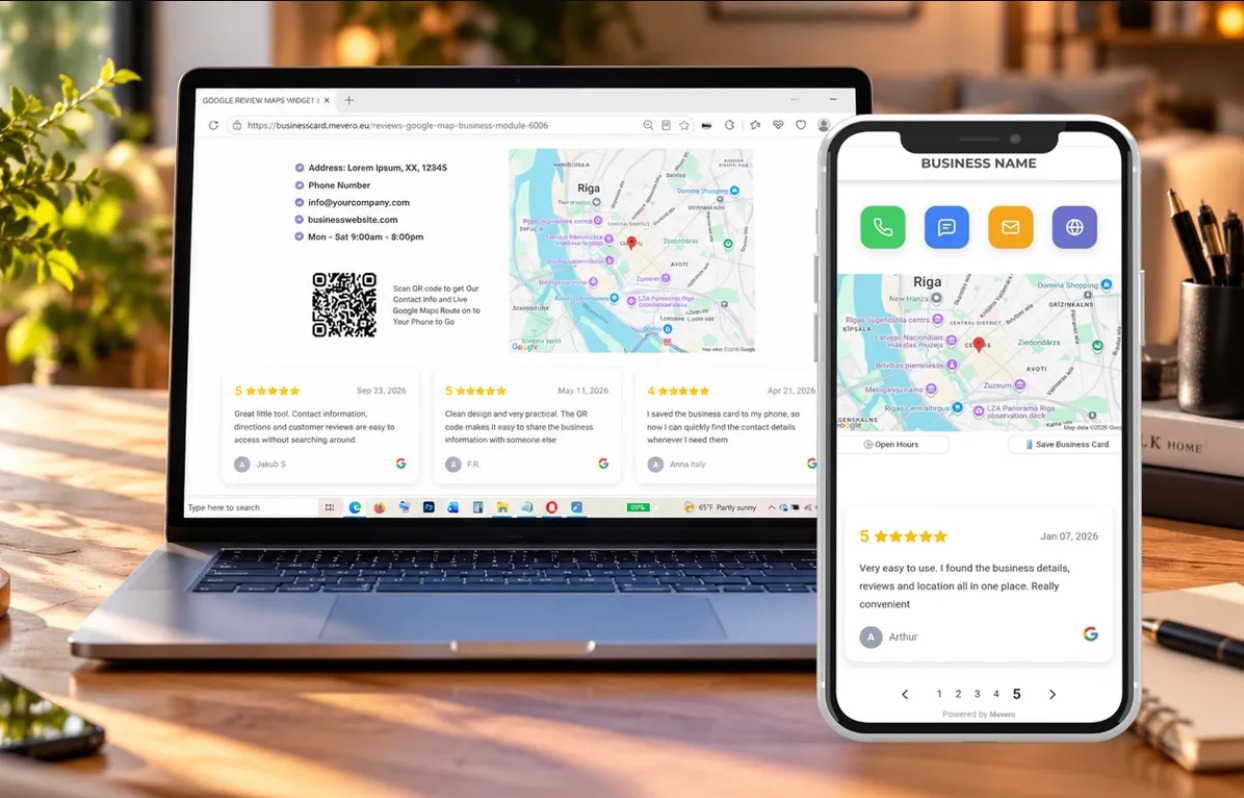
Module brings your business information, Google Reviews, Location, Contacts and Digital Business Card together in one convenient, mobile-friendly experience.
Help visitors discover your business, build trust, find your location and contact you with fewer steps.
Everything Your Customers Need in One Place
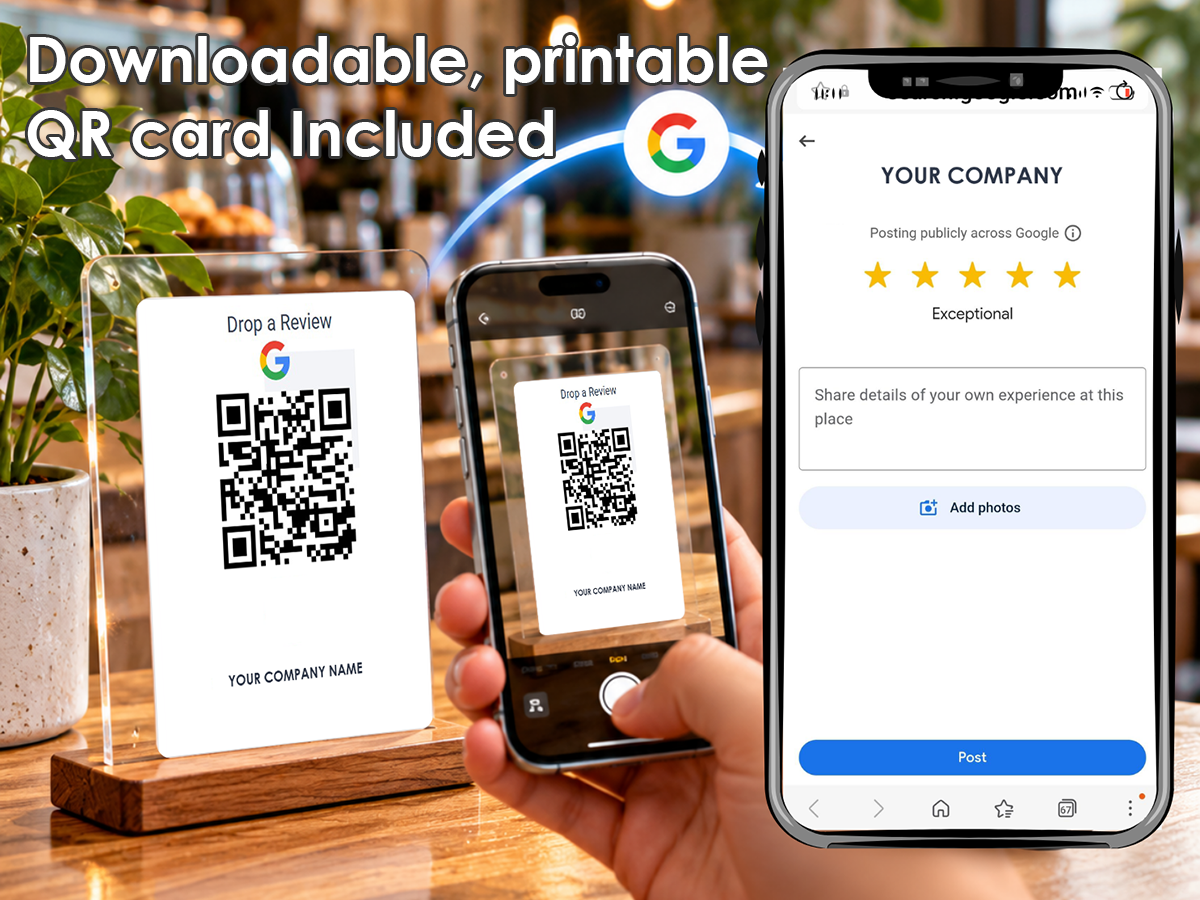
- Google Reviews – Showcase customer reviews and help build trust with potential customers.
- Digital Business Card – Share your business information and contact details in a convenient digital format.
- QR Code – Make your digital business card easy to access and share.
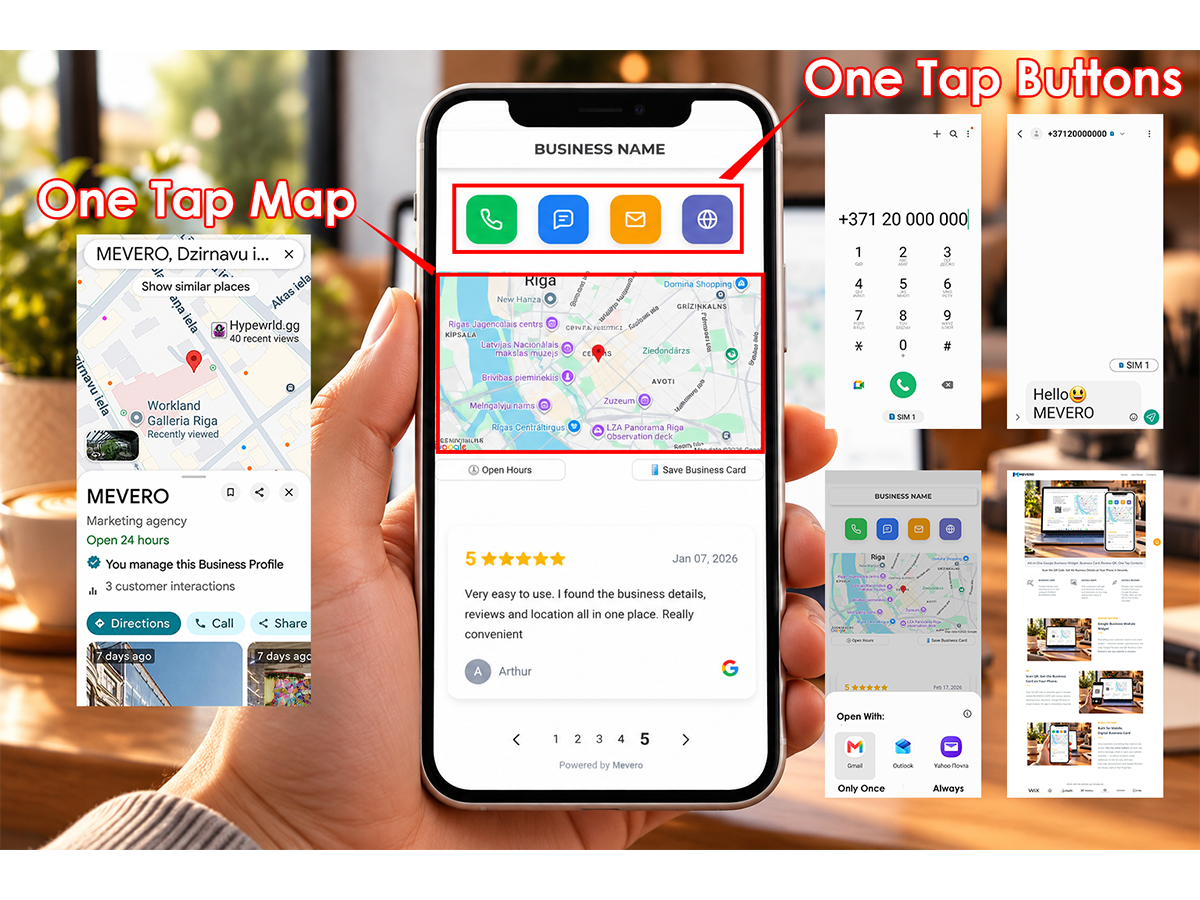
- Google Maps – Help customers find your business location.
- One-Tap Contact – Give visitors quick access to available phone, email and website contact options.
- Business Information – Present important company details and opening hours.
- Mobile-Friendly Experience – Provide convenient access across smartphones, tablets and desktop devices.
- Easy WordPress Integration – Embed your Mevero widget using a simple shortcode.
Why Choose Mevero?
Your website should do more than display information. It should help visitors connect with your business.
Mevero combines essential business information, customer reviews and contact options into one interactive widget.
Instead of searching through multiple pages, customers can access important information from one convenient location.
Simple WordPress Integration
Install the plugin, configure your personal Mevero widget URL and insert the [mevero_widget] shortcode into a WordPress page or post.
The widget is hosted by Mevero, so business information and widget content are managed through the external service rather than the WordPress dashboard.
After activation, the shortcode does not load external content until an administrator configures a personal Mevero widget URL or explicitly enables demo mode under Settings > Mevero Widget.
Try Mevero
Explore the product and learn more about the available features:
https://mevero.eu/google-business-widget
The WordPress plugin is free software. A personal Mevero widget requires an account and may require a paid subscription to the separate hosted service.
External service and privacy
This plugin displays an iframe served by Mevero at https://businesscard.mevero.eu.
When a visitor opens a page with a configured widget (or an enabled demo), their browser requests content from that domain.
The external service can receive the visitor’s IP address and normal HTTP request information, such as browser headers and the referrer where sent.
The hosted widget may load additional third-party resources, including Google Maps; refer to the applicable service privacy information before enabling the embed.
The plugin itself does not send visitor data to Mevero from the WordPress server.
Service provider: Mevero.
Product information: https://mevero.eu/google-business-widget
Privacy policy and terms: consult the links published on https://mevero.eu before enabling the external widget.
A paid subscription may be required for a personal widget. The plugin is free software; the external hosted service is separate.
Screenshots


Installation
- Install and activate the plugin.
- Visit https://mevero.eu/google-business-widget to register subsribtion > Connect Your Google Business Profile > Copy your personalzed widget code.
- Go to Settings > Mevero Widget in your WordPress dashboard.
- Replace demo code with your personalzed widget code.
- Save your settings.
- Insert [mevero_widget] in a WordPress Shortcode block on a page or post.
Your configured Mevero widget will appear on the selected page.
FAQ
-
What is Mevero Business Widget for Google?
-
Mevero is a WordPress plugin that embeds a hosted business information widget. The Mevero service can combine Google Reviews, business details, maps, contact options and a digital business card.
-
Is the WordPress plugin free?
-
Yes. The WordPress plugin is free software. A personal widget requires a Mevero account and may require a paid subscription to the external hosted service.
-
Can I try Mevero before subscribing?
-
Yes. The plugin provides an optional hosted demo that a WordPress administrator can explicitly enable.
-
Does the demo load automatically?
-
No. Demo mode must be enabled by a site administrator. Without a personal URL or enabled demo, visitors see no iframe.
-
Do I need coding skills?
-
No. The plugin uses the
[mevero_widget]shortcode to embed the configured widget into a WordPress page or post. -
Where is my business information managed?
-
Business information and widget content are managed through the external Mevero service, not directly inside WordPress.
-
Can I display Google Reviews?
-
The hosted Mevero service supports displaying Google Reviews as part of its business widget. Available content depends on the configured widget.
-
Does the widget work on mobile devices?
-
The plugin includes responsive iframe behavior designed to support desktop, tablet and mobile displays.
-
Can I add the widget to different WordPress pages?
-
Yes. You can insert the shortcode into WordPress pages or posts where you want the configured widget to appear.
-
Does the plugin process payments?
-
No. Account management and billing for the optional external service take place outside WordPress.
Reviews
There are no reviews for this plugin.
Contributors & Developers
“Mevero Business Widget for Google” is open source software. The following people have contributed to this plugin.
Contributors
Translate “Mevero Business Widget for Google” into your language.
Interested in development?
Browse the code, check out the SVN repository, or subscribe to the development log by RSS.
Changelog
1.0.2
- Require explicit administrator opt-in before loading the hosted demo.
- Clarify external-service data disclosure and setup instructions.
- Keep shortcode, personal URL validation and responsive iframe behavior.
1.0.1
- Desktop/tablet iframe uses a wide layout independent of the theme content width.
1.0.0
- Initial version with demo mode, personal URL and responsive iframe resizing.