
Description
Add astrology calculators to any WordPress page or post:
- Birth charts with an interactive wheel, planetary placements, houses and aspects.
- Moon sign and rising sign calculators.
- Unknown birth time support, with both possible Moon signs when the sign changes that day.
- Today’s planetary positions, Moon phase and illumination.
- PNG downloads and printable results, with optional birth details.
- A Gutenberg block and shortcodes for Classic Editor and page builders.
- English, Turkish and Spanish.
Use your WordPress theme’s appearance or choose the Sezgi style. Adjust colors, fonts, spacing and width for the whole site or individual blocks.
All calculators, appearance settings and exports are free. No Sezgi account is needed. An optional one-time purchase removes the Sezgi credit from the calculator and exports for one website and one test site. You can manage or transfer the license in your Sezgi account.
Calculations require a connection to Sezgi. Connect the service in Settings Sezgi Astrology before adding a calculator.
External services and privacy
The calculators use Sezgi for calculations and place search. Connect Sezgi in the plugin settings before use. By default, the connection starts when a visitor searches or calculates; you can also choose to load it when the page opens.
Sezgi receives connection details when the calculator loads, search queries during place search, and birth details and language when calculating. License checks send the license key and website address to Sezgi.
Sezgi uses Cloudflare for hosting and security, and Apple Maps for place search. Cloudflare receives IP addresses and request data; Apple Maps receives place queries.
Read the service terms and privacy policy.
Screenshots
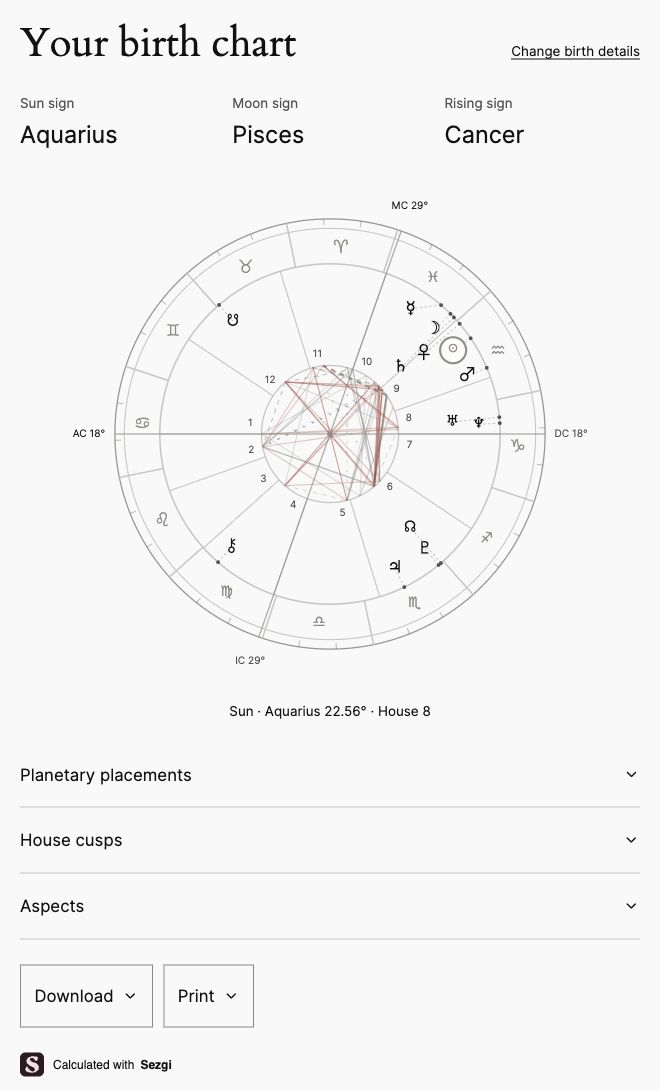

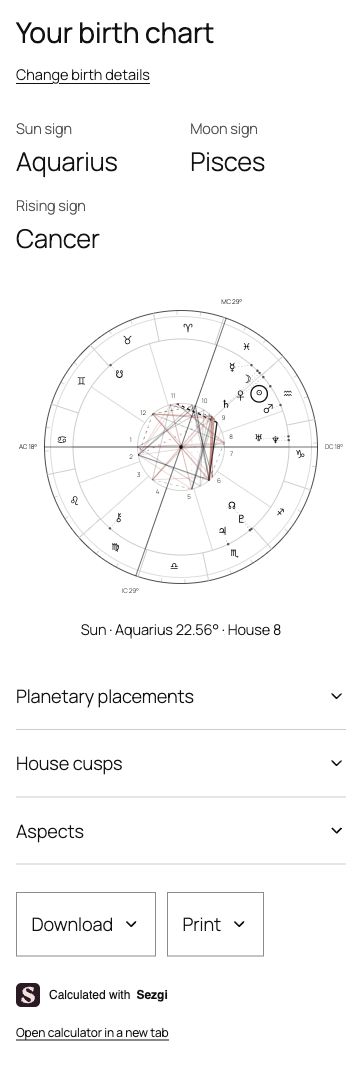


Blocks
This plugin provides 1 block.
- Sezgi Astrology Birth charts, Moon signs, rising signs and today's sky.
Installation
- Upload the ZIP under Plugins Add New and activate Sezgi Astrology Calculators.
- Open Settings Sezgi Astrology and select Connect Sezgi.
- Add a Sezgi Astrology block to a page or post and choose a calculator.
- Preview the page and publish it.
To remove Sezgi branding, buy a site license at https://sezgi.app/app/wordpress and save the key in Settings Sezgi Astrology.
Shortcodes
[sezgi_calculator tool=”all”] [sezgi_calculator tool=”natal” language=”en”] [sezgi_calculator tool=”moon” theme=”dark”] [sezgi_calculator tool=”rising”] [sezgi_calculator tool=”sky”]
Optional attributes: language (en, tr, es), appearance (site, sezgi), theme (auto, light, dark), accent, background, foreground and border_color (#RRGGBB), font (auto, sans, serif, mono), heading_font (auto, same, sans, serif, mono), font_size (14–20), radius (0–24), border_width (0–2), spacing (compact, normal, relaxed), output (paper, screen), width (320–1200). Without overrides, calculators use the saved site defaults. The initial defaults follow the WordPress site language and match the website’s colors and typography. Sezgi’s appearance remains an explicit option. Each block can override the site settings from its Appearance and Customize appearance panels. The shortcode supports the same overrides. Multiple calculators can appear on one page.
FAQ
-
Do I need a Sezgi account?
-
No. An account is needed only to buy or manage a branding-removal license.
-
Is this a subscription?
-
No. Branding removal is a one-time purchase for one website and one test site. It is separate from Sezgi’s app subscription. See https://sezgi.app/wordpress#service-terms for purchase terms.
-
What if the birth time is unknown?
-
Birth chart and Moon sign calculators have an unknown-time option. If the Moon changes signs during that day, both possible signs are shown. Houses and rising signs require a known birth time.
-
How does Match website work?
-
The calculator uses your theme’s fonts, headings and buttons. You can change colors, fonts, spacing, borders and width in the plugin settings or for each block. The Sezgi style is a separate option.
PNG and print output follow your chosen fonts and colors. White paper is the default. Choose Same as calculator to keep the on-screen colors in your exports.
-
Why is my license not removing branding?
-
Check that the website address in your Sezgi account matches your WordPress site, including HTTPS and www. Add your test site separately. Confirm the payment and save the current key in WordPress. After moving a site or replacing a key, update your settings and clear the page cache. The free calculators remain available if a license cannot be verified.
-
Visitors can retry without re-entering their details. The link below the calculator also opens it in a separate tab.
-
Does removing the plugin cancel my purchase?
-
Uninstalling removes the plugin’s settings. Your purchase stays in your Sezgi account. Contact destek@sezgi.app for refund questions.
Reviews
There are no reviews for this plugin.
Contributors & Developers
“Sezgi Astrology Calculators” is open source software. The following people have contributed to this plugin.
Contributors
Translate “Sezgi Astrology Calculators” into your language.
Interested in development?
Browse the code, check out the SVN repository, or subscribe to the development log by RSS.
Changelog
0.1.0
- First release: birth chart, Moon sign, rising sign and current sky calculators, PNG downloads, print, blocks, shortcodes and optional branding removal.