Description
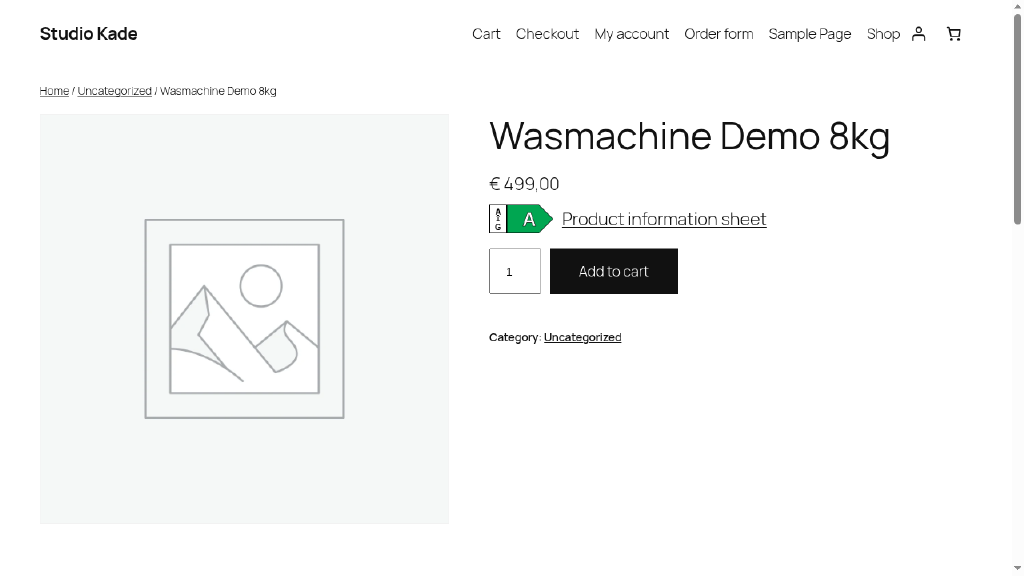
Shops in the EU that sell energy-labelled products online must show the energy class arrow next to the price, the energy label and the product information sheet. Labelpijl does this for WooCommerce with no product limit.
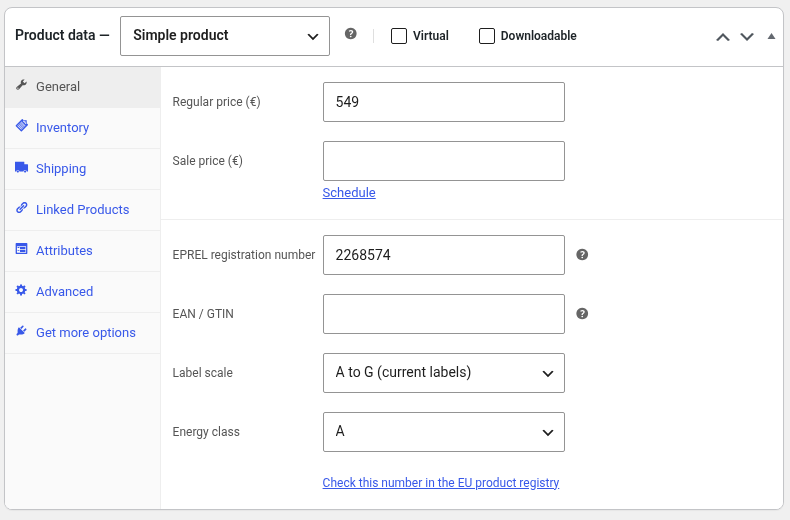
Enter the EPREL registration number (the number under the QR code on the label) and the energy class on a product. Labelpijl then shows:
- A coloured class arrow with the label’s class range, next to the price or in another place you choose.
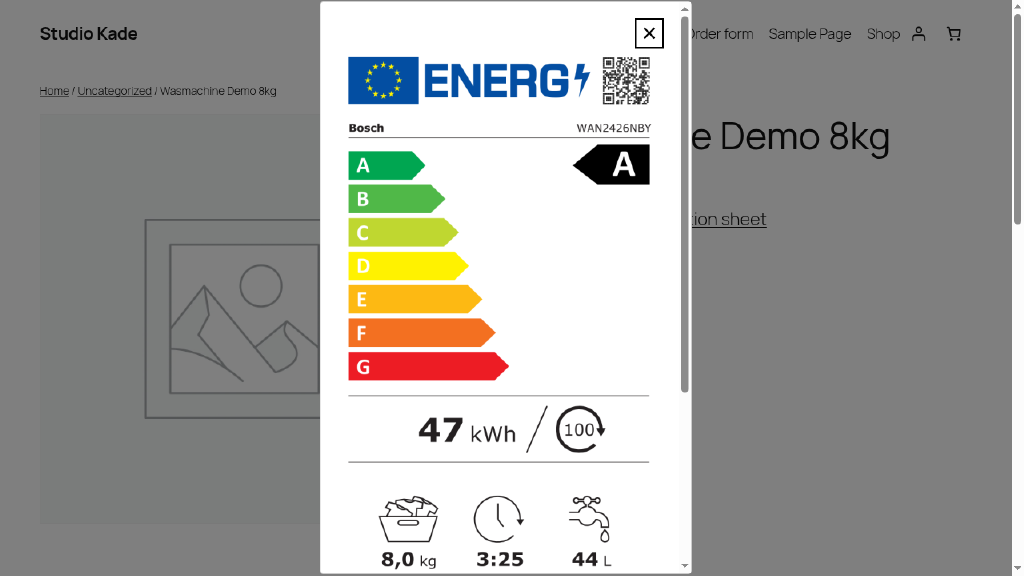
- The official energy label in a pop-up when the shopper clicks the arrow, taken directly from the EU product registry (EPREL).
- A link to the product information sheet in the shopper’s language (all 24 EU languages), with a fallback language you choose.
- A link to the product’s page in the EU product registry.
- The credit to the European Commission’s EPREL registry, as its terms of use require.
Also included:
- Unlimited products, with no branding on the front end.
- Variable products: each variation can have its own registration number and class, and the arrow changes when the shopper picks a variation.
- All label scales: A to G (current labels), A+++ to D, A+++ to G and A to E (tyres).
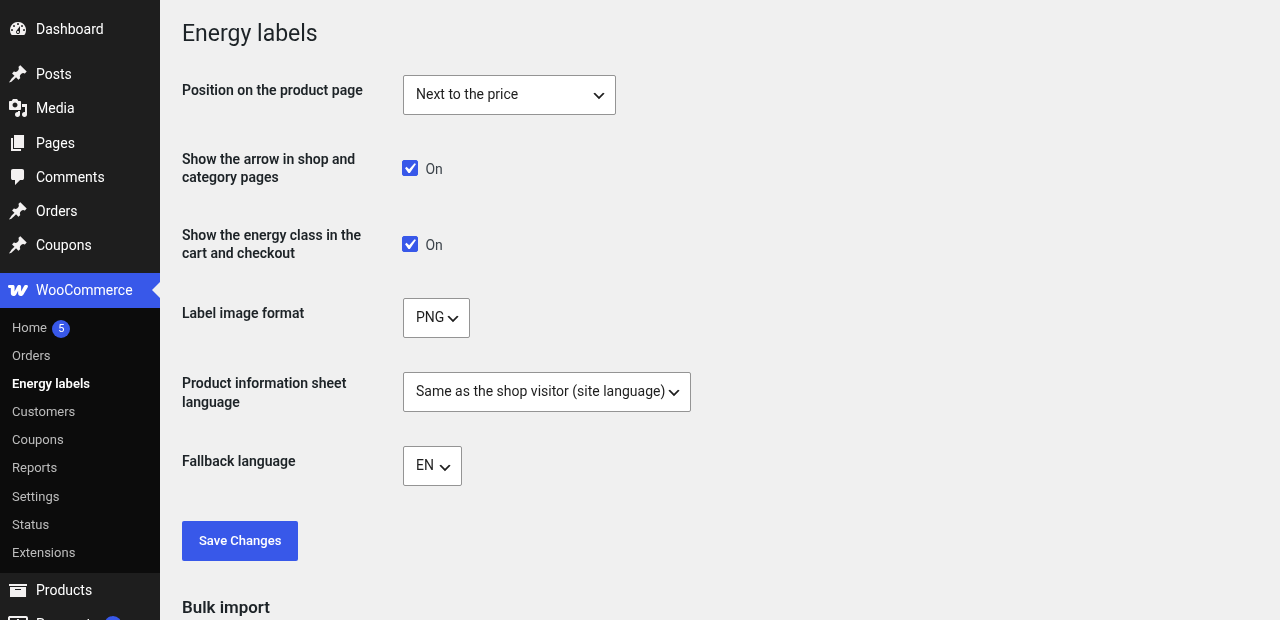
- Arrow in shop and category pages, and the energy class in the cart and checkout (each can be turned off).
- Shortcode
[labelpijl id="123"]for use in pages and page builders. - Bulk import through the standard WooCommerce product CSV importer.
- “Energy class” column in the product list, which flags products with incomplete data.
- Paste an EPREL QR link and the number is taken from it. GTINs are checked for a valid check digit.
- Accessible: keyboard-operable button, screen-reader text and a native dialog. Light: no jQuery needed, about 2 KB of CSS and JS, loaded only on shop pages.
- HPOS and cart/checkout blocks compatible.
Labelpijl does not look up data for you. You enter the class and registration number, which you can find on the label or in the supplier’s documents.
External services
This plugin links to the European Product Registry for Energy Labelling (EPREL), run by the European Commission, at https://eprel.ec.europa.eu/.
- What is sent and when: the plugin itself makes no requests from your server. When a shopper clicks the class arrow, the shopper’s browser loads the label image from eprel.ec.europa.eu, using the registration number of that product. When a shopper clicks a product information sheet or registry link, the browser opens that page at eprel.ec.europa.eu. The registry receives the shopper’s IP address and browser details as with any web request. Nothing is loaded from EPREL before the shopper clicks.
- Why: to show the official label and product information sheet, which shops must make available.
- EPREL terms of use: https://eprel.ec.europa.eu/screen/requestpublicapikey and https://ec.europa.eu/assets/move-ener/eprel/EPREL%20Public/Public%20API%20Term%20and%20Conditions/API_TERMS_AND_CONDITIONS_EN.pdf
- European Commission privacy statement for EPREL: https://commission.europa.eu/privacy-policy-websites-managed-european-commission_en
Labelpijl is not made, endorsed or supported by the European Commission. The supplier of each product is responsible for the data in EPREL.
Screenshots
Installation
- Install and activate WooCommerce.
- Install Labelpijl from Plugins > Add New, or upload the zip, and activate it.
- Go to WooCommerce > Energy labels to choose the position and the sheet language.
- Edit a product, open the General tab and fill in the EPREL registration number, label scale and energy class.
FAQ
-
Where do I find the EPREL registration number?
-
It is the number printed under the QR code on the energy label. Scanning the QR code also opens a link that ends with the number; you can paste that whole link.
-
Does it work without an EPREL API key?
-
Yes. Labelpijl uses the public label and product information sheet links, which need no key.
-
Can I import numbers for many products at once?
-
Yes. In Products > Import, add columns named
Meta: _labelpijl_reg,Meta: _labelpijl_classandMeta: _labelpijl_scale(values: ag, appp, appg or tyres). -
Does it work for products without a label?
-
Products without a registration number and class show nothing.
Reviews
There are no reviews for this plugin.
Contributors & Developers
“Labelpijl – EU Energy Label for WooCommerce” is open source software. The following people have contributed to this plugin.
Contributors
Translate “Labelpijl – EU Energy Label for WooCommerce” into your language.
Interested in development?
Browse the code, check out the SVN repository, or subscribe to the development log by RSS.
Changelog
0.1.0
- First release.