
Description
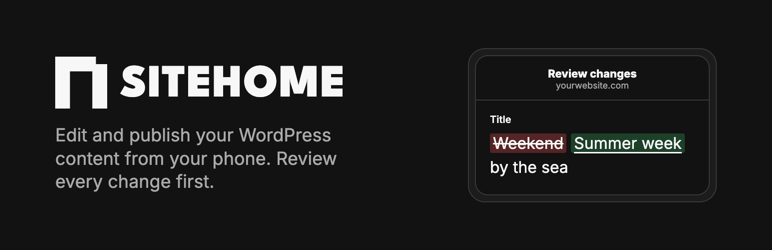
SiteHome is an app for website owners: change texts and photos from your phone, review the exact changes, and publish. SiteHome works with WordPress through the WordPress REST API, signed in with an application password of your own WordPress user (Editor role or higher), so your users, roles and rights stay as they are.
This plugin adds what the REST API does not have: a revision check. When SiteHome publishes, it says which version of the item it reviewed. If someone changed the item in the meantime, WordPress refuses SiteHome’s update and SiteHome asks you to review again. Updates from the block editor or other apps are not affected.
The plugin:
- refuses an update from SiteHome when the item changed after it was reviewed;
- adds read-only
sitehome_revisionandsitehome_builderfields to items in the REST API (only for users who may edit them), so SiteHome can keep builder-native layouts (Elementor, Divi, WPBakery, Beaver Builder, Oxygen, Bricks) closed while editing supported WordPress body blocks separately; - with Advanced Custom Fields active, adds a
sitehome_fieldsfield to items in the REST API (only for users who may edit them) with the item’s ACF fields of common types, and saves SiteHome’s values for them after checking each one; fields with a condition, a read-only setting or a check of the website’s own stay closed; - adds
GET /wp-json/sitehome/v1/fields/<post type>with the ACF fields a new item gets (only for users who may create that post type); - adds
GET /wp-json/sitehome/v1/status, so SiteHome can see the plugin is active; - on hosts that drop the Authorization header, reads the same application password from SiteHome’s own
X-SiteHome-Authorizationheader, so WordPress checks it as usual; - adds Settings SiteHome with the steps to connect your website.
It adds no tables, changes no content and sends nothing anywhere. Every change SiteHome makes is a normal WordPress update, with a revision you can restore.
External service
The plugin itself makes no outgoing requests. It is meant for use with the SiteHome app (https://getsitehome.com), which connects to your website’s REST API when you connect it there yourself, with an application password you create. SiteHome then reads the content you choose and writes the changes you review and publish in the app. See the SiteHome privacy policy (https://getsitehome.com/en/privacy).
Screenshots


Installation
- Install and activate the plugin under Plugins Add Plugin.
- Under Users Profile Application Passwords, create a password named “SiteHome” for a user with the Editor role.
- Under Settings SiteHome, click “Connect with SiteHome”. Sign in to SiteHome; your website address is filled in. Enter your WordPress username and application password, choose your content and confirm. Publishing starts switched off.
FAQ
-
Does SiteHome need an administrator account?
-
No. A user with the Editor role is enough. SiteHome can do what that user can do, and nothing more.
-
How do I disconnect SiteHome?
-
Revoke the application password under Users Profile. SiteHome then can no longer read or change the website.
-
WordPress says my application password is wrong, but it is right.
-
Some hosts drop the Authorization header before WordPress sees it. This plugin reads SiteHome’s credentials from SiteHome’s own header instead, so the connection works anyway.
-
My security plugin blocks the REST API.
-
SiteHome needs the REST API and application passwords. Allow both for the SiteHome user in your security plugin, or ask your host.
Reviews
There are no reviews for this plugin.
Contributors & Developers
“SiteHome” is open source software. The following people have contributed to this plugin.
Contributors
Translate “SiteHome” into your language.
Interested in development?
Browse the code, check out the SVN repository, or subscribe to the development log by RSS.
Changelog
0.7.0
- Start connecting from Settings SiteHome with the website address filled in. No credentials are sent in the link.
0.6.0
- Supports ACF time and date/time fields as local clock values, without timezone conversion.
- Rejects invalid calendar dates and times before an item is saved.
0.5.1
- Sanitizes SiteHome’s own authorization header before use, and leaves loading translations to WordPress.org.
0.5.0
- Offers the ACF fields of a new item, so SiteHome can fill them in when it creates the item.
0.4.0
- Lets SiteHome edit Advanced Custom Fields of common types (text, number, yes/no, date, choices, image). Fields with a condition, a read-only setting or a check of the website’s own stay closed in SiteHome.
0.3.0
- Accepts SiteHome’s credentials on hosts that drop the Authorization header before WordPress sees it.
0.2.0
- Reports the page builder an item is laid out with, so SiteHome can keep builder-native layout data separate from supported WordPress body content.
0.1.0
- First version: revision check, revision field, status endpoint and connection steps.