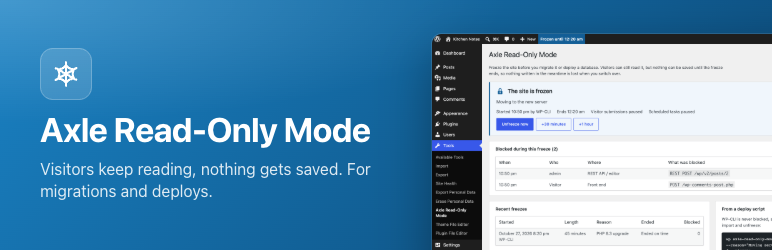

Description
When you move a site to a new server, or replace the live database with one from staging, anything saved on the old copy during the move is lost: a post an editor was finishing, a comment, a form entry, a WooCommerce order.
Maintenance mode hides the whole site from visitors. Axle Read-Only Mode keeps the site online but makes it read-only:
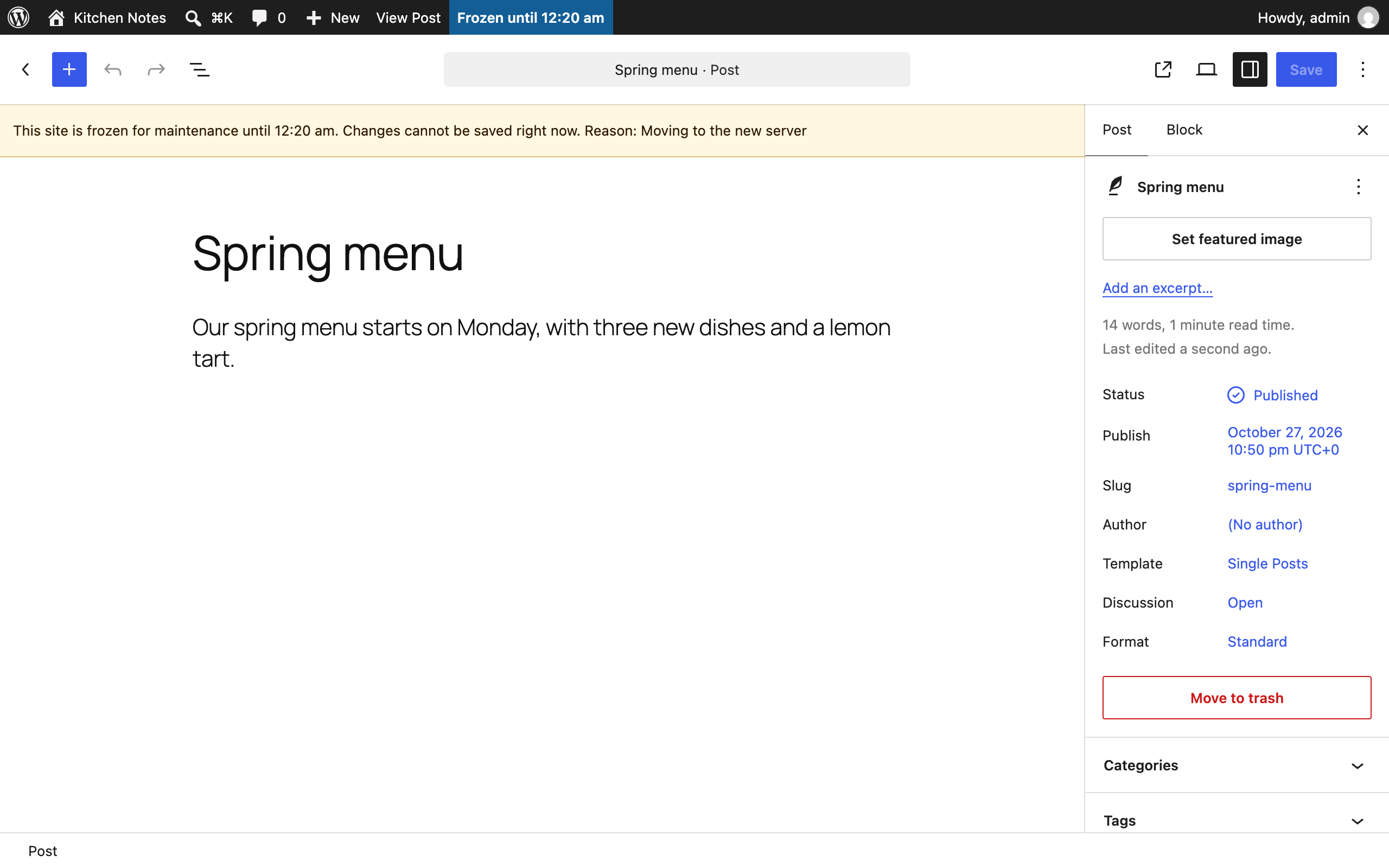
- Editors can open and read everything in wp-admin, but cannot save. The block editor disables Save and Publish and shows why. People who already have the editor open are locked within a minute, through the WordPress heartbeat, and unlocked again when the freeze ends.
- Admin actions that change data are refused: saving settings, uploading media, installing or updating plugins, trashing posts. Automatic updates are paused.
- The REST API and XML-RPC refuse anything that writes, with HTTP status 423. Reading still works.
- Visitor submissions (optional, on by default): comments, sign-ups, contact forms, checkouts and any other form post get a “back soon” page with HTTP 503 and a Retry-After header, which search engines understand.
- Scheduled tasks (optional, on by default) are held back and run when the freeze ends.
Logging in always works, so an admin can always unfreeze.
Free and open source under the GPL. No pro version, no upsells, no ads in wp-admin, no tracking. And it stays that way.
Part of Axle by AryanX, a family of plugins for running WordPress sites safely.
See what was blocked
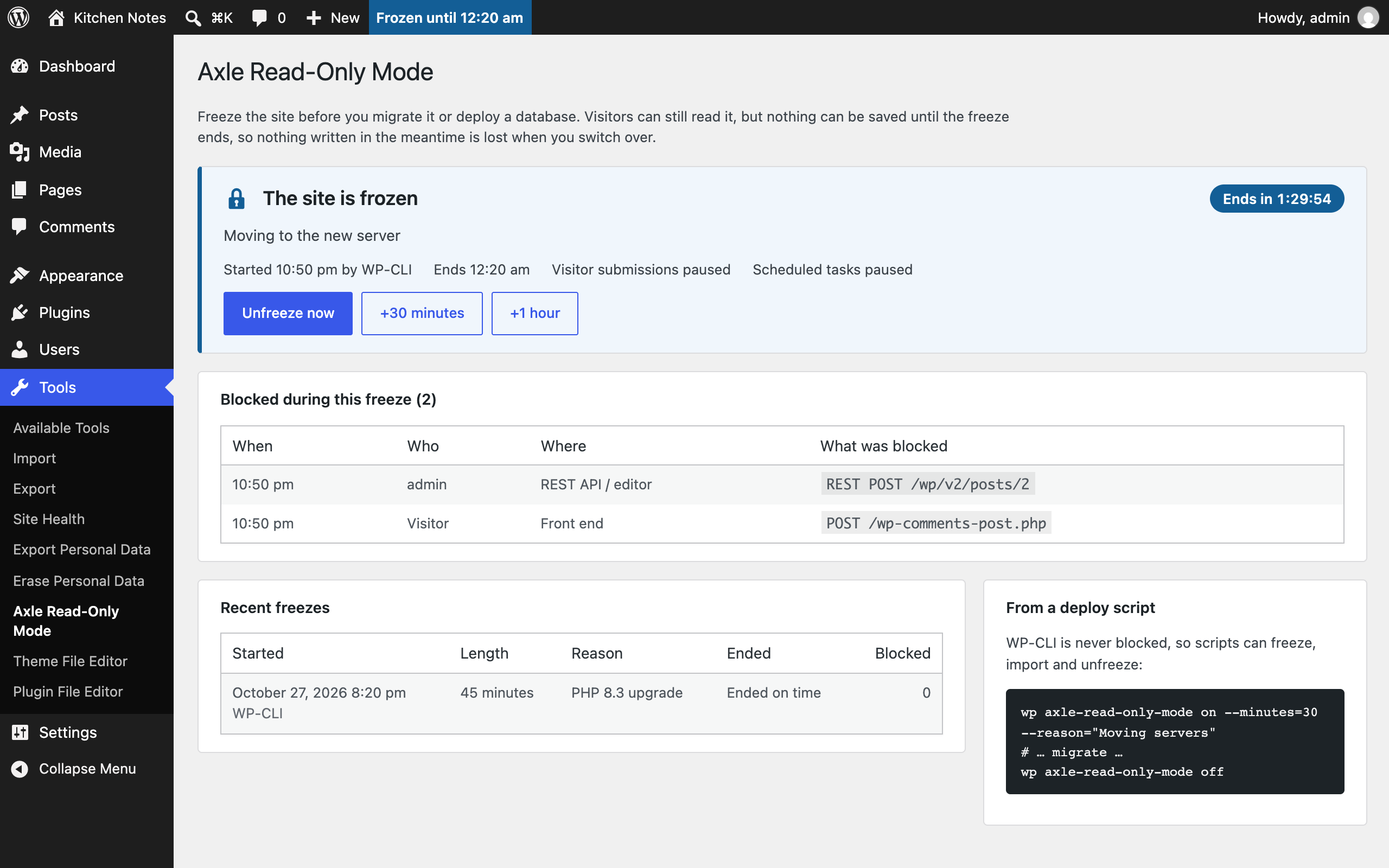
Every blocked attempt is listed: who tried, when, and what (a post save, an upload, a REST request, a contact form). After the move you know exactly which edits to redo on the new server. The last ten freezes are kept too, with how many attempts each one blocked.
Freeze safely
- Pick an end time and the freeze ends by itself. A deploy script that fails halfway cannot leave the site frozen for days.
- Running late? Add 30 minutes or an hour from the freeze screen or the admin bar. A live countdown shows the time left.
- Schedule a freeze for later, for example the start of a maintenance window.
- Tick “Let me keep editing” to exempt yourself.
- Write your own message for visitors, for example “We are moving servers. Back by 3 pm.”
- Freeze for an hour straight from the admin bar (under the site name), and unfreeze from the admin bar or the notice on every screen.
From a deploy script
wp axle-read-only-mode on --minutes=30 --reason="Moving servers"
wp axle-read-only-mode off
wp axle-read-only-mode status
wp axle-read-only-mode extend 30
wp axle-read-only-mode log
WP-CLI itself is never blocked, so your scripts can keep importing and replacing data. Use --no-visitors or --no-cron to leave those running.
Or freeze from wp-config.php while files are being swapped:
define( 'AXLE_READ_ONLY_MODE', true );
define( 'AXLE_READ_ONLY_MODE_REASON', 'Moving servers' );
Screenshots

FAQ
How is this different from a maintenance mode plugin?
Maintenance mode shows visitors a placeholder page instead of the site. Axle Read-Only Mode keeps the site fully visible and only stops changes. Use it when the site has to stay online during the move.
Does it stop every plugin’s forms?
It stops every form that posts to the site from the front end, every REST API write and every admin-ajax request that is not on the read-only list. A form that sends data straight to an outside service is not affected.
A read-only screen of my plugin stopped working during the freeze.
Admin-ajax requests are blocked unless they are known to be read-only. Add the action name with the
axle_read_only_mode_allowed_ajax_actionsfilter.Can someone keep working while the site is frozen?
Yes. Tick “Let me keep editing” when you freeze, or use the
axle_read_only_mode_user_can_bypassfilter.
Reviews
There are no reviews for this plugin.
Contributors & Developers
“Axle Read-Only Mode” is open source software. The following people have contributed to this plugin.
Contributors
Translate “Axle Read-Only Mode” into your language.
Interested in development?
Browse the code, check out the SVN repository, or subscribe to the development log by RSS.
Changelog
3.0.0
- Changed (breaking change): rename to Axle Read-Only Mode for WordPress.org
2.0.1
- Fix: refuse abilities that write during a freeze on WordPress 6.9 and 7.0
2.0.0
- Changed (breaking change): rename to Axle Read-Only Mode for WordPress.org
1.3.0
- Fix: make the abilities visible to MCP agents, and let the MCP adapter run them during a freeze
- New: add abilities so AI agents can check and control a freeze, and refuse other abilities that write during one
1.2.0
- New: add filters for the freeze lengths, messages and limits, and actions for each blocked request
- Fix: stop bots from flooding the freeze log, and keep personal data out of it
- Fix: keep editor housekeeping working during a freeze
1.1.0
- New: list of blocked attempts, so you know which edits to redo after a migration.
- New: history of the last ten freezes.
- New: extend a freeze by 30 minutes or an hour, with a live countdown.
- New: freeze and unfreeze from the admin bar.
- New: custom message for visitors.
- New:
wp axle-read-only-mode extendandwp axle-read-only-mode log. - Rewritten as PSR-4 classes.
1.0.0
- First release.