
Description
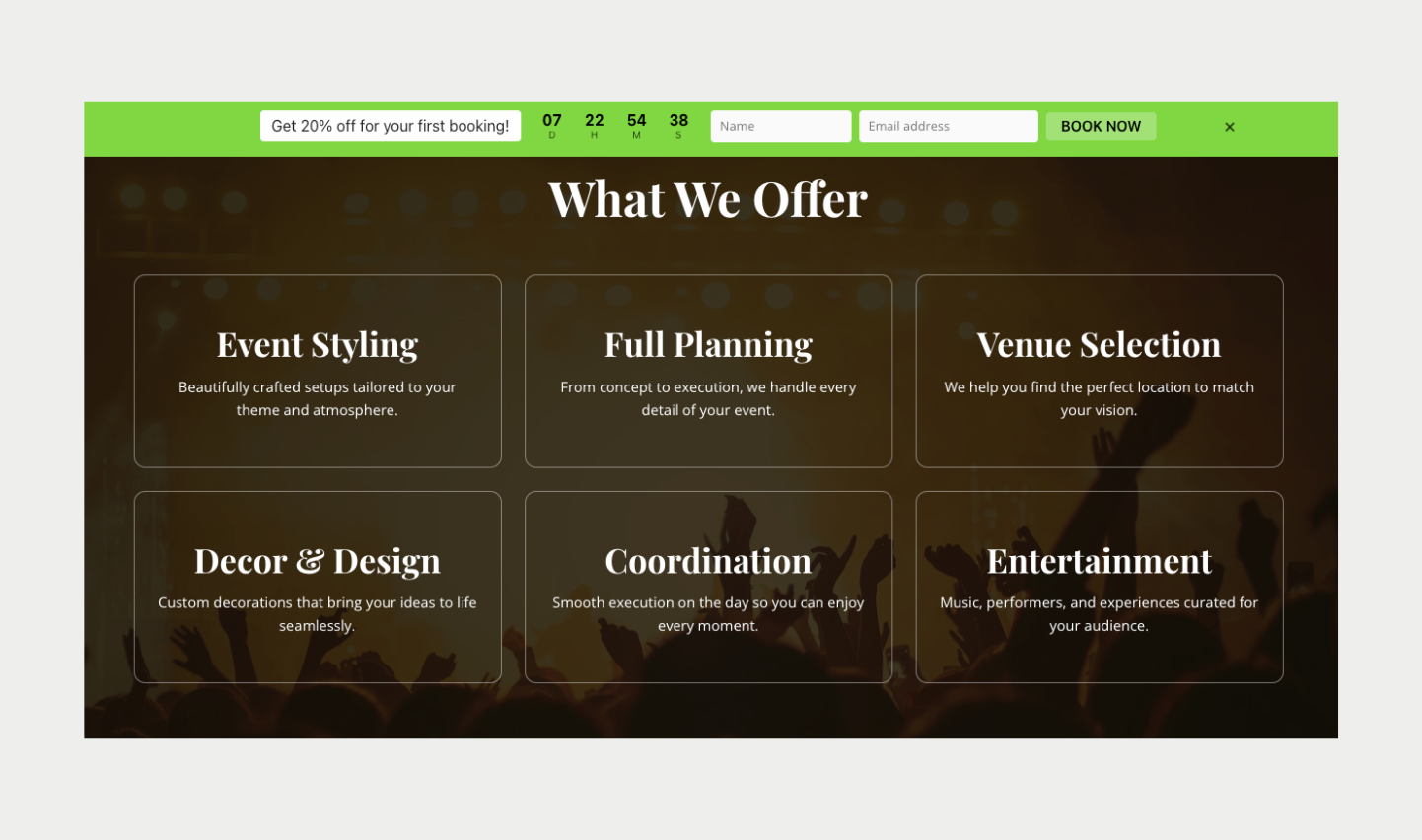
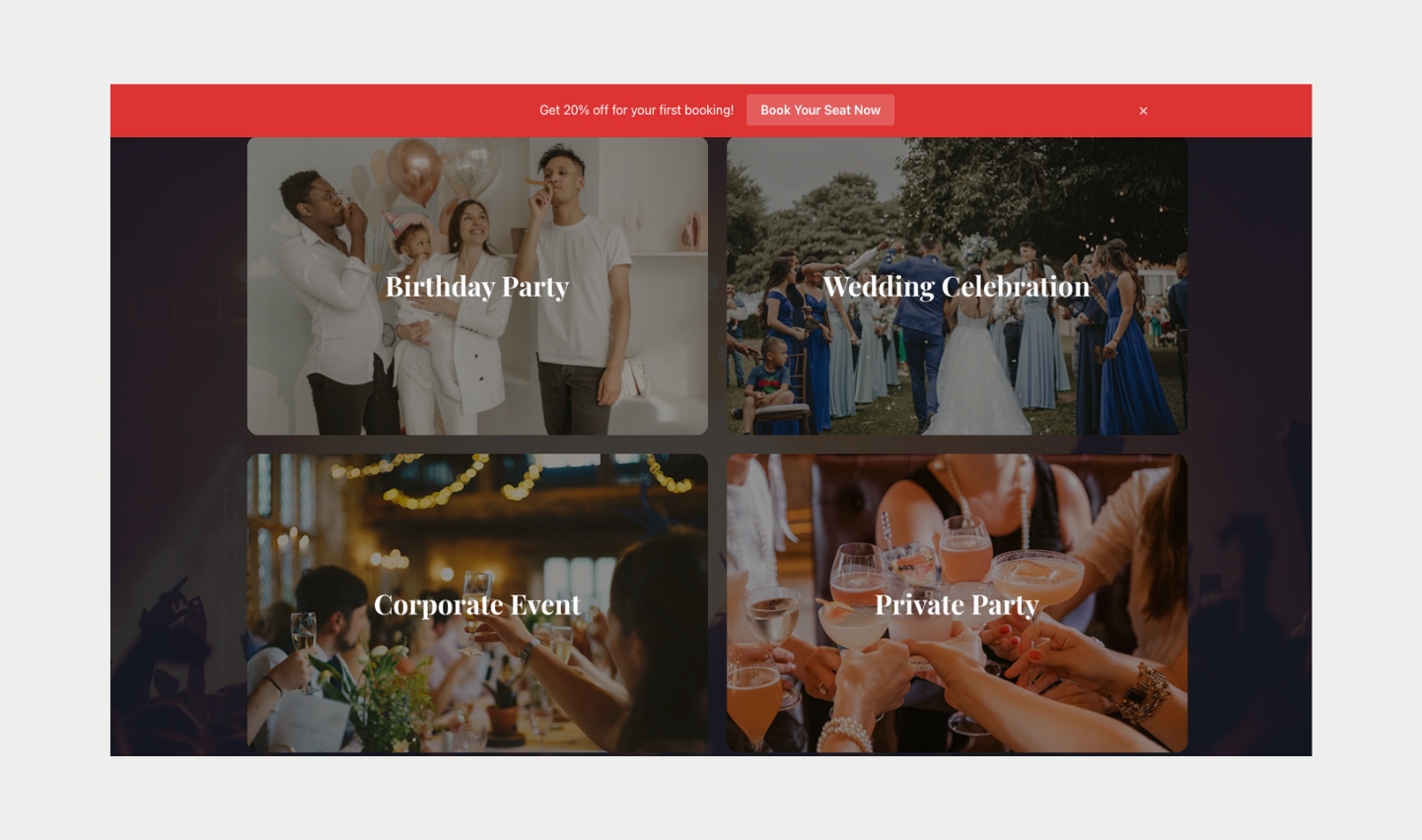
Heraldly adds a notification bar to the top or bottom of your WordPress site in minutes. Announce a sale, show a shipping offer, count down to a launch, or collect email signups, all from a visual builder with a live preview, with no code and no theme changes.
Create as many bars as you need. Each bar has its own message, colors, button or signup form, countdown, animation and display rules, and you can see impressions, clicks and click-through rate for every bar on one dashboard.
Why Heraldly
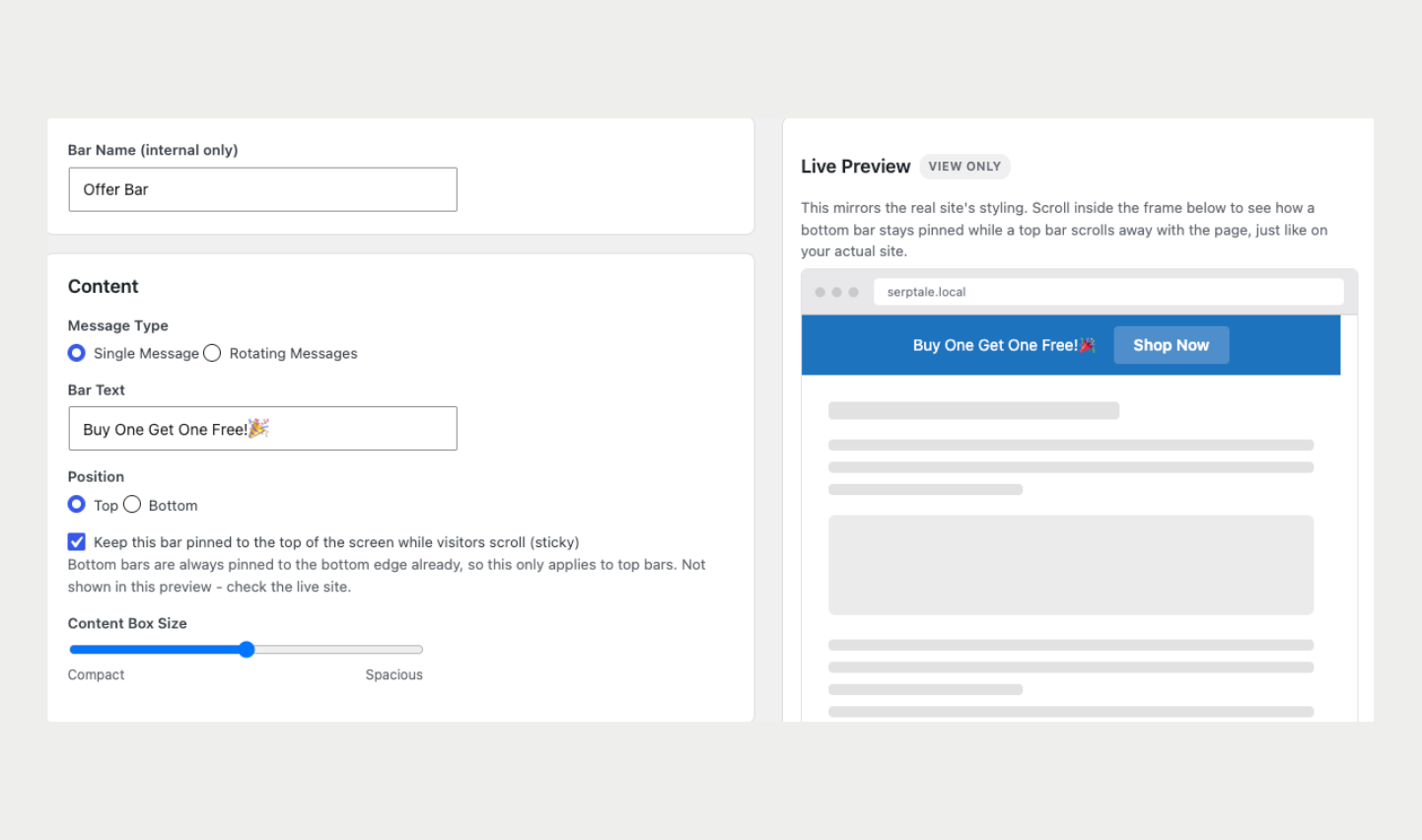
- Visual builder with live preview. Every setting updates a preview of the bar inside wp-admin, including the countdown reaching zero, before anything appears on your live site.
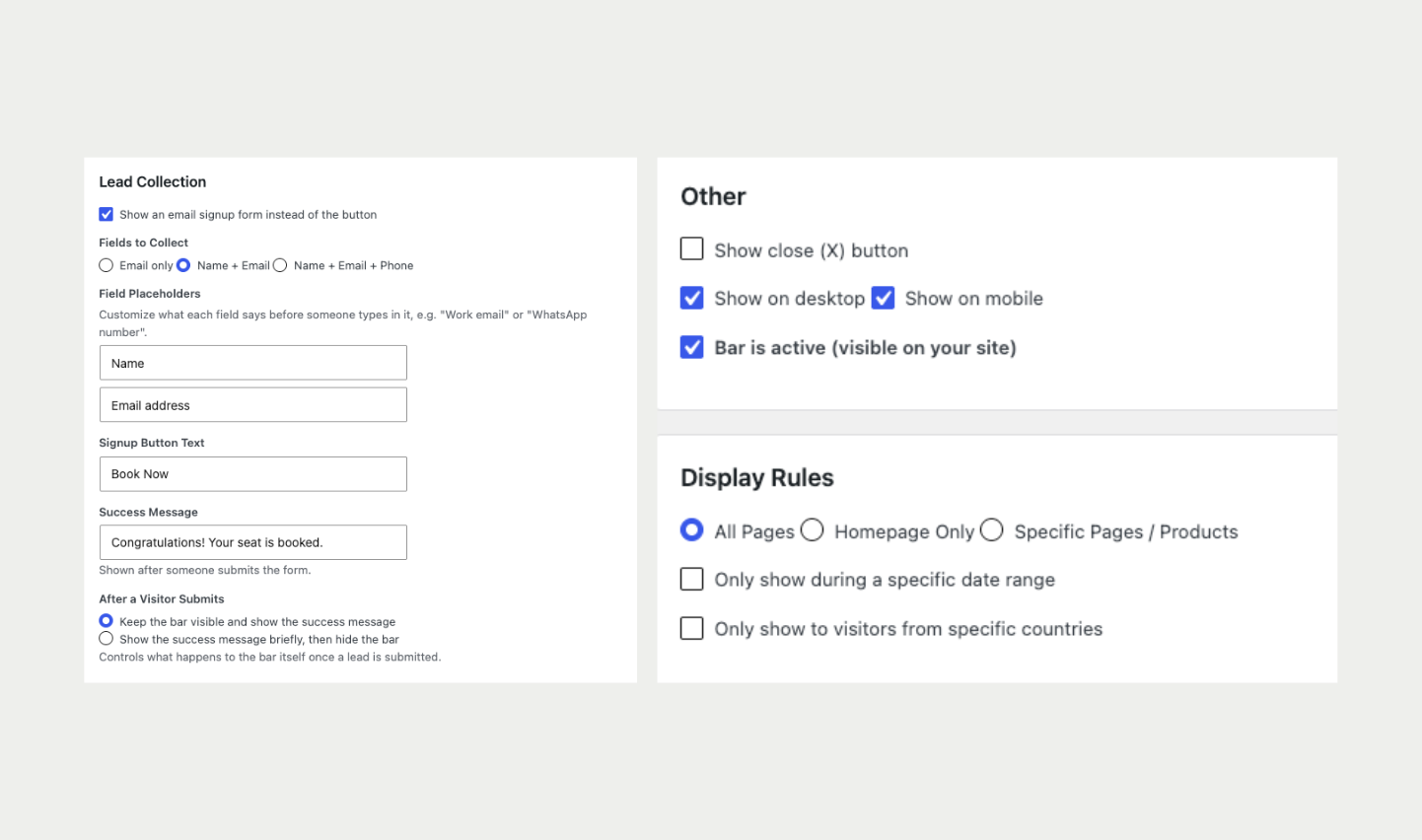
- Lead capture built in. Replace the button with a signup form that collects email only, or name, email and phone. Leads are stored in your own database and can be exported to CSV at any time.
- Works with any theme. Bars are injected and positioned by Heraldly, so there is nothing to add to your theme files.
- Privacy-friendly by default. No visitor data leaves your site unless you deliberately switch on the optional external country lookup with your own API key.
Notification bar features
- Top or bottom position for each bar
- Sticky bar option: keep any top bar pinned while visitors scroll. Several sticky bars stack neatly in the order you choose
- Static text or rotating messages with fade, slide or typewriter effect
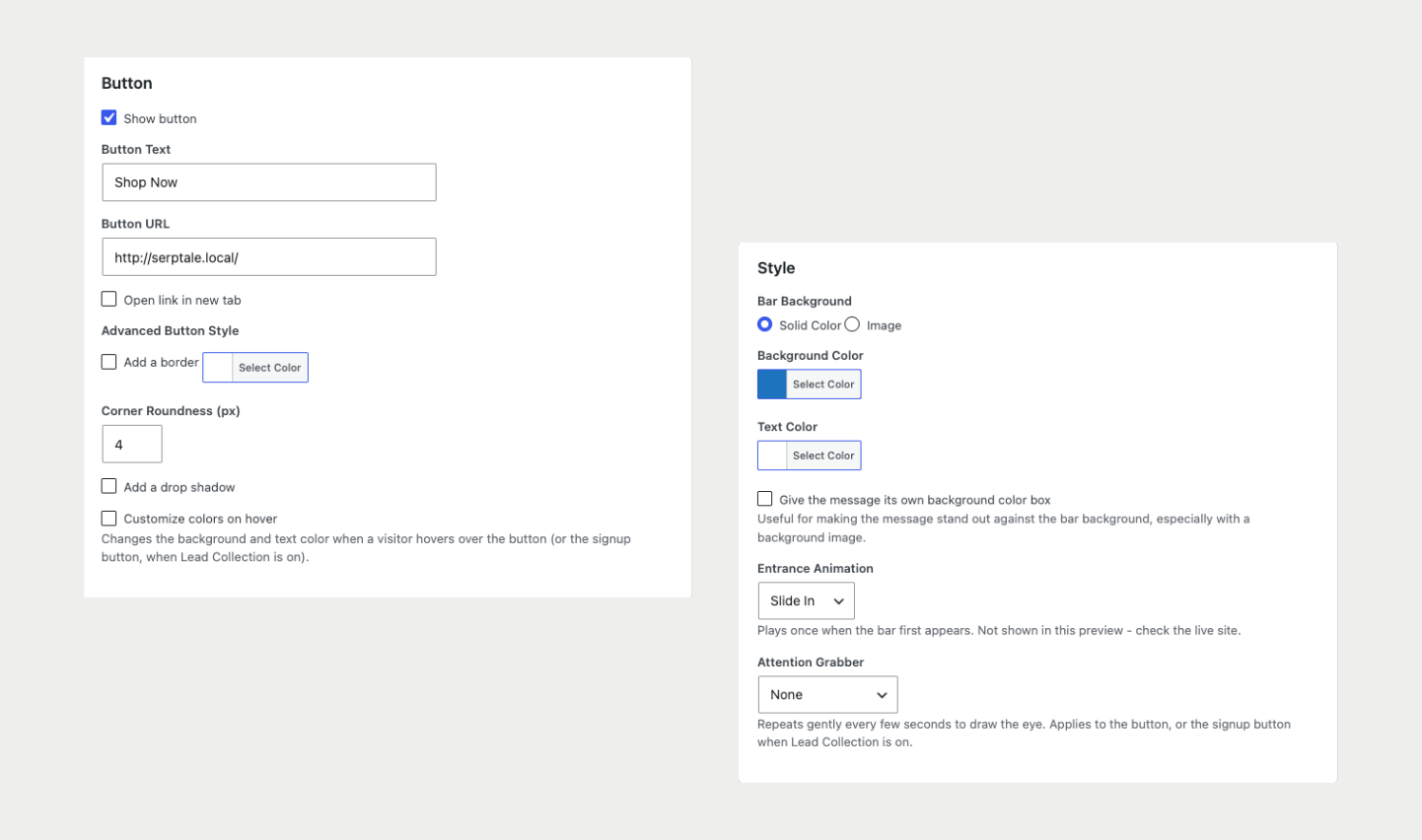
- Call-to-action button with custom text, link, “open in new tab”, border, rounded corners, shadow and hover colors
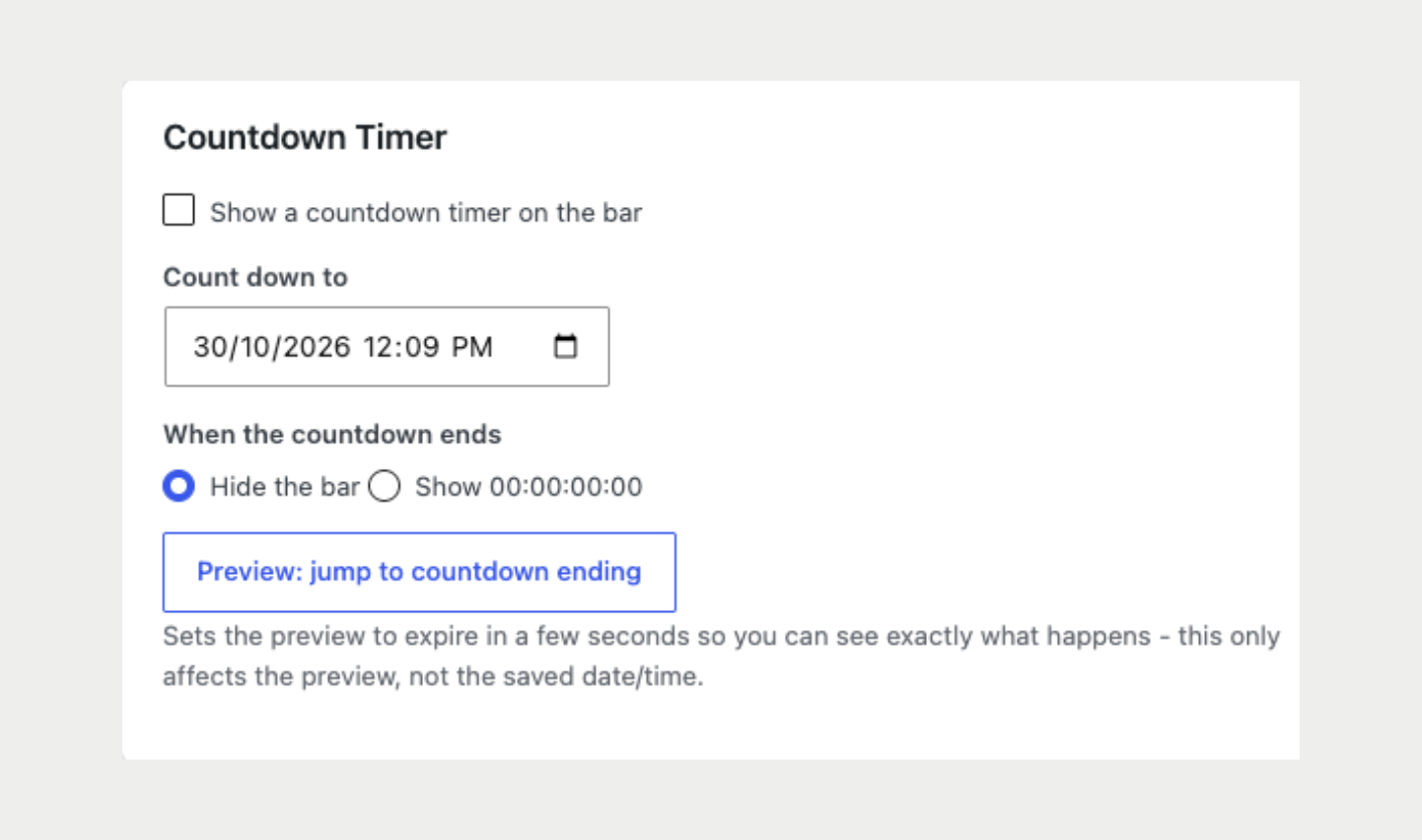
- Countdown timer with your choice of hiding the bar or freezing at 00:00 when it ends
- Entrance animations (slide, fade, bounce) and attention effects (pulse, shake) for the button
- Solid color or background image with an adjustable darkening overlay
- Optional highlighted text box inside the bar, and five content box sizes
- Close (X) button that remembers the visitor’s choice for the session
- Show on desktop, mobile or both
Lead capture and signup form
- Collect email, or name + email + phone
- Custom placeholders, button text and success message
- After submit: keep the bar visible or hide it after a delay you set
- Spam protection with a hidden honeypot field and per-visitor submission limit
- Leads screen in wp-admin with one-click CSV export
Display rules and targeting
- Show on all pages, the homepage only, or specific pages (and WooCommerce products)
- Schedule a bar with a start and end date and time in your site’s timezone
- Country targeting: show a bar only in, or hide it from, a list of countries. Reads the country from your CDN (for example Cloudflare) with no external requests. An optional ip-api.com Pro lookup with your own key is available for sites without a CDN
- Turn any bar on or off with one click
Analytics
- Impressions (counted once per visitor session) and clicks per bar
- Click-through rate shown on the Dashboard
- Duplicate a bar and compare results
Dashboard
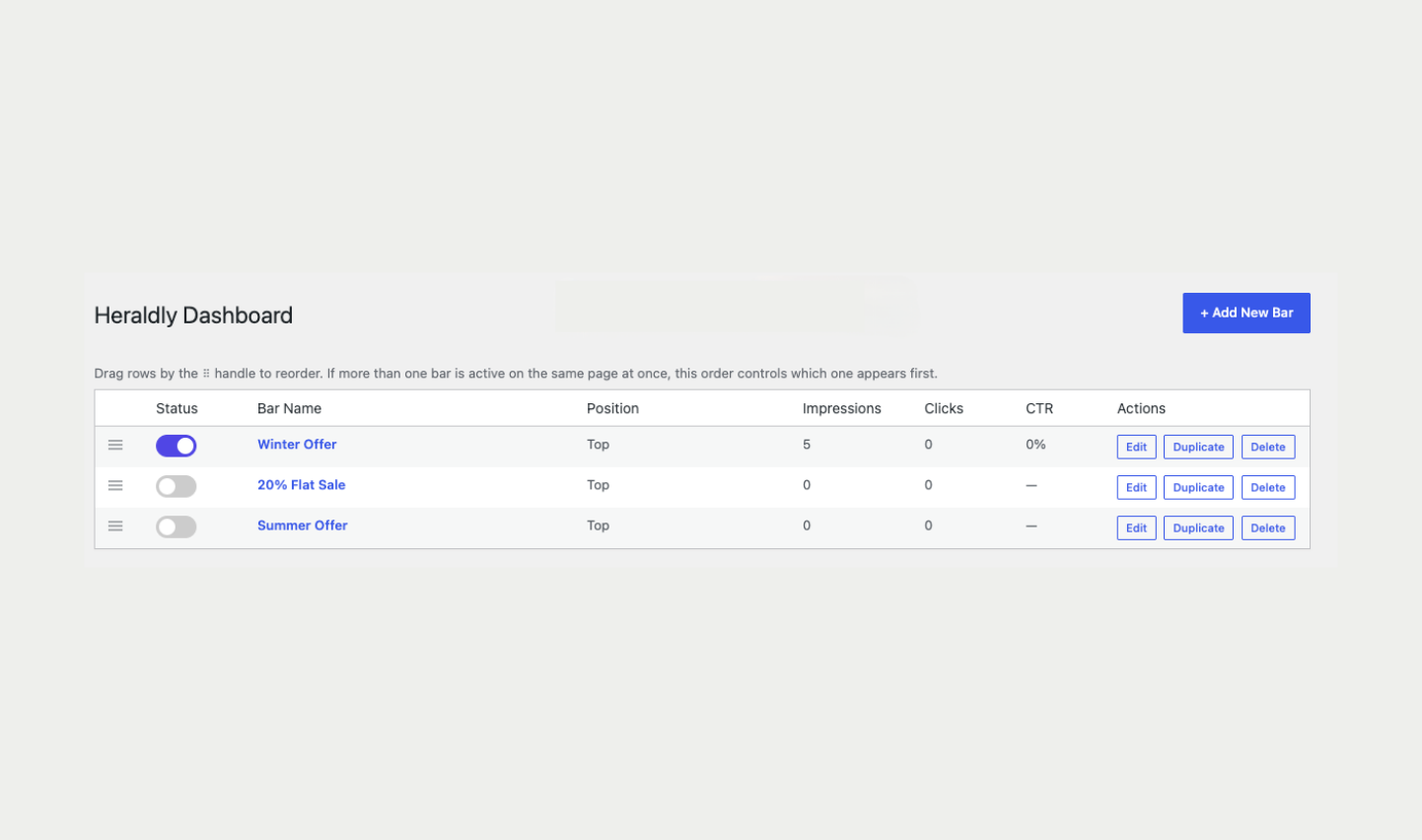
- All bars in one list with status, impressions, clicks and CTR
- Drag and drop to reorder bars; the order controls which bar shows first and how sticky bars stack
- Duplicate, enable, disable or delete a bar without leaving the page
Use cases
- Sale and discount announcement bar
- Free shipping or minimum order bar for WooCommerce
- Product launch or event countdown bar
- Newsletter and email signup bar
- Site-wide alert or maintenance notice
- Welcome bar for first-time visitors
- Country-specific promotions
External services
This plugin can optionally connect to the ip-api.com Pro IP-geolocation API to find a visitor’s country for the “Country Targeting” display rule. It is off by default and only used when all of the following are true: the site owner has switched on “External Lookup” under Heraldly > Settings, entered their own ip-api.com Pro API key, at least one active bar uses Country Targeting, and the visitor’s request has no CDN country header.
When used, the plugin sends the visitor’s IP address and the site owner’s API key over HTTPS to https://pro.ip-api.com, and receives back a two-letter country code. The result is cached on the site for up to a week per IP address, so a returning visitor is not looked up again during that time. New lookups are limited to 30 per minute site-wide.
This service is provided by ip-api.com. Terms of service and privacy policy: https://members.ip-api.com/legal and https://ip-api.com/docs/legal
Privacy
Heraldly stores the name, email address and phone number that visitors type into a signup form, in your own WordPress database. It does not set tracking cookies. It uses the browser’s session storage to remember that a visitor closed a bar, and counts impressions and clicks per bar without storing any personal data. Suggested text for your privacy policy is provided under Settings > Privacy > Policy Guide.
Screenshots

Installation
From your WordPress dashboard
- Go to Plugins > Add New.
- Search for Heraldly.
- Click Install Now, then Activate.
Manual upload
- Download the plugin zip file.
- Go to Plugins > Add New > Upload Plugin, choose the zip and click Install Now.
- Activate the plugin.
Create your first bar
- Click Heraldly in the admin sidebar, then Add New Bar.
- Enter your message, pick colors, and add a button or a signup form.
- Set the position (top or bottom). To keep a top bar pinned while visitors scroll, turn on the sticky option next to Position.
- Choose where and when the bar should show under Display Rules.
- Set the status to active and click Save. The bar is now live.
FAQ
-
Can I show more than one bar at the same time?
-
Yes. Create as many bars as you like. Active top bars stack in the order set on the Dashboard (drag to reorder). If you need more than one bottom bar, schedule them for different times, because bottom bars do not stack.
-
Can I collect email addresses with the bar?
-
Yes. Turn on the signup form in the builder and choose email only, or name, email and phone. Submissions appear under Heraldly > Leads and can be exported to CSV.
-
Where are collected leads stored?
-
In a table in your own WordPress database. They are never sent anywhere. Deleting the plugin from the Plugins screen removes the table and all bars.
-
Does the signup form have spam protection?
-
Yes. A hidden honeypot field catches most bots, every submission is validated on the server, and each visitor is limited to five submissions per ten minutes.
-
Does country targeting send visitor data anywhere?
-
Not by default. Out of the box, the visitor’s country is read only from a header your host or CDN already adds to each request (for example Cloudflare’s CF-IPCountry). Nothing is sent to any third party. If the country cannot be determined, country-targeted bars are shown as normal. If you switch on the optional external lookup under Heraldly > Settings and enter your own ip-api.com Pro key, visitor IP addresses are sent to ip-api.com as described under External services below.
-
My site is behind Cloudflare or another proxy. Do I need to change anything?
-
Yes. Go to Heraldly > Settings and set “Read the visitor IP from” to match your proxy (for example Cloudflare). By default Heraldly trusts only the direct connection address, which cannot be faked. Behind a proxy that address belongs to the proxy, so all visitors would share one signup-form limit until you change this setting. The Settings screen shows a hint if it detects proxy headers.
-
Does Heraldly work with caching plugins?
-
Yes for showing bars. If you use a full-page cache, clear it after you create, change or schedule a bar so visitors see the update straight away. Country targeting and schedules are applied when a page is generated, so a long cache lifetime can delay those rules until the cache refreshes.
Reviews
There are no reviews for this plugin.
Contributors & Developers
“Heraldly – Notification & Lead Capture Bar” is open source software. The following people have contributed to this plugin.
Contributors

Translate “Heraldly – Notification & Lead Capture Bar” into your language.
Interested in development?
Browse the code, check out the SVN repository, or subscribe to the development log by RSS.
Changelog
1.0.0
- Initial release.