
Description
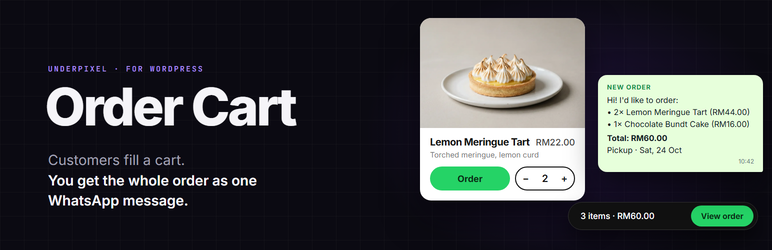
Underpixel Order Cart turns a simple product list into an order form. Customers add items, fill in their name, address and preferred date, and send the whole order to your WhatsApp number as one tidy message.
Made for bakeries, restaurants, florists, small shops and wholesalers who take orders on WhatsApp.
- Add products in the normal block editor: title, photo, short description, price, sold out, sort order and category.
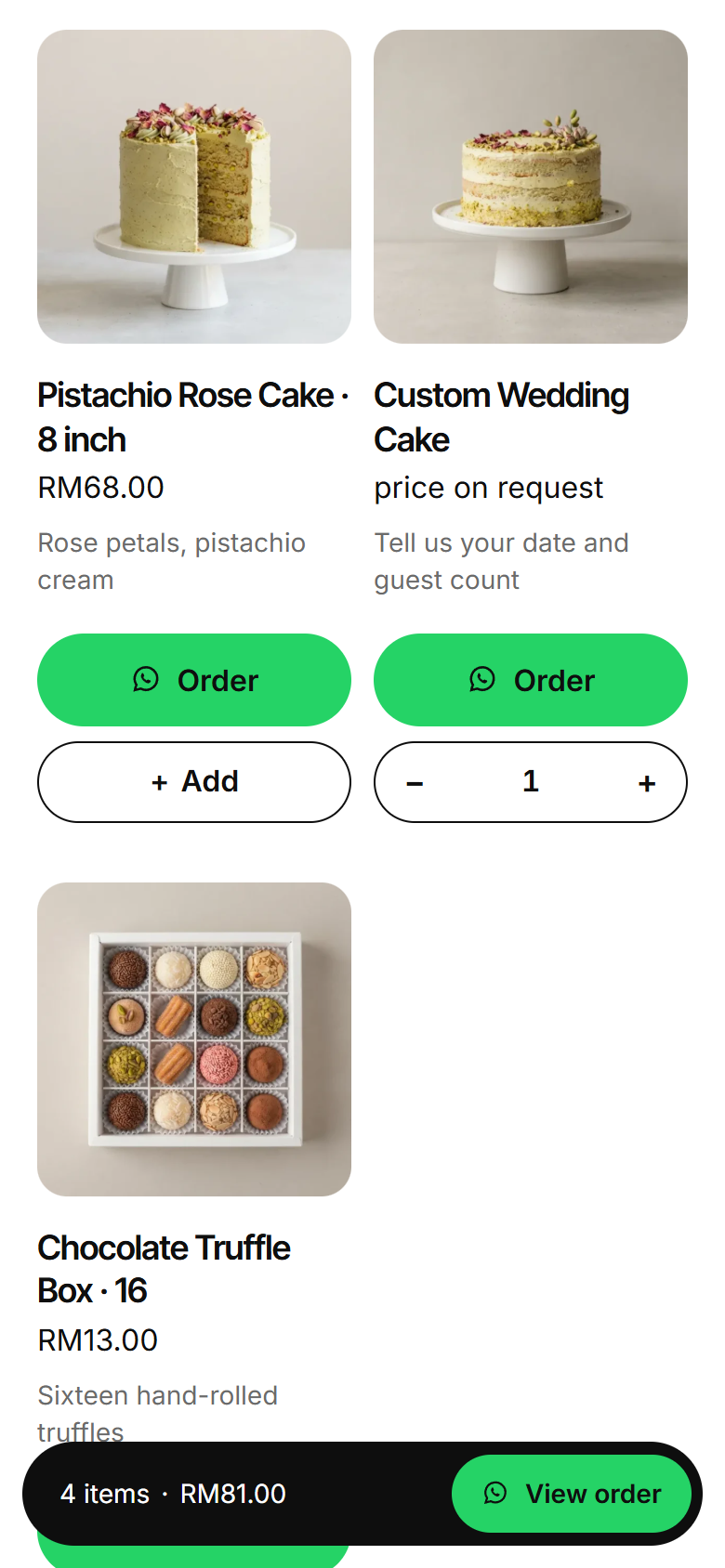
- “Price on request” products can still be ordered. They are left out of the total.
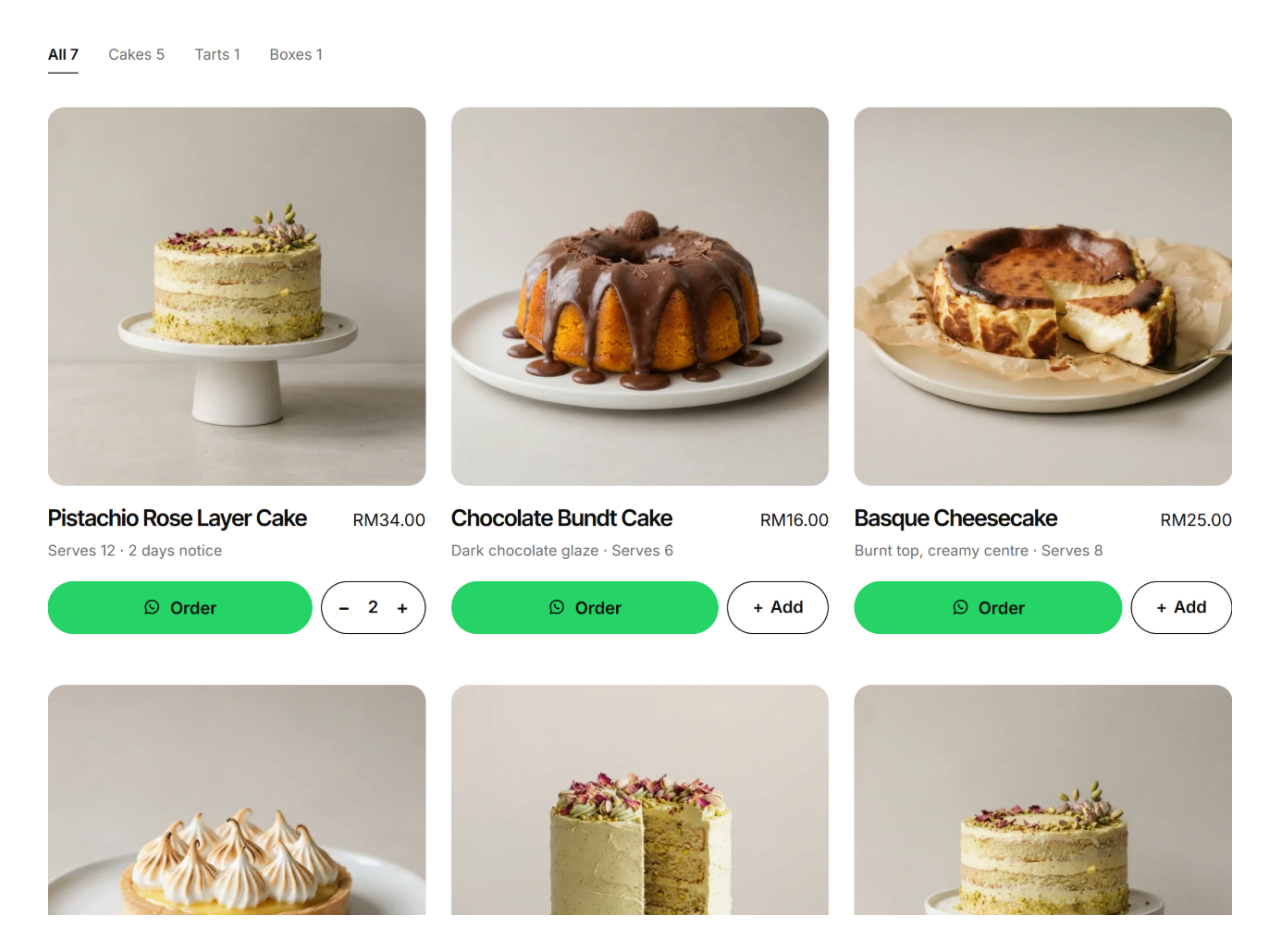
- Product grid block with category filter tabs that work without reloading the page.
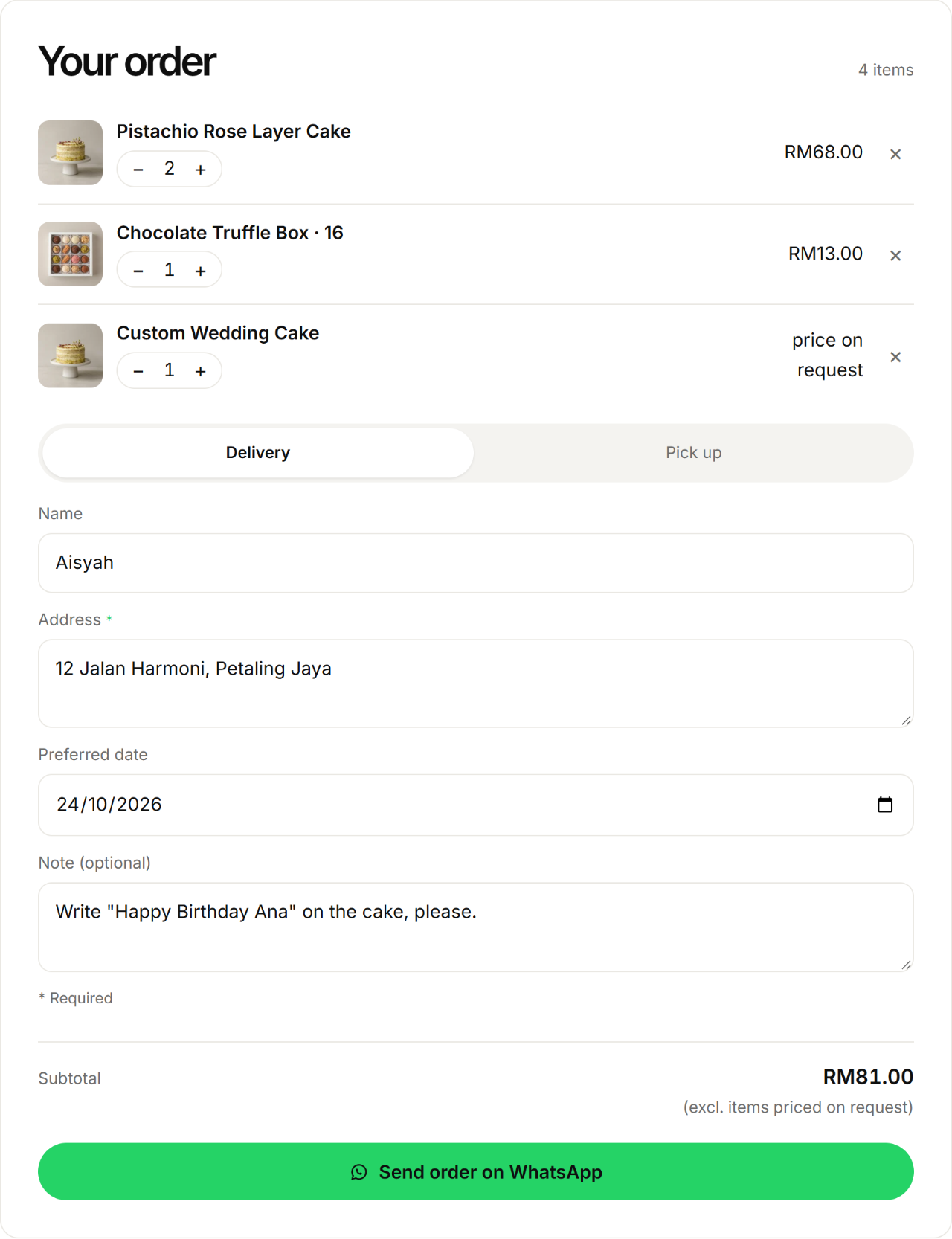
- Order panel block with quantity steppers, subtotal, Pickup or Delivery, and optional name, address, date and note fields.
- Sticky order bar and bottom sheet on phones.
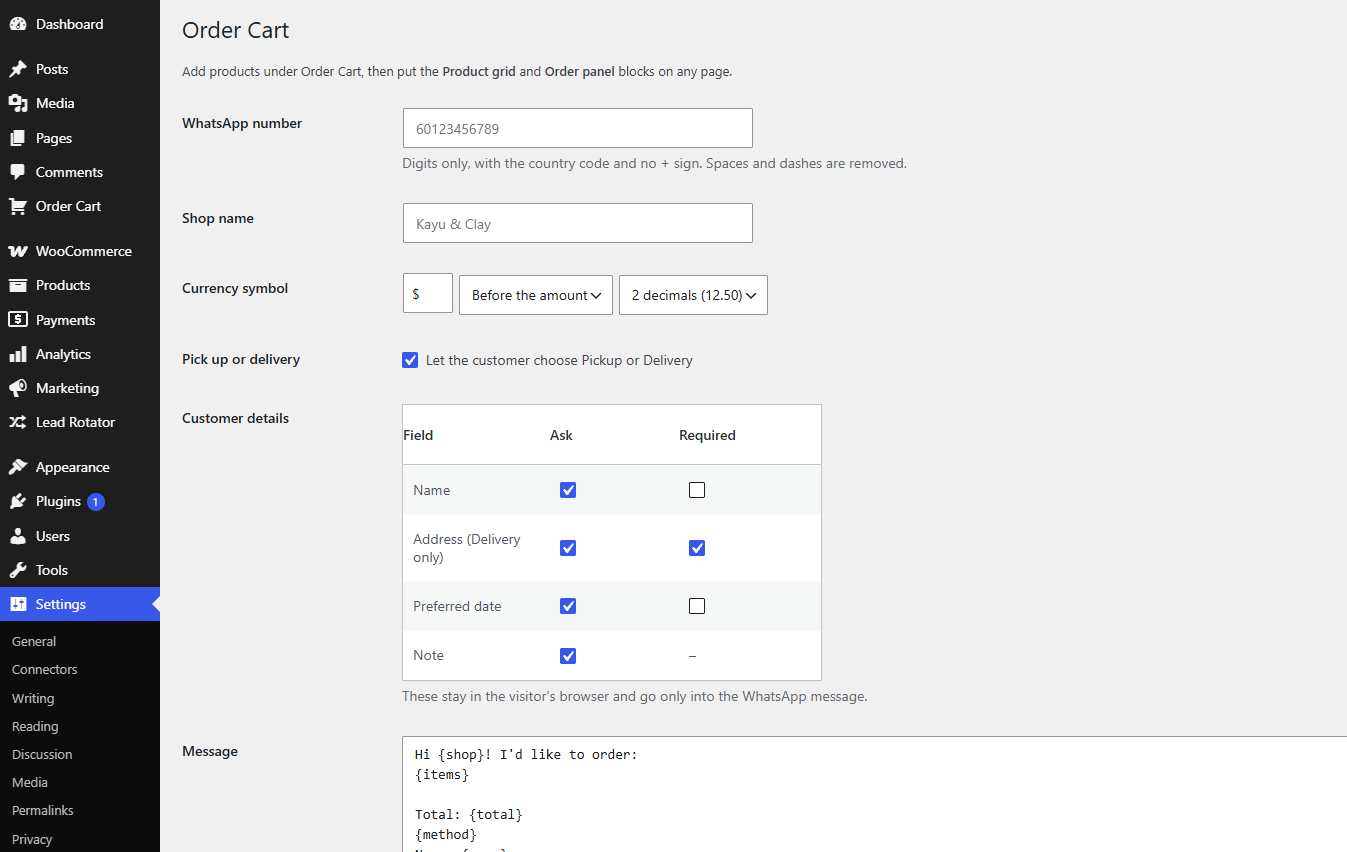
- Edit the whole message in Settings, with placeholders for shop, items, total, name, method, address, date and note.
- Currency symbol, position and decimals are yours to choose.
- Works with any theme and looks best with the free Uppixe theme. It uses your theme’s colors and fonts.
- Fast: one small script with no jQuery, loaded only on pages that use the blocks.
- Optional WooCommerce mode (see below).
WooCommerce mode
If WooCommerce is active, Settings > Order Cart shows two more options.
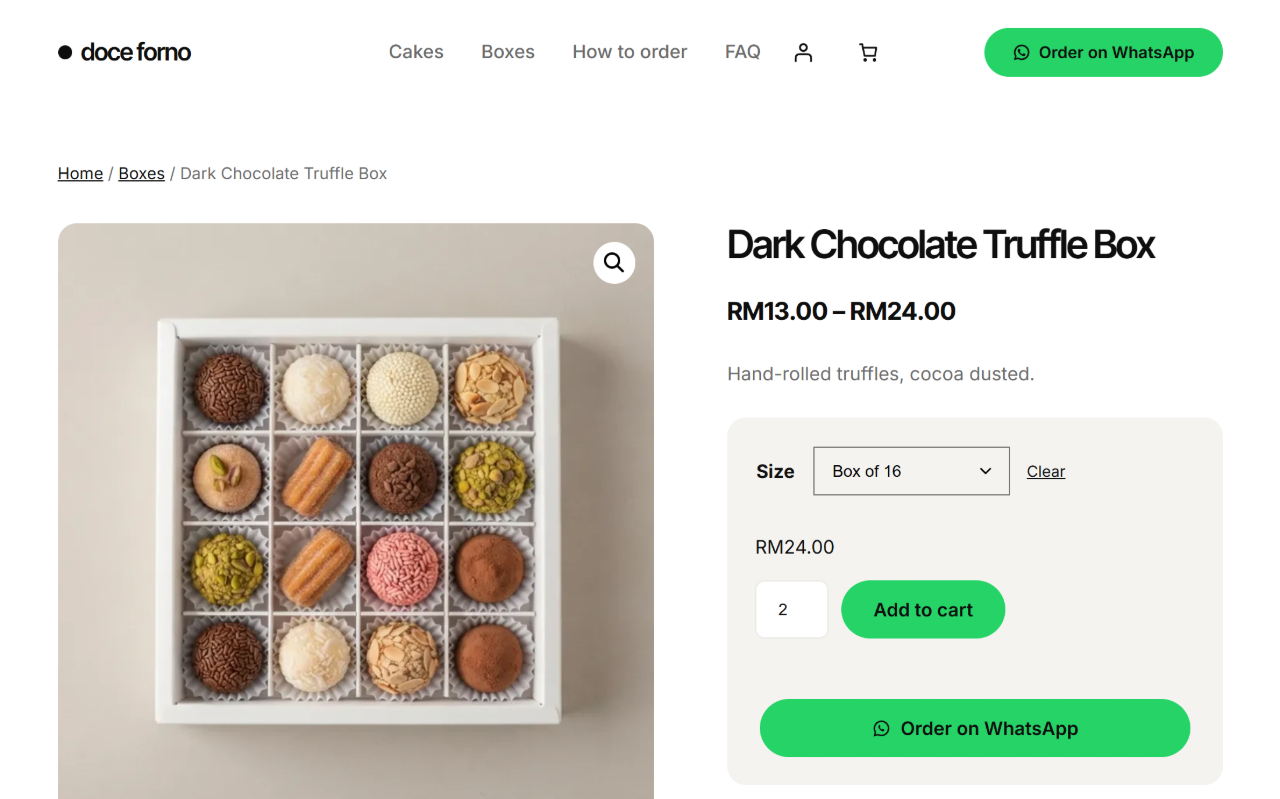
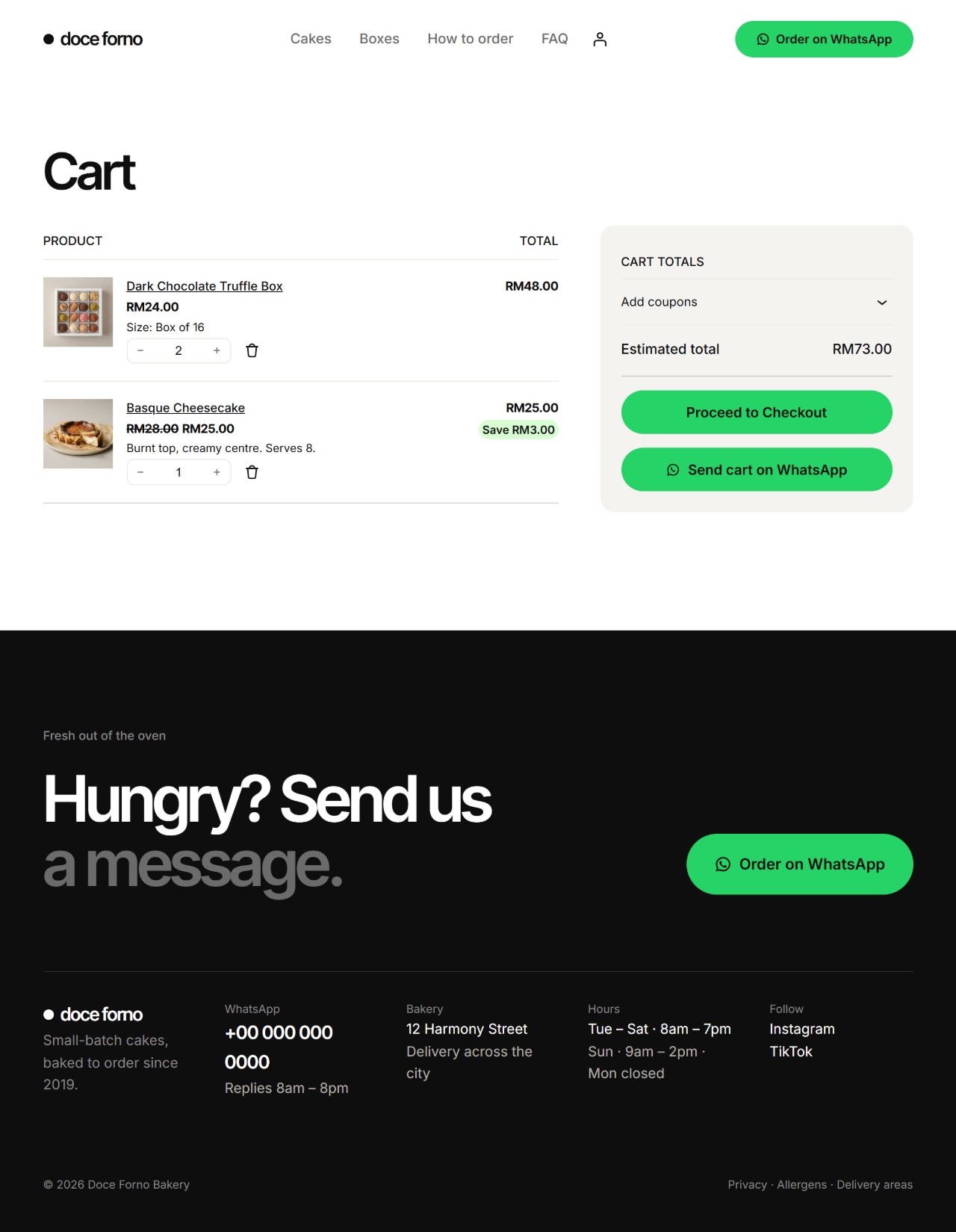
- WooCommerce mode adds an “Order on WhatsApp” button under the add to cart form on product pages, and a “Send cart on WhatsApp” button on the cart page (classic cart and Cart block).
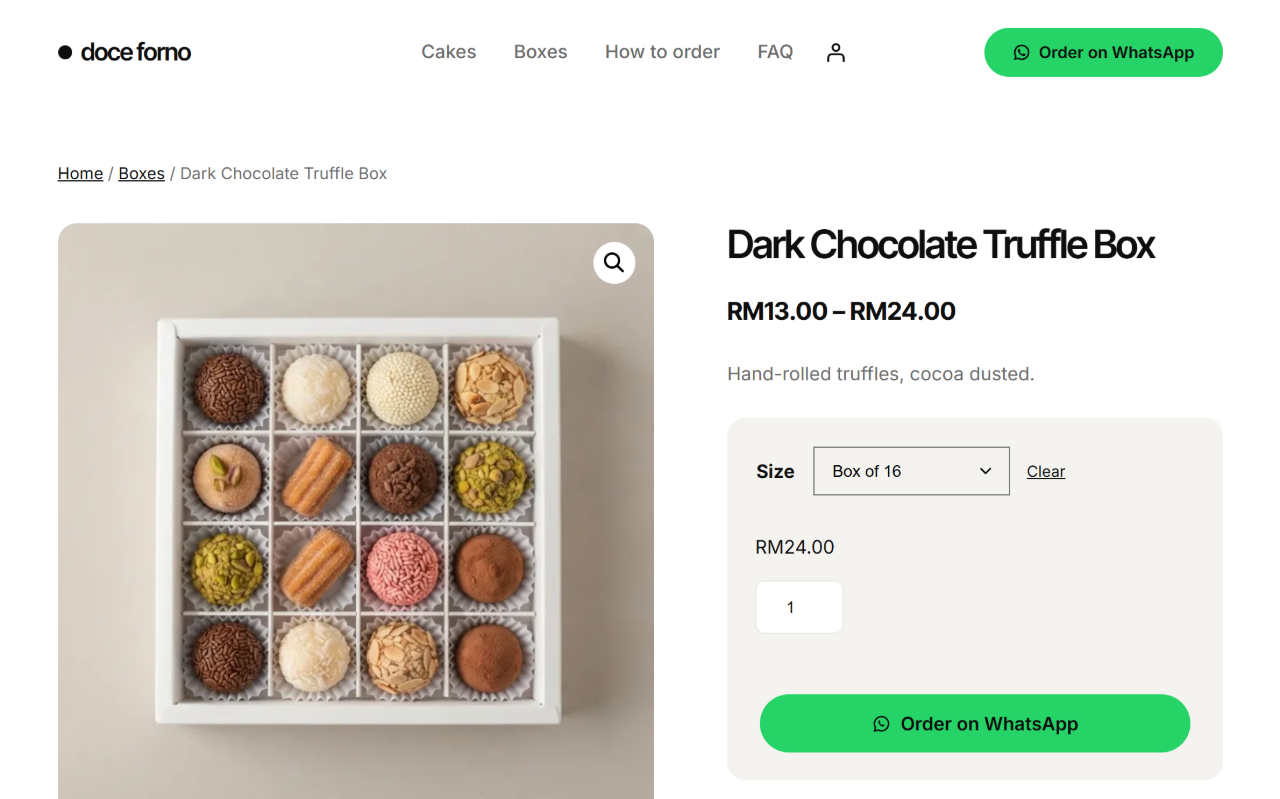
- Variable products: the button is ready once the customer chooses a variation, and the message names it, for example “Size: Box of 12”. The quantity box is used too.
- The cart message lists every line with its variation and add-on details (the same extra details other plugins show in the cart, such as “Gift wrap: Yes”), the line totals after coupons, and the total.
- Prices in these messages use your WooCommerce currency settings.
- Products with no price get the button too, and are sent as “price on request”.
- Grouped products: the button sends the grouped product’s name as “price on request”. External/affiliate products keep their own Buy button.
- Normal add to cart and checkout keep working.
- WhatsApp only (catalog mode) hides Add to cart, the mini cart, the cart and checkout. Prices and variation choices stay, and the Order on WhatsApp button stays visible. Old “add to cart” links show a notice that points to the WhatsApp button.
- The Order on WhatsApp button block puts the button anywhere: in a block theme’s product template, or on any page for a product you choose.
- Compatible with WooCommerce High-Performance Order Storage and the Cart and Checkout blocks. The plugin does not copy or change your WooCommerce products.
WhatsApp is a trademark of WhatsApp LLC. This plugin is not affiliated with or endorsed by WhatsApp.
Privacy
The cart and the customer’s details stay in the visitor’s browser (localStorage). Nothing is sent to your server, no cookies are set and nothing is stored on the server. The plugin does not track visitors.
The visitor’s name and address stay saved in their own browser so they do not have to type them again next time. They can remove them by clearing the fields in the order panel or by clearing their browser data for your site.
External services
When a customer presses “Send order on WhatsApp”, “Send cart on WhatsApp” or an Order button on a product, their browser opens a link to wa.me, which is a WhatsApp service. The link contains the order text the customer wrote: the items, total and any details they typed. Nothing is sent before the customer presses the button, and the plugin itself never contacts WhatsApp.
- WhatsApp Terms of Service: https://www.whatsapp.com/legal/terms-of-service
- WhatsApp Privacy Policy: https://www.whatsapp.com/legal/privacy-policy
Source code
The block editor scripts in build/ are compiled from src/ (included) with @wordpress/scripts.
Screenshots
Blocks
This plugin provides 3 blocks.
- Product grid Your products with filter tabs and Add buttons. Visitors build one order and send it on WhatsApp.
- Order panel The visitor's order: lines, pickup or delivery, their details, and a Send order on WhatsApp button.
- Order on WhatsApp button WooCommerce mode: an Order on WhatsApp button for the current product, or for the product you choose.
Installation
- Upload the plugin folder to
/wp-content/plugins/or install it from the Plugins screen. - Activate the plugin.
- Go to Settings > Order Cart and enter your WhatsApp number.
- Add products under Order Cart.
- On any page, add the Product grid and Order panel blocks.
FAQ
-
How do I write the WhatsApp number?
-
Digits only, with the country code and no + sign, for example 60123456789. Spaces and dashes are removed for you.
-
Do I need WooCommerce?
-
No. The plugin has its own product list. If you already use WooCommerce, turn on WooCommerce mode instead.
-
Does WooCommerce checkout still work in WooCommerce mode?
-
Yes. The WhatsApp buttons are added next to Add to cart and Proceed to checkout; nothing is removed. Only the “WhatsApp only” option hides Add to cart, the cart and checkout.
-
Are variations and add-on options included in the WooCommerce message?
-
Yes. Each cart line includes its variation (for example “Size: Box of 12”) and the extra details that add-on plugins show in the cart (for example “Gift wrap: Yes”).
-
I changed a quantity in the cart but the message has the old one
-
On the classic cart page, press “Update cart” after changing a quantity, then “Send cart on WhatsApp”. The message uses the cart as WooCommerce saved it, the same as checkout does. The Cart block saves quantities by itself, and the button waits for that.
-
Where is the order stored?
-
Nowhere on your site. The order exists in the customer’s browser until they send it as a WhatsApp message. You receive it in WhatsApp.
-
Can I change the message?
-
Yes. Settings > Order Cart has one editable template. Empty placeholders remove their own line.
-
Is there a Pro version?
-
Yes. Order Cart Pro adds delivery and pickup fees with a minimum order, order dates with daily limits, product options, an order log with a prep list, payment instructions, promo codes and shop hours. Everything in the free version stays free, and it is complete for a single shop. In Pro 1.0, opening hours must close before midnight (hours that run past midnight are not supported yet). More at https://underpixelstudio.my/order-cart
Reviews
There are no reviews for this plugin.
Contributors & Developers
“Underpixel Order Cart” is open source software. The following people have contributed to this plugin.
Contributors
Translate “Underpixel Order Cart” into your language.
Interested in development?
Browse the code, check out the SVN repository, or subscribe to the development log by RSS.
Changelog
1.0.1
- The message says “Subtotal” (the same word as the panel) and “Method: Delivery” (new installs; a saved template keeps its own text).
- Developer hooks for add-ons (filters and JavaScript events). Nothing changes for shop owners.
- Readme: correct Pro feature list.
1.0.0
- First release.