
Description
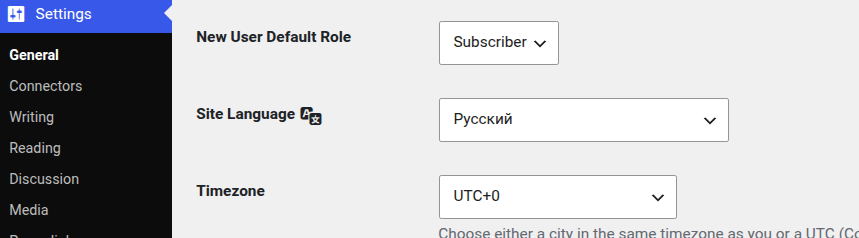
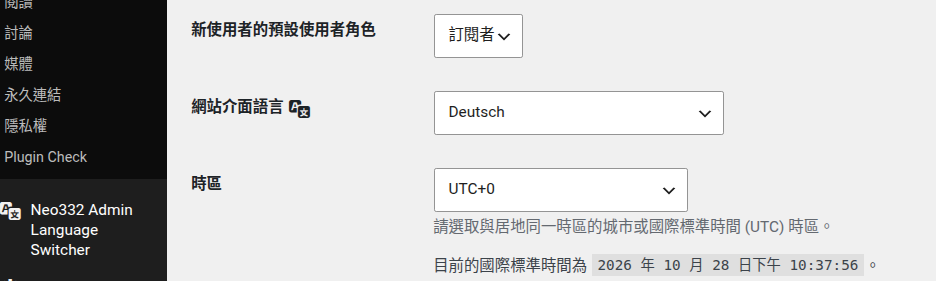
Admin Language Switcher allows each WordPress user to choose their preferred language for the WordPress administration area.
The website frontend keeps its normal site language. Each user can independently select the language they want to use in the WordPress dashboard.
Features
- Choose your preferred WordPress admin language.
- Each user can have their own admin language.
- The website frontend language is not changed.
- Select which installed languages should be available in the admin bar.
- Install additional WordPress language packs directly from the settings page.
- Quickly switch languages from the WordPress admin bar.
- Language flags in the admin bar.
- Uses WordPress core locale functionality.
How It Works
After activating the plugin, go to:
Settings Admin Language Switcher
Select the languages you want to make available for the current user.
Installed languages can be selected immediately. Languages that are not installed can be downloaded from the settings page.
After selecting languages, use the language switcher in the WordPress admin bar to change your administration language.
The selected language is stored for the current WordPress user.
Privacy
Admin Language Switcher does not collect or transmit personal data to external services.
The plugin stores the selected administration languages using WordPress user metadata.
Language packs are downloaded using WordPress core functionality from the WordPress.org translation infrastructure.
Screenshots


Installation
- Upload the
admin-language-switcherfolder to the/wp-content/plugins/directory. - Activate the plugin through the
Pluginsscreen in WordPress. - Go to
Settings → Admin Language Switcher. - Select the languages you want to use.
- Use the language switcher in the admin bar to switch languages.
FAQ
-
Does this change the website language?
-
No. Admin Language Switcher changes the language used by the current user’s WordPress administration area. The frontend site language remains unchanged.
-
Can different users use different languages?
-
Yes. Each user can select their own preferred administration language.
-
Can I install additional languages?
-
Yes. Available WordPress language packs can be downloaded directly from the plugin settings page.
-
Does the plugin include translations itself?
-
No. The plugin uses WordPress language packs and the translation system provided by WordPress.
Reviews
There are no reviews for this plugin.
Contributors & Developers
“Neo332 Admin Language Switcher” is open source software. The following people have contributed to this plugin.
Contributors
Translate “Neo332 Admin Language Switcher” into your language.
Interested in development?
Browse the code, check out the SVN repository, or subscribe to the development log by RSS.
Changelog
1.0.0
- Initial release.