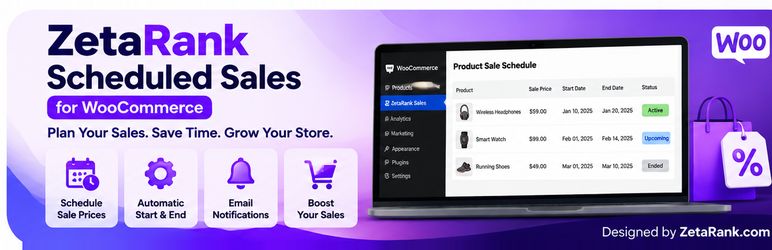

Description
ZetaRank Scheduled Sales for WooCommerce lets store managers schedule a fixed sale price for a product. The scheduled price becomes active on the selected start date and expires after the selected end date, using the WordPress site timezone.
Features:
* Schedule one date range per product in the Free version.
* Set a fixed sale price for the scheduled period.
* Automatically activate and expire the scheduled sale.
* Apply the scheduled price through WooCommerce product pricing, cart, and checkout calculations.
* View active, upcoming, and ended schedules in the WooCommerce admin dashboard.
* Search and filter scheduled products in the dashboard.
* Optionally email the site administrator when a scheduled sale starts and ends.
* Use the WordPress site timezone; the end date is inclusive.
The plugin requires WooCommerce to be installed and active.
Plugin website: https://zetarank.com/
Developer: ZetaRank
Developer profile: https://www.fiverr.com/imambukhsh
Installation
- Make sure WooCommerce is installed and active.
- In the WordPress admin area, go to Plugins > Add New Plugin > Upload Plugin.
- Select the ZetaRank Scheduled Sales for WooCommerce ZIP file and click Install Now.
- Activate the plugin.
- Edit a product and open the General section of the Product data panel.
- Enter the scheduled sale start date, end date, and fixed sale price.
- Save or update the product.
- Visit WooCommerce > ZetaRank Sales to view scheduled sales.
FAQ
-
Does this plugin require WooCommerce?
-
Yes. WooCommerce must be installed and active.
-
How many date ranges can I add?
-
The Free version supports one scheduled date range per product.
-
Which pricing method is available?
-
The Free version supports a fixed sale price. The scheduled price must be lower than the product’s regular price.
-
When does a scheduled sale start and end?
-
The sale starts on the selected start date and remains active through the selected end date. Dates are interpreted using the WordPress site’s configured timezone.
-
Does the scheduled price apply to the cart and checkout?
-
The plugin integrates the scheduled price with WooCommerce product price calculations, including cart and checkout. Test your store’s specific theme, extensions, and payment flow before using it on a live store.
-
How are administrator notifications sent?
-
When enabled for a product, the plugin schedules email notifications for the sale start and end. WordPress scheduled tasks depend on site traffic or a configured server cron job, so delivery may be delayed. Email delivery also depends on the site’s mail configuration.
-
Where can I see scheduled sales?
-
Go to WooCommerce > ZetaRank Sales in the WordPress admin area.
-
Where can I get support?
-
Visit https://zetarank.com/ or the plugin’s support forum on WordPress.org after the plugin is approved.
Reviews
There are no reviews for this plugin.
Contributors & Developers
“ZetaRank Scheduled Sales for WooCommerce” is open source software. The following people have contributed to this plugin.
Contributors
Translate “ZetaRank Scheduled Sales for WooCommerce” into your language.
Interested in development?
Browse the code, check out the SVN repository, or subscribe to the development log by RSS.
Changelog
1.0.2
- Prepare plugin metadata and documentation for WordPress.org submission.
- Add WordPress.org readme documentation and GPL license file.
1.0.1
- Add the scheduled sales administration dashboard.
1.0.0
- Initial Free release with one scheduled fixed-price sale per product.
- Add optional administrator email notifications for sale start and end.