
Description
Contact Information Widget is a modernized classic WordPress widget for displaying business or office contact details in any widget area supported by your theme.
The widget supports:
- Optional office logo selected from the WordPress Media Library.
- Optional office name displayed using the theme’s widget title styling.
- Multiline office address.
- Clickable telephone number.
- Clickable fax number.
- Automatic logo placement above the office name.
- Frontend styling that can be customized through your theme.
The office logo and office name are independent. You can display both, either one, or neither.
This plugin is based on the original Contact Information Widget by Shital Marakana (WordPress.org username: shital-patel).
Modernization and additional development by Somethumb Web Design & Development (Scott Weiss).
The plugin retains the original ciwe_widget identifier and contact field names to support existing widget configurations.
Screenshots

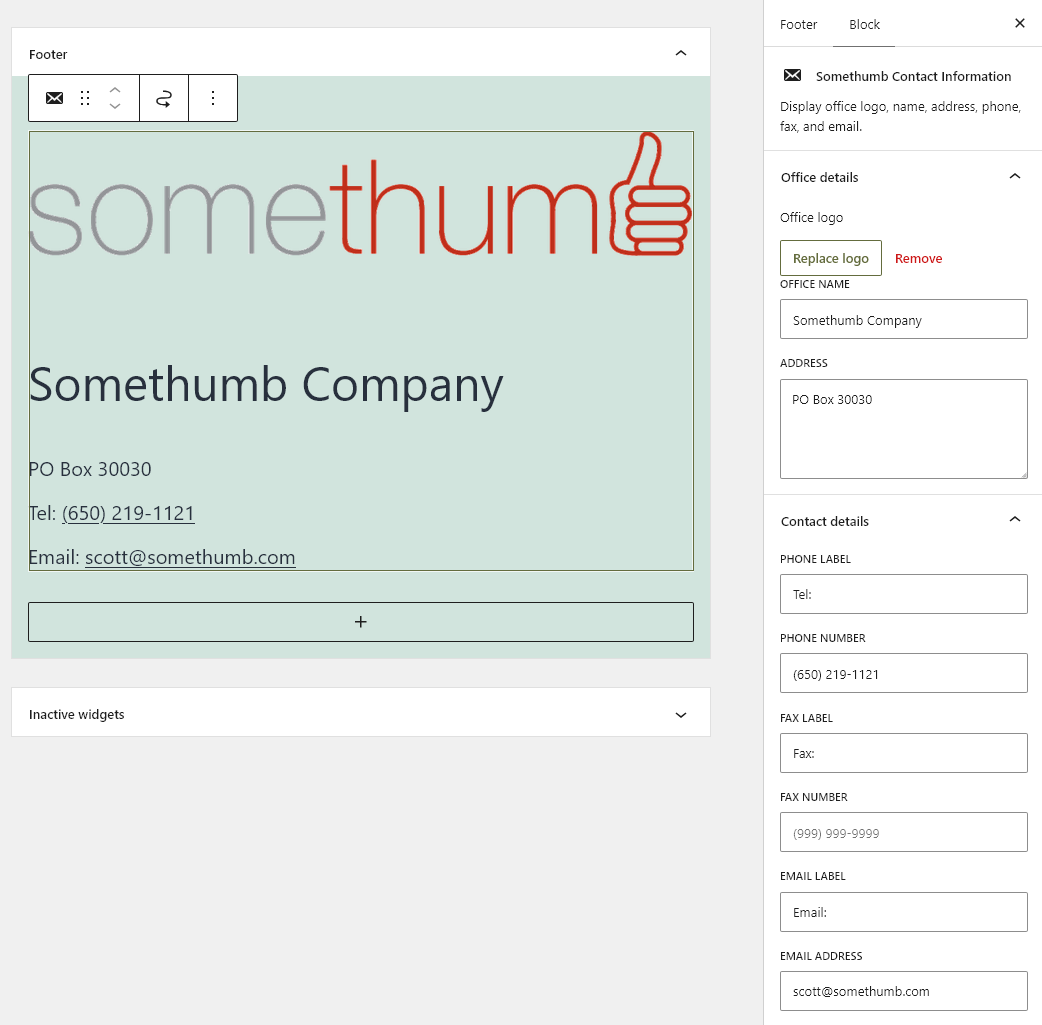

Blocks
This plugin provides 1 block.
- Somethumb Contact Information Display office logo, name, address, phone, fax, and email.
Installation
- Upload the plugin ZIP through Plugins > Add New > Upload Plugin, or install it through the WordPress plugin directory.
- Activate the plugin.
- Navigate to Appearance > Widgets.
- Add the Contact Information Widget widget to your desired widget area.
- Select an optional office logo from the Media Library.
- Enter the office name, address, telephone number, and fax number as needed.
- Save the widget.
For the block editor, insert the Somethumb Contact Information block and edit its fields in the block settings sidebar.
FAQ
-
Is the office logo required?
-
No. The logo is optional. You can display the office name without a logo.
-
Can I display only the logo without an office name?
-
Yes. Select a logo and leave the Office Name field blank. The widget will display the logo without an office name.
-
Can I display both the office logo and office name?
-
Yes. When both are provided, the logo appears above the office name.
-
Can I leave the phone number, fax number, or address blank?
-
Yes. All contact fields are optional. Empty fields are not displayed.
-
Can I customize the appearance?
-
Yes. The plugin includes a lightweight stylesheet and CSS classes that can be targeted from your theme’s stylesheet.
-
Will existing widget settings be preserved?
-
The plugin retains the original widget identifier and contact field names for compatibility with existing widget configurations. Back up your site and test the update before replacing an older installation.
Reviews
There are no reviews for this plugin.
Contributors & Developers
“Somethumb Contact Information Widget” is open source software. The following people have contributed to this plugin.
Contributors

Translate “Somethumb Contact Information Widget” into your language.
Interested in development?
Browse the code, check out the SVN repository, or subscribe to the development log by RSS.
Changelog
2.3.0
- Added an option to link the office logo to the website home page, enabled by default.
- Added logo linking controls to both Classic Widgets and Gutenberg Blocks.
- Disabled clickable links in the Gutenberg Block editor preview to improve editing usability.
- Improved accessibility of linked office logos.
2.2.2
- Improved email address validation in the Classic Widget, including inline error messages and visual feedback.
- Prevented saving the Classic Widget when an invalid email address is entered.
- Improved email validation in the Block Widget, preventing updates when an invalid email address is present.
- Added a custom validation notification with a red background and warning icon in the Block Widgets editor.
- Improved the office logo preview with a light gray background for better visibility of white and light-colored logos.
- Refined administrative styling and removed duplicate CSS declarations.
- General code cleanup and usability improvements.
2.2.1
- Added Screenshots.
2.2.0
- Added email address support with clickable
mailto:links. - Added customizable email labels, consistent with the existing phone and fax fields.
- Added email address validation using WordPress’s
is_email()function. - Updated the plugin name to Somethumb Contact Information Widget.
- Updated the plugin text domain to
somethumb-contact-information-widget. - Increased the minimum required PHP version to 8.0.
- Added native Gutenberg block with a live server-rendered preview and sidebar controls.
- Shared frontend rendering between classic widget and block.
- Improved code consistency and documentation.
2.1.0
- Modernize the original Contact Information Widget Extended plugin.
- Add optional office logo selection using the WordPress Media Library.
- Display the logo above the office name when both are provided.
- Allow the office name to be left blank without displaying a default placeholder.
- Improve input sanitization and frontend output escaping.
- Improve international telephone and fax link handling.
- Update frontend CSS and stylesheet loading.
- Preserve the original widget identifier and contact field names for compatibility.
- Retain attribution to original author Shital Marakana.