
Description
TurboKast Update Digest emails you one tidy summary of everything on your WordPress site that needs attention, on a schedule you choose. No dashboard to log in to, no external account, no tracking.
Each digest tells you:
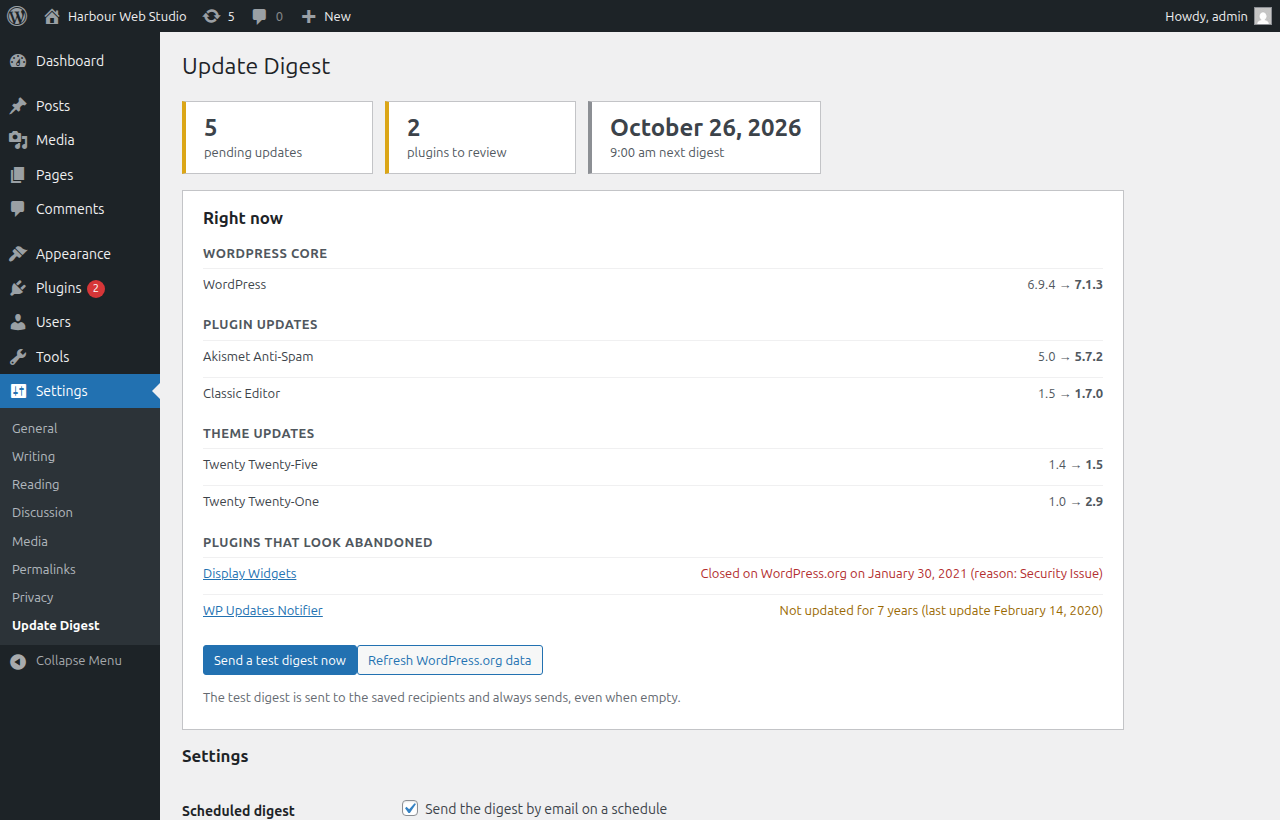
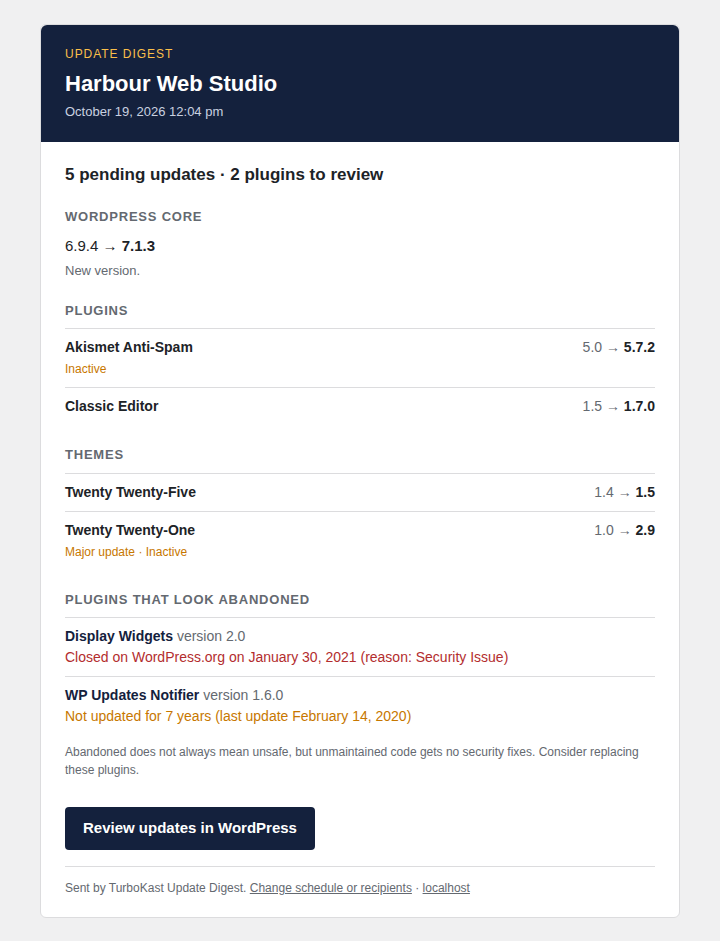
- Pending updates for WordPress core, plugins and themes, with the installed and the available version side by side.
- Plugins that look abandoned: plugins that have been closed on WordPress.org, or that have not been updated by their developer for 2 years or more (you can pick 1, 2, 3 or 5 years).
- Helpful notes on each update, such as “major update”, “inactive”, “only tested up to WordPress 6.9” or “needs PHP 8.1”.
Built for freelancers, small agencies and site owners who look after one or a few WordPress sites and just want a reliable heads-up.
Features
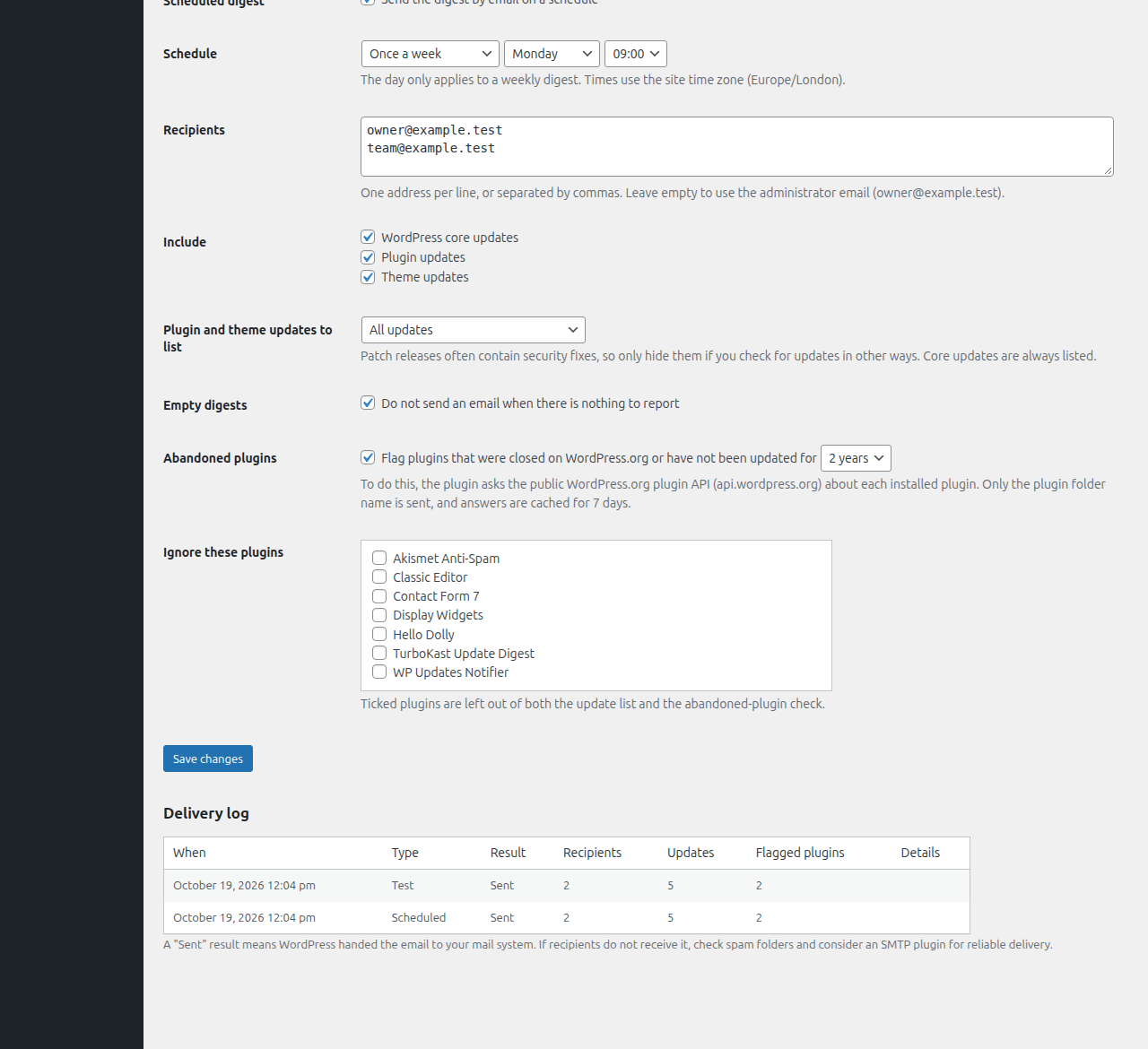
- Daily, weekly or monthly digest, at the day and hour you choose (in your site’s time zone).
- One or more recipients. If you leave the field empty, the administrator email is used.
- Choose what to include: core, plugins, themes, abandoned-plugin flags.
- Hide patch releases, or show major releases only, for plugin and theme updates.
- Ignore list for plugins you do not want to hear about.
- “Do not send an email when there is nothing to report” option, on by default.
- “Send a test digest now” button and a delivery log of the last 20 digests, so you can see what happened if an email does not arrive.
- HTML email with a plain-text alternative.
- Multisite aware: when network-activated, one digest covers the whole network and the settings live in Network Admin.
- Translation ready, and cleans up after itself when deleted.
- Lightweight: nothing loads on the front end of your site.
How abandoned plugins are detected
For plugins installed from WordPress.org, the plugin asks the public WordPress.org plugin API whether the plugin is still open and when it was last updated. Plugins that were closed are flagged straight away. Others are flagged when their last update is older than your chosen threshold. Answers are cached for 7 days, so a typical site makes a handful of requests per week.
“Abandoned” is a signal, not a verdict. Some small plugins are simply finished and still work. The digest tells you so that you can decide.
Plugins that are not hosted on WordPress.org (premium or custom plugins) are not flagged as stale.
What this plugin does not do
- It does not install updates for you, and it does not change how WordPress updates itself.
- It does not look up security vulnerabilities.
- It does not send your data anywhere except to WordPress.org (see “External services”).
Planned Pro version
We are considering a paid Pro version that also sends the digest to Slack, Microsoft Teams or a webhook. It has not been released. This free plugin contains no Pro code and keeps working without it. If an optional pre-order link is shown on the settings screen, it is clearly labelled and is the only mention of Pro inside the plugin.
External services
This plugin connects to one external service, the WordPress.org plugin information API, to find out whether an installed plugin is still open and when it was last updated.
- Service: WordPress.org plugin API,
https://api.wordpress.org/plugins/info/1.2/ - When: only if “Flag abandoned plugins” is switched on, when the digest is built or when you press “Refresh WordPress.org data”. Results are cached for 7 days.
- What is sent: the folder name (slug) of each installed plugin that WordPress knows to be hosted on WordPress.org, plus your WordPress version in the user agent. As with any web request, the server also sees your server’s IP address. Your site URL is not sent.
- Terms and privacy: WordPress.org privacy policy
WordPress itself also contacts WordPress.org to check for updates. This plugin only reads the results that WordPress has already stored for that. Emails are sent with the standard wp_mail() function, through whatever mail setup your site already uses.
No analytics, telemetry or advertising is included.
Screenshots
Installation
- Upload the
turbokast-update-digestfolder to/wp-content/plugins/, or install the plugin from the Plugins screen. - Activate the plugin.
- Go to Settings > Update Digest (on multisite: Network Admin > Settings > Update Digest) and check the recipients and schedule.
- Press Send a test digest now to see what the email looks like.
By default the plugin sends a weekly digest on Monday at 09:00 to the administrator email address, and stays silent when there is nothing to report.
FAQ
-
I did not receive the email. What should I check?
-
- Press “Send a test digest now” on the settings screen and look at the delivery log. “Sent” means WordPress handed the message to your mail system.
- Check spam folders. Mail sent by WordPress directly from a web host is often filtered. An SMTP plugin or transactional email service greatly improves delivery.
- Scheduled digests use WP-Cron, which runs when your site gets visitors. On very quiet sites, or when
DISABLE_WP_CRONis set, make sure a real server cron job requestswp-cron.phpregularly.
-
Does it send any data about my site to you?
-
No. The plugin never contacts TurboKast. Its only external requests go to WordPress.org to check plugin status; see “External services” above.
-
Which plugins can be flagged as abandoned?
-
Plugins hosted on WordPress.org. If WordPress.org says a plugin is closed, it is flagged. Otherwise it is flagged when it has not been updated for the number of years you choose (2 by default). Premium plugins from other sources are not checked.
-
A plugin is flagged but it works fine. Can I silence it?
-
Yes. Tick it under “Ignore these plugins” and it will be left out of the digest completely.
-
Why do some plugins show “has not been checked yet”?
-
To keep requests small, a limited number of plugins are checked at a time. The rest are checked a few minutes later and appear in the next digest.
-
Is it safe to hide patch releases?
-
Patch releases (for example 1.2.3 to 1.2.4) often contain security fixes. The filter is off by default, and core updates are never hidden. Only use it if you have other ways of keeping plugins current.
-
Does it work on multisite?
-
Yes. Network-activate it and manage it from Network Admin. One digest is sent for the whole network, from the main site. It also works when activated on a single sub-site, in which case that site sends its own digest.
-
Does it update my plugins automatically?
-
No. It only tells you. Use the updates screen or WordPress’s built-in auto-updates to install them.
-
Does it check for vulnerabilities?
-
No. It reports updates and abandoned plugins only. A vulnerability database is not included.
-
What happens when I delete the plugin?
-
Its settings, log, cache and scheduled events are removed.
-
Can I change the email recipients with code?
-
Yes: use the
tkud_recipientsfilter. Thetkud_digest_datafilter lets developers adjust the digest content before it is rendered.
Reviews
There are no reviews for this plugin.
Contributors & Developers
“TurboKast Update Digest” is open source software. The following people have contributed to this plugin.
Contributors
Translate “TurboKast Update Digest” into your language.
Interested in development?
Browse the code, check out the SVN repository, or subscribe to the development log by RSS.
Changelog
1.0.0
- First release: scheduled email digest of pending core, plugin and theme updates, abandoned and closed plugin flags, multisite support, test email and delivery log.