Description
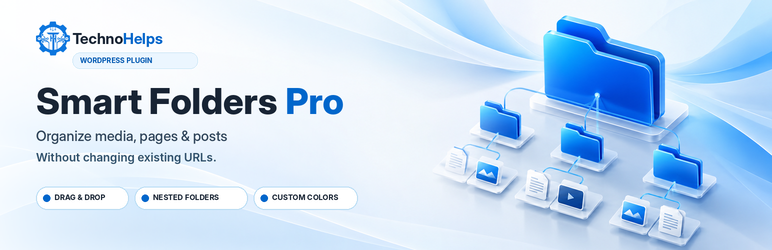
TechnoHelps Smart Folders Pro organizes content inside your WordPress dashboard without relocating files or editing permalinks.
Features in version 0.2.3:
- Private, hierarchical virtual folders for Media, Pages, and Posts.
- Folder sidebars in the native WordPress list screens.
- Drag and drop for individual and selected items.
- Folder filtering and bulk assignments.
- Folder creation, renaming, safe deletion and color customization.
- Move folders into other folders or back to the top level, drag folders onto parents, and reorder siblings with Move Up or Move Down.
- Folder counts include items in nested child folders; the underlying assignments remain unchanged.
- Prevent moving a folder into itself or its own descendants.
- Block folder deletion while it contains child folders or assigned items.
- Media upload folder picker in supported native uploader workflows.
- A dedicated dashboard with quick access, folder counts and settings.
- TechnoHelps branding, current installed version and support links.
- Separate capabilities for shared folder editing and per-item assignment.
- WordPress nonces, sanitized input and escaped output.
Folder operations only change private taxonomy relationships. Removing a folder does not delete its media, pages or posts. Deactivation does not remove stored assignments.
The plugin does not send usage telemetry or upload site data to TechnoHelps. External links in the plugin’s own settings/dashboard only open when clicked.
Future features such as AI rules, automatic optimization, duplicate scanning, cloud storage and version history are not part of this release.
Installation
- Back up your WordPress site before updating or installing plugins.
- In Plugins > Add New Plugin > Upload Plugin, select the plugin ZIP.
- Install and activate, or replace the existing TechnoHelps Smart Folders installation.
- Open TechnoHelps Folders for the dashboard and settings.
- Use Pages, Posts or Media to create folders and assign items.
FAQ
-
Will moving an item between folders change its URL?
-
No. Virtual folder assignments do not alter post permalinks, media URLs or physical upload paths.
-
What happens when I delete a folder?
-
Folders that still contain assigned items or child folders cannot be deleted. First move or unassign their contents and move child folders elsewhere. Deleting an empty folder never deletes posts, pages, or media.
-
Users with the WordPress
manage_categoriescapability and access to the associated content type, typically editors and administrators. Users may assign folders only to posts or attachments they can edit. -
Will it organize custom post types or WooCommerce products?
-
Not in 0.2.2. This release supports Media, Pages and Posts.
-
Does it alter the WordPress Media Library on disk?
-
No. It changes only private WordPress taxonomy relationships.
-
How do I contact support?
-
See https://technohelps.com/smart-folders-pro-wp-plugin or https://technohelps.com/contact/.
-
Is this free software under the GPL?
-
Yes. See LICENSE.txt. The TechnoHelps brand identity may also be protected by separate trademark law.
Reviews
There are no reviews for this plugin.
Contributors & Developers
“TechnoHelps Smart Folders Pro” is open source software. The following people have contributed to this plugin.
Contributors
Translate “TechnoHelps Smart Folders Pro” into your language.
Interested in development?
Browse the code, check out the SVN repository, or subscribe to the development log by RSS.
Changelog
0.2.3
- Verify a dedicated nonce before reading or applying Media Grid folder filters.
- Keep unrelated WordPress media AJAX queries working without imposing a plugin-specific nonce.
- Document intentional read-only list filtering and native indexed taxonomy querying for Plugin Check.
- Preserve media assignment, nested folder moves, folder ordering and existing taxonomy data.
0.2.2
- Correct nested folder counts to include descendants, across Pages, Posts and Media.
- Make folder reparenting and sibling ordering available in the folder sidebar.
- Check for circular parent moves and reject deletion of nonempty folder trees.
- Recalculate old folder counts without changing existing item assignments.
- Tighten request input handling, AJAX nonce checks and release metadata.
- Preserve existing taxonomy identifiers and WordPress attachment paths/permalinks.
0.2.1
- Fix media folder counts for unattached attachments and rebuild old counts.
- Verify persisted folder assignments before reporting success.
- Make destination selection mandatory and improve Media Grid filtering.
0.2.0
- Added stricter authorization for shared folder management.
- Kept per-item editing capability checks for folder assignments.
- Hardened AJAX and upload field type validation.
- Added GPL license, security policy and trademark notice.
- Improved WordPress.org submission metadata and GPL-compatible documentation.
- Preserved versioned branding, dashboard, original URL behavior and folder taxonomy IDs.
0.1.2
- Added official TechnoHelps SVG logo, product description, brand links and dynamic version badge.
0.1.1
- Added dedicated dashboard, native shortcuts, folder overview and settings.
0.1.0
- Initial virtual folder management for Media, Pages and Posts.