
Description
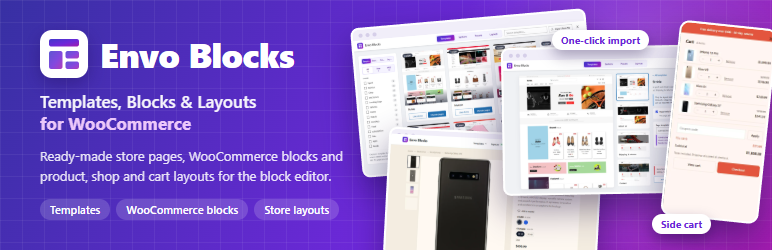
Envo Blocks gives the block editor ready-made store pages, store layouts and the WooCommerce blocks that WordPress and WooCommerce do not have – no page builder needed.
Templates, sections and presets
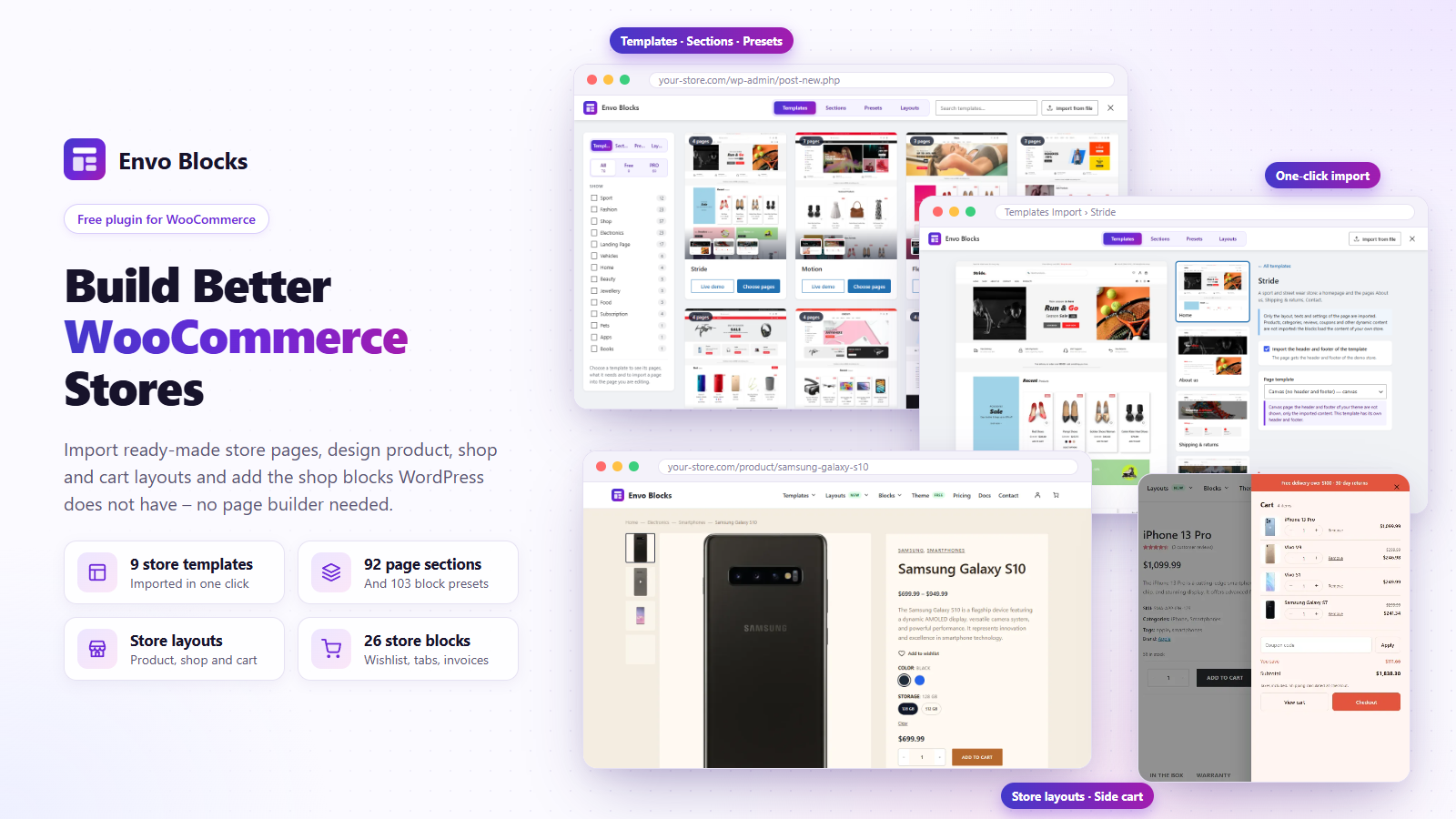
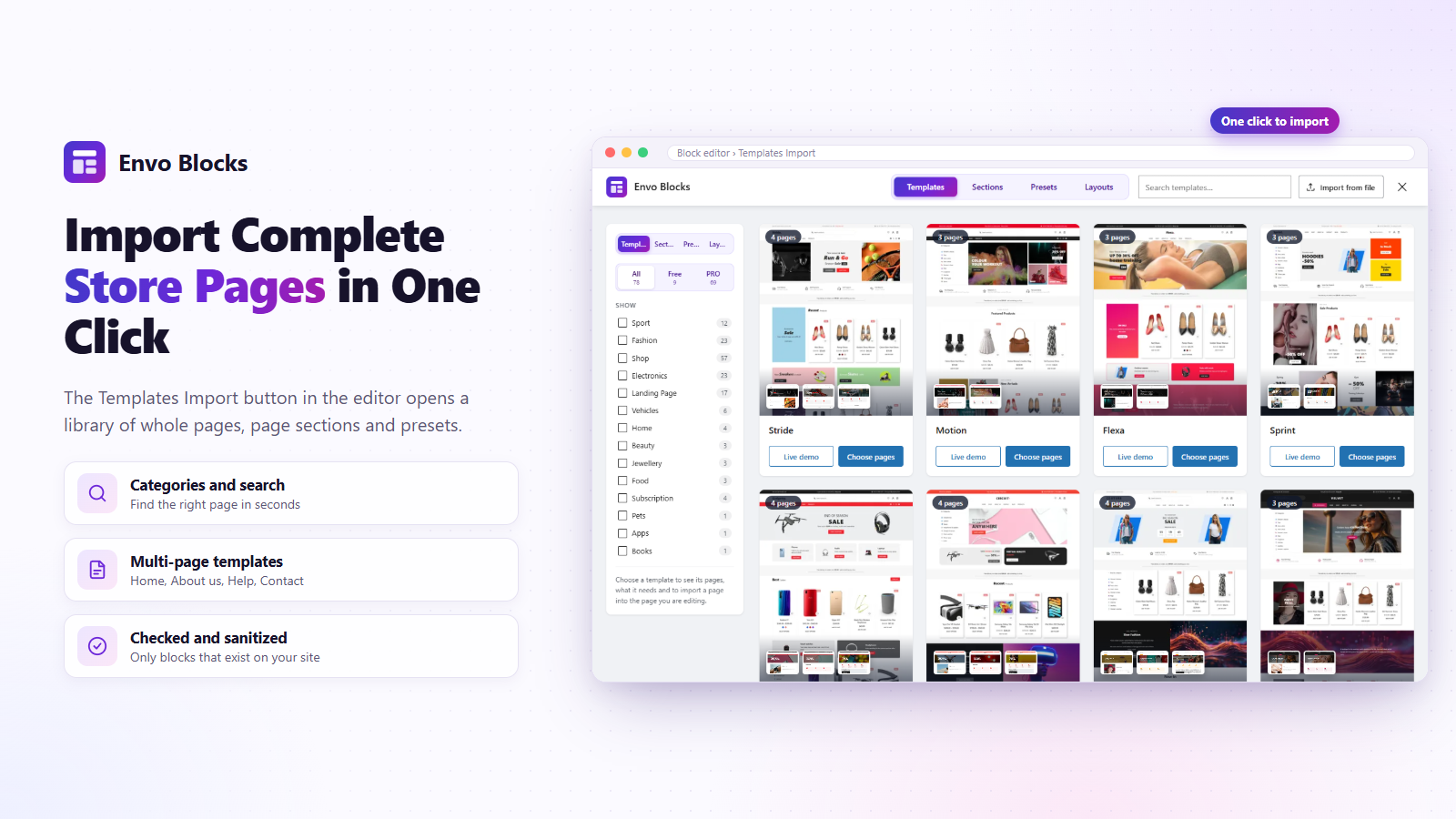
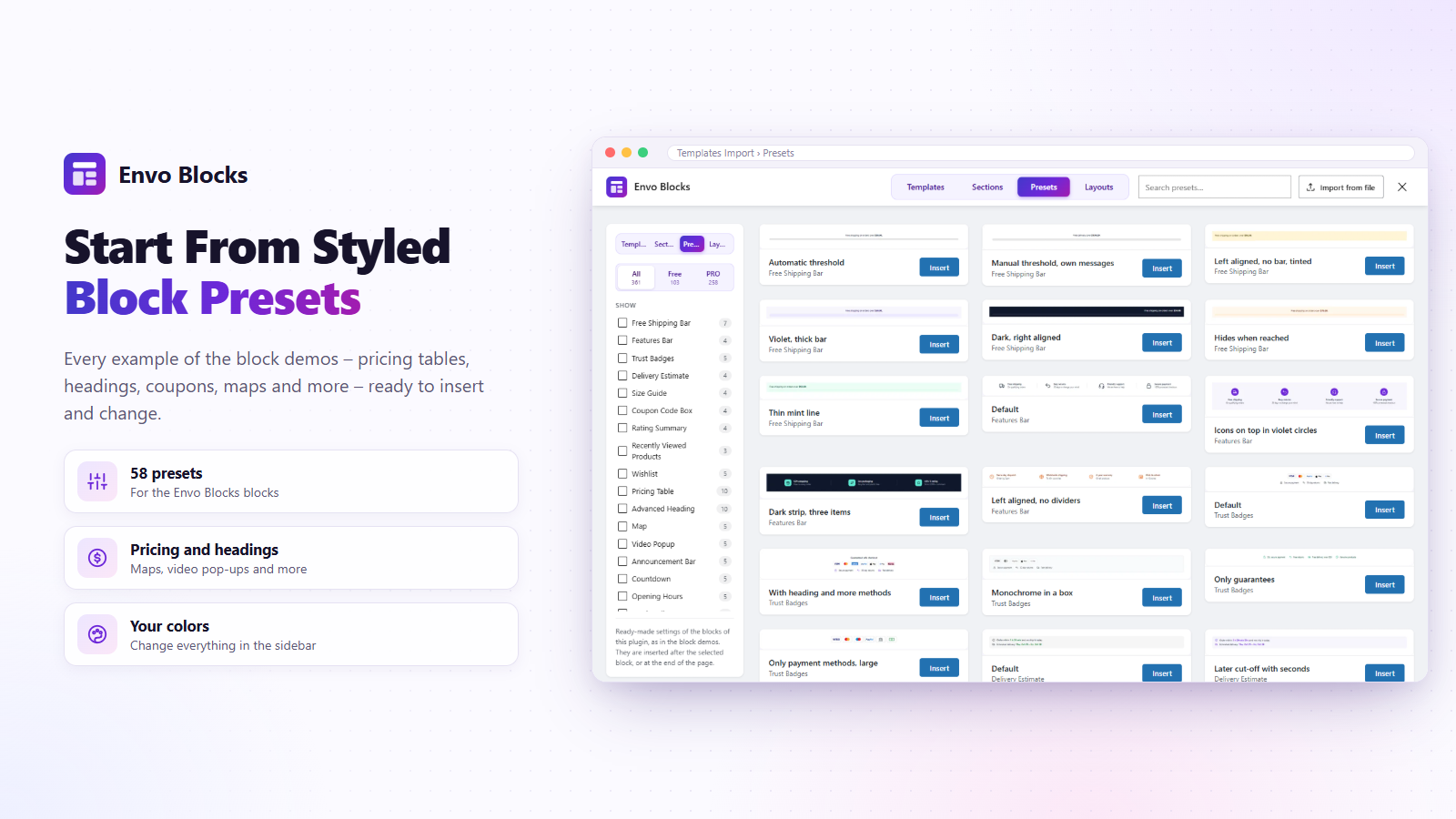
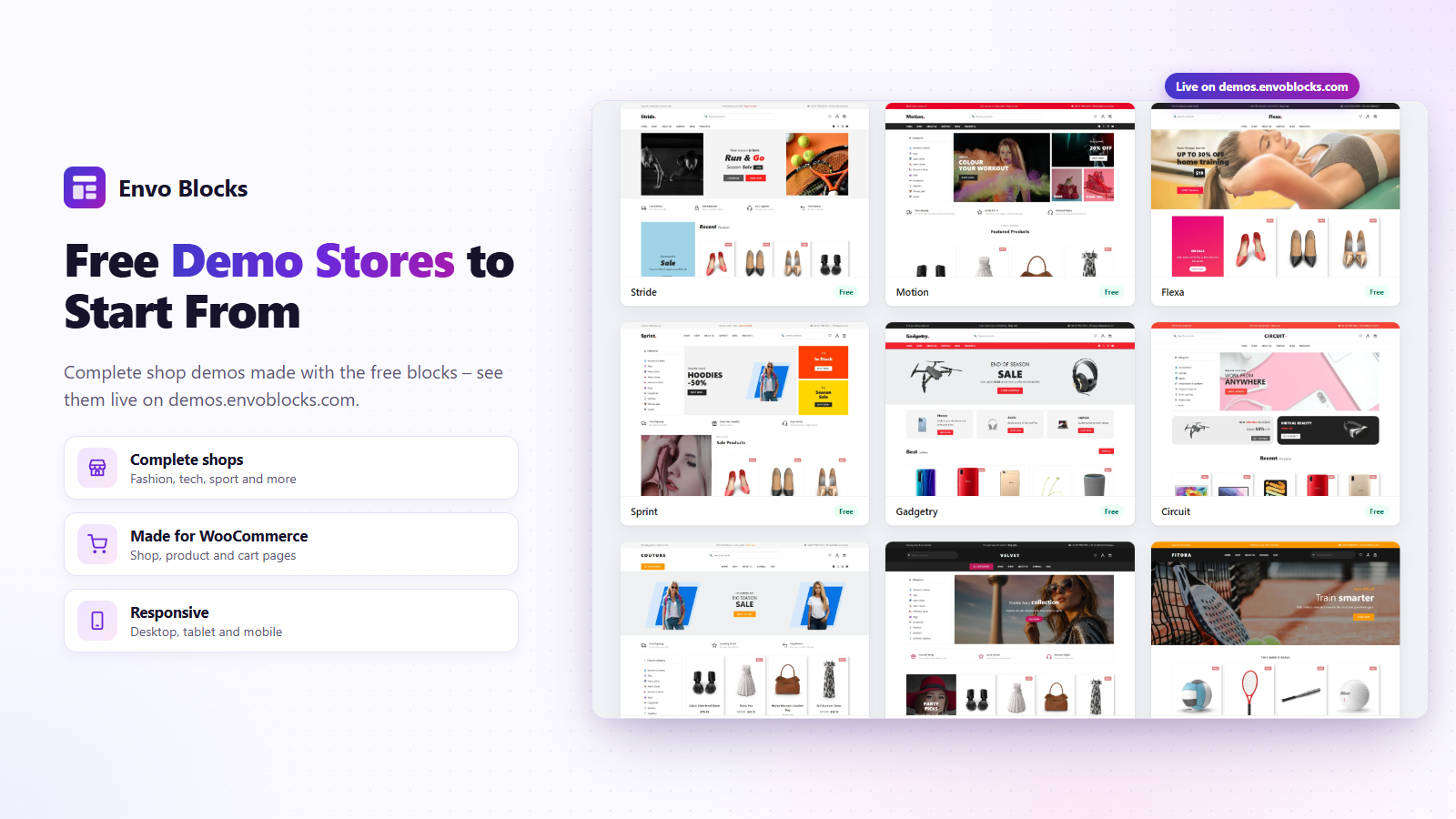
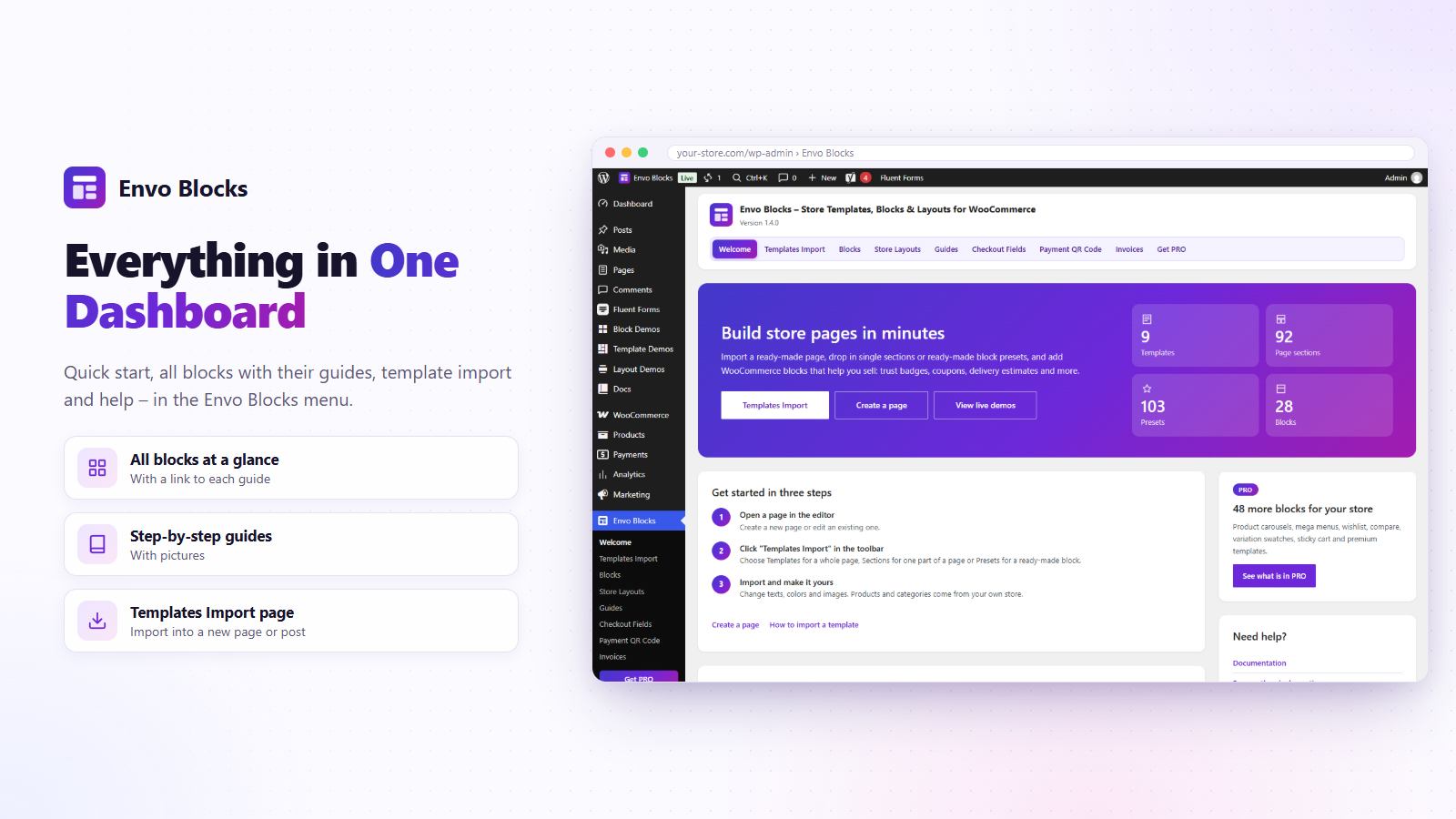
- Templates Import in the editor: whole store pages (homepage, About us, Help, Contact…) of 9 free demo stores, page sections such as heroes, product grids and footers, and ready-made presets of the blocks.
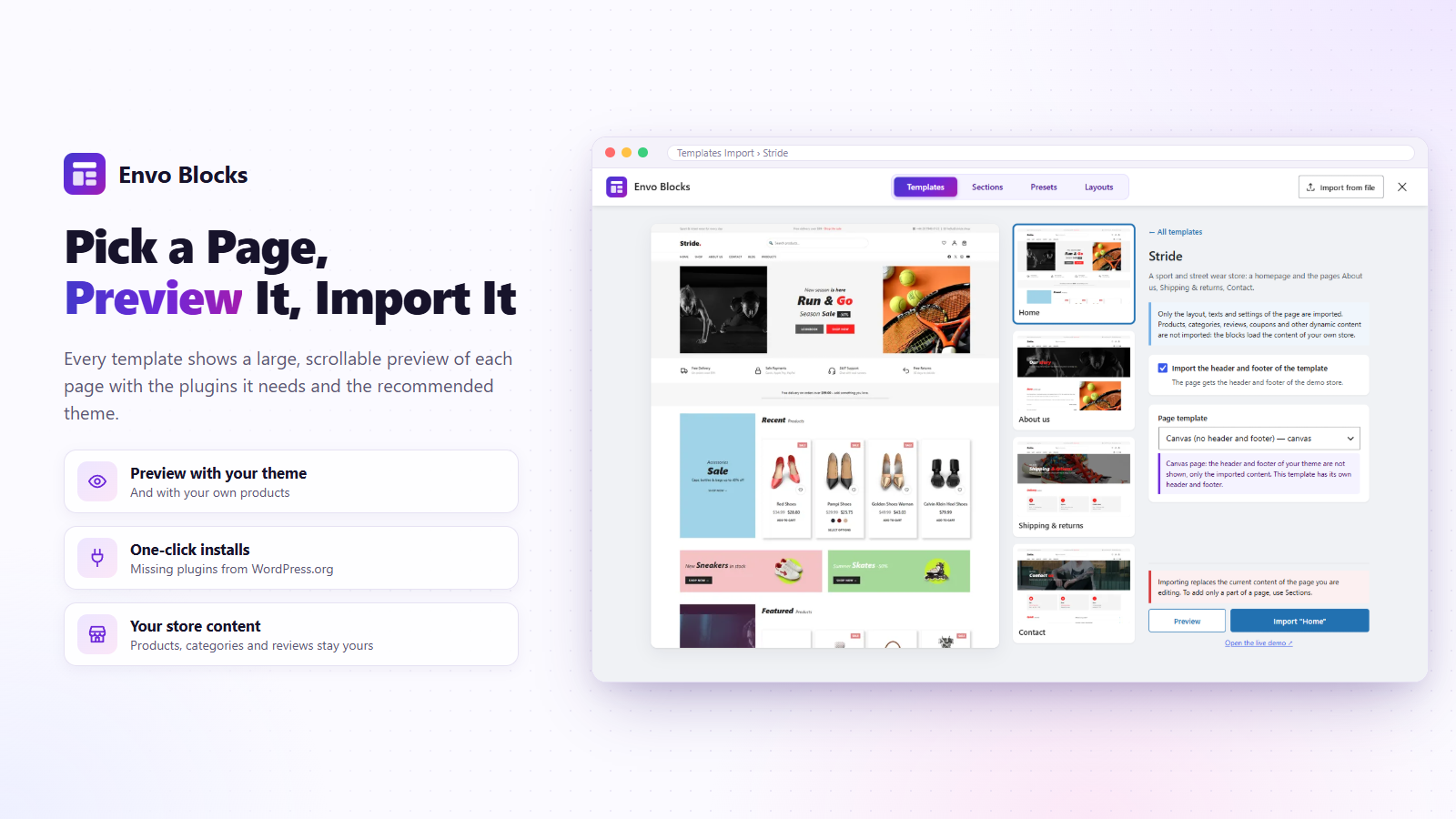
- One-click import with or without the header and footer of the template; required plugins and the recommended theme are shown with their status.
- Only the layout, texts and settings are imported – the blocks show the products of your own store.
- Export and import pages as JSON or ZIP.
Store Layouts
Own designs of the product page, the shop and categories, the cart, the order received page, My account and a side cart, made of blocks, in any theme (block and classic). See the layout demos.
Blocks
Pricing Table, Advanced Heading, Trust Badges, Features Bar, Coupon Code Box, Delivery Estimate, Rating Summary, Recently Viewed Products, Size Guide, Map, Video Popup, Announcement Bar, Countdown, Opening Hours, Stock Indicator, Order Tracking, Product Tabs, Payment QR Code, Free Shipping Progress, Invoice Download and the blocks of the store layouts. They work with page caching and the styles of your theme.
Store features
- Wishlist – a heart on product pages and in product lists that saves products for later, and a wishlist page with Add to cart. For guests and customers.
- PDF Invoices – invoices, credit notes and packing slips for any country, with the PDF in the order e-mails and My account.
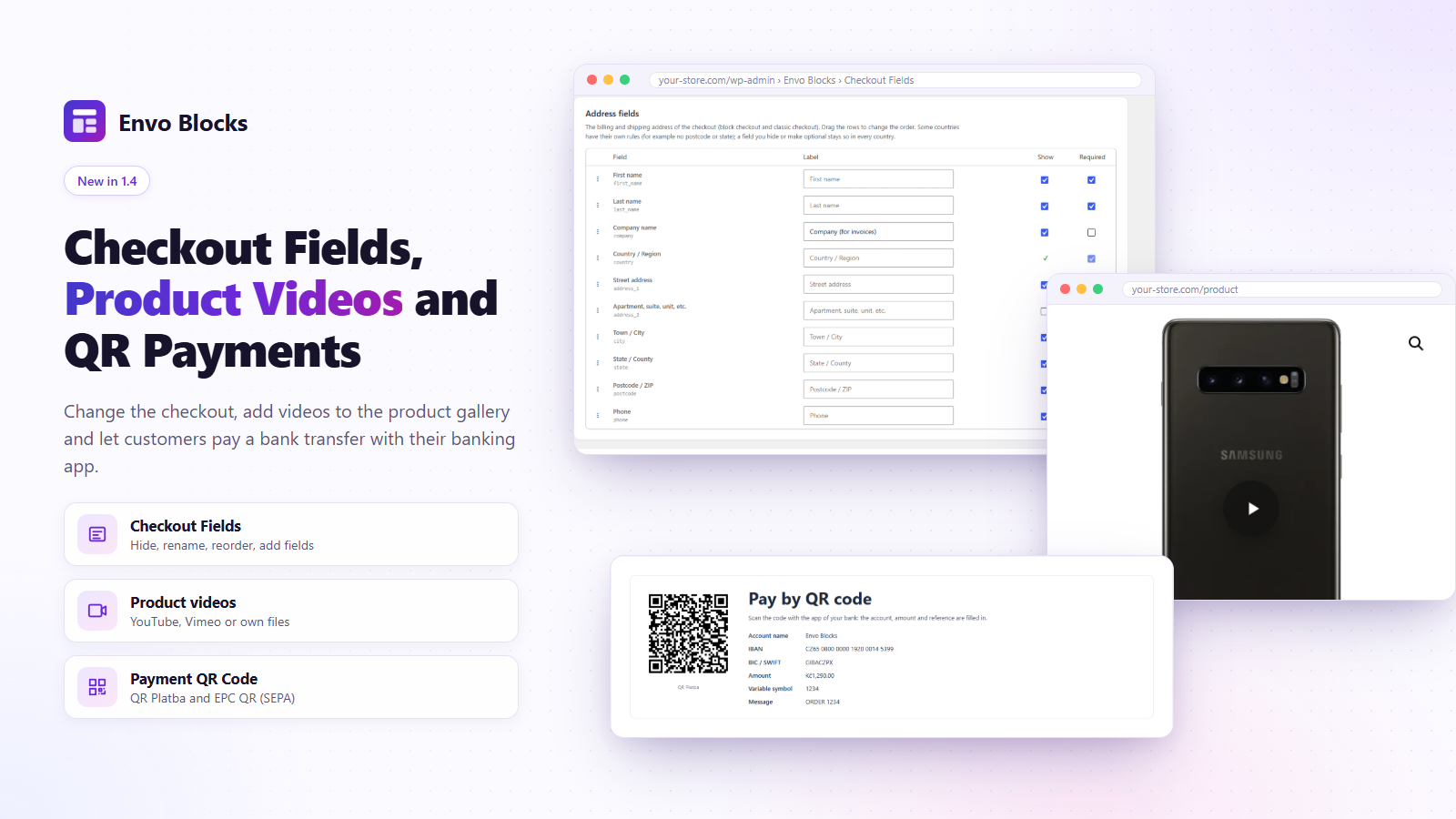
- Checkout Fields – show, hide, rename and reorder the checkout fields and add your own.
- Product videos and product tabs – videos in the product gallery and own tabs per product.
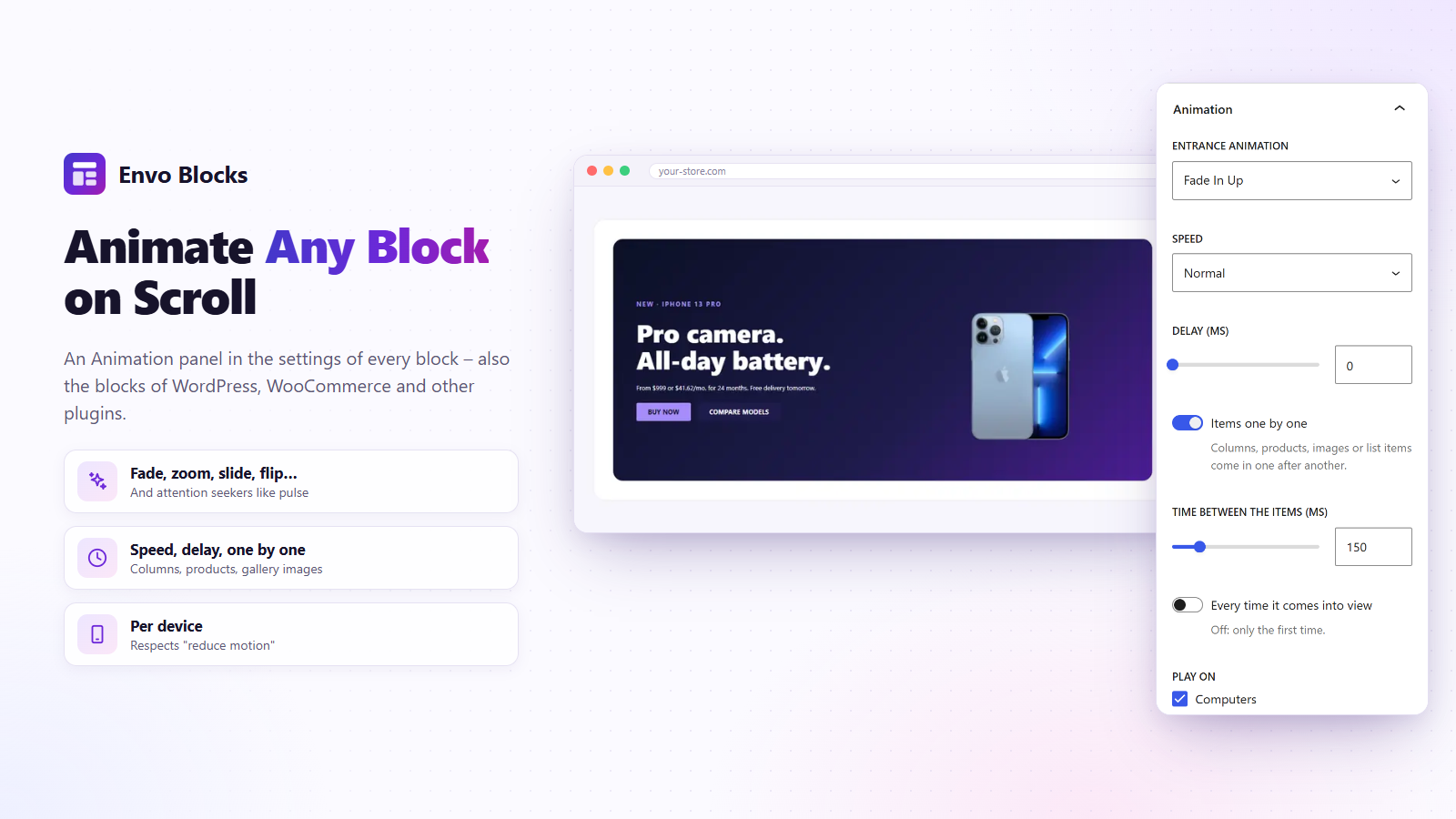
- Entrance animations for every block, also the blocks of WordPress, WooCommerce and other plugins.
Envo Blocks PRO
Envo Blocks PRO adds 69 store templates, 793 sections, 46 blocks such as a mega menu, quick view, compare and popups, and more store layouts – see the FAQ.
Made for the free Envo Blocks Store theme.
Documentation · Live demos · Support
External services
The Map block embeds a map from a third-party service chosen in the block settings. The map is loaded in the visitor’s browser (an iframe) when the page with the block is shown – or only after the visitor clicks “Show the map” when “Load the map only after a click” is on. The service receives the place set in the block (address or coordinates, zoom, map type, language) and, like any web page, the visitor’s IP address and browser data. The plugin itself sends nothing.
- Google Maps (default) – by Google LLC. Used to show the map of the address or coordinates. It may set cookies. Terms of Service: https://policies.google.com/terms, Google Maps terms: https://maps.google.com/help/terms_maps/, Privacy Policy: https://policies.google.com/privacy. With an API key the official Maps Embed API is used: https://developers.google.com/maps/documentation/embed/get-started.
- OpenStreetMap – by the OpenStreetMap Foundation. Used to show the map of the coordinates. Terms of Use: https://wiki.osmfoundation.org/wiki/Terms_of_Use, Tile usage policy: https://operations.osmfoundation.org/policies/tiles/, Privacy Policy: https://osmfoundation.org/wiki/Privacy_Policy.
The Video Popup block and the product videos (Product data > Videos, shown in the product gallery) play a video from the service of the video address you set. Nothing is loaded from that service until the visitor clicks the play button; then the player is loaded in an iframe (in the pop-up window, or in place of the cover in the gallery) and removed when the window closes or another image is shown. The service receives the video ID, the start time and, like any web page, the visitor’s IP address and browser data. Own video files (mp4, webm) are played by the browser from the address you enter.
- YouTube – by Google LLC, played from youtube-nocookie.com (privacy-enhanced mode). Terms of Service: https://www.youtube.com/t/terms, Privacy Policy: https://policies.google.com/privacy.
- Vimeo – by Vimeo.com, Inc., played with the “do not track” option. Terms of Service: https://vimeo.com/terms, Privacy Policy: https://vimeo.com/privacy.
- Dailymotion – by Dailymotion SA. Terms of Use: https://legal.dailymotion.com/en/terms-of-use/, Privacy Policy: https://legal.dailymotion.com/en/privacy-policy/.
No other block connects to an external service.
PDF Invoices download a font pack (Japanese, Chinese, Korean, Indian scripts, Arabic, Hebrew or Thai) from our assets server assets.envoblocks.com (Envo Blocks, by EnvoThemes) only when a shop manager clicks “Download” in Envo Blocks > Invoices > Fonts. The request contains only the address of the pack; no data about your orders, customers or site is sent beyond what any download sends (IP address, WordPress user agent). A pack is downloaded only once: its fonts are stored on your site (wp-content/uploads/envo-blocks-fonts/) and every PDF uses them from there, so assets.envoblocks.com is not contacted again. Every file is checked against a checksum in the plugin. The packs can also be uploaded by hand. Invoices themselves are made on your site. Terms: https://envoblocks.com/terms/, Privacy Policy: https://envoblocks.com/privacy-policy/.
The template window shows preview images of the templates, blocks and presets from our assets server assets.envoblocks.com (Envo Blocks, by EnvoThemes). They load only while the template window is open (in the editor or on Envo Blocks > Templates Import), and only the previews you scroll to. A preview that was shown once is saved on your site (wp-content/uploads/envo-blocks-previews/) and then loaded from there, so your site asks our server for every preview only once. The requests contain only the image address; no data about you or your site is sent beyond what any image download sends (IP address, browser or WordPress user agent). No cookies are set. Terms: https://envoblocks.com/terms/, Privacy Policy: https://envoblocks.com/privacy-policy/.
The template window copies the images of an imported template or block into your Media Library, so the page does not load them from our server. Images bundled with this plugin are copied on disk without any request. Images of the templates, blocks and presets (free and Envo Blocks PRO) are downloaded from our demo site demos.envoblocks.com (Envo Blocks, by EnvoThemes), only when you import or insert such a template, block or preset. The request contains only the image address; no data about you or your site is sent beyond what any download sends (IP address, WordPress user agent). Each image is downloaded once and reused. Terms: https://envoblocks.com/terms/, Privacy Policy: https://envoblocks.com/privacy-policy/.
The template window connects to WordPress.org only when you click “Install & activate” for a plugin or theme a template needs or recommends. WordPress then asks the WordPress.org API for the plugin or theme information and downloads it from downloads.wordpress.org, like Plugins > Add New does. WordPress.org receives the plugin or theme slug and the usual data of a WordPress update request (site address, WordPress and PHP version). Service: https://wordpress.org/, Terms: https://wordpress.org/about/terms-of-service/, Privacy Policy: https://wordpress.org/about/privacy/.
Third-party libraries and fonts
The PDF invoices use these libraries and fonts, bundled in vendor-prefixed/ (with the namespace prefix EnvoBlocks\Vendor) and assets/fonts/:
- mPDF 8 – GPL-2.0-only – https://github.com/mpdf/mpdf
- FPDI – MIT – https://github.com/Setasign/FPDI
- DeepCopy – MIT – https://github.com/myclabs/DeepCopy
- PSR Log and PSR HTTP Message – MIT – https://github.com/php-fig
- Noto Sans (subset to Latin, Greek and Cyrillic) – SIL Open Font License 1.1 – https://fonts.google.com/noto
The font packs (downloaded on request) contain Noto Sans JP, SC, TC and KR (SIL OFL 1.1), FreeSerif (GPL with font exception), Lohit Kannada (SIL OFL 1.1), Pothana2000 (GPL), XB Riyaz (SIL OFL 1.1), Taamey David CLM (GPL) and Garuda (GPL). The build scripts are kept with the source of the plugin.
Screenshots




Blocks
This plugin provides 29 blocks.
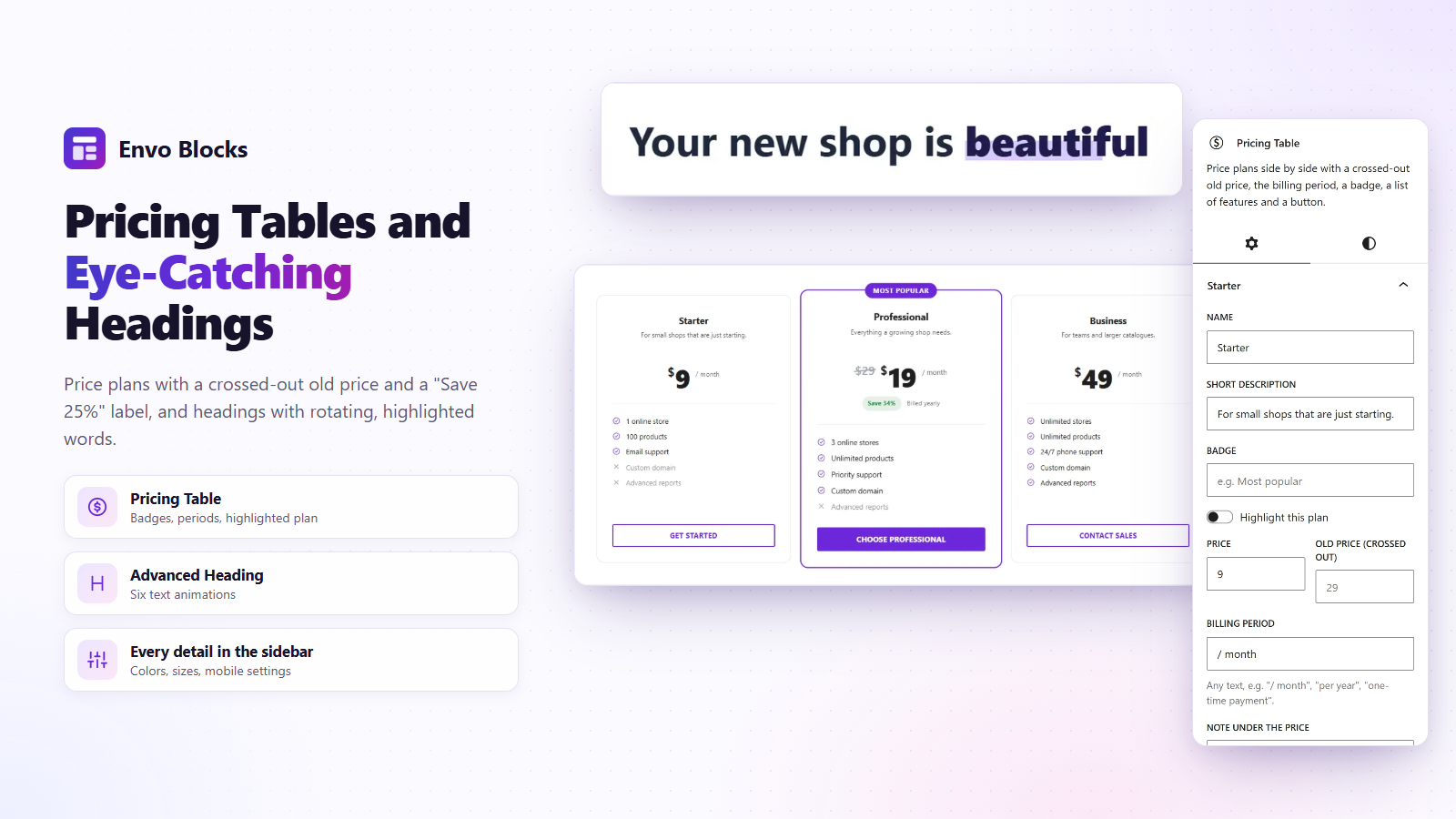
- Pricing Table Price plans side by side with a crossed-out old price, the billing period, a badge, a list of features and a button.
- Order Received The order details of the thank-you page after an order (order number, total, payment, products and addresses) in a style of your choice, for order received layouts.
- Cart Summary The subtotal, a coupon field and the View cart and Checkout buttons, for side cart layouts. Loaded in the browser, so cached pages stay right.
- Wishlist The visitor's wishlist for the wishlist page: products with price, stock, Add to cart and remove. A published page with this block becomes the wishlist page.
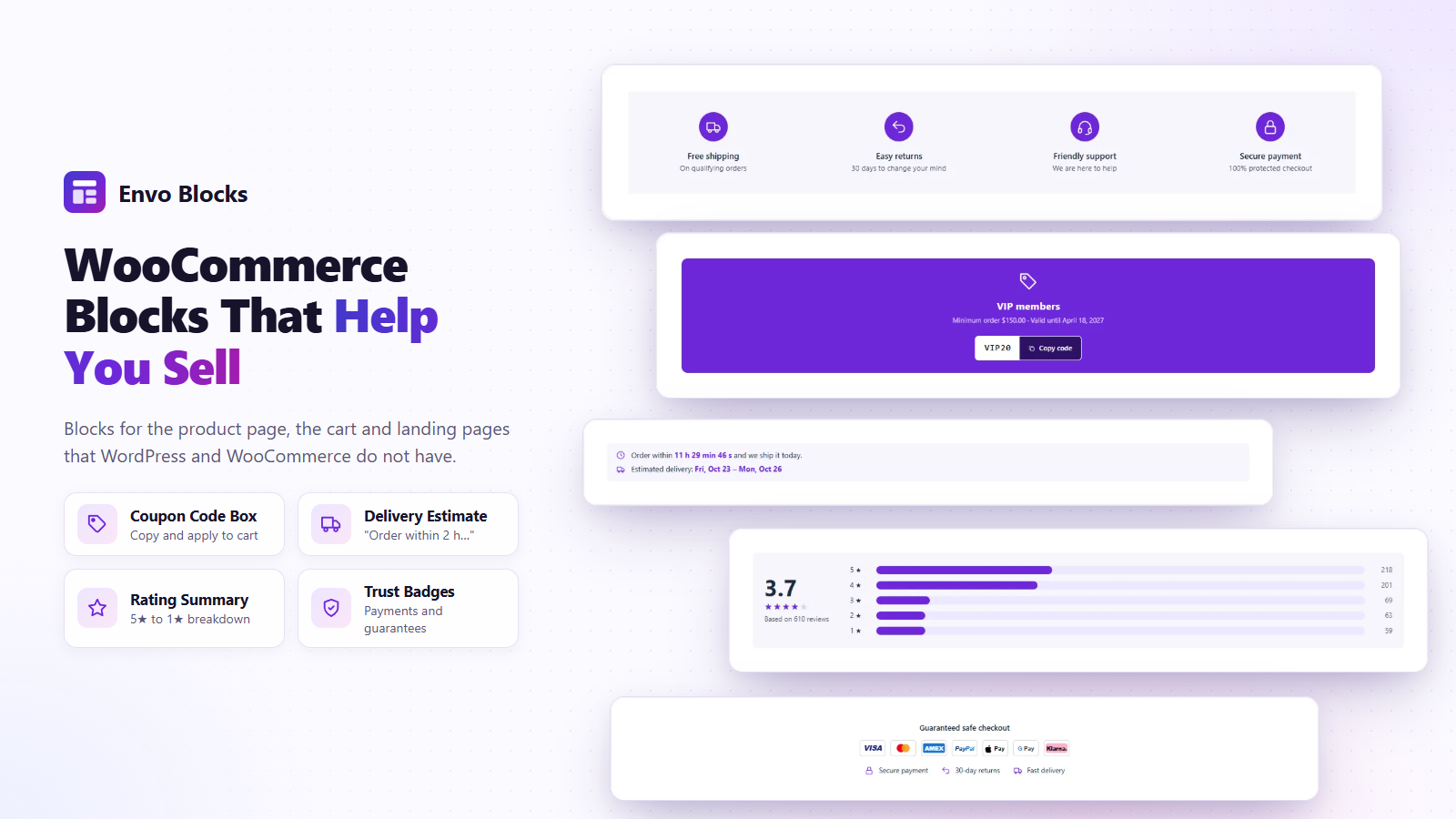
- Features Bar A row of shop benefits with icons: free shipping, returns, support, secure payment and more.
- Opening Hours Opening hours of your shop or branch with a live "Open now / Closed · opens …" status in the time zone of your site, today highlighted and special days such as holidays.
- Invoice Download A button that downloads the PDF invoice of the order – for the order confirmation page. Shown when the invoice is issued.
- Map A Google or OpenStreetMap map as a background, with any blocks on top of it (address, opening hours, a button). Can load only after a click, for privacy.
- Rating Summary Average rating with stars and a breakdown of the 5★ to 1★ reviews, for the current product, a chosen product or the whole shop.
- Payment QR Code A payment QR code for orders paid by direct bank transfer – QR Platba (CZK) or EPC QR / SEPA (EUR) with the account, amount and reference – for the order confirmation page.
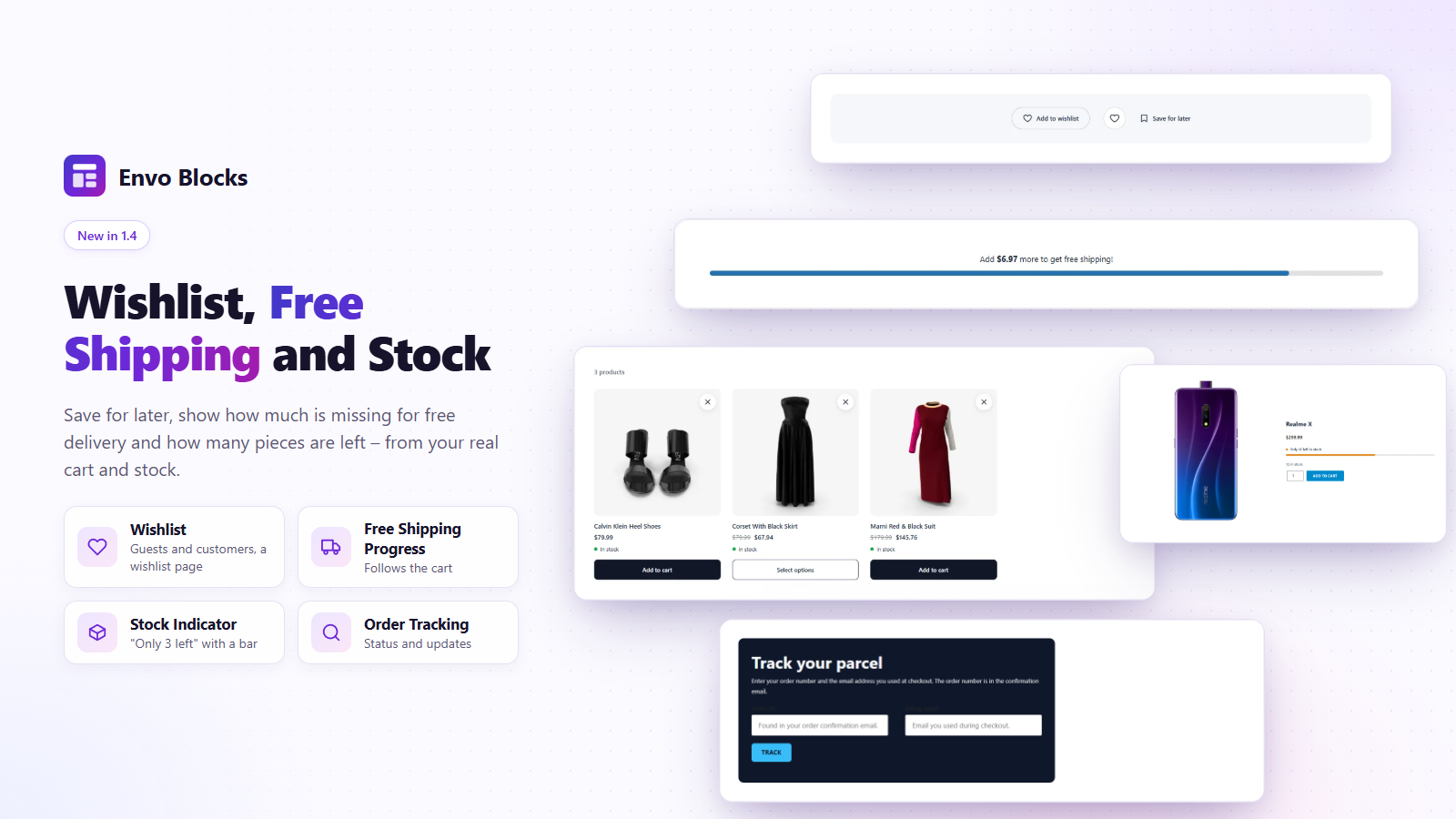
- Free Shipping Progress A bar that shows how much is missing in the cart for free shipping. It updates when the cart changes.
- Wishlist Button A heart that adds the product to the wishlist: on the product page, in a product template, or for a chosen product. Guests keep the list in the browser, customers in their account.
- Delivery Estimate "Order within 2 h 15 min and we ship it today" with the estimated delivery date. Counts with the cut-off time, shipping days and holidays.
- Trust Badges Payment method icons and short guarantees (secure payment, returns, delivery) that build trust near the buy button or in the footer.
- Store Breadcrumbs The WooCommerce breadcrumbs (Home / Shop / Category / Product) for store layouts and any page.
- Size Guide A link or button that opens the size chart in a pop-up window. The content of the window is made of normal blocks (table, image, text).
- Order Tracking The WooCommerce order tracking form (order number and billing email) with a heading, a short text and your colors – for a "Track your order" page.
- Cart Items The products in the cart with images, quantities and remove buttons, for side cart layouts. Loaded in the browser, so cached pages stay right.
- Advanced Heading A heading made of three parts, each with its own typography, colors, background and border. The middle part can rotate several texts with an animation.
- Announcement Bar A thin bar for shipping offers, sales and news: messages that take turns, scroll as a ticker or sit side by side, with links, icons and a close button that the browser remembers.
- Coupon Code Box Highlights a WooCommerce coupon with a copy button and an optional "Apply to cart" button. The discount, minimum and expiry date are read from the coupon.
- Recently Viewed Products Products the visitor looked at last. They are remembered in the browser and loaded through the WooCommerce Store API, so the block works on cached pages too.
- Stock Indicator "Only 3 left in stock" with a bar, from the real stock of the product (WooCommerce stock management). For variable products it follows the chosen variation.
- Countdown Counts down to a date (a sale, a launch) or every day to a time ("order by 2 pm") on the days you choose, in the time zone of your site. When it ends it hides or shows your text.
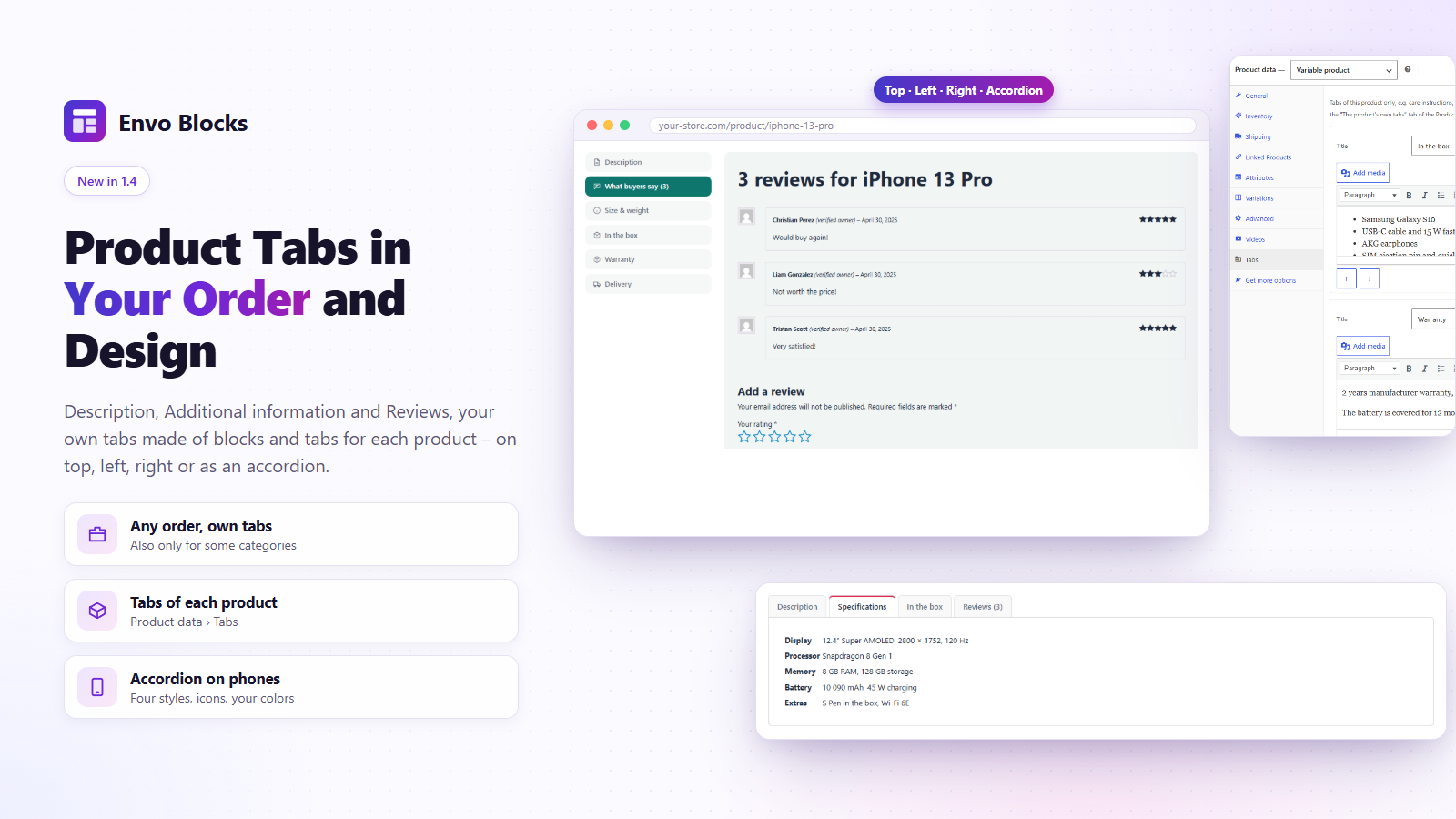
- Product Tabs The tabs of the product page in your order and design: description, additional information, reviews, own tabs made of blocks and the product's own tabs. Tabs on top, left or right, or an accordion.
- Video Popup A play button, or an image with a play button, that opens a YouTube, Vimeo, Dailymotion or own video in a pop-up window. Nothing is loaded from the video site before the click.
- My Account WooCommerce My account (dashboard, orders, downloads, addresses, account details and the login form) with the menu as a sidebar, tabs, tiles or a compact list.
- Shop Toolbar The number of products found and the sorting menu of the shop and the product categories, for shop layouts.
- Product Tab One tab of the Product Tabs block: a part of WooCommerce (description, additional information, reviews), own content made of blocks, the product's own tabs or the tabs of other plugins.
Installation
- Upload the
envo-blocksfolder to/wp-content/plugins/, or install the plugin from Plugins > Add New. - Activate the plugin.
- Open a page in the block editor: use the Templates Import button in the header, or find the blocks in the Envo Blocks section of the inserter.
WooCommerce must be active for the Coupon Code Box, Rating Summary and Recently Viewed Products blocks.
FAQ
-
What does Envo Blocks PRO add?
-
Envo Blocks PRO works on top of this free plugin and adds:
- 69 more store templates with their subpages, 793 page sections, 258 block presets and more store layout designs (product, shop, cart, side cart).
- Product blocks: Products Carousel, Products Tabs, Product Mosaic, Product Deal with a countdown, Product Showcase, Bestsellers Ranking, Shop the Look, Reviews Carousel, Load More Products.
- Categories and brands: carousels, mosaics, category banners with the best discount, Category Showcase, Brands Carousel.
- Header: Mega Menu, Category Mega Menu, AJAX Product Search, Sticky Cart, Sticky Account, Sticky Wishlist, Off-Canvas Panel.
- Selling tools: Quick View, Compare and Comparison Table, Variation Swatches and Swatches Filter, Product Gallery (Vertical), Product Badges, Sticky Add to Cart, Checkout Steps, Popups, Sale Countdown Bar, Frequently Bought Together, Volume Pricing, Cart Recommendations.
- For any block: Motion Effects (parallax, 3D tilt) and Display Conditions (user, device, date, cart, orders…), plus Content Slider, Content Tabs, Content Switcher and Before / After.
-
Does the plugin need WooCommerce?
-
The template import and export, Pricing Table, Advanced Heading, Trust Badges, Features Bar, Delivery Estimate, Size Guide, Map and Video Popup work without it. Coupon Code Box, Rating Summary and Recently Viewed Products are available only when WooCommerce is active.
-
Does the plugin connect to external services?
-
Only the Map and Video Popup blocks (on pages where you add them), the template window (preview images from assets.envoblocks.com, and the images of a template you import from demos.envoblocks.com), and WordPress.org when you install a plugin or theme from the template window – see “External services” below. Everything else works on your own site: the Coupon Code Box (“Apply to cart”) and the Recently Viewed Products block use the WooCommerce Store API of your site. The “Preview” links of the templates open demo pages in a new tab only when you click them.
-
Can the map load only after the visitor agrees?
-
Yes. Turn on “Load the map only after a click” in the Privacy settings of the Map block. Until the visitor clicks the button, nothing is loaded from the map service. The choice is remembered in the visitor’s browser (localStorage), so other maps then load at once.
-
Where does Recently Viewed Products keep the history?
-
In the visitor’s browser (localStorage), up to the last 24 product IDs. Nothing is saved on the server and no cookie is set. Visitors can clear the history with the optional “Clear history” link.
-
In which time zone does the Delivery Estimate count?
-
In the time zone set in Settings > General. Holidays are entered as
2026-12-24for one day or12-25for every year. -
Are the payment icons official logos?
-
No. They are simplified marks drawn for this plugin so that visitors recognise the payment methods. All trademarks belong to their owners.
-
Does the Advanced Heading animation respect reduced motion?
-
Yes. When the visitor has “reduce motion” turned on in the system, the first text is shown and nothing moves. Screen readers get all the texts of the middle part once.
-
What happens when I install a plugin from the template window?
-
Envo Blocks downloads the plugin or theme from WordPress.org with the WordPress installer and activates it – the same as Plugins > Add New. Only plugins and themes named by a template can be installed this way. When a new plugin is activated, the editor reloads (your changes are saved as a draft first) so that its blocks are available, and the import continues. If WordPress cannot write files on your server without FTP details, install them in Plugins > Add New instead.
-
My theme has no canvas template. Can I still import the templates?
-
Yes. When the active theme has no page template without its header and footer, Envo Blocks adds one: Envo Blocks Canvas (no header and footer). It shows only the content of the page and keeps the styles of your theme. The template window preselects it for templates with their own header and footer. Themes that have their own canvas template keep using it. Nothing changes on your site until a page uses the template.
-
Can I translate the plugin?
-
Yes. The plugin is fully translatable, including the block editor settings. Translations are managed on translate.wordpress.org; a POT file is included in the
languagesfolder.
Reviews
There are no reviews for this plugin.
Contributors & Developers
“Envo Blocks – Store Templates, Blocks & Layouts for WooCommerce” is open source software. The following people have contributed to this plugin.
Contributors
Translate “Envo Blocks – Store Templates, Blocks & Layouts for WooCommerce” into your language.
Interested in development?
Browse the code, check out the SVN repository, or subscribe to the development log by RSS.
Changelog
1.4.0
- New: PDF Invoices (Envo Blocks > Invoices) – invoices, credit notes and packing slips for WooCommerce orders, for any country: 18 country presets with the document words, identifiers and tax texts, editable labels, numbers without gaps (yearly, monthly or one series, fiscal year start, start number), issued documents that never change (stored with the order), credit notes for refunds, “Cancel and reissue”, the PDF attached to the order e-mails, a button in My account, an Invoice box and column in the orders, bulk issuing, product fields (e.g. HSN/SAC), the tax summary per rate (also counted once per rate for Japan), the total in words, the payment QR code on unpaid bank transfer invoices, right-to-left documents, and free font packs for Japanese, Chinese, Korean, Indian scripts, Arabic, Hebrew and Thai.
- New: Invoice Download block – the PDF invoice of the order on the order confirmation page.
- New: Store Layouts (Envo Blocks > Store Layouts) – own designs of the product page, the shop and categories, the cart, the order received page and My account, made of blocks, in any theme (block and classic), with ready-made designs in several colours and live demos. New blocks for them: Store Breadcrumbs, Shop Toolbar, Order Received and My Account.
- New: Side cart – a Store Layout of the type “Side cart”: a cart panel that slides in on every page from the WooCommerce Mini-Cart, the cart links of the theme and after Add to cart, with the Cart Items and Cart Summary blocks (quantities, remove, coupon, savings, View cart and Checkout). The cart loads in the browser (Store API), so cached pages stay right.
- Every template recommends the free Envo Blocks Store theme; “Learn more” opens its page. It is not listed when it (or a child theme of it) is active.
- Changed: the plugin is now called “Envo Blocks – Store Templates, Blocks & Layouts for WooCommerce”.
- New: translations into 31 languages are included.
- New: Product Tabs block – replaces the tabs of the product page: Description, Additional information, Reviews, own tabs made of blocks (also only for chosen categories), the tabs of each product and the tabs of other plugins, in any order. Tabs on top, left or right, or an accordion, four styles, icons, colors, an accordion on phones; keyboard and #reviews links work. “Transform to” turns the Product Details block of WooCommerce into it.
- New: Product data > Tabs – own tabs for one product (title + text with the WordPress editor, up to 10). They show in the Product Tabs block and in the WooCommerce tabs of classic themes and of the Product Details block.
- New: Free Shipping Progress block (from Envo Blocks PRO) – the missing amount for free shipping with a bar that follows the cart.
- New: Wishlist Button and Wishlist blocks (from Envo Blocks PRO) – save products for later, for guests and customers, with a wishlist page (WooCommerce > Settings > Advanced > Page setup > Wishlist page). Envo Blocks PRO adds hearts on product images, a header icon with a drawer, a share link and “Add all to cart”.
- New: product videos – Product data > Videos adds up to 5 videos to a product (YouTube, Vimeo, Dailymotion or an own mp4 / webm file) with an own cover image and their place in the gallery (first, after the main image, last). They are shown in the product gallery of WooCommerce with a play button, and the player loads only after the click. An own video file also plays (muted) over the product image in product lists while the pointer is on it. Envo Blocks PRO shows them in its Product Gallery (Vertical) too.
- New: Envo Blocks > Checkout Fields – show, hide, rename, make required or optional and reorder the address fields of the checkout, and add own text, select and checkbox fields (block checkout and classic checkout). Answers are saved with the order and shown with it, in e-mails and in My account.
- New: Payment QR Code block – for orders paid by direct bank transfer (on hold or pending) a QR code for the banking app: QR Platba (SPD) for CZK, EPC QR (SEPA, “GiroCode”) for EUR, with the account, amount, variable symbol and message, and the details for typing them in. For the Order Confirmation template; the customer e-mails get the code too (an embedded PNG). Envo Blocks > Payment QR Code sets the format, account, message and the e-mails and shows a sample code. Made on your site, no external service.
1.3.4
- New: Announcement Bar block – messages that take turns, scroll as a ticker or sit side by side, with links, icons and a close button that the browser remembers. Nothing moves with “reduce motion”.
- New: Countdown block – to a date and time, or every day to a time on the days you choose (“order by 2 pm”), in the time zone of your site; when it ends it hides or shows your text.
- New: Opening Hours block – the week with a live “Open now / Closed · opens …” status (right on cached pages too), today highlighted and special days such as holidays.
- New: Stock Indicator block – “Only 3 left in stock” with a bar, from the real stock of the product; follows the chosen variation.
- New: Order Tracking block – the WooCommerce order tracking form with a heading, a text and your colors. The found order (status, updates as a timeline, products, addresses) is styled to match, only the sent form shows it, the page jumps to it and a “Track another order” link leads back.
- Faster: the check whether the theme has its own canvas template (~50 ms on every page) is kept until the theme or its templates change.
- Stock Indicator: while it shows, the stock line of WooCommerce in the same product is hidden (no stock shown twice).
- Admin menu: Welcome stays the first item of Envo Blocks (items of other plugins, such as the PRO Popups, come after Blocks); the PRO blocks on Welcome have their spacing back.
1.3.3
- New: “Envo Blocks Canvas (no header and footer)” page template for themes without a canvas template of their own (block and classic themes). Templates with their own header and footer are imported into it.
- New: after activation the plugin opens Envo Blocks > Templates Import (once); the Welcome page has a “Templates Import” button.
- Improved: the template preview uses the page template chosen for the import (the canvas template for templates with their own header and footer).
- Improved: plugins and the theme that are already active are no longer listed next to a template.
- Changed: requires WordPress 6.7 or newer.
1.3.2
- Changed: the “Blocks” tab of the template window is now called “Sections” (page sections such as a header, a hero or a product grid), so it is not mixed up with the blocks of the plugin.
- Improved: the search of the template window also looks in the descriptions, categories and page names of the templates; a section is also found by the description of its demo. Several words are searched together.
- Improved: the left sidebar of the template window keeps the switches and the note in view on low screens; only the list of categories scrolls.
- Fixed: the numbers on the Welcome page count only the templates, sections and presets you can use (without the locked PRO ones when PRO is not installed).
1.3.1
- New: the template window shows a “Contact support” button when PRO templates cannot be loaded.
- Developers: filter envo_blocks_premium_json to hand over the content of premium templates and blocks.
1.3.0
- New: the template library has the 9 free demo stores of demos.envoblocks.com as templates (Stride, Motion, Flexa, Sprint, Gadgetry, Circuit, Couture, Velvet and Fitora, each with its subpages such as About us, Help and Contact), 83 page sections from them in Blocks (headers, heroes, product grids, banners, footers…) and 58 presets made from the examples of the block demos. The earlier sample templates and sections were removed.
- New: entrance animations for every block (WordPress, WooCommerce and other plugins too) – fade, zoom, slide, bounce, flip, rotate and attention seekers, with speed, delay, items one by one (columns, products, gallery images), every time or only the first time, and devices. In the Animation panel of the block, with a preview in the editor. Respects “reduce motion”; the content stays visible without JavaScript.
1.2.0
- New: Map block – Google Maps or OpenStreetMap as a background with any blocks on top, optional loading after a click.
- New: Video Popup block – a play button or an image that opens a YouTube, Vimeo, Dailymotion or own video in a pop-up window.
- New: templates with several pages – a page picker with a large preview, a live Preview in a new tab, and required plugins, recommended plugins and a recommended theme with one-click install and activation from WordPress.org.
- New: Online Store template with Home, Sale, About us and FAQ pages.
- New: Blocks library – 14 sections to insert into the page you are editing, with a category sidebar.
- New: Presets library – 15 ready-made settings of the plugin blocks, inserted where you are editing.
- New: without Envo Blocks PRO the library also lists the PRO templates and blocks (preview, PRO label, live demo and a “Buy PRO” button); they can be imported only with PRO and an active license.
- Preview images are WebP for a smaller plugin.
- New: template, block and preset previews load from assets.envoblocks.com (300/600 px, blurred placeholder first, only when scrolled to) and are saved on your site after the first view.
- New: without Envo Blocks PRO or without an active PRO license, the PRO blocks are listed in the “Envo Blocks PRO” section of the block inserter with a lock. Inserted, such a block only shows a placeholder with a link to get Envo Blocks PRO, activate or renew the license, and its live demo; nothing is shown on your site.
- New: choose the page template when importing a template (in the editor and on the Templates Import page); a canvas template (without the theme header and footer) is marked and preselected for templates with their own header and footer.
- New: Envo Blocks > Templates Import page – browse the templates outside the editor; Import asks for a post or page and a title, creates a new draft with the template and opens it in the editor.
- New: Envo Blocks admin menu with a welcome page, the list of blocks with guides and live demos, links to all guides and an overview of Envo Blocks PRO.
- New: products, categories and brands chosen in imported templates and blocks are matched to your store (by slug); when there is no match, the block shows your store’s items automatically. “Export as JSON” saves the slugs with the page.
- New: images of imported templates and blocks are copied into the Media Library (once, reused later), so they are not loaded from the demo server.
- New: Import from file – import a JSON file (Export as JSON) or a ZIP file with the images into the page you are editing, or as a new draft on the Templates Import page. Works also when your server cannot reach our demo site.
- New: Export as ZIP (with images) in the editor’s Options menu.
1.1.0
- New: Envo Blocks section in the block inserter.
- New: Pricing Table, Advanced Heading, Trust Badges, Features Bar, Coupon Code Box, Delivery Estimate, Rating Summary, Recently Viewed Products and Size Guide blocks.
- New: Online Store Home, Sale Landing Page and About Our Store templates.
- Improved: template text alignment works in WordPress 7.0 and newer.
- Improved: all texts are translatable, POT file added.
1.0.0
- First release: Templates Import button and Export as JSON.