
Description
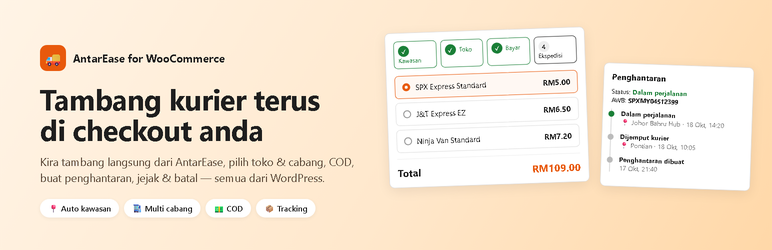
AntarEase for WooCommerce connects your store to the AntarEase delivery platform in Malaysia.
At checkout
- Live rates from the couriers available on your AntarEase account.
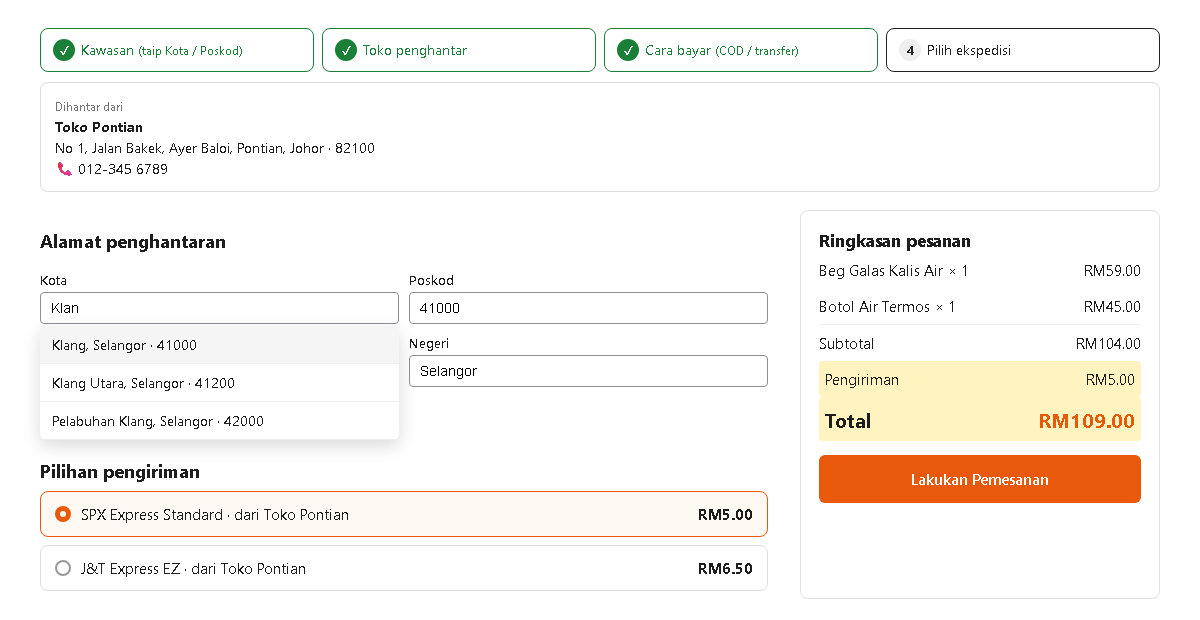
- Area autocomplete on the City / Postcode fields — city, postcode and state fill in automatically.
- Multiple stores / branches with service areas; the buyer can choose which store ships the order.
- COD support, with an option to add the COD fee to the shipping cost.
- Guided steps (area store payment courier) and a “Check shipping” button before placing the order.
- Works with both the classic and the block checkout.
For the admin
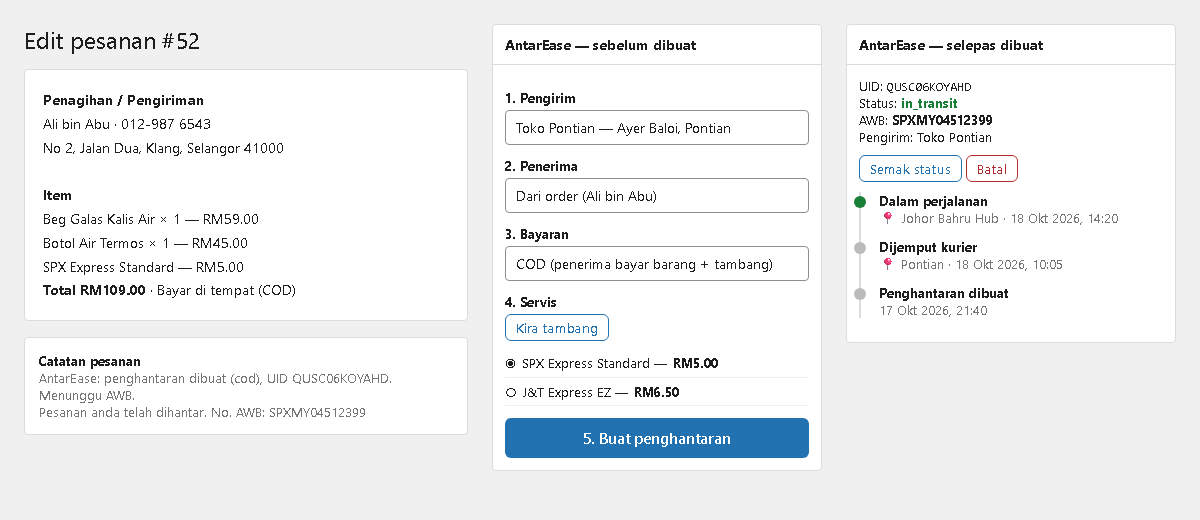
- Create the AntarEase shipment from the order screen (sender, receiver, payment type, courier service).
- Automatic status polling every 30 minutes; the AWB is emailed to the buyer when issued.
- Tracking timeline in the order, an “AntarEase” column in the order list.
- Cancel a shipment before pickup; cancelling the WooCommerce order cancels the shipment too.
- Shipping-cost calculator, sender/receiver address books, bank account details for direct transfer.
- A built-in admin guide (WooCommerce AntarEase Panduan).
For buyers
- Shipment status, AWB and tracking timeline in My Account.
- Cancel their own order before the parcel is picked up.
[antarease_lacak]— track an order with order number + email, no login needed.[antarease_cek_ongkir]— shipping-cost calculator for any page.
An AntarEase account and API token are required. AntarEase has no sandbox: every shipment you create is a real order.
External services
This plugin connects to the AntarEase API (https://app.antarease.my/api/v1), operated by AntarEase, to provide its core functions. Nothing is sent until you save an API token.
- Area search (
/kawasan) — the text typed in the City / Postcode field at checkout or in the admin, to find the delivery area. - Shipping rates (
/kadar) — origin and destination area IDs, parcel weight, item value and payment type, whenever WooCommerce calculates shipping or you use the calculator. - Create shipment (
/penghantaran) — when the admin clicks “Create shipment”: sender and receiver name, phone, address and postcode, item names, quantities, weights and prices, payment type and COD amount, and the order note. - Status, tracking and cancel (
/penghantaran/{uid},/penjejakan,/batal) — the shipment ID, when the admin or the scheduled status check requests it, or when a buyer opens their order or cancels it. - Balance (
/baki) — when the admin opens the API key settings tab.
No request is made until an API token is saved in the settings. Requests are authenticated with your API token. Public requests (area search, shipping calculator) are rate limited per visitor and outgoing calls are capped at 100 per minute. AntarEase terms of service: https://antarease.my/halaman/terms — privacy policy: https://antarease.my/halaman/privacy
Privacy
The plugin suggests text for your site’s privacy policy (Settings Privacy) describing which buyer data is sent to AntarEase. Deleting the plugin removes its settings; shipment details stored on orders are kept as part of your order records.
Screenshots
Installation
- Install and activate WooCommerce.
- Upload the plugin and activate it.
- Go to WooCommerce AntarEase Kunci API and paste your AntarEase API token.
- Add your store under Toko & Cabang (name, Malaysian phone number, area, address).
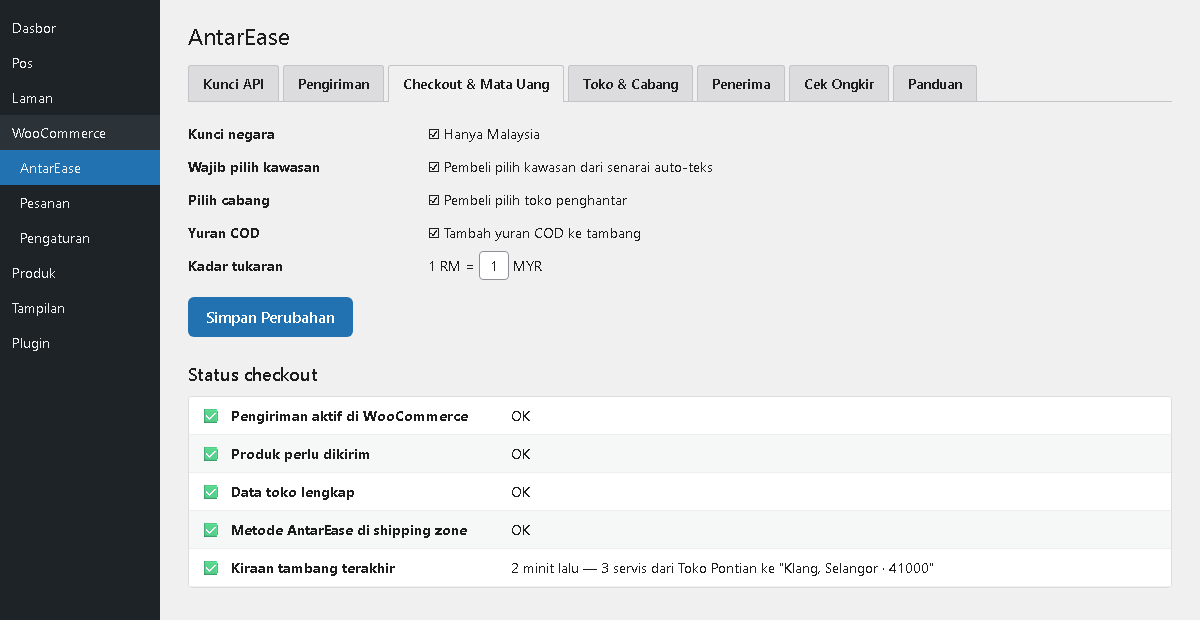
- Under Checkout & Mata Uang, check the Status checkout table and use the one-click fixes until every row is green (this also adds the AntarEase method to a Malaysia shipping zone).
- Open the Panduan tab for the full guide.
FAQ
-
Couriers do not appear at checkout
-
Open WooCommerce AntarEase Checkout & Mata Uang Status checkout. The “last rate calculation” row shows the exact reason (area not found, no store serving the area, API error). Most often the AntarEase method has not been added to a shipping zone.
-
Which phone numbers are accepted?
-
Malaysian numbers only: mobile 01x (e.g. 012-345 6789) or landline 03–09.
+60numbers are converted to the local format automatically. -
Can buyers cancel?
-
Yes, from My Account, as long as the parcel has not been picked up. Refunds of payments already made are handled by the store as usual.
-
Is there a test mode?
-
No. AntarEase only has a production environment. Test by shipping to your own address and cancelling immediately; the fee is returned to your wallet.
Reviews
There are no reviews for this plugin.
Contributors & Developers
“AntarEase for WooCommerce” is open source software. The following people have contributed to this plugin.
Contributors
Translate “AntarEase for WooCommerce” into your language.
Interested in development?
Browse the code, check out the SVN repository, or subscribe to the development log by RSS.
Changelog
1.2.4
- No external request is made before an API token is saved.
- Suggested privacy policy text; settings are removed on uninstall.
1.2.3
- Public area search and shipping quote endpoints are rate limited per visitor, with a global cap on outgoing API calls.
- Search terms and parcel weights are normalised so cached results stay bounded; empty results are not cached.
1.2.2
- Explicit nonce verification on checkout hooks and the tracking form; capability check on the settings page.
- Removed the legacy settings migration.
- Updated terms and privacy links.
1.2.1
- Order validation accepts saved addresses / typed postcodes that AntarEase recognises.
- Status polling no longer uses a slow meta query (list of active shipments instead).
- Checkout status checklist: block checkout and store picker shown as information, not errors.
- Security hardening: escaping, sanitising and nonce checks across admin, AJAX and checkout; unique “antarease_” prefix.
- Old version detection: shows a notice instead of loading twice.
1.2.0
- Multi-branch stores with service areas, store picker at checkout (classic and block).
- Area autocomplete on City / Postcode fields.
- Guided checkout steps and “Check shipping” button.
- Tracking timeline, order list column, buyer tracking and cancellation,
[antarease_lacak]. - Shipping calculator tab and
[antarease_cek_ongkir]. - Checkout status checklist with one-click fixes, built-in admin guide.
1.0.0
- First release.