
Description
Fake orders cost money. Card testing bots run hundreds of stolen cards through your checkout, your payment gateway charges a fee for every attempt, and too many declines can get your account reviewed or closed. Spam orders fill your order list and waste your time.
MIVAQ Cardwall stops these orders before they reach your payment gateway, while real customers check out exactly as before. Everything runs on your own server. There is no account to create, no API key and no outside service.
MIVAQ Cardwall is an independent plugin by MIVAQ. It is not affiliated with or endorsed by WooCommerce or Automattic.
What it does
Stops bot checkouts
- Browser verification: real browsers receive a signed pass from a tiny script. Scripts that post orders straight to your checkout or the Store API are refused.
- Minimum time before ordering: orders sent faster than a person can type are refused.
- Hidden bot trap: an invisible field on the classic checkout that only bots fill in.
Stops card testing
- Rate limits per IP address and per email address.
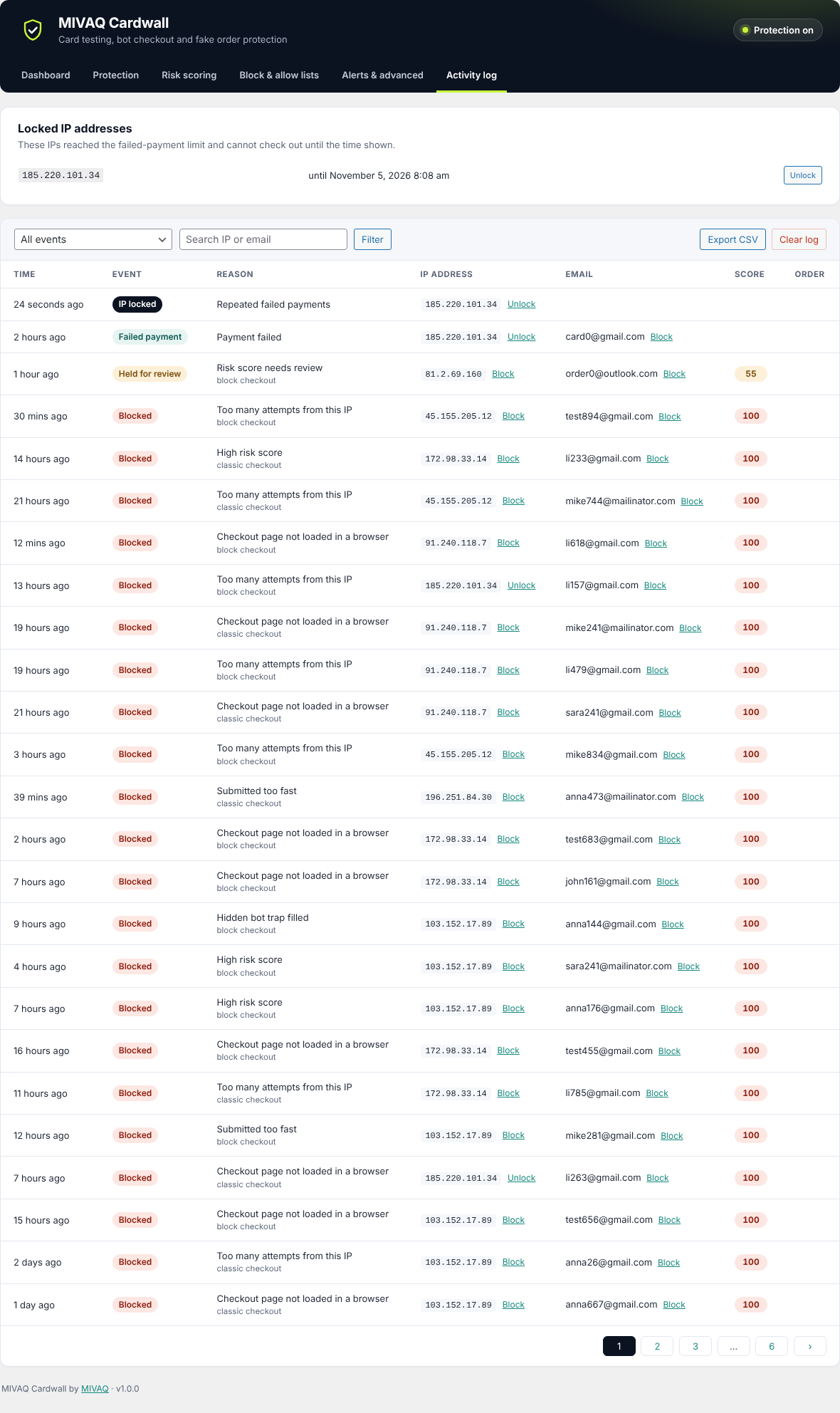
- Failed-payment lockout: an IP that keeps failing payments is locked out of checkout for a time you choose.
- Minimum guest order total: card testers love the cheapest item in your store.
- Attack mode: when many suspicious checkouts or failed payments arrive at once, limits tighten automatically, more orders are held for review and you get an email.
Risk scoring for every order
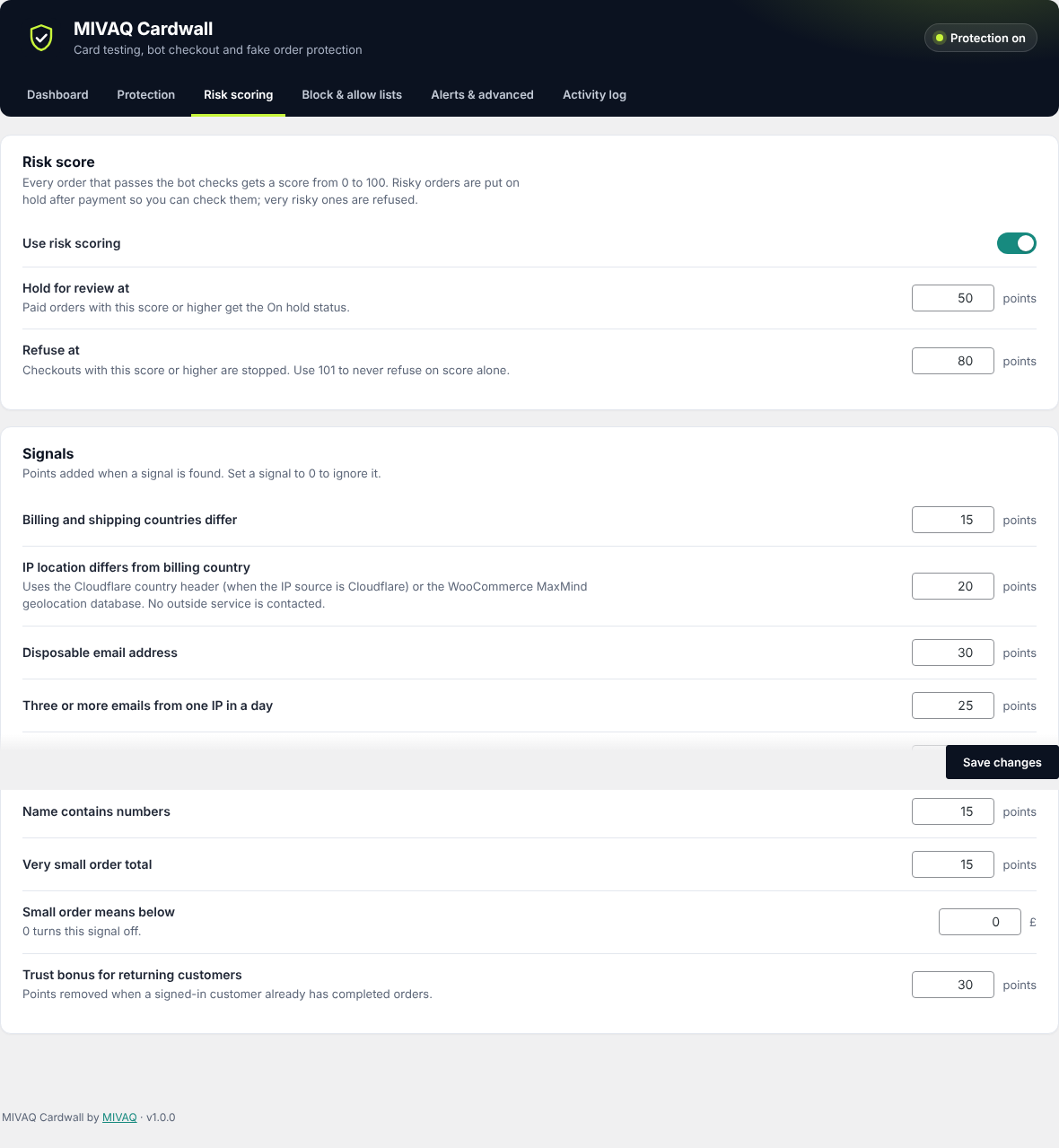
Each order gets a score from 0 to 100 based on clear signals: billing and shipping countries that differ, IP location that differs from the billing country, disposable email addresses, many emails from one IP, recent failed payments, numbers in the name and very small totals. Signed-in returning customers get a trust bonus.
- Orders above the review score are placed On hold after payment so you can check them.
- Orders above the refuse score are stopped.
- Every signal has its own weight you can change.
- A Risk column in the orders list and a Fraud check box on each order show the score and the reasons.
Block and allow lists
Block email addresses, email domains (with wildcards), IP addresses and ranges (CIDR), phone numbers and countries. Allow trusted customers and IPs to skip every check. Block an IP or email in one click from the order screen or the activity log.
Clear dashboard and activity log
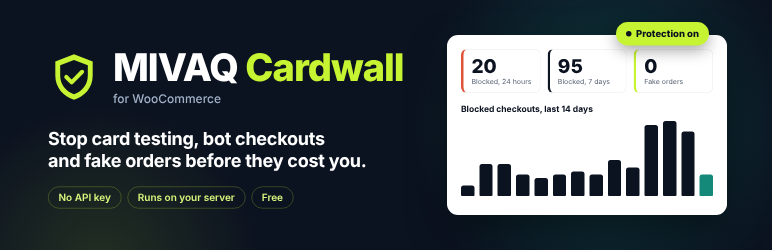
See blocked checkouts, held orders, failed payments and locked IPs at a glance, with a 14-day chart, top reasons and the most active blocked IPs. The activity log can be filtered, searched and exported to CSV.
Safe to try
- Monitor mode logs what would be blocked without stopping any order.
- Ready-made presets: Relaxed, Balanced and Strict.
- Shop managers and allowed customers are never blocked.
Works with
- Classic checkout and the block-based Cart and Checkout
- High-Performance Order Storage (HPOS)
- Any payment gateway, including Stripe, PayPal, Square and cash on delivery
- Sites behind Cloudflare or a proxy (choose where the visitor IP comes from)
- Full-page caching, because the verification pass is requested by the browser
Need hands-on help?
If fake orders keep coming, the team at MIVAQ can investigate your store and set up the right protection. Get in touch.
Privacy
To protect the store, this plugin processes the IP address, email address, phone number, billing and shipping country and order total of each checkout. Blocked and flagged checkouts are stored in a security log on your own server, which is deleted automatically after the number of days you choose (30 by default). The plugin adds suggested text to your privacy policy and supports the WordPress personal data export and erase tools.
The plugin sets two first-party cookies, mvcw_session and mvcw_stamp, which confirm that the store was opened in a web browser. They contain only timestamps and a signature, no personal data, and expire after 12 hours at most.
No data is sent to the plugin author or to any third party.
Screenshots



Installation
- In your dashboard go to Plugins > Add New Plugin and search for “MIVAQ Cardwall”, or upload the plugin zip file.
- Activate the plugin. WooCommerce must be active.
- Open WooCommerce > MIVAQ Cardwall. Balanced protection is already on.
- If your site is behind Cloudflare or another proxy, set the IP source under Alerts & advanced.
FAQ
-
Will it block real customers?
-
The checks are built so that people never notice them. If you want to be sure first, switch to Monitor mode for a few days and review the activity log. You can also add trusted customers to the allow list.
-
Does it work with the block checkout?
-
Yes. Orders from both the classic checkout and the block-based checkout (Store API) are checked before payment is taken.
-
Does it send data to an outside service?
-
No. All checks run on your server. For the IP location signal it uses the Cloudflare country header (when the IP source is set to Cloudflare) or the WooCommerce geolocation database, if your store already has them.
-
What does a blocked customer see?
-
A short, friendly message asking them to refresh the page or contact you. You can change the text.
-
Can I see why an order was held or blocked?
-
Yes. Each order shows its score and the signals behind it, and the activity log lists every blocked checkout with its reason.
-
My store uses page caching. Is that a problem?
-
No. The browser asks for its verification pass in a separate request, so cached pages keep working.
-
What happens to my data when I delete the plugin?
-
Settings and the log are kept unless you turn on “Delete all plugin data” under Alerts & advanced.
Reviews
There are no reviews for this plugin.
Contributors & Developers
“MIVAQ Cardwall for WooCommerce” is open source software. The following people have contributed to this plugin.
Contributors
Translate “MIVAQ Cardwall for WooCommerce” into your language.
Interested in development?
Browse the code, check out the SVN repository, or subscribe to the development log by RSS.
Changelog
1.0.0
- First release.