Description
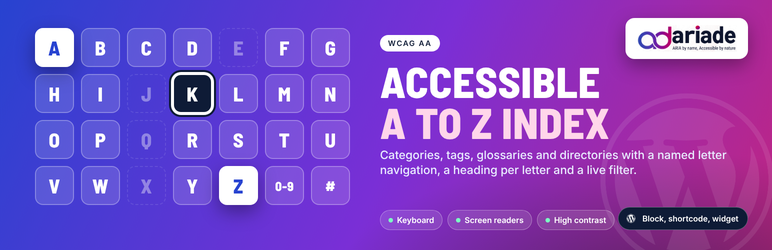
Ananyoo Accessible A to Z Index for Categories, Tags and Posts builds an alphabetical index of your content and makes it usable by everyone: keyboard users, screen reader users, people who zoom, and people who use high contrast mode.
Live demo: Try the accessible A to Z index demo »
Who it is for
- Blogs and magazines with many categories or tags: one page where readers find every topic by its first letter, instead of a long tag cloud.
- Online shops: a brand index or a product A to Z, the way large retailers list brands.
- Knowledge bases, documentation and education sites: a glossary of terms, each term a post in its own post type.
- Associations, schools, hospitals and councils: a directory of members, departments, doctors, services or committees.
- Libraries, archives and catalogues: authors, titles or subjects in alphabetical order.
- Government and public sector sites, where an A to Z of services is expected and an accessible one is required.
- Sites working towards WCAG 2.2 AA, ADA, Section 508, EN 301 549 or the European Accessibility Act.
What you get
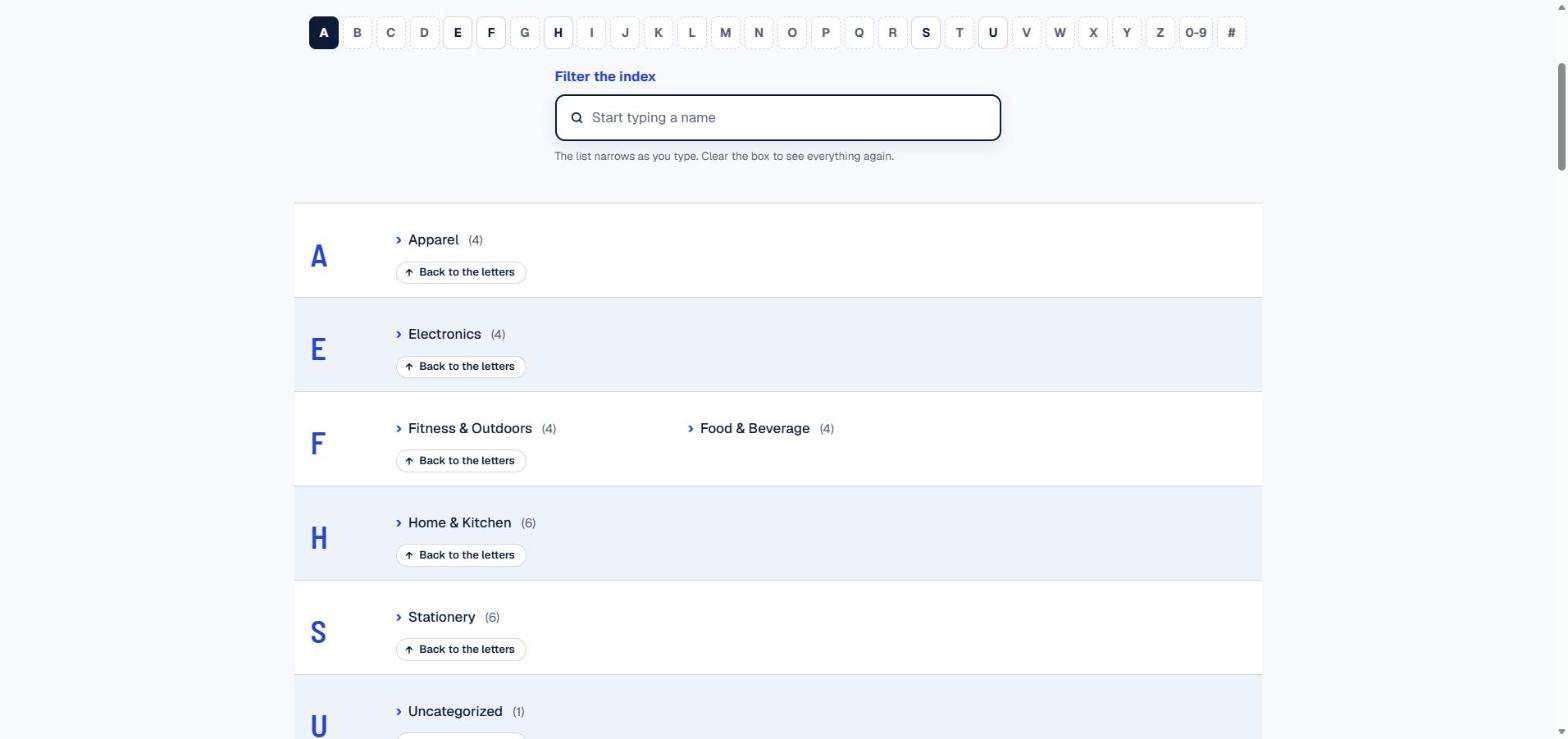
- An easy to scan sitemap: readers pick a letter from the letter bar and go straight to its entries, without scrolling through hundreds of links.
- Accessibility features in the index: named landmark, real headings, focus management, disabled letters announced, live filter status, visible focus, high contrast and reduced motion support. During development it was tested with NVDA, JAWS, VoiceOver and TalkBack, keyboard only, 400 percent zoom, axe, WAVE and Lighthouse.
- Better internal linking for SEO: every category, tag or post gets a crawlable text link from one hub page.
- Less maintenance: the index is built from your content on every page load, so a new category, tag or post appears by itself.
- One setting screen for the look (columns, colours, odd and even rows) with a built-in contrast check that rejects text and background colours below 4.5:1.
- No page builder, no jQuery, no external service, nothing loaded on pages that do not use the block.
What it indexes
- Any taxonomy: categories, tags, product categories, or a custom taxonomy.
- Any post type: posts, pages, products, team members, glossary terms.
- Exclude any IDs you do not want listed. Hide empty terms.
Accessibility built in
- The letter bar is a navigation landmark with a name you can set, so a page with two indexes stays clear.
- Letters with no entries are shown but disabled, and announced as “no entries”, so the alphabet stays predictable.
- Every letter is a real heading (H2, H3 or H4, your choice), so screen reader users can jump by heading as well as by letter.
- Choosing a letter moves keyboard focus to that heading; “Back to the letters” returns it.
- The letter in view is marked with aria-current.
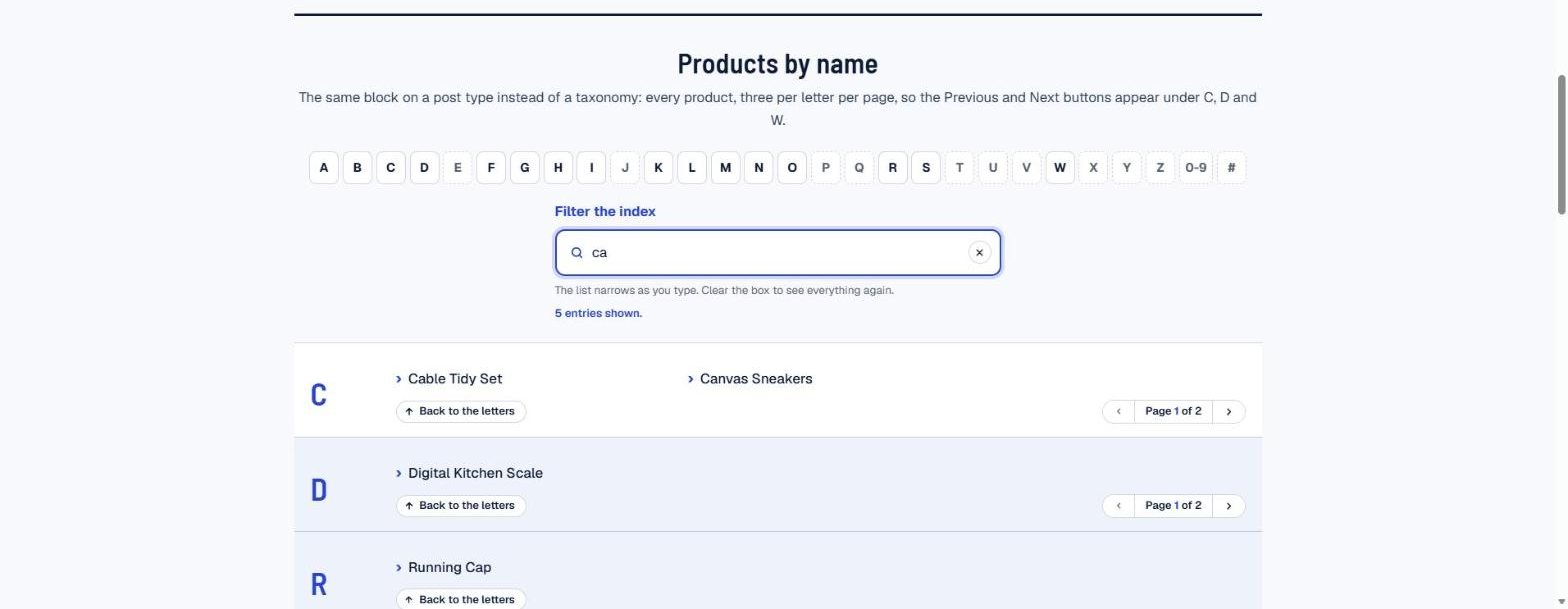
- Optional “type to filter” field with a live status message (“12 entries shown”).
- Visible focus on every control, 3:1 borders, works in Windows high contrast mode, honours reduced motion.
- Groups non-Latin scripts (Bengali, Hindi, Arabic, Japanese) by their own first letter, plus 0-9 and Other.
Three ways to use it
- Block: “A to Z Index”, with all options in the sidebar, including an intro paragraph (on by default, your own text or the built-in one).
- Settings > A to Z Index: columns on desktop (1 to 4, default 3; phones always one), entries per letter before Previous/Next paging (default 60), a safety cap for very large sources (default 5,000), the entry marker (chevron, dot, number or none), colour of the letter headings and filter title, colour of the entry text, optional odd and even row backgrounds. Every colour pair is checked for 4.5:1 contrast when you save; a failing pair is rejected with a clear error message.
- Shortcode:
[atoz_index taxonomy="category"]or[atoz_index source="posts" post_type="glossary" show_filter="1"]. - Legacy widget, for sites still on classic widgets.
Look
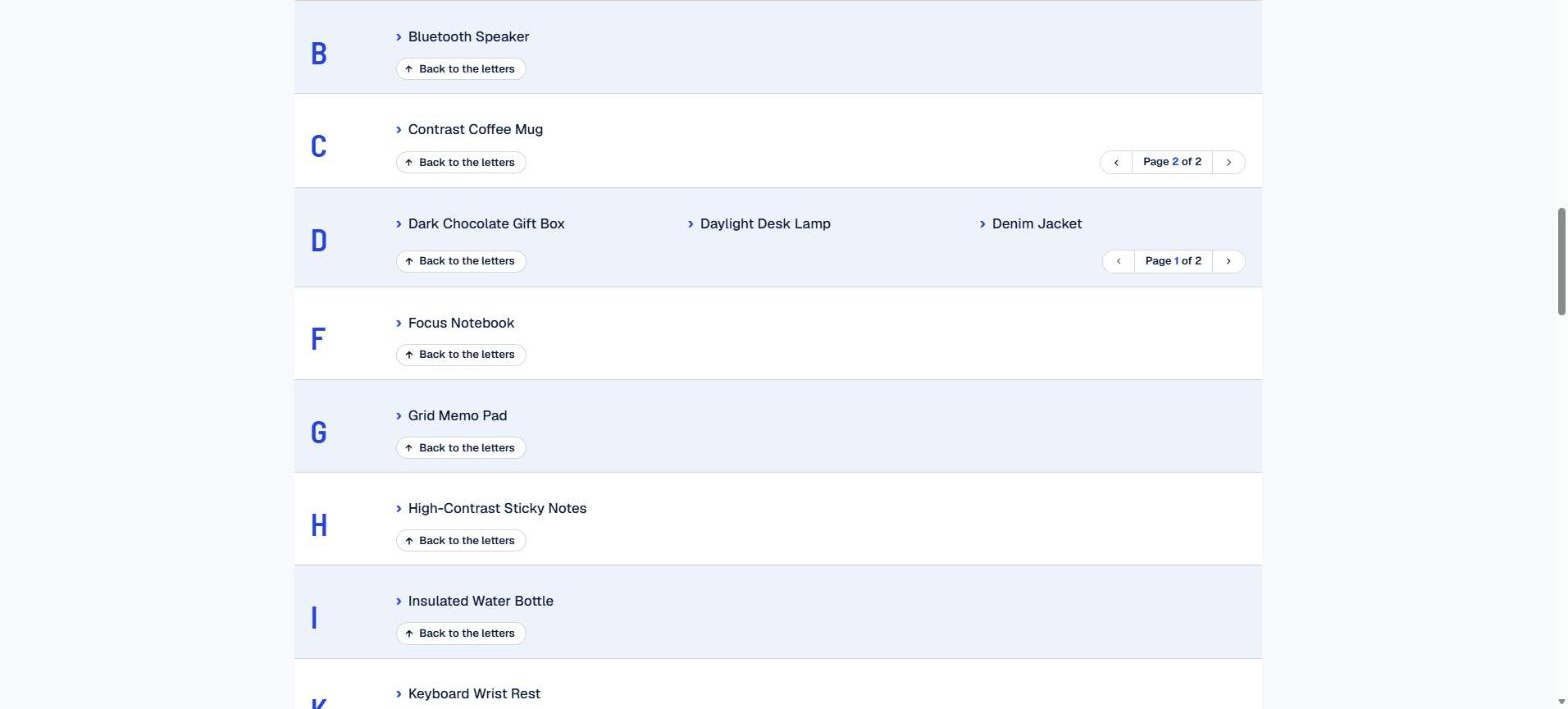
One clean row per letter: the letter at the left, entries in columns at the right (one column on phones). Colours follow your theme unless you set them in Settings.
Links
Privacy
This plugin collects no visitor data, sets no cookies, makes no external requests and adds no tracking. The index is built from your own content, and the optional live filter runs only in the visitor’s browser.
Limits
Built for taxonomies and post types up to a few thousand entries: categories, tags, brands, glossaries, directories. Letters with many entries page in the browser (60 per page by default). A source larger than the cap in Settings (5,000 by default) shows the first entries alphabetically with a note. For a catalogue of tens of thousands of products, index the product categories or brands rather than the products themselves.
Shortcode attributes
source (taxonomy or posts), `taxonomy`, `post_type`, `skip` (IDs to leave out), `show_intro` (1/0), `intro` (your own intro text), `hide_empty` (1/0), `show_counts` (1/0), `show_bar` (1/0), `show_filter` (1/0), `sticky_bar` (1/0), `heading_level` (2, 3 or 4), `label` (navigation name).
Screenshots

Blocks
This plugin provides 1 block.
- A to Z Index An accessible A to Z index of categories, tags, any taxonomy or any post type, with a letter navigation and a heading per letter.
Installation
- Install and activate the plugin.
- Add the “A to Z Index” block to any page, or use the
[atoz_index]shortcode. - Choose what to index and the heading level that follows the heading above it.
FAQ
-
Install and activate this plugin, then deactivate and delete the old one. The classic widget is kept under the same name, so an existing widget in a sidebar keeps working with its taxonomy and skip settings; the old settings page is no longer used. On block themes, add the “A to Z Index” block instead.
-
Does it work with block themes?
-
Yes. The block works in any block theme and in the Site Editor.
Reviews
There are no reviews for this plugin.
Contributors & Developers
“Ananyoo Accessible A to Z Index for Categories, Tags and Posts” is open source software. The following people have contributed to this plugin.
Contributors
Translate “Ananyoo Accessible A to Z Index for Categories, Tags and Posts” into your language.
Interested in development?
Browse the code, check out the SVN repository, or subscribe to the development log by RSS.
Changelog
2.3.5
- Readme: a live demo link at the top of the description, plus Links (plugin home, live demo, more plugins, support) and Privacy sections.
- Plugins screen: Live demo, Documentation and Support links under the plugin description. Plugin URI now points to the plugin’s own home page.
2.3.4
- Readme: description reworded to describe the features plainly, without absolute claims. No code changes.
2.3.3
- Very long unbroken entry names (for example a long place name) now wrap inside their column instead of overlapping the next column, including at 400 percent zoom.
2.3.2
- Filter box redesigned: search icon, left-aligned text, hint line, a clear button once there is text, and the “N entries shown” status now visible under the box as well as announced.
2.3.0
- Entries are no longer underlined; they turn the heading colour on hover and focus. New “Entry marker” setting: chevron (default), dot, number or none, drawn with CSS so screen readers read only the name.
2.2.2
- Single layout: letter at the left, entries in columns. The Columns and Cards options are removed; blocks that used them render the same as List.
2.2.1
- New WordPress.org listing under the slug ananyoo-accessible-a-to-z-index. Replaces the 2011 “A to Z Category Navigation Widget”; sites still on that plugin can install this one alongside it, add the new block, and remove the old plugin.
2.1.4
- Pagination inside each letter: Previous and Next buttons with “Page x of y”, announced to screen readers, focus stays put. Entries per letter is a setting (default 60, 0 turns it off). Filtering shows every match regardless of pages.
- Safety cap on very large sources (Settings, default 5,000) with a visible note, so a very large catalogue still gives a page of a manageable size.
2.0.6
- “Show intro text” option on the block and shortcode, on by default, with a centred paragraph you can replace with your own text.
2.0.2
- Odd and even rows keep their side padding on wide screens.
2.0.1
- Settings > A to Z Index: desktop columns, heading and text colours, odd and even row backgrounds, with a WCAG 4.5:1 contrast check that rejects a failing pair.
- Wide screens: each letter is a row with the letter at left and entries in columns. Letter bar and filter centred, bigger filter box.
- “Back to the letters” is a pill with an icon. Entries listed once per URL. Posts without a title get “(no title)”. Empty letters no longer carry aria-disabled. Letter groups are no longer region landmarks.
2.0.0
- Complete rebuild as an accessible block with shortcode and legacy widget. Any taxonomy or post type, letter navigation landmark, headings per letter, focus management, live filter, aria-current, non-Latin script grouping, high contrast and reduced motion support.
1.0
- First release (2011).