
Description
Lobbit 404 Monitor records every page of your site that answers 404 and tells you how visitors got there. A broken link on one of your pages needs a different fix than an old address still in Google: the plugin tells them apart and helps with both.
Where the 404 comes from
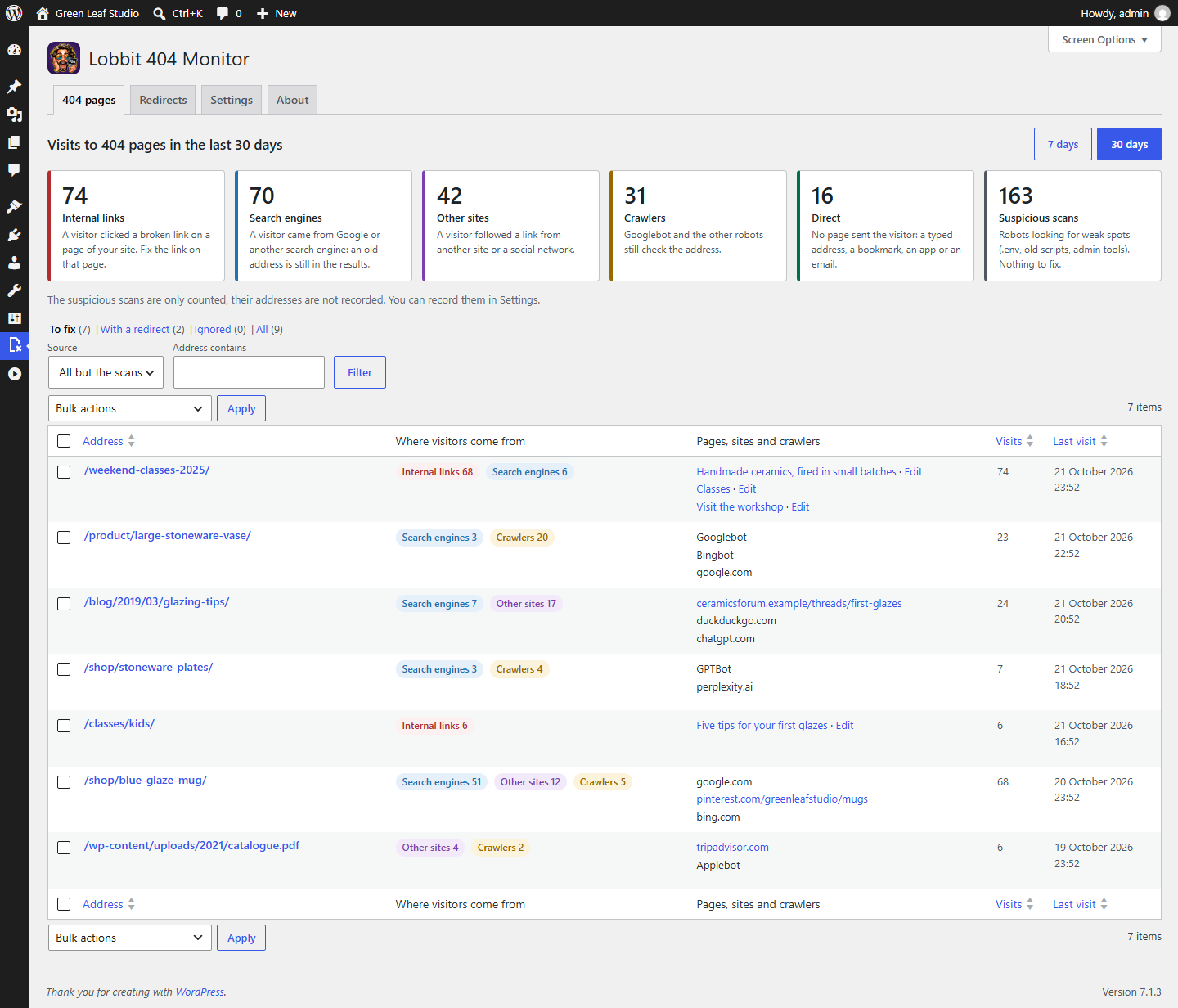
Every visit to a 404 page gets one of six sources:
- Internal links: the visitor clicked a broken link on a page of your site. The plugin names the page, with a link to edit it.
- Search engines: Google, Bing, DuckDuckGo, Yahoo, Ecosia and the other search engines, and AI assistants such as ChatGPT and Perplexity. An old address is still in their results.
- Other sites: a link from another site or a social network, with the address of the page that links to you.
- Crawlers: Googlebot, Bingbot and the other robots, by name.
- Direct: no page sent the visitor: a typed address, a bookmark, an app or an email.
- Suspicious scans: robots looking for weak spots (
.env,wp-config.phpbackups, old scripts, admin tools). Counted, but kept out of the list unless you ask for them, because there is nothing to fix.
Where the broken link is
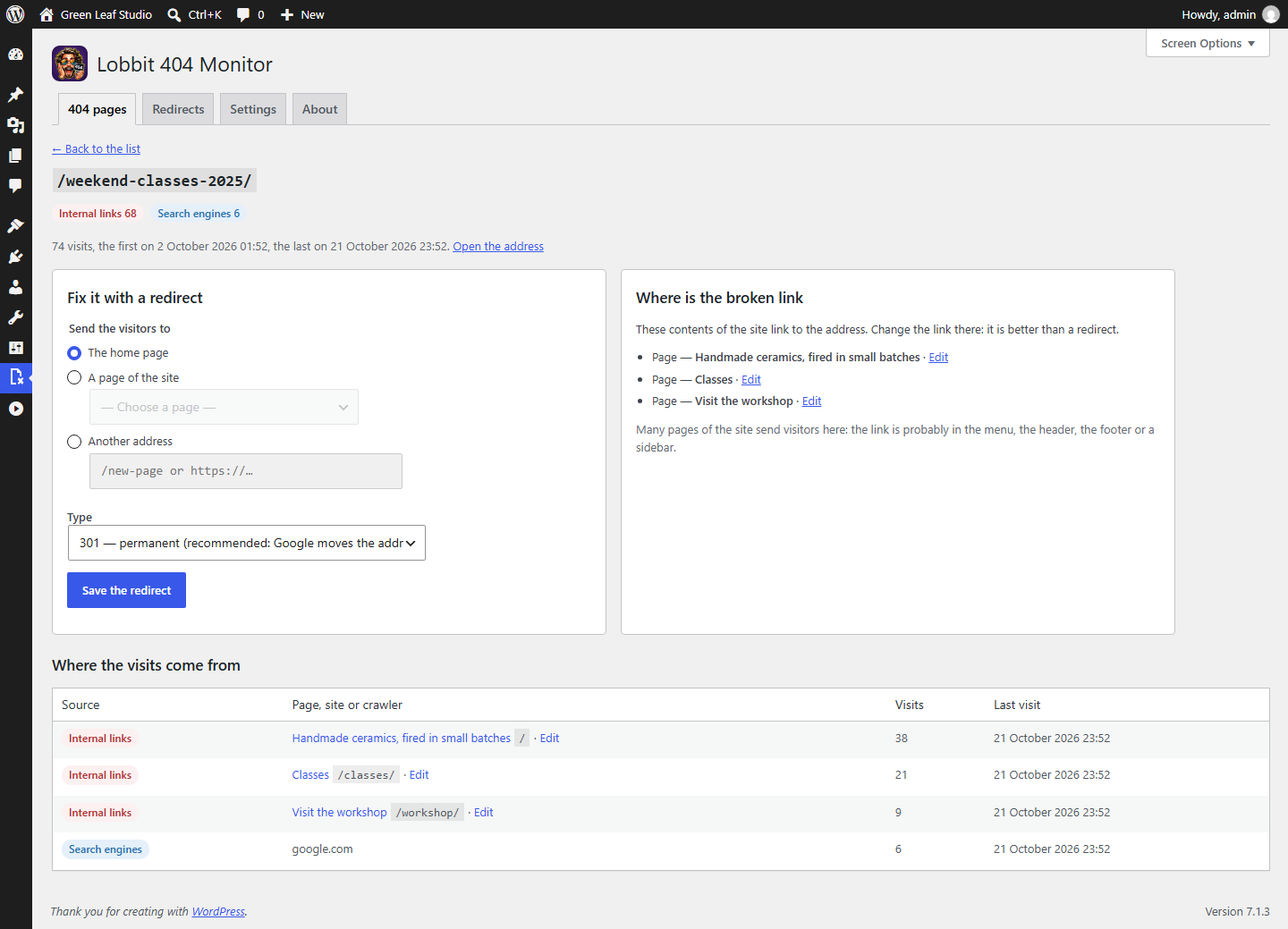
For each address the details list the pages of your site that sent visitors to it, and the plugin searches the content of the site for the link: posts, pages, menu items, navigation blocks, template parts and reusable blocks, each with its Edit link. When many pages send visitors to the same address, the plugin tells you the link is probably in the menu, the header, the footer or a sidebar.
Fix it with a redirect
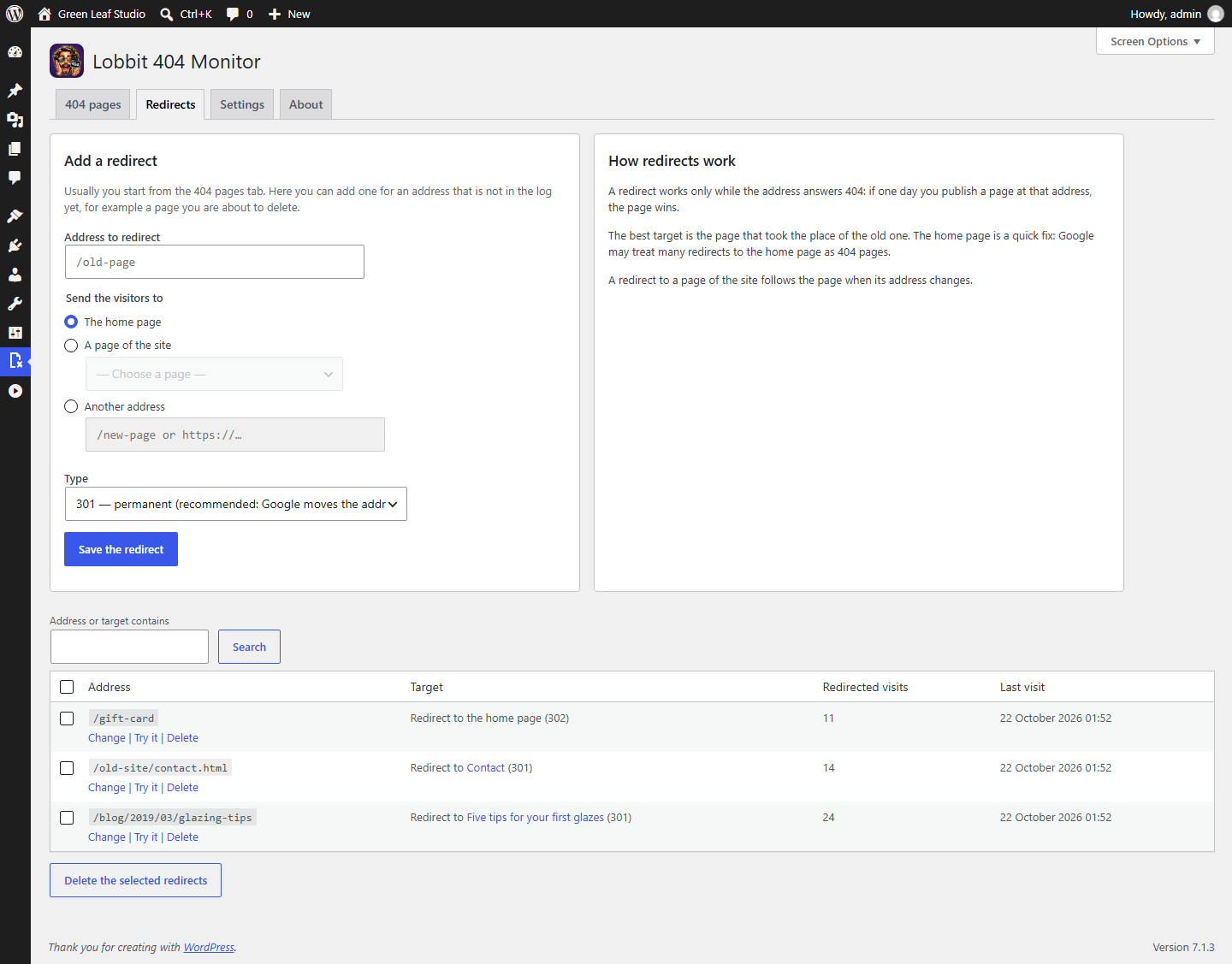
- One click: redirect to the home page, from the list or for many addresses at once.
- Or redirect to a page of the site, chosen from the list: the redirect follows the page when its address changes.
- Or to any other address, of the site or of another site.
- 301 (permanent) or 302 (temporary). Each redirect shows how many visits it has redirected.
- A redirect works only while the address answers 404: publish a page at that address and the page wins.
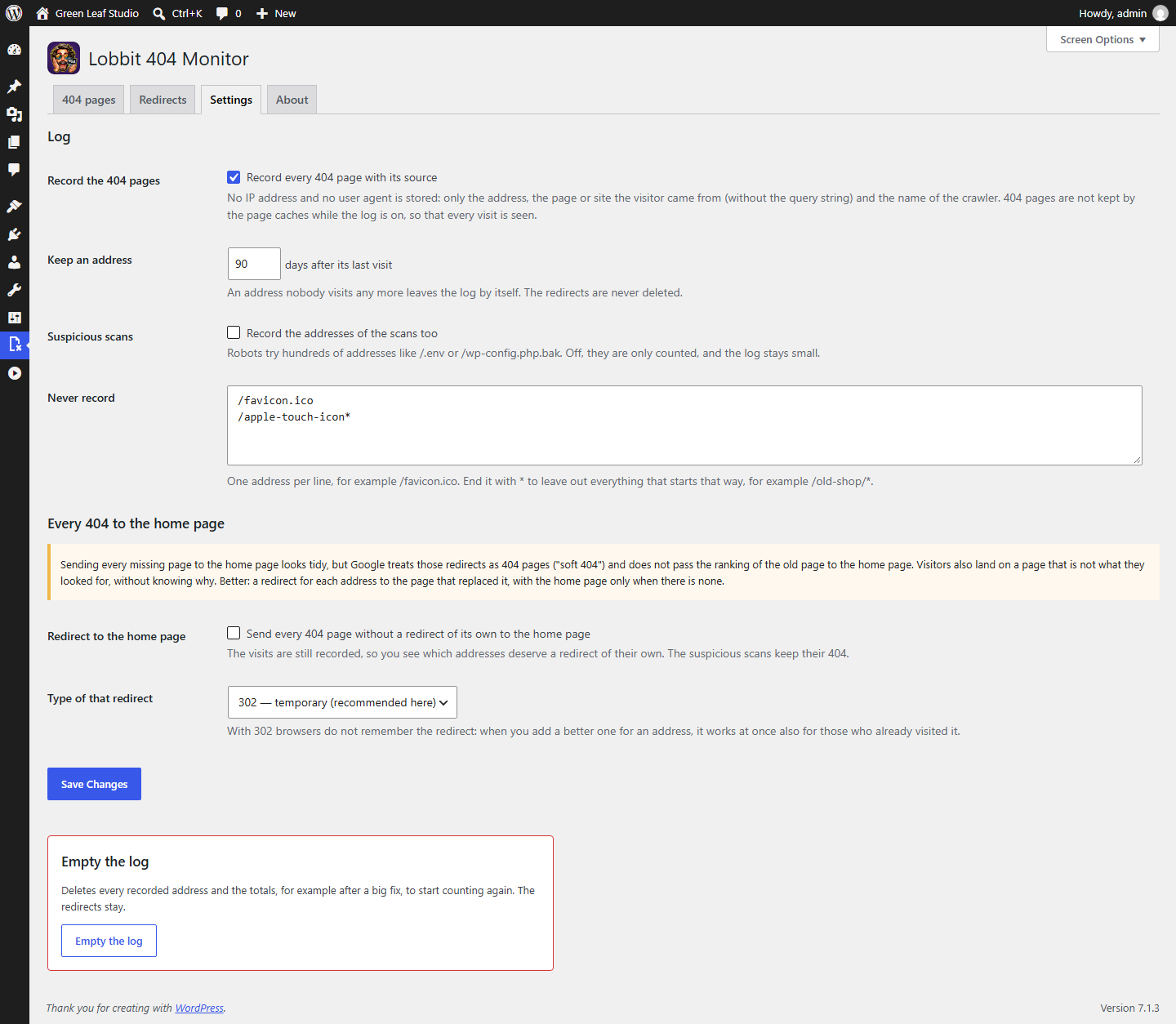
- Optional: send to the home page every 404 that has no redirect of its own. Off by default, with a warning: Google treats mass redirects to the home page as 404 pages (“soft 404”).
Light and private
- No IP address and no user agent is stored: only the address, the page or site the visitor came from (without the query string) and the name of the crawler.
- One row per address, not one per visit, and a daily total per source. Addresses not visited for 90 days (you choose) leave the log by themselves.
- While the log is on, 404 pages are not kept by the page caches (LiteSpeed Cache, WP Super Cache, WP Rocket and the others that follow
DONOTCACHEPAGE), so every visit is seen; when you save a redirect, the cached copy of that address is cleared. - Addresses you never want to record, like
/favicon.icoor a whole folder.
The interface is ready for translation; translations are delivered through translate.wordpress.org.
Screenshots
Installation
- In WordPress go to Plugins Add New, search for “Lobbit 404 Monitor”, install and activate. Or upload the zip from Plugins Add New Upload Plugin.
- Open the 404 Monitor menu. The log starts at once: the first 404 pages show up as soon as visitors and crawlers meet them.
FAQ
-
Should I redirect every 404 to the home page?
-
Better not. Google treats those redirects as 404 pages and does not pass the ranking of the old page to the home page, and visitors land on a page that is not the one they looked for. The best fix is a redirect to the page that replaced the old one; for a broken link of your own pages, fix the link. The switch is there for the cases where you want it anyway, and the visits keep being recorded.
-
How does the plugin know where the visitor comes from?
-
From the Referer header the browser sends, the address and the User-Agent header. Search engines usually send only their host (for example
https://www.google.com/), so the plugin knows the visitor came from Google but not what was searched. A browser or a site may also send no referer at all: those visits count as Direct. -
Are missing images and files recorded?
-
Only when WordPress answers for them. On most servers a missing file inside
wp-content/uploadsgets its 404 from the web server, without WordPress: those are not seen. -
Does a redirect work with a page cache?
-
Yes. The plugin asks the page caches not to keep 404 pages and clears the cached copy of an address when you save its redirect, for LiteSpeed Cache, WP Rocket and WP Super Cache. For another cache, hook its purge to the
lobbit_404_purge_urlaction, which receives the full address. -
My site answers on more than one domain.
-
Add the other hosts with the
lobbit_404_site_hostsfilter, so that the links from them count as internal. -
What happens when I delete the plugin?
-
Its tables (log and redirects), its settings and its scheduled cleanup are removed. Deactivating it keeps everything.
Reviews
There are no reviews for this plugin.
Contributors & Developers
“Lobbit 404 Monitor” is open source software. The following people have contributed to this plugin.
Contributors
Translate “Lobbit 404 Monitor” into your language.
Interested in development?
Browse the code, check out the SVN repository, or subscribe to the development log by RSS.
Changelog
1.0
- First release: log of the 404 pages by source (internal links, search engines, other sites, crawlers, direct, suspicious scans), details with the pages that link to each address, redirects to the home page, to a page or to any address, optional redirect of every 404 to the home page.