
Description
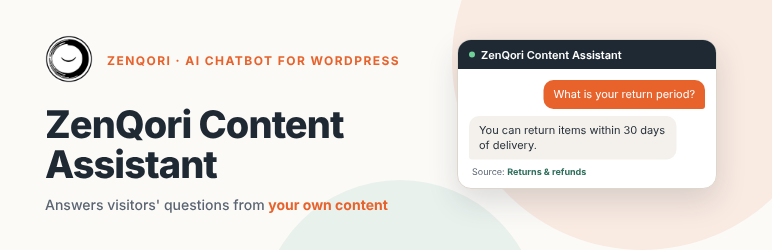
ZenQori Assistant Free adds a chat widget that answers visitors’ questions strictly from your own content: WooCommerce products (including variations and reviews), pages, posts and your own Q&A entries. Everything runs inside WordPress – no external automation server and no separate account except your OpenAI API key.
Two site types in one plugin: an online shop (WooCommerce) or a blog / website / knowledge base. Automatic mode picks the shop type when WooCommerce is active.
Features:
- Chat widget with streaming answers, quick-question buttons, custom title, welcome message, colour, position and icon.
- Built-in RAG pipeline: conversation memory, query rewriting and intent detection, exact SKU lookup, similarity threshold, LLM reranking, product comparison and recommendation handling.
- The knowledge base lives in your WordPress database – nothing else to set up.
- Automatic indexing of WooCommerce products, variations, reviews, pages, posts and custom Q&A entries (add your own answers, for example your terms and conditions, as “Knowledge base” entries). Instant background updates, an hourly reconciliation, a full re-index from the admin or WP-CLI (
wp zqpro reindex). - Blog mode: articles are split at headings, answers point to the right articles, and article cards (title, excerpt, thumbnail) are shown under answers. Unpublished and password-protected posts are never used.
- Basic analytics: conversations, messages, conversations per day and the most frequent questions.
- Abuse and cost protection: per-visitor limit, per-IP safety net, daily message cap, daily AI token budget, message length limit.
- The OpenAI key can live in wp-config.php (
ZQPRO_OPENAI_KEY).
ZenQori Assistant Pro
Pro adds Claude and other AI providers, the Pinecone vector index, knowledge from PDF/DOCX/TXT files, lead capture (contact form, e-mail, webhook), order status and add-to-cart buttons for WooCommerce, answer ratings, full analytics (unanswered questions, most used sources), multilingual (Polylang, WPML) and noindex support. Your settings and data carry over when you switch editions.
Requirements
- An OpenAI API key (answers and search embeddings are created with OpenAI).
- PHP 7.4 or newer. WooCommerce is optional.
External services
This plugin sends data to third-party services:
- OpenAI (https://openai.com) – the visitor’s message, recent conversation turns and relevant excerpts of your knowledge base are sent to generate answers; your product, page and post text is sent to create embeddings. Privacy policy: https://openai.com/policies/privacy-policy/ Terms: https://openai.com/policies/terms-of-use/
- Freemius (https://freemius.com) – licensing and update service. Nothing is sent until you opt in on the activation screen; if you do, your site address, WordPress, PHP and plugin versions and your admin e-mail and name are sent so the plugin can be updated and supported. You can skip the opt-in and the plugin works the same. Privacy policy: https://freemius.com/privacy/ Terms: https://freemius.com/terms/
- Optional address change – by default every request goes to https://api.openai.com/v1. A developer can point it elsewhere (for example to a proxy) with the
zqpro_openai_base_urlfilter; the data listed above is then sent to that address instead, chosen by the site owner. The Pro edition, which is a separate package, can connect to other AI providers and Pinecone; the connection code for those services is not part of this Free plugin, which never contacts them.
Conversations are stored in your WordPress database for the retention period set in the plugin settings (default 30 days). A random session identifier is stored in the visitor’s browser local storage.
ZenQori does not receive any chat messages or store content. The site owner is responsible for informing visitors (privacy policy) and for choosing a lawful basis.
This plugin is an independent integration and is not affiliated with OpenAI.
Bundled libraries
- Freemius SDK (https://github.com/Freemius/wordpress-sdk), GPLv3, in vendor/freemius/ – licensing and updates.
Installation
- Upload the plugin folder to
/wp-content/plugins/or install the ZIP via Plugins > Add New > Upload. - Activate “ZenQori Content Assistant”.
- Open ZenQori Assistant > Settings, enter your OpenAI key and save.
- Open ZenQori Assistant > Indexing and run “Start full re-index” (or
wp zqpro reindex). - Back on Settings enable the chatbot.
Reviews
There are no reviews for this plugin.
Contributors & Developers
“ZenQori Content Assistant” is open source software. The following people have contributed to this plugin.
Contributors
“ZenQori Content Assistant” has been translated into 1 locale. Thank you to the translators for their contributions.
Translate “ZenQori Content Assistant” into your language.
Interested in development?
Browse the code, check out the SVN repository, or subscribe to the development log by RSS.
Changelog
3.16.3
- Fixed: the chat input row could be cut off at the bottom of the widget on themes that restyle textareas and buttons globally.
3.16.2
- Changed: plugin name no longer contains the word “Free”.
- Fixed: admin styles are loaded with wp_enqueue_style instead of inline style tags; launcher icon markup is sanitised with wp_kses; the extra attributes of settings fields are escaped.
- Changed: the readme documents every external service, including the optional address filter.
3.16.1
- Changed: no language files are bundled any more; translations are delivered by translate.wordpress.org. The interface is fully translatable (text domain zenqori-assistant).
3.15.3
- Added (Pro package): the Pro features need a valid licence. Without one the plugin works like the free edition and keeps your Pro settings; they come back as soon as a licence is activated. An expired licence keeps the features working (only updates and support stop).
3.15.2
- Changed: the Pro package header name is “ZenQori Assistant – AI Chatbot for Support & Sales” and Freemius adds the “(Pro)” suffix (no double “Pro” in the plugin list).
3.15.1
- Changed: data cleanup on uninstall now runs through the Freemius after_uninstall hook (no uninstall.php file). Same data is removed as before.
3.15.0
- Added: Freemius licensing and updates (Pro: licence activation and automatic updates for one year; Free: optional opt-in and upgrade page). The plugin works the same without opt-in.
- Changed: Pro features keep working after the licence expires; only updates and support stop.
3.14.3
- Fixed: Plugin Check warnings about WooCommerce core hook names in the add-to-cart quantity code (Pro).
3.14.2
- Fixed: Plugin Check warning about load_plugin_textdomain() in the WordPress.org (Free) package – WordPress loads translations itself there.
3.14.1
- Changed: final product names – “ZenQori Assistant – AI Chatbot for Support and Sales” and “ZenQori Assistant Pro – AI Chatbot for Support & Sales”; folder/slug zenqori-assistant. Settings and data are unchanged.
3.14.0
- Changed: editions are now called Free and Pro (previously PRO and PRO Plus). Settings and data are unchanged.
- Fixed: readable (unminified) widget stylesheet, translators comment.
3.13.5
- Reply language: a Polish question is always answered in Polish, even when it contains English product names or codes.
3.13.4
- Settings: the test button is now simply “Test connections” with a note that it only checks saved settings.
3.13.3
- Settings: numeric fields (limits, budgets) are plain text boxes you can type into; no more tiny spinner boxes.
3.13.2
- Settings: tick “Remove the saved key” next to an API key to delete it (e.g. after switching provider).
3.13.1
- Connection test explains provider problems in plain language (model not available, key rejected, no credit, rate limit) as a warning instead of a raw error.
- Google Gemini preset: fast model is now gemini-3.5-flash-lite (2.5 lite is closed to new accounts).
3.13.0
- When the assistant cannot answer (provider error, exhausted quota or budget, network), the chat now shows a short apology and the contact form instead of a dead-end error (only when lead collection is on; works without any API key).
3.12.3
- Product cards: sale products show only the current price (no hidden “original price was” text).
- The chat shows the server’s message when the message limit is reached instead of a generic error.
- Numbered lists keep their numbers; availability words are translated into the customer’s language; the question language is detected from the current question only; generic “what do you recommend” stays generic.
3.12.2
- The assistant now always replies in the language of the customer’s question (the question language is detected and stated explicitly to the model), even when the product data is in another language.
3.12.1
- Product cards with “Add to cart” now appear only when the customer wants to buy (setting: Show cards – only when buying / always).
- Fixed the chat window being cut off at the bottom (input hidden) when the Contact / Order status toolbar is shown.
3.12.0
- Contact us / Order status buttons now sit in their own toolbar row under the header.
- The conversation is kept when the visitor moves to another page (per browser tab).
- Products on backorder are indexed and shown as “on backorder”, not as in stock. Re-index products after updating.
- Better answers to generic requests such as “recommend a product”; the assistant no longer mentions its “knowledge base”.
- Added Polish (pl_PL) translation of the chat interface.
3.11.1
- Fixed: opening one form in the chat closes the other one.
3.11.0
- Renamed to “ZenQori AI Chatbot PRO” (the extended edition is “PRO Plus”).
3.10.0
- First release (shares its code base and settings with the PRO Plus edition).