
Description
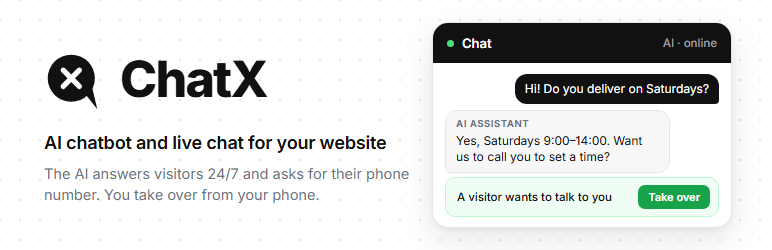
ChatX puts a chat on your WordPress site where an AI assistant answers visitors first, day and night, using the information from your own site. When a conversation needs a person, you get a notification on your phone and can take over with one tap.
ChatX is built for small businesses that do not have someone sitting at a computer all day: tradespeople, transport companies, clinics, shops, service providers.
What you get
- An AI assistant trained on your site, configured by the ChatX team for you.
- Answers in Romanian, English and the visitor’s language.
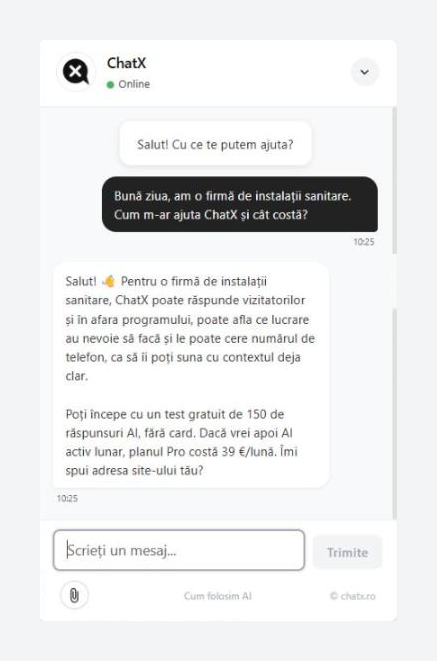
- The AI says openly that it is an AI and asks for a phone number when the visitor is ready.
- A mobile app (PWA) for you and your colleagues: notifications, take over a conversation, send photos and files.
- No page builder, no dashboard to learn. You paste one ID and the chat appears.
How it works
- Ask for a free test on chatx.ro. We read your site and prepare the AI, usually in 1 to 3 days.
- You receive your site ID.
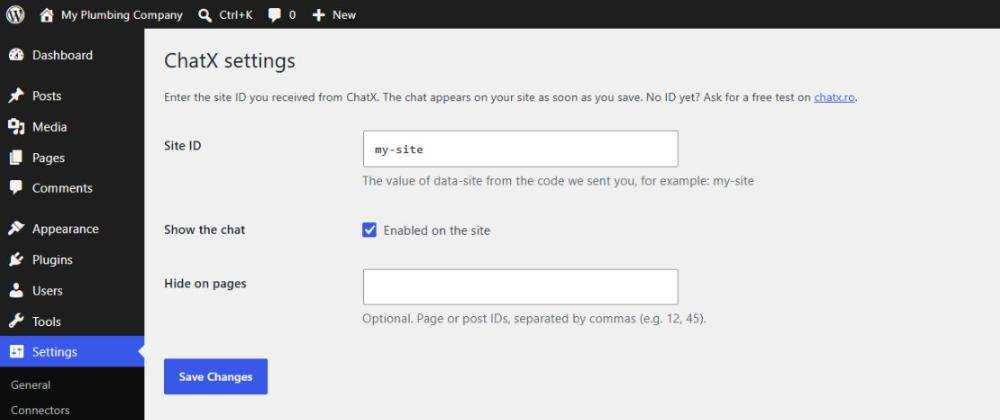
- Install this plugin, go to Settings ChatX, paste the ID and save.
The plugin only adds the chat script to your pages. All AI settings are made by the ChatX team, so there is nothing to configure here besides the ID.
Plans
Free test, then paid plans from 39 € per month. Details on chatx.ro.
External services
This plugin connects your site to the ChatX service, which provides the chat window and the AI answers. Without it the plugin does nothing.
On every page where the chat is shown, the visitor’s browser loads the script https://api.chatx.ro/widget/chat-widget.min.js and then talks to https://api.chatx.ro.
What is sent and when:
- When a page loads: the page address, the referring page and the browser user agent, so the visit can be counted. No cookie is set at this point. The visit is counted with an anonymous key that changes every day (derived from the site, the IP address and the user agent), so the same visitor cannot be recognised on another day.
- When the visitor sends the first message: a random visitor ID is stored in the first-party cookie
cx_vid(12 months), so a returning visitor sees their previous conversation. Opening the chat window without writing does not set it. - While the tab is open, the chat keeps two small values in sessionStorage (
cx_open,cx_trigger_shown) to remember whether the window was open and whether the chat invitation was already shown. They are deleted when the tab is closed. - When the visitor writes: the messages, and any photos or files they choose to attach.
- Messages are processed on ChatX servers in the European Union (Germany) and sent to an AI provider (OpenAI or Anthropic) to generate the answers.
Nothing is sent from your WordPress admin. The plugin stores only your settings (site ID, on/off, excluded pages) in your WordPress database.
The service is provided by ChatX: Terms, Privacy policy, Cookies, Data processing agreement.
If your site uses a cookie consent tool, you can delay the chat until consent with the chatx_should_load filter.
Screenshots
Installation
- In WordPress go to Plugins Add New, search for “ChatX”, then Install and Activate.
- Go to Settings ChatX.
- Paste the site ID you received from ChatX and click Save.
No ID yet? Ask for a free test on chatx.ro.
FAQ
-
Where do I get the site ID?
-
From the ChatX team, after you ask for the free test on chatx.ro. It is the value of
data-sitefrom the code we send you. -
Remove it from there before activating this plugin, otherwise the chat loads twice.
-
I saved the ID but the chat does not appear.
-
The chat only works on the domain registered for your ID. If you test on a staging or local copy of your site, ask us to add that address too.
-
Can I hide the chat on some pages?
-
Yes. In Settings ChatX, enter the page or post IDs separated by commas. Developers can also use the
chatx_should_loadfilter. -
Does it slow down my site?
-
The script loads with
defer, after the page content, and does not block rendering. It does not load external fonts or tracking libraries. -
Does it work with caching plugins?
-
Yes. The chat runs entirely in the visitor’s browser, so cached pages work normally.
-
Where is the data stored?
-
On ChatX servers in Germany (EU). See the External services section above.
Reviews
There are no reviews for this plugin.
Contributors & Developers
“ChatX” is open source software. The following people have contributed to this plugin.
Contributors
Translate “ChatX” into your language.
Interested in development?
Browse the code, check out the SVN repository, or subscribe to the development log by RSS.
Changelog
1.0.1
- Readme: the External services section now describes when the
cx_vidcookie is set (only after the visitor’s first message) and how visits are counted without a cookie.
1.0.0
- First release.