
Description
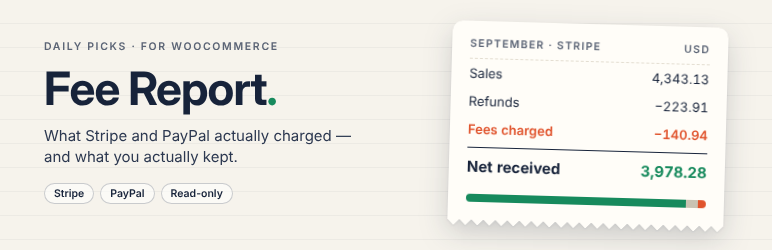
WooCommerce shows what customers paid. It does not show what Stripe and PayPal kept. This plugin does — using the exact amounts the official payment plugins saved on each order, not an estimate.
What you get
- A monthly report of sales, refunds, fees, net received, order count and fee rate, for Stripe and PayPal separately.
- Currencies kept apart. Stripe settles in your balance currency, which can differ from the order currency; each combination gets its own row. Nothing is converted.
- Net after refunds, done right. Stripe adds each refund to the order’s running totals while PayPal re-sums all refunds every time; both are handled so a refund is never subtracted twice.
- PayPal refunds use PayPal’s own numbers: net is the captured net minus the refunded net. The PayPal fee on refunds is shown on its own line for reference and is not used in any total.
- Orders that cannot be trusted are shown, not hidden. Orders whose fee has not been saved yet (unsettled payments, delayed payment methods, older orders) are listed instead of being counted as zero. Orders whose saved numbers do not add up — for example a Stripe charge whose fee was saved twice — are listed with the reason and kept out of the totals.
- Fee and Net columns in the WooCommerce order list.
- Monthly and per-order CSV files that open cleanly in Excel.
- Works with High-Performance Order Storage (HPOS) and with the classic posts storage.
Read-only by design
The plugin only reads what the payment plugins already saved. It never calls Stripe or PayPal, never asks for API keys, and never writes to your orders. (The Stripe plugin’s own helper silently rewrites old meta keys when it reads them; this plugin reads the values directly so that nothing changes.)
Supported payment plugins
- WooCommerce Stripe Payment Gateway (all Stripe payment methods)
- WooCommerce PayPal Payments
Square, Mollie and WooPayments are not included. WooPayments has its own fee report.
Add-on
A paid add-on reconciles Stripe payouts: for each payout it lists the orders, refunds, fees and adjustments it contains and shows any difference from WooCommerce. It also exports accounting CSVs for Xero and QuickBooks. About the add-on
Installation
- Install and activate the plugin. WooCommerce must be active.
- Open WooCommerce Fee Report.
There is nothing to set up.
FAQ
-
Where do the numbers come from?
-
From the order meta written by the official plugins:
_stripe_fee,_stripe_netand_stripe_currencyfor Stripe, and_ppcp_paypal_feesand_ppcp_paypal_refund_feesfor PayPal Payments. -
Why is an order listed as “No fee data”?
-
The payment plugin has not saved a fee for it yet. This is normal for payments that settle later (some bank-based methods), for subscription renewals before the charge succeeds, and for orders older than the payment plugin’s fee feature. These orders are not counted as zero.
-
Why is an order listed as “Does not add up”?
-
When the fee is saved in the order currency, the plugin checks that the saved fee plus the saved net equals the order total minus refunds (PayPal: that PayPal’s captured and refunded amounts match the order). If they don’t, the order is listed with the reason so you can look at it, and its numbers are left out of the totals.
-
Which month does a refund belong to?
-
The month of the original order. The payment plugins store fee and net per order, so a later refund updates that order.
-
Which orders are included?
-
Orders with the status Processing, Completed or Refunded, by paid date in your site’s time zone. Developers can change the statuses with the
dpfr_report_statusesfilter. -
Does it slow down my store?
-
No. It only runs when you open the report or the order list in the admin. Reports are calculated with a few database queries and cached for 10 minutes; use “Recalculate” to refresh. In testing, 12,000 orders took about two seconds to calculate.
Reviews
There are no reviews for this plugin.
Contributors & Developers
“Daily Picks Fee Report for WooCommerce” is open source software. The following people have contributed to this plugin.
Contributors
Translate “Daily Picks Fee Report for WooCommerce” into your language.
Interested in development?
Browse the code, check out the SVN repository, or subscribe to the development log by RSS.
Changelog
1.0.1
- CSV downloads: any text cell starting with = + – @ is now written as text, so a spreadsheet cannot run it as a formula.
- Removed the bundled translation files; translations come from translate.wordpress.org.
1.0.0
- First release.