
Description
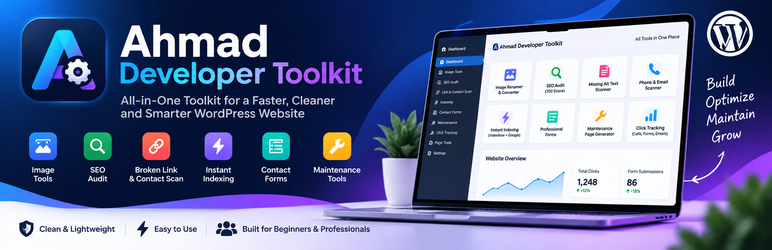
Ahmad Developer Toolkit brings practical agency, SEO, media, lead-generation, and developer utilities into one WordPress dashboard. All included tools are available without a license key, paid upgrade, trial, remote unlock, or private update server.
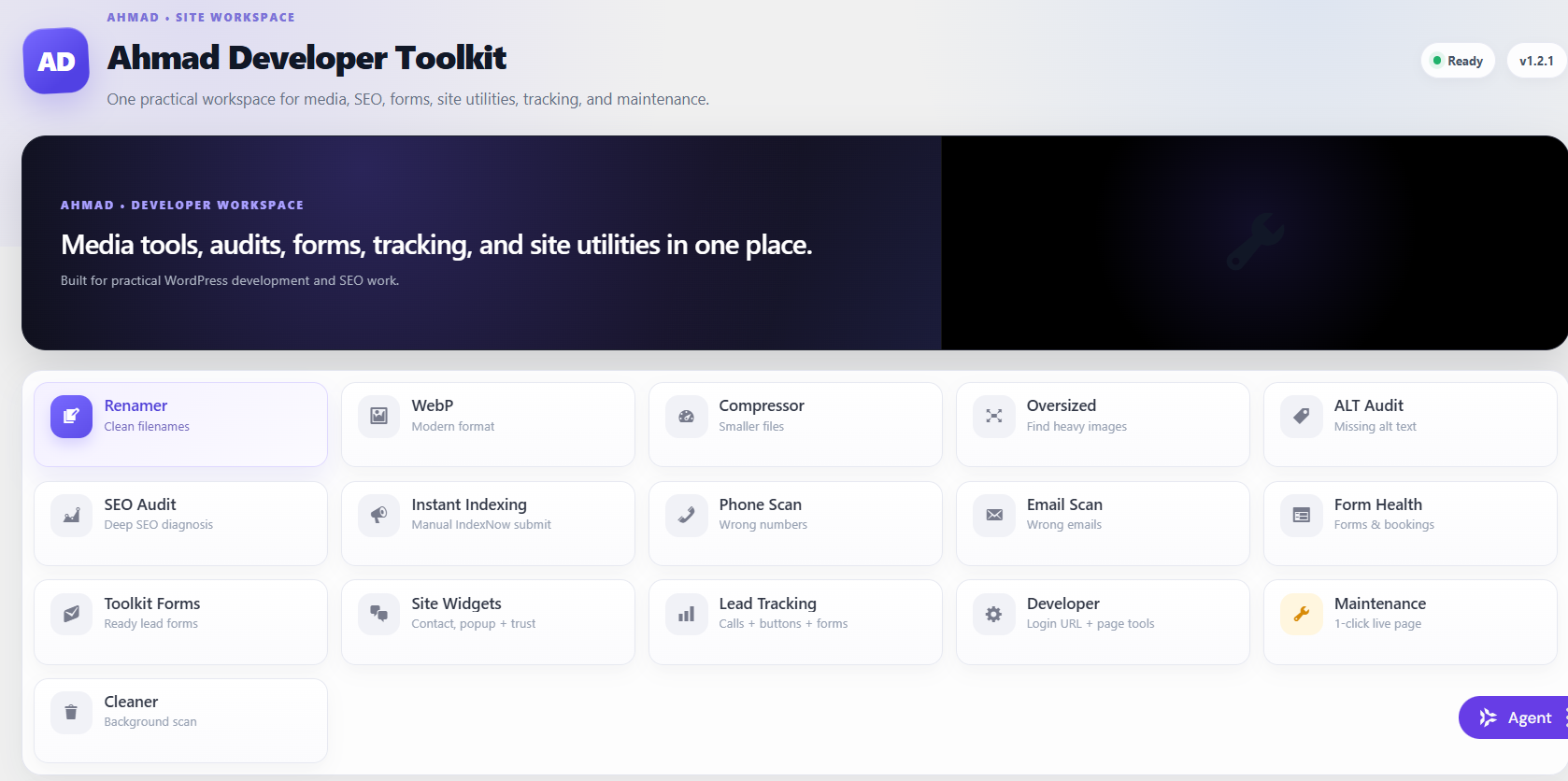
Media Tools
- Image filename renaming and bulk renaming.
- JPG/PNG to WebP conversion.
- Same-format image compression with backup support.
- Oversized image detection for large original uploads.
- Missing ALT text scanning with inline updates.
- Background unused-image scanning.
- Quarantine-first unused media cleanup with restore and permanent-delete controls.
SEO & Indexing
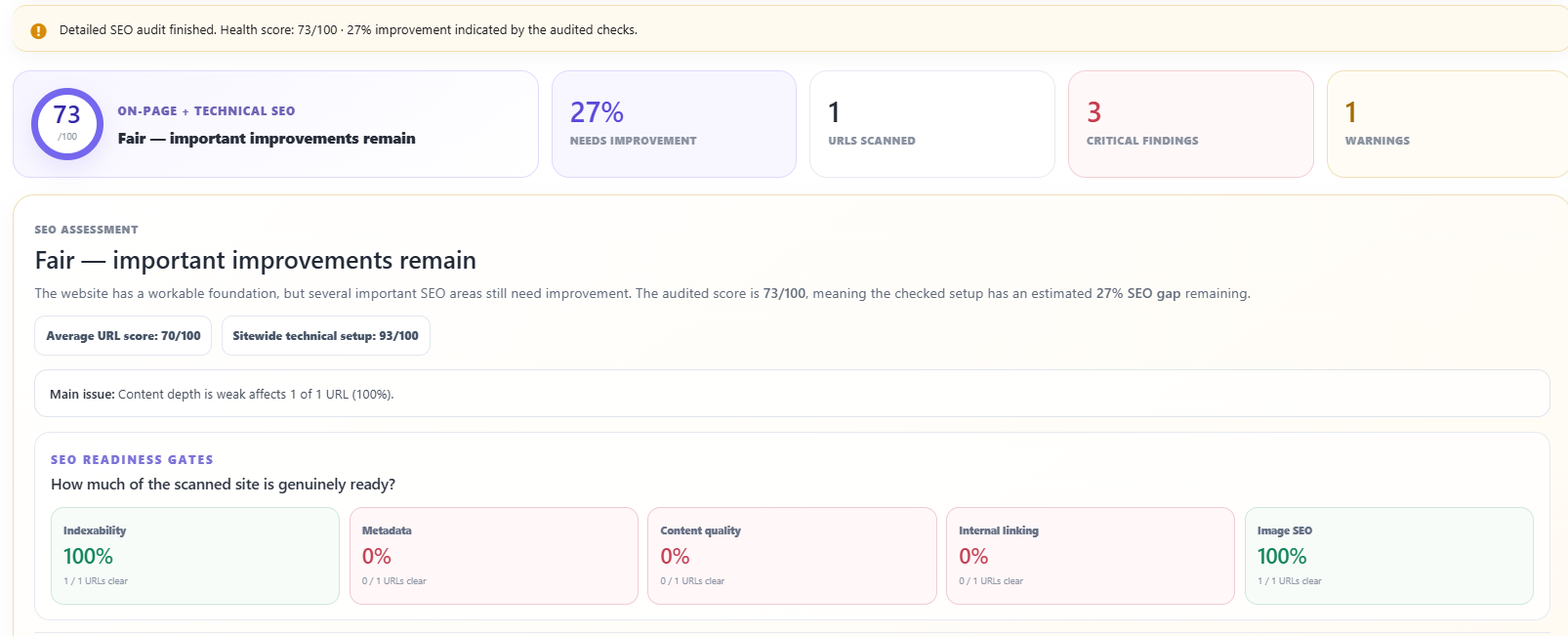
- Advanced on-page and technical SEO audit.
- Strict earned-points scoring instead of a generous subtractive score.
- SEO category breakdowns and page-level scores.
- SEO scan history with previous-vs-current comparisons.
- New, fixed, remaining, and regressed issue tracking.
- Duplicate and near-duplicate content checks.
- Heading, metadata, canonical, indexability, internal-link, image, schema, social, robots.txt, and sitemap checks.
- Manual page-by-page IndexNow submission.
- Local IndexNow request history and first-confirmed-indexed timing records.
- Page indexability checker with HTTP status, canonical, and noindex checks.
Email Delivery
- Optional built-in SMTP Mailer for standard SMTP servers.
- Configurable From Email and From Name with optional force settings.
- None, SSL, and TLS encryption options with configurable port and Auto TLS.
- SMTP authentication with encrypted local password storage.
- Optional
AHMAD_TOOLKIT_SMTP_PASSWORDwp-config.php constant for environment-managed credentials. - Real test-email tool with mailer error reporting for administrators.
Content, Contact & Form QA
- Phone number consistency scanner across rendered public pages.
- Email address consistency scanner.
- Form and booking health checks for common WordPress form systems.
- Safe same-site form testing where automatic submission is appropriate.
- Ten ready-made Toolkit lead forms using WordPress
wp_mail(). - Universal custom HTML form connector using
data-ahmad-form="1"for same-site lead/contact forms. - Local form-entry inbox and email delivery handoff status.
- MetForm successful-submission tracking support.
Site Widgets & Conversion Tools
- Floating contact widget with phone, SMS, WhatsApp, Facebook Messenger, email, maps, Instagram, and form actions.
- Announcement bar generator.
- Popup builder with message/CTA and form modes, delay, scroll, exit intent, frequency, theme, and position controls.
- Trust Badge Builder with configurable icons, text, layouts, colors, and shortcode output.
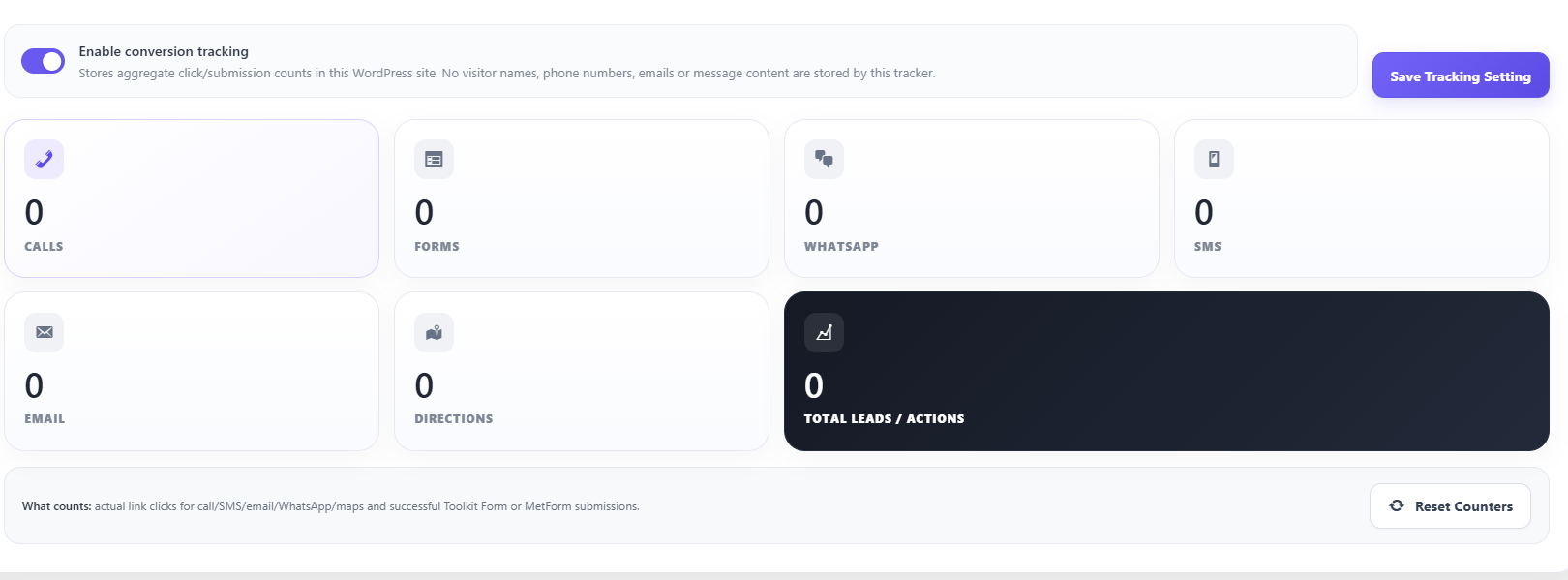
- Local aggregate conversion tracking for calls, forms, WhatsApp, SMS, email, and directions.
Developer & Site Management Tools
- Page Notes column, modal, and editor meta box.
- Duplicate Page utility that copies page content, featured image, template, Elementor/page metadata, and custom fields into a Draft.
- Login URL Customizer with optional default
wp-login.phpblocking. - Maintenance and hosting-expired notice generator.
- Ten ready-made maintenance/hosting notice templates.
- Elementor cache clearing after supported media-reference operations.
Manual IndexNow
The IndexNow tool is intentionally page-by-page. Nothing is submitted automatically. An administrator chooses a published URL and clicks the IndexNow action or submits the URL from the plugin screen.
The plugin records the request time and IndexNow response locally. IndexNow acceptance is not presented as proof that Google or another search engine has indexed the URL. An administrator can record the first confirmed indexed time after checking the search engine, allowing the plugin to calculate how long confirmation took.
External Services
Administrator-configured SMTP server
When an administrator enables SMTP Mailer, outgoing WordPress email is sent directly to the SMTP server configured by that administrator. The data sent to that server can include recipient addresses, sender details, message subjects, message bodies, and attachments supplied to WordPress wp_mail() by this plugin, WordPress core, or another plugin.
The SMTP server and provider are chosen by the site administrator. Ahmad Developer Toolkit does not proxy SMTP traffic through the developer and does not send SMTP credentials to the developer. SMTP credentials are stored locally on the WordPress site; the password is encrypted before database storage unless the administrator supplies it through the AHMAD_TOOLKIT_SMTP_PASSWORD configuration constant.
IndexNow
When an administrator explicitly uses the IndexNow feature, this plugin sends the selected URL, the website host, an automatically generated IndexNow key, and the key-location URL to the IndexNow API at https://api.indexnow.org/indexnow.
This request is required to provide the IndexNow submission feature. No IndexNow request is sent merely because the plugin is installed or activated.
IndexNow documentation: https://www.indexnow.org/documentation
IndexNow privacy information: https://www.indexnow.org/privacy
The plugin does not send analytics, feature-usage telemetry, license data, or website content to the developer.
Privacy
Toolkit Forms can store submitted form information locally on the WordPress website as private entries. Depending on the form, this can include names, email addresses, phone numbers, service selections, and messages.
The plugin also stores local administrator notes, SEO scan history, IndexNow submission history, popup/widget settings, aggregate conversion counters, and optional SMTP settings. SMTP passwords saved through the plugin interface are encrypted before database storage. These records remain in the site’s WordPress database unless an administrator removes them.
Conversion tracking stores aggregate event totals locally. It does not store visitor names, phone numbers, email addresses, or message content as part of the tracking counters.
The plugin adds suggested text to WordPress’s Privacy Policy Guide.
Important Safety Notes
No automated WordPress media scanner can guarantee detection of every possible media reference. Keep a full site backup before bulk media operations and use the reversible quarantine workflow before permanent deletion.
The form-health test intentionally avoids automated submission for booking, payment, CAPTCHA, file-upload, and external-action forms.
The Login URL Customizer changes authentication routing. Test the custom login URL in a private/incognito window before enabling the option to hide direct wp-login.php access. Deactivating the plugin restores normal WordPress login routing.
Screenshots

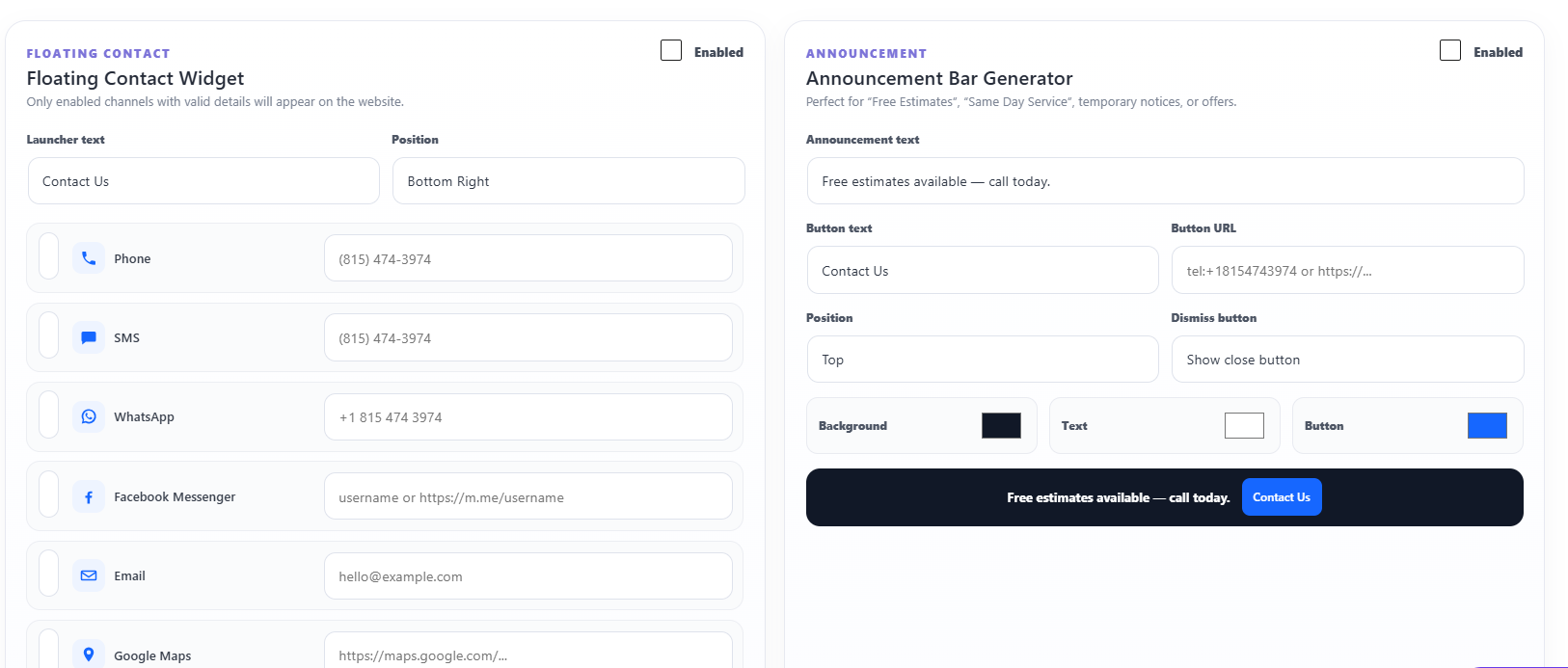
Installation
- Upload the plugin through Plugins > Add New > Upload Plugin, or install it from the WordPress.org Plugin Directory when available.
- Activate Ahmad Developer Toolkit.
- Open Ahmad Developer Toolkit in wp-admin.
- Review backup and safety notes before performing bulk media operations.
- For IndexNow, submit only the specific published URL you want to notify.
FAQ
-
Does the plugin require a license key?
-
No. Every tool included in this WordPress.org package is available without a license key.
-
Is there a paid or locked feature inside this plugin?
-
No. This package does not include remotely locked functionality, a trial mode, a private updater, or an upgrade requirement.
-
Does the plugin send usage telemetry to the developer?
-
No.
-
Does IndexNow guarantee Google indexing?
-
No. IndexNow notifies participating search engines that a URL was added, updated, or removed. Acceptance of an IndexNow request is not a guarantee that a search engine will crawl or index the page.
-
Can the plugin automatically know the exact second Google indexed a URL?
-
No. The free IndexNow protocol does not provide an authoritative Google index-entry timestamp. The plugin records the submission time and lets an administrator save the first time indexing was confirmed.
-
Does the unused-image scanner guarantee that an image is unused?
-
No. WordPress sites can reference media from custom tables, external systems, generated code, CDNs, or plugin-specific storage. Use quarantine first, keep a backup, and test before permanent deletion.
-
Do the included forms require a separate SMTP account?
-
No. They use WordPress
wp_mail(). If the website already has a working mail transport it is reused. Otherwise, an administrator can optionally configure the built-in SMTP Mailer with credentials from the site’s email or hosting provider. Use only one SMTP transport at a time.
Reviews
There are no reviews for this plugin.
Contributors & Developers
“Ahmad Developer Toolkit” is open source software. The following people have contributed to this plugin.
Contributors
Translate “Ahmad Developer Toolkit” into your language.
Interested in development?
Browse the code, check out the SVN repository, or subscribe to the development log by RSS.
Changelog
1.3.7
- Removed the private SMTP sender and connection preset.
- SMTP, email logging, and open tracking are disabled by default.
- Site administrators can configure their own SMTP host, port, encryption, sender, username, and password.
- Legacy private SMTP settings are inactive until an administrator configures the public settings.
1.3.6
- Fixed undefined array key warnings for Header Code and Footer Code on fresh activation/upgrades.
- Hardened the saved SMTP password fallback for installations where no password has been stored yet.
1.3.5
- Internal anti-spam/helper fields are no longer included in lead emails.
- Empty form fields are omitted so emails contain only submitted customer information.
1.3.4
- Added a universal custom HTML form connector. Add
data-ahmad-form="1"to a same-site form and named standard fields are sent through Toolkit Forms and SMTP. - Custom HTML form submissions are saved in the Lead Inbox, use the professional HTML email template, update conversion tracking, and appear in SMTP/email logs.
- Added form-title, subject, success-message, reset behavior, and custom field-label attributes plus a copy-ready example inside Toolkit Forms.
- Added client-side and server-side safeguards that refuse password, payment/security, and file-upload fields.
1.3.3
- Added SMTP connection settings.
- Added an administrator-only Header / Footer Code tool for trusted HTML, CSS, JavaScript, analytics and verification snippets.
1.3.2
- Added an SMTP delivery dashboard with weekly sent/failed metrics and a seven-day overview chart.
- Added a local email log for sent and failed WordPress email.
- Added optional HTML email open tracking with local-only open counts/timestamps.
- Added primary SMTP connection status and a clear-log control.
- Removed the Ahmad Toolkit Forms footer sentence from lead notification emails.
1.3.1
- Added a professional responsive HTML email template for Toolkit Forms submissions.
- Lead emails now include source information, formatted lead fields, clickable email/phone values, and a reply button when an email is provided.
- Updated Toolkit Forms test email to preview the HTML email design.
1.3.0
- Added a built-in Other SMTP mailer with From Email/Name controls, TLS/SSL/None encryption, port, Auto TLS, authentication, username/password, and test email.
- SMTP passwords are encrypted before database storage, with optional wp-config.php constant support.
- Documented administrator-configured SMTP as an optional external service.
1.2.2
- Added WordPress.org plugin screenshots and screenshot captions.
- Improved the public plugin listing documentation.
1.2.1
- Removed the local SSL verification override so WordPress HTTP API uses its secure default behavior.
- Cleans the remaining Plugin Check hook-prefix warning.
1.2.0
- Renamed the plugin to Ahmad Developer Toolkit and prepared the new ahmad-developer-toolkit slug requested during directory review.
- Replaced direct maintenance-page style output with a WordPress-enqueued stylesheet.
- Updated public branding and primary shortcode names while retaining legacy shortcode aliases for compatibility.
1.1.3
- Reduced remaining Plugin Check warnings for read-only admin query parameters and the loopback media-scan worker.
- Improved request sanitization and documented intentional database operations.
- Fixed WordPress.org short-description parsing.
1.1.2
- Improved nonce visibility for WordPress.org security checks.
- Hardened request unslashing and sanitization across admin tools and IndexNow.
- Shortened the WordPress.org short description to meet directory limits.
1.1.1
- WordPress.org review hardening: output escaping, prepared database queries, and WP_Filesystem-based media operations.
- Improved safety of unused-media reference scanning.
- Removed the unused Domain Path header warning.
1.1.0
- Consolidated the complete local toolkit into one fully functional WordPress.org package.
- All included media, SEO, IndexNow, forms, widgets, tracking, maintenance, page, and developer tools are available without a license.
- No private updater, remote paid-feature locking, or developer usage telemetry is included.
- Kept manual page-by-page IndexNow submission and indexing-confirmation timing history.
- Expanded WordPress.org documentation for features, privacy, external services, and safety.
- Removed a third-party trademark reference from the Trust Badge Builder description.
1.0.0
- Initial WordPress.org preparation with local media, SEO, form, site-widget, maintenance, tracking, page-note, developer, and manual IndexNow utilities.