
Description
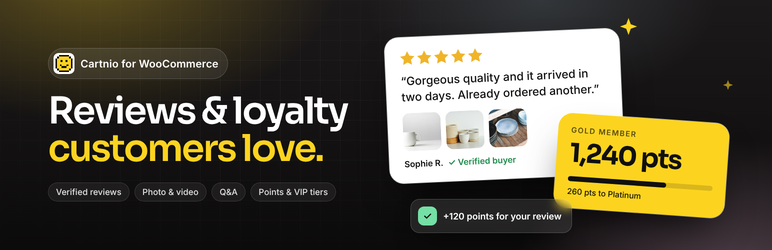
Cartnio collects genuine product reviews from your customers and helps you turn them into repeat orders.
Reviews
- Automatic review requests: when an order is completed, Cartnio emails the customer a one-time link for each product (up to five), with one reminder. Refunded or cancelled orders cancel unsent requests.
- Reviews from these links get a Verified buyer badge. Customers can add photos and videos.
- Every review goes through your moderation inbox in Cartnio before it’s published.
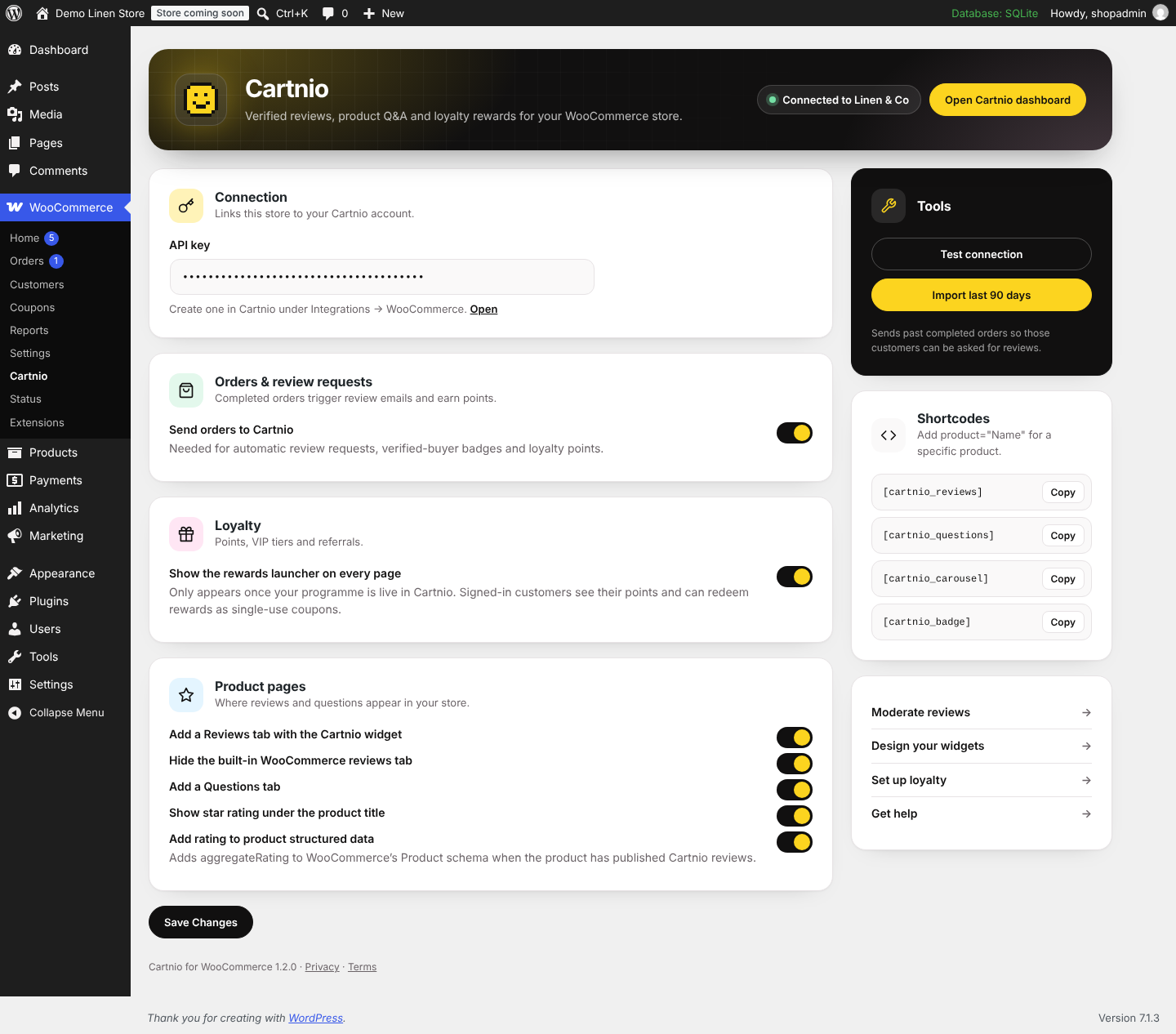
- Adds Reviews and Questions tabs to product pages, a star rating under the product title, and shortcodes for reviews, Q&A, a review carousel and a rating badge.
- Adds your Cartnio rating to WooCommerce’s Product structured data, so product pages can be eligible for review stars in Google.
- Import your existing reviews from Yotpo, Judge.me, REVIEWS.io and others with a CSV file.
Loyalty (optional)
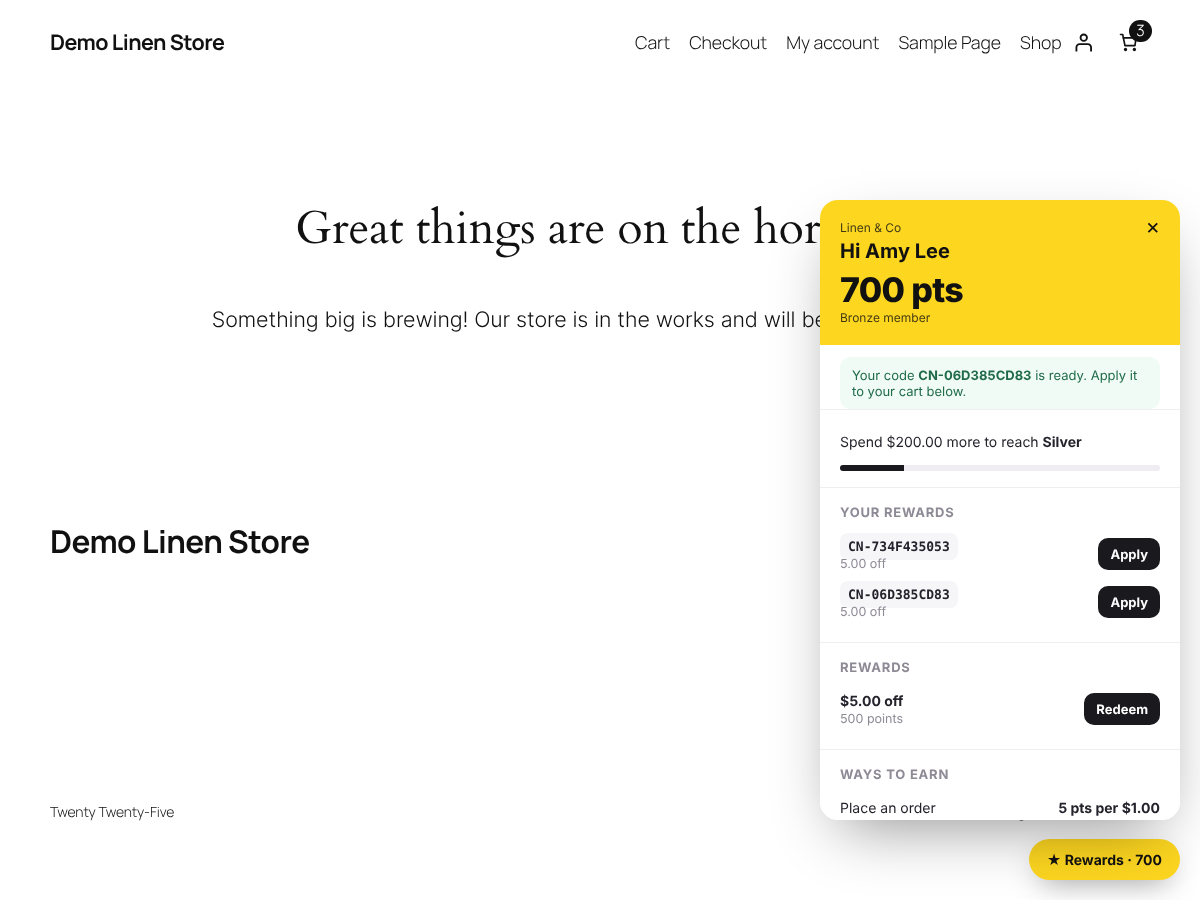
- A rewards launcher on your store: points for orders, reviews, sign-up and birthdays, VIP tiers and refer-a-friend codes.
- Rewards are redeemed as single-use WooCommerce coupons locked to the customer’s email address.
Works with
- WooCommerce High-Performance Order Storage (HPOS) and Action Scheduler.
- Any theme. Widgets resize to their content and work on mobile.
- Elementor: five native widgets (Reviews, Q&A, Review Carousel, Rating Badge, Star Rating), including in Elementor Pro product templates.
Cartnio has a free plan. Paid plans raise the daily sending limit and remove Cartnio branding.
External services
This plugin connects to Cartnio (https://cartnio.com), a hosted reviews and loyalty service, which is needed for it to work. You need a Cartnio account and an API key.
- Order sync. When an order’s status changes, and when you click Import last 90 days, the plugin sends that order to Cartnio: order number, status, dates, total and currency, the customer’s name and email address, the products bought (name, SKU, GTIN, quantity, price, product URL and image), coupon codes used and any Cartnio referral code. Cartnio uses this to send review requests, mark reviews as verified and award loyalty points.
- Connection test. When you save your API key, the plugin checks it with Cartnio. Only the key is sent.
- Widgets. Review, Q&A, carousel and badge widgets are loaded from cartnio.com in an iframe on your product pages. The visitor’s browser requests them from Cartnio; the product name is included so only that product’s reviews are shown.
- Ratings for structured data. The plugin asks Cartnio for a product’s average rating and review count (by product name) to add them to WooCommerce’s Product schema.
- Loyalty launcher (only if you turn it on). The launcher script is loaded from cartnio.com. For signed-in customers, the plugin passes their email address and name with a signature so Cartnio can show their points balance; redeemed rewards are created as coupons in your store.
Cartnio Terms of Service · Privacy Policy · Data Processing Agreement
Screenshots
Installation
- Install and activate the plugin (Plugins Add New search “Cartnio”, or upload the zip).
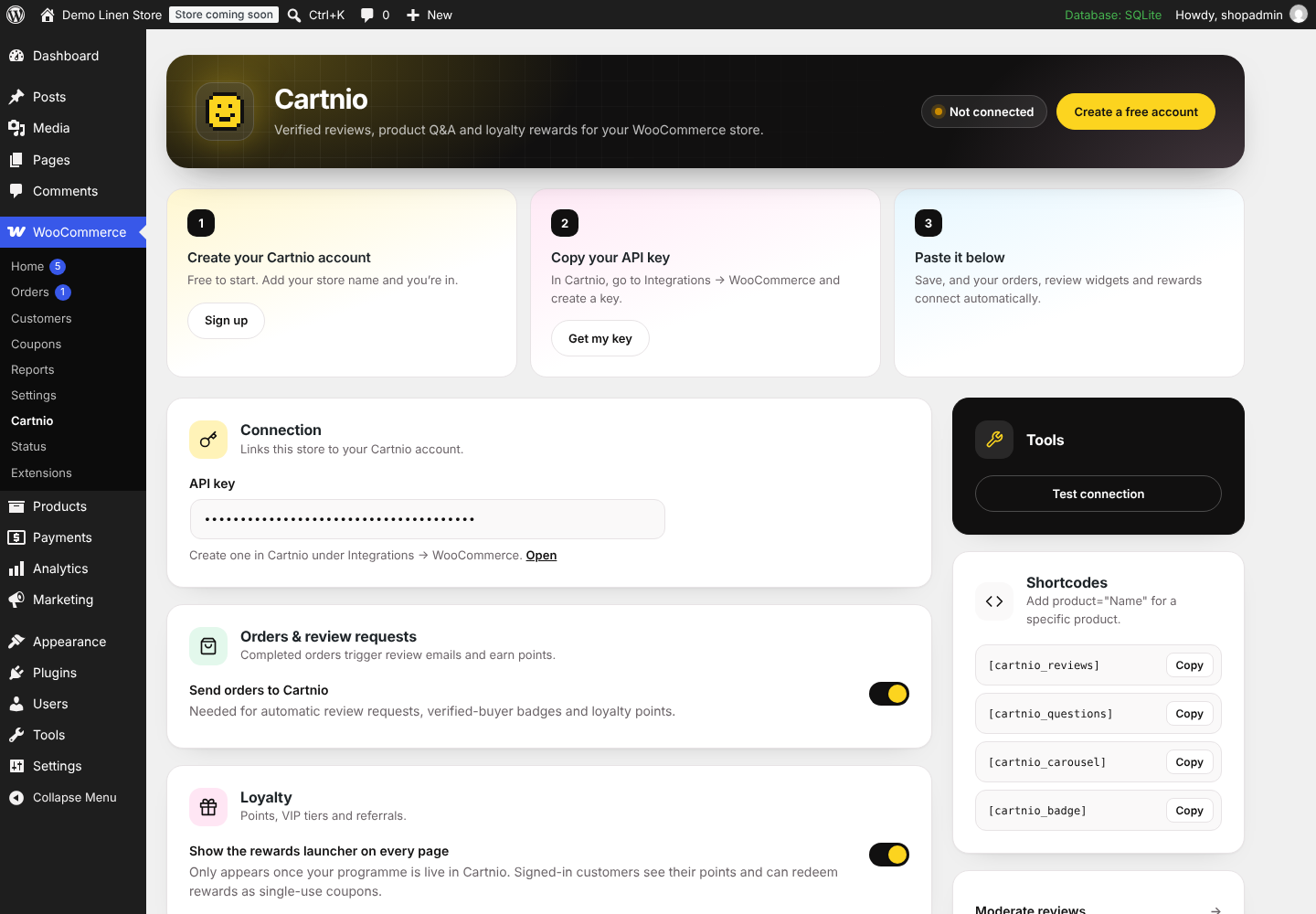
- Create a free account at https://cartnio.com, then go to Integrations WooCommerce and create an API key.
- In WordPress, go to WooCommerce Cartnio, paste the key, click Save Changes, then Test connection.
- Optional: click Import last 90 days to send completed orders from the last 90 days.
- Choose which tabs and widgets to show. Reviews and Questions tabs appear on product pages straight away.
FAQ
-
Do I need a Cartnio account?
-
Yes. Reviews, emails and loyalty run in Cartnio. There’s a free plan.
-
Will this replace WooCommerce’s built-in reviews?
-
By default Cartnio’s Reviews tab takes the place of WooCommerce’s. To keep both, untick Hide the built-in WooCommerce reviews tab in WooCommerce Cartnio.
-
Are reviews ever labelled verified when they aren’t?
-
No. Only reviews submitted from a request linked to a synced order get the Verified buyer badge. Imported reviews and reviews from manual links never do.
-
Does it work with Elementor?
-
Yes. Search “Cartnio” in the Elementor panel for five native widgets: Reviews, Q&A, Review Carousel, Rating Badge and Star Rating. They work on any page and in Elementor Pro single product templates, where they show the current product automatically. The shortcodes also work in Elementor’s Shortcode widget.
-
Does it slow down checkout?
-
No. Orders are sent in the background with Action Scheduler, and failures are retried.
-
What happens to my data if I delete the plugin?
-
The plugin’s settings are removed from WordPress. Your reviews, orders and loyalty members stay in your Cartnio account until you delete them there.
Reviews
There are no reviews for this plugin.
Contributors & Developers
“Cartnio Reviews & Loyalty for WooCommerce” is open source software. The following people have contributed to this plugin.
Contributors
Translate “Cartnio Reviews & Loyalty for WooCommerce” into your language.
Interested in development?
Browse the code, check out the SVN repository, or subscribe to the development log by RSS.
Changelog
1.2.1
- Storefront scripts are now loaded with wp_enqueue_script.
- Translations use the plugin’s directory slug, so the community can translate the plugin.
1.2.0
- Native Elementor widgets: Reviews, Q&A, Review Carousel, Rating Badge and Star Rating, including for Elementor Pro product templates.
- Redesigned settings screen with a guided setup, toggle switches and copyable shortcodes.
- Ready for the WordPress.org plugin directory: passes Plugin Check, adds translator comments and an uninstall routine that removes the plugin’s settings.
- Uses WooCommerce’s time limit helper for long imports.
- Tested with WordPress 7.1 and WooCommerce 11.2.
1.1.1
- Only one sync is queued per order when its status changes several times in a row.
1.1.0
- Cartnio Loyalty: launcher, points from orders and reviews, rewards as coupons, referral links.
1.0.0
- First release.