Description
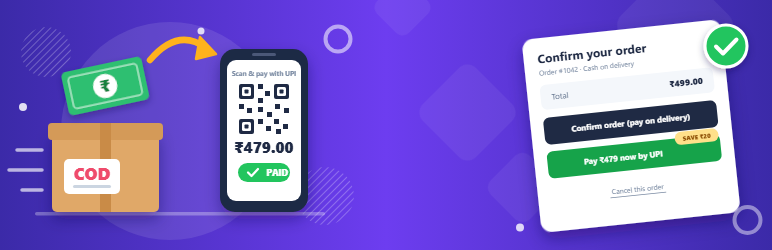
Cash on delivery is how most Indian shoppers pay, and it costs stores when orders are refused at the door: shipping is paid both ways and the stock is away for days. COD to UPI asks every cash on delivery customer to confirm the order before you ship it, and offers them to pay by UPI instead.
How it works
- A customer places a cash on delivery order. It waits in the new Awaiting COD confirmation status, with its stock reserved.
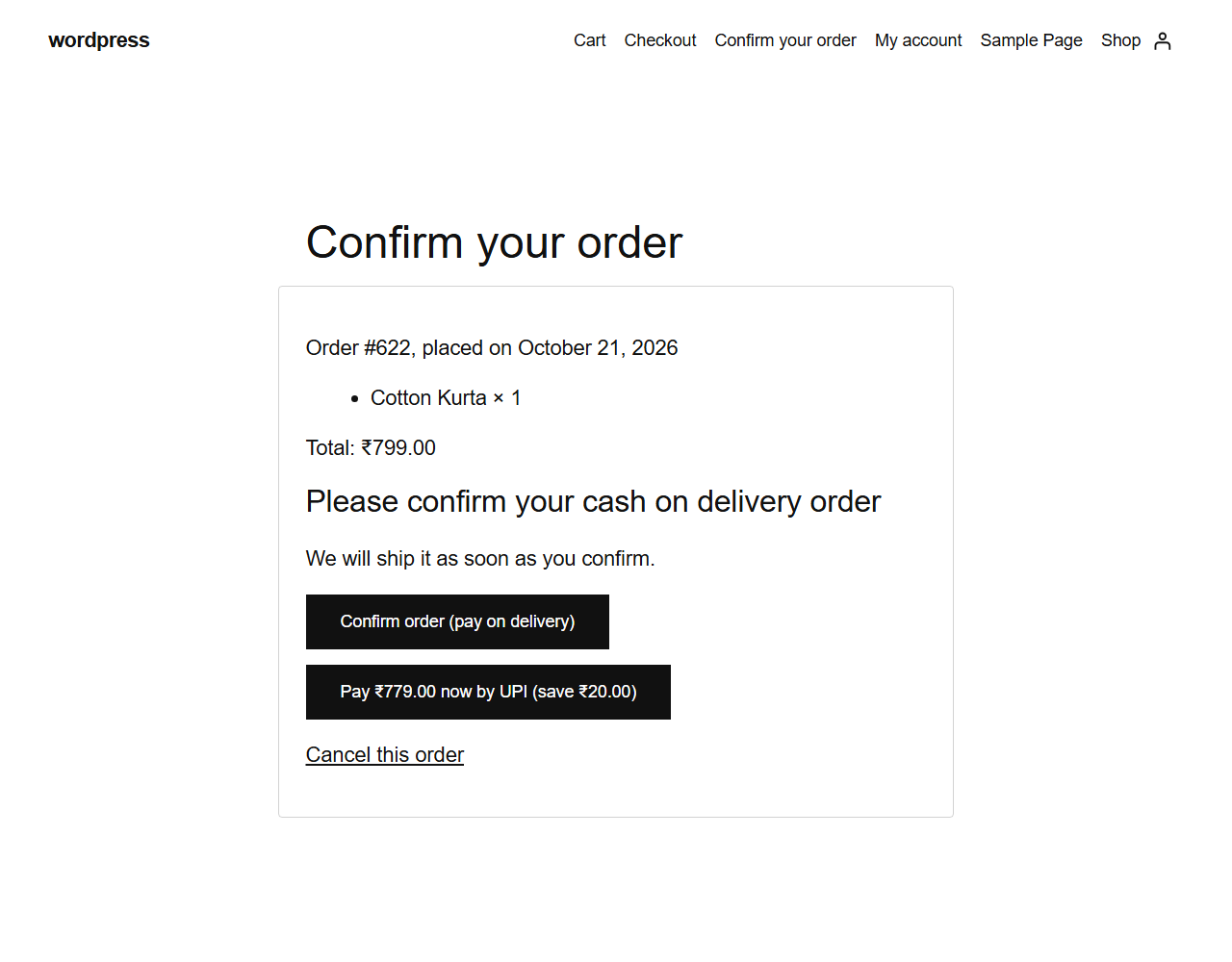
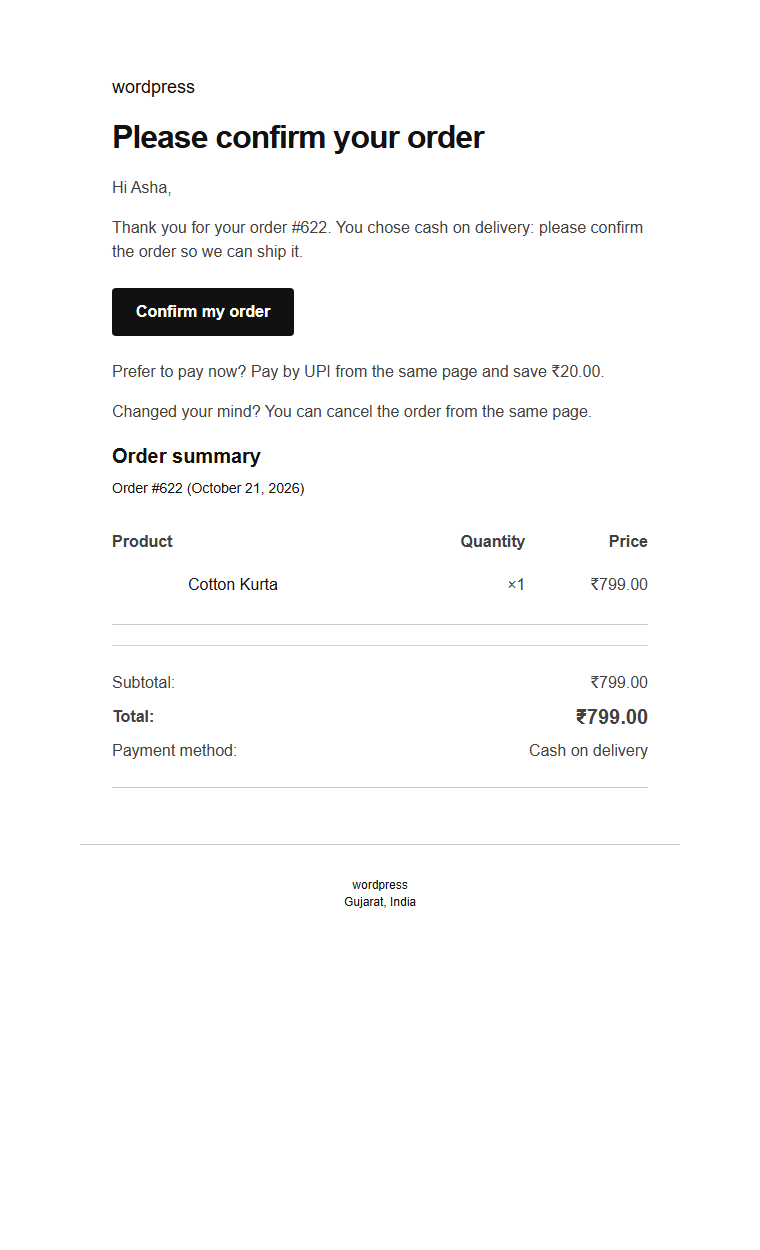
- The customer gets an email with a link to a confirmation page, and the same buttons appear on the order received page:
- Confirm order: the order moves to Processing and you get the usual “New order” email.
- Pay by UPI: the order switches to the UPI QR Code Payment Gateway, with an optional prepaid discount. Without that plugin, customers can pay online with your other payment methods instead.
- Cancel: the order is cancelled and the stock restored.
- No answer? A reminder is sent, and after the time you choose the order is cancelled, confirmed, or left for you to call the customer.
Features
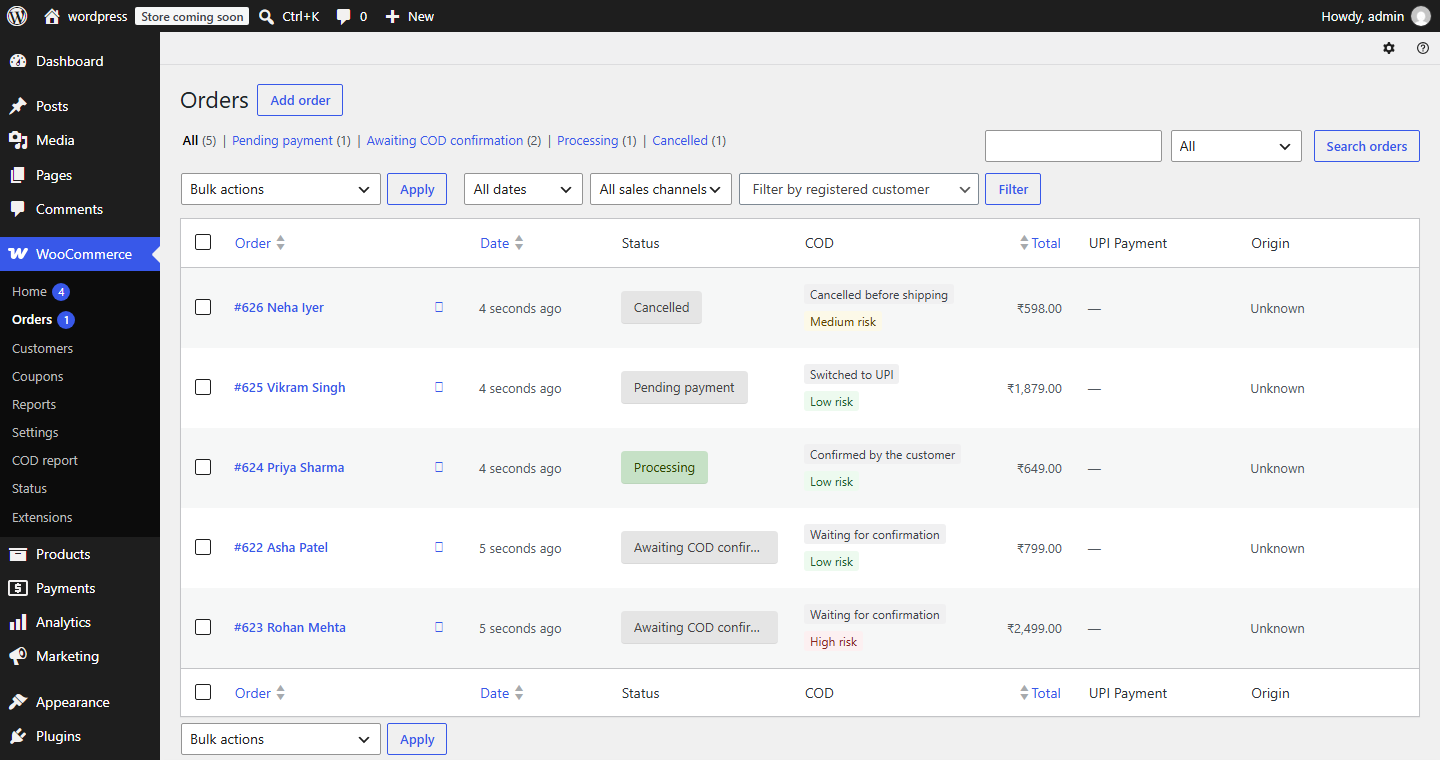
- New “Awaiting COD confirmation” order status, with stock reserved and customers able to cancel from My Account.
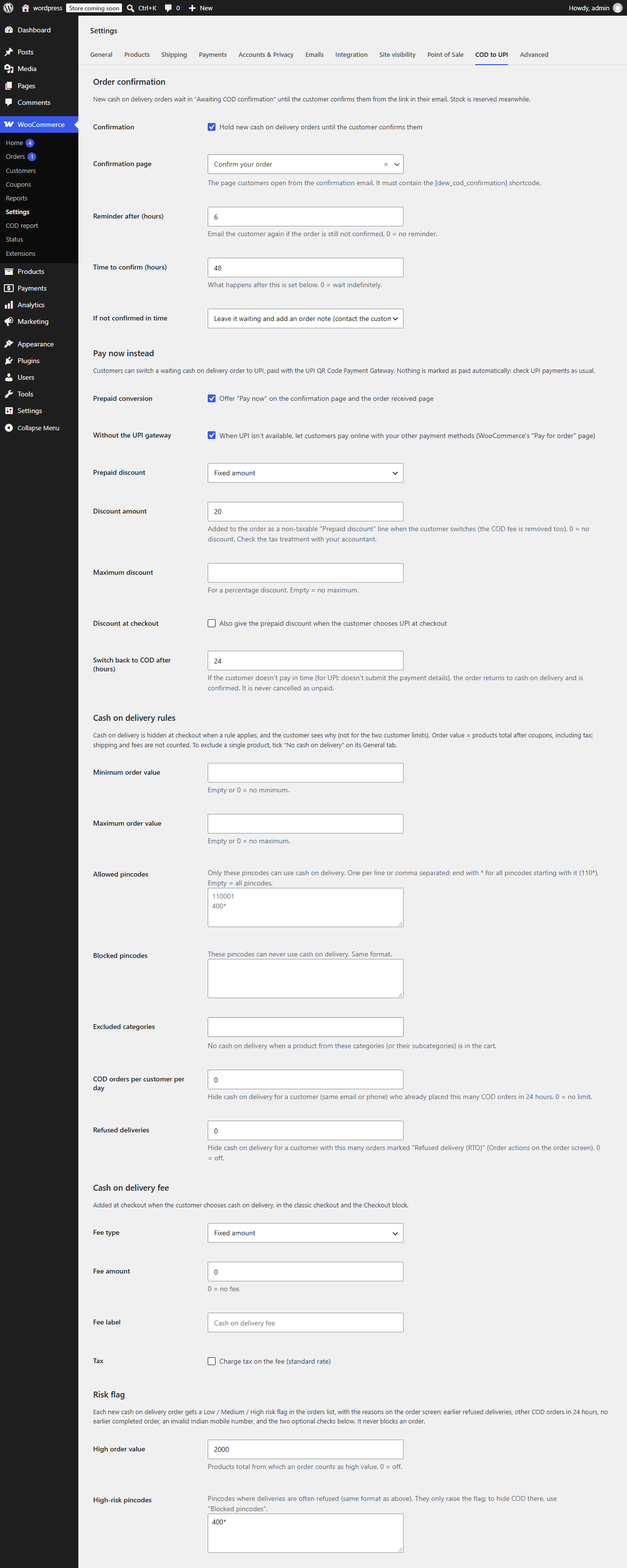
- Confirmation email (WooCommerce > Settings > Emails), with a reminder.
- Confirmation page with signed links that expire. Opening a link never changes an order, only the buttons do, so email security scanners can’t confirm or cancel orders.
- Pay by UPI (or online) instead, with a fixed or percentage prepaid discount, and no COD fee. If the customer doesn’t pay in time, or chooses “Pay on delivery instead”, the order goes back to cash on delivery and is confirmed. It is never cancelled as unpaid.
- Cash on delivery rules: minimum and maximum order value, allowed and blocked pincodes (with prefixes like 110*), excluded categories and products, COD orders per customer per day, and refused deliveries. The customer sees why COD isn’t offered.
- Mark orders as “Refused delivery (RTO)” from the order screen; customers with too many refused deliveries no longer get cash on delivery.
- Cash on delivery fee (fixed or a percentage, optionally taxed), and optionally the prepaid discount when UPI is chosen at checkout.
- Risk flag (Low / Medium / High) on every new COD order, with the reasons: earlier refused deliveries, other COD orders today, no earlier completed order, invalid mobile number, high order value, high-risk pincodes. It informs you; it never blocks an order.
- “COD” column in WooCommerce > Orders, a “Cash on delivery” box on the order screen (history, risk, and the confirmation link to send the customer yourself, e.g. on WhatsApp), and a “Confirm COD orders” bulk action.
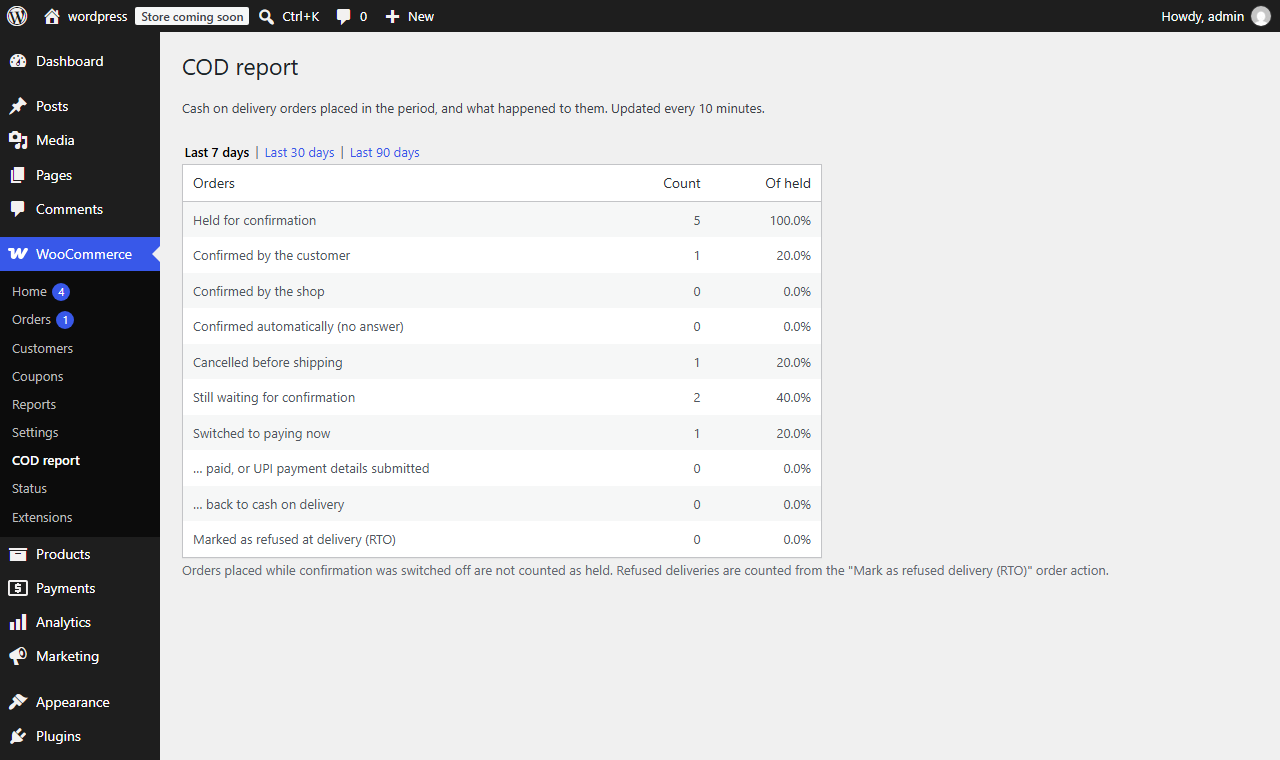
- COD report (WooCommerce > COD report): orders held, confirmed, cancelled, switched to paying now, back to COD and refused, for the last 7, 30 or 90 days.
- Personal data export and erasure through WordPress’s privacy tools, and suggested privacy policy text.
- Nothing is marked as paid automatically: UPI payments are checked by you, as with the UPI QR Code Payment Gateway.
- Works with the classic checkout and the Checkout block, and with High-Performance Order Storage (HPOS).
Screenshots

Installation
- Install and activate the plugin (WooCommerce is required).
- Open wp-admin: a “Confirm your order” page is created for the confirmation links. You can choose another page containing the
[dew_cod_confirmation]shortcode. - Go to WooCommerce > Settings > COD to UPI and choose the reminder, time to confirm and what happens after it.
- For “Pay by UPI”, install the UPI QR Code Payment Gateway plugin and enable it with your UPI ID.
FAQ
-
Do I get a “New order” email for every COD order?
-
You get it when the order is confirmed (by the customer, by you, or automatically). Orders waiting for confirmation are listed under “Awaiting COD confirmation” in WooCommerce > Orders.
-
What happens to waiting orders if I deactivate the plugin?
-
They move to On hold, with an order note, so they stay visible. No emails are sent.
-
How are the prepaid discount and the COD fee taxed?
-
The prepaid discount is a non-taxable “Prepaid discount” fee line, and the order’s other taxes are not recalculated. The COD fee is not taxed unless you tick “Charge tax on the fee” (standard rate). Check the right treatment for your business with your accountant.
-
How is the order value for the rules and fees calculated?
-
It is the products total after coupons, including tax. Shipping and fees are not counted.
-
On purpose: they see “Cash on delivery is not available for this order”, without the reason.
-
Is my data removed when I delete the plugin?
-
The settings, the review request options, the report cache and the scheduled jobs are removed, and the confirmation page goes to the trash if it still contains only the shortcode. Order data, including the plugin’s order notes and details, is kept.
-
What does the plugin store about customers?
-
On each COD order: the phone number in a normalized form (to match earlier orders), the risk flag with its reasons, and the “refused delivery” mark. They are included in WordPress’s personal data export, and removed (except the anonymized mark) by its personal data erasure when WooCommerce’s “Remove personal data from orders” option is on.
Reviews
There are no reviews for this plugin.
Contributors & Developers
“COD to UPI – COD Verification and Prepaid Conversion for WooCommerce” is open source software. The following people have contributed to this plugin.
Contributors

Translate “COD to UPI – COD Verification and Prepaid Conversion for WooCommerce” into your language.
Interested in development?
Browse the code, check out the SVN repository, or subscribe to the development log by RSS.
Changelog
1.0.0
- Initial release: order confirmation by email (with reminder and expiry), Pay by UPI or online with a prepaid discount, cash on delivery rules, COD fee, refused deliveries (RTO), risk flag, orders list column and order screen box, bulk confirm, COD report, personal data export and erasure.