

Description
AutoXSEO does the work of an SEO team for you:
- Checks every page, post and product, and fixes search titles, descriptions and image descriptions.
- Adds one connected schema graph (Organization, WebSite, Article, Product, FAQ, Breadcrumbs).
- Publishes /llms.txt and lets AI assistants (ChatGPT, Claude, Perplexity, Gemini) read your site.
- Plans and publishes helpful articles with images — or saves them for your approval.
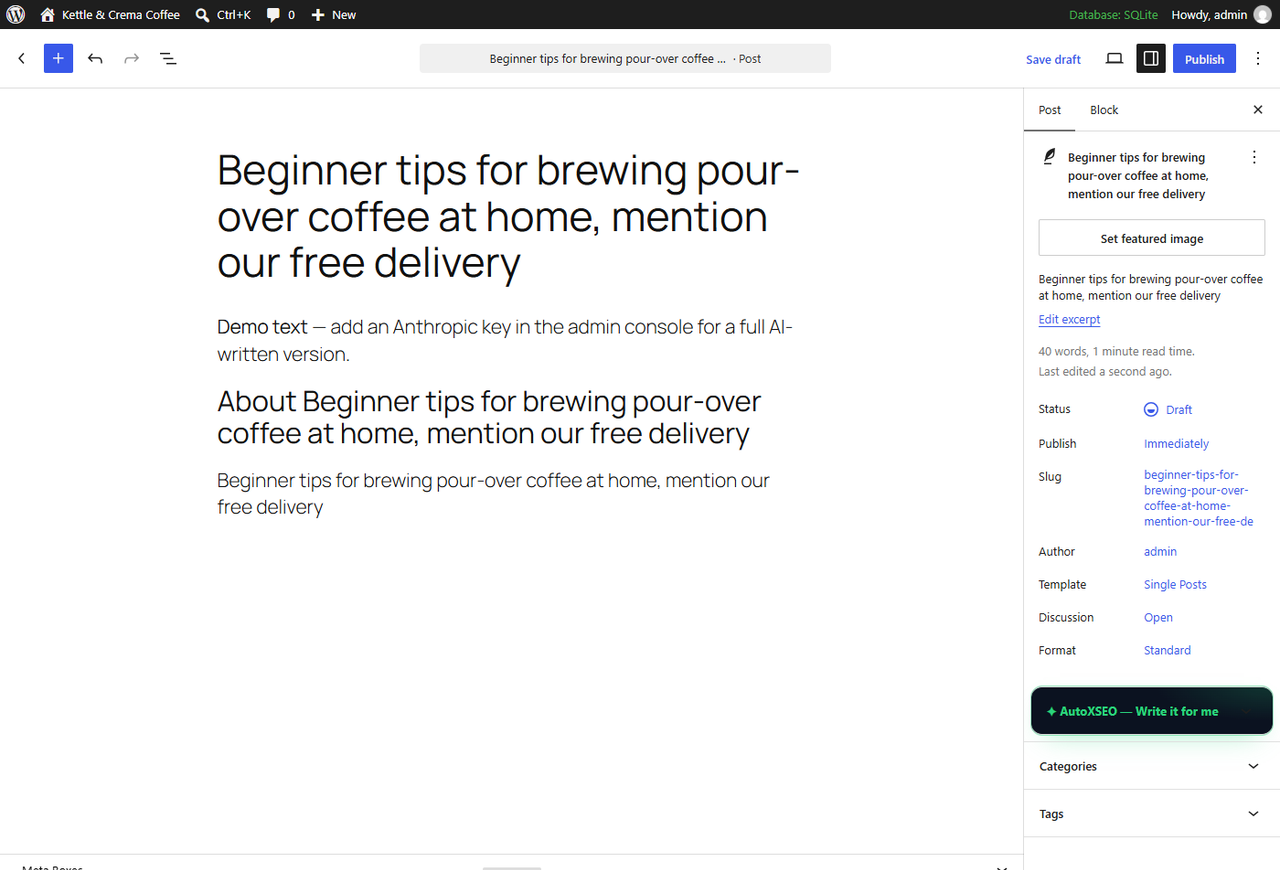
- “Write it for me” under the editor: add the basics, one click fills in everything.
- Saves new uploads as fast WebP images.
- Sends you a simple report by email.
- Site Guard: emails you within minutes if your site goes down or is accidentally hidden from Google.
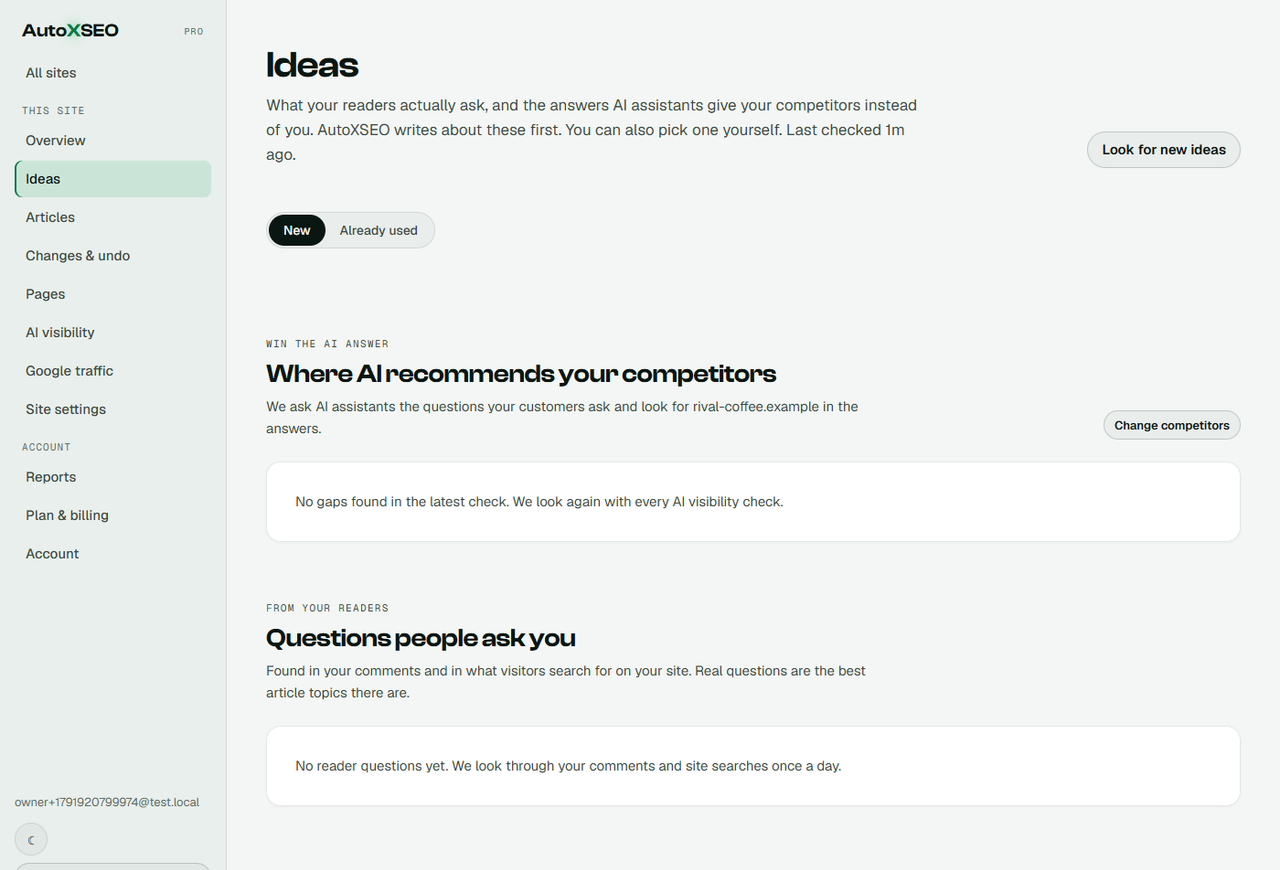
- Ideas from your readers: questions asked in comments and site searches become articles or answers on the page.
- Money pages: star up to three pages and they get fixed first, linked from new articles and refreshed monthly.
Adds nothing to your visitors’ page speed: no front-end scripts or styles, only meta tags and JSON-LD.
External service
This plugin connects to the AutoXSEO service (https://api.autoxseo.com) to analyse your content and generate improvements. Nothing is sent until you click Connect. After that, it sends:
- Your published posts, pages and products: titles, content, excerpts, SEO fields and image URLs.
- The text of approved comments (never commenter names, emails or IP addresses), to find the questions your readers ask.
- What visitors type into your site’s search box (the words only, counted on your server; no visitor data, no tracking script).
All requests go from your server to AutoXSEO; nothing is loaded in your visitors’ browsers. Disconnecting stops all of it, and uninstalling removes the plugin’s settings and search log. Terms: https://autoxseo.com/terms · Privacy: https://autoxseo.com/privacy
Screenshots
Installation
- Install and activate the plugin.
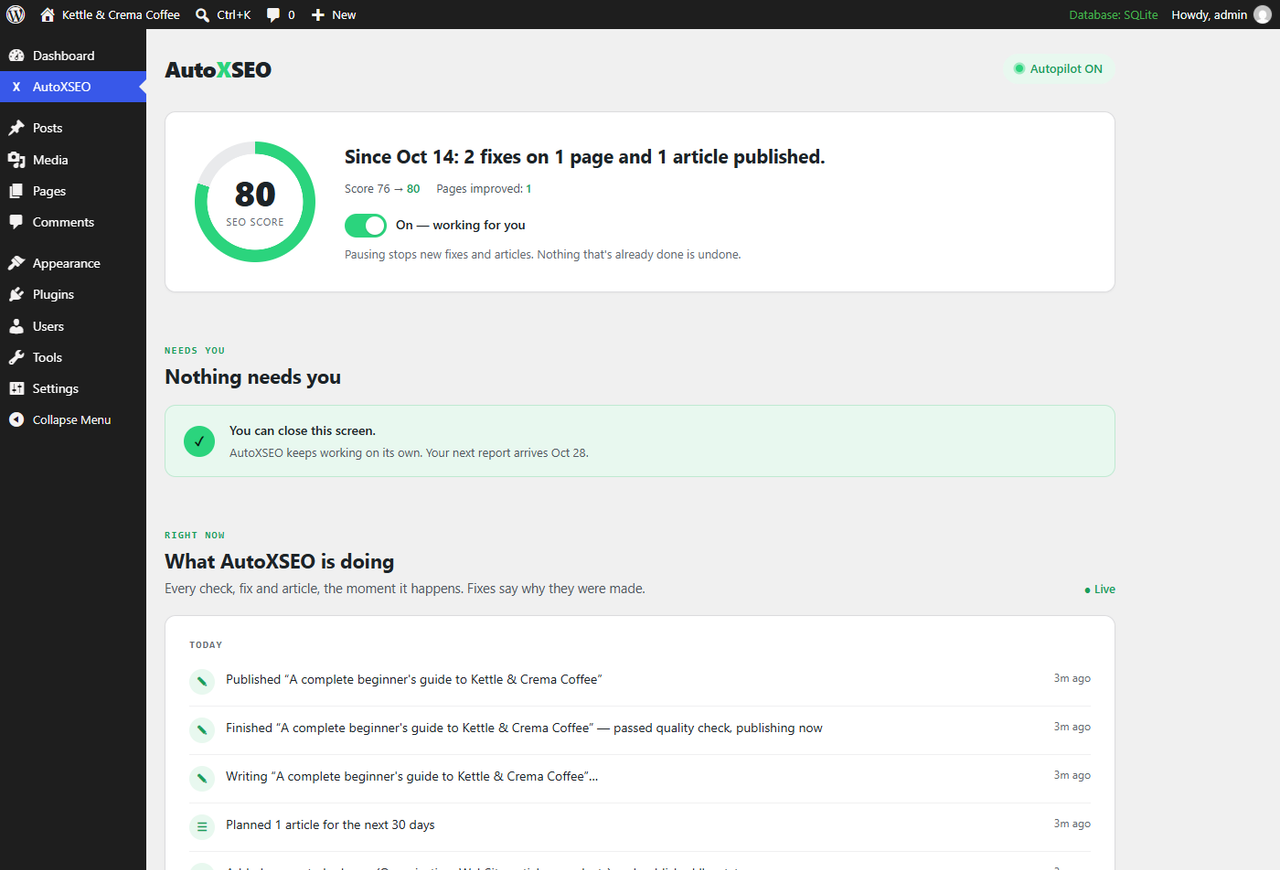
- Click “Connect”. That’s it — autopilot starts.
FAQ
-
Is it free?
-
Yes, there’s a free plan: a full check of your site, up to 30 fixes and one article with images, so you can see it work on your own site. Paid plans keep it going every week.
-
Will it slow my site down?
-
No. AutoXSEO adds no scripts or stylesheets to your pages — only meta tags and structured data in the page head. All the work happens on AutoXSEO’s servers.
-
Does it write content without my approval?
-
Only if you want it to. Choose “Ask me first” and every fix and article waits for your OK (you can even approve from the email).
-
Will it break my site?
-
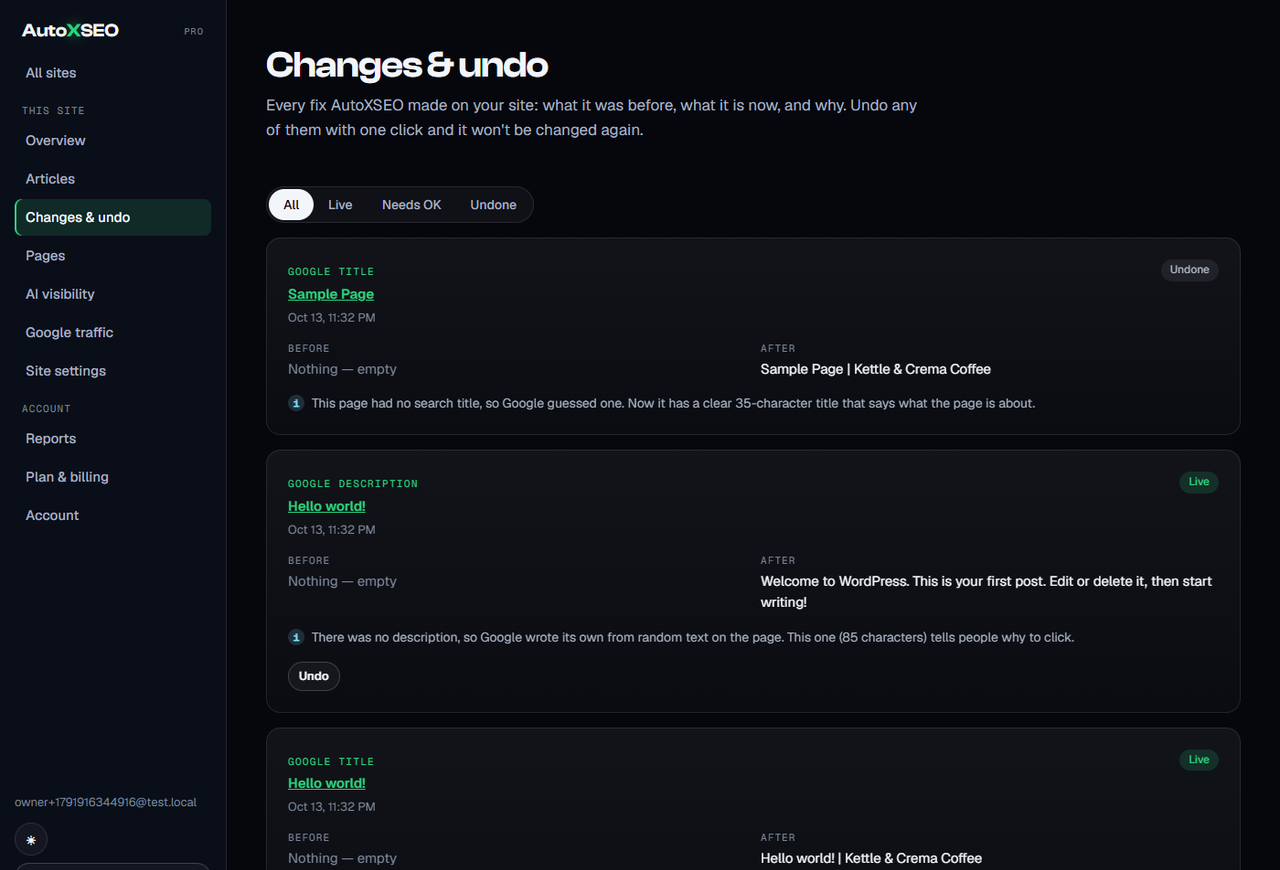
No. Every change is logged and can be undone from your dashboard. AutoXSEO only touches SEO fields (search titles, descriptions, image descriptions), schema and the articles it writes. It never edits your design, prices, checkout or settings.
-
Does it work with WooCommerce, page builders and multisite?
-
WooCommerce: yes — products are checked and fixed like posts and pages. Page builders (Elementor, Divi, Beaver Builder and others): your layouts are left alone; only the SEO fields are filled in. Multisite: AutoXSEO is set up per site, each with its own Connect.
-
Does it publish an article right after connecting?
-
Yes, by default your first article is written and published shortly after you connect. If you’d rather approve things first, switch to “Ask me first” in your AutoXSEO dashboard and every fix and article waits for your OK.
-
What happens if I stop using it or uninstall?
-
Pausing or disconnecting keeps everything in place. If you remove the plugin, the search titles, descriptions, schema and FAQ sections AutoXSEO printed stop showing (another SEO plugin can take over). Image descriptions and published articles are normal WordPress content and stay.
-
Can I undo changes?
-
Yes. Every change can be undone from your AutoXSEO dashboard.
-
I use another SEO plugin.
-
AutoXSEO won’t print duplicate tags while Yoast, Rank Math, All in One SEO or SEOPress is active. Import your titles and descriptions in one click, then let AutoXSEO take over.
-
My host turned off WP-Cron. Does it still work?
-
AutoXSEO applies fixes and new articles on WordPress’s scheduler. If your host has turned it off, the AutoXSEO screen tells you and explains the one-minute fix (a cron job that opens wp-cron.php every 10 minutes). Keeping the AutoXSEO screen open also keeps it working.
Reviews
There are no reviews for this plugin.
Contributors & Developers
“AutoXSEO — SEO on autopilot” is open source software. The following people have contributed to this plugin.
Contributors
Translate “AutoXSEO — SEO on autopilot” into your language.
Interested in development?
Browse the code, check out the SVN repository, or subscribe to the development log by RSS.
Changelog
1.3.0
- Works correctly next to Yoast, Rank Math, All in One SEO and SEOPress: no doubled titles, descriptions or schema, whatever order the plugins load in.
- Import now also brings titles and descriptions over from All in One SEO and SEOPress, and fills in more template variables (category, year, excerpt and others). Titles with a variable we can’t fill are skipped rather than cut short.
- Big sites: the daily check reads every page over several runs instead of stopping part-way, so pages are never wrongly removed from your dashboard.
- Publishing a post no longer waits for AutoXSEO; the update is sent a moment later in the background.
- An article is never published twice, even if the server times out while it’s being created.
- Refreshing an old post keeps your embeds, videos and forms, and a backup of the original is kept.
- A staging or development copy of your site can no longer act as the live site; it asks to be connected separately.
- Clear notices when your host has turned off WordPress’s scheduler, when the site was disconnected from the dashboard, and when a connection fails (with what to do next).
- Cached pages are refreshed after a fix (WP Rocket, LiteSpeed Cache, WP Super Cache, W3 Total Cache, SiteGround and any plugin hooking autoxseo_post_updated).
- No second Product schema on WooCommerce product pages. Correct og:url on subfolder installs. llms.txt is plain text. Password-protected posts are left out.
- Settings say when a robots.txt or llms.txt file on the server overrides the plugin. The “Write it for me” panel is for people who can publish.
- Uninstall cleans up on multisite too.
1.2.2
- The AutoXSEO menu now sits below the core WordPress menus.
- Structured data (JSON-LD) output is fully escaped.
1.2.1
- Your AutoXSEO dashboard now knows straight away when the plugin is switched off, switched back on or deleted, so it never shows a stale “Connected”.
1.2.0
- New, calmer AutoXSEO screen that matches WordPress, read top to bottom.
- Every fix explains why it was made.
- Reader questions from comments and site searches; answers can be added to the page as a visible FAQ.
- Site Guard status.
1.1.0
- Articles get a featured image plus up to 3 images inside the text, placed where they help the reader.
1.0.0
- First release.