Description
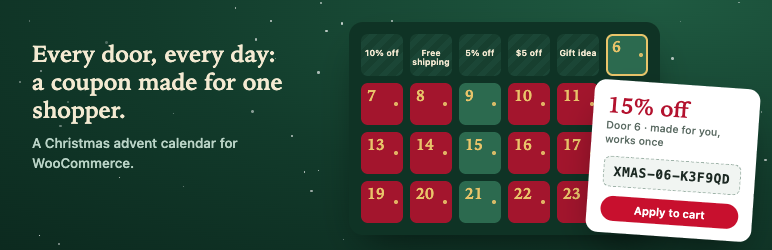
Advently adds a Christmas advent calendar to your WooCommerce store. Each day a new door opens. Behind it is a coupon made for one shopper, a gift idea from your shop, or both. Shoppers come back every day and you collect their email addresses along the way.
Most calendar plugins put one discount code behind each door for everyone, and the code is on a coupon site by lunchtime. Advently creates a real WooCommerce coupon for each shopper at the moment they open the door, limits it to one use and to their email address, and keeps every door’s content on the server until its day comes.
What shoppers get
- A calendar on any page, from the Advent Calendar block or the
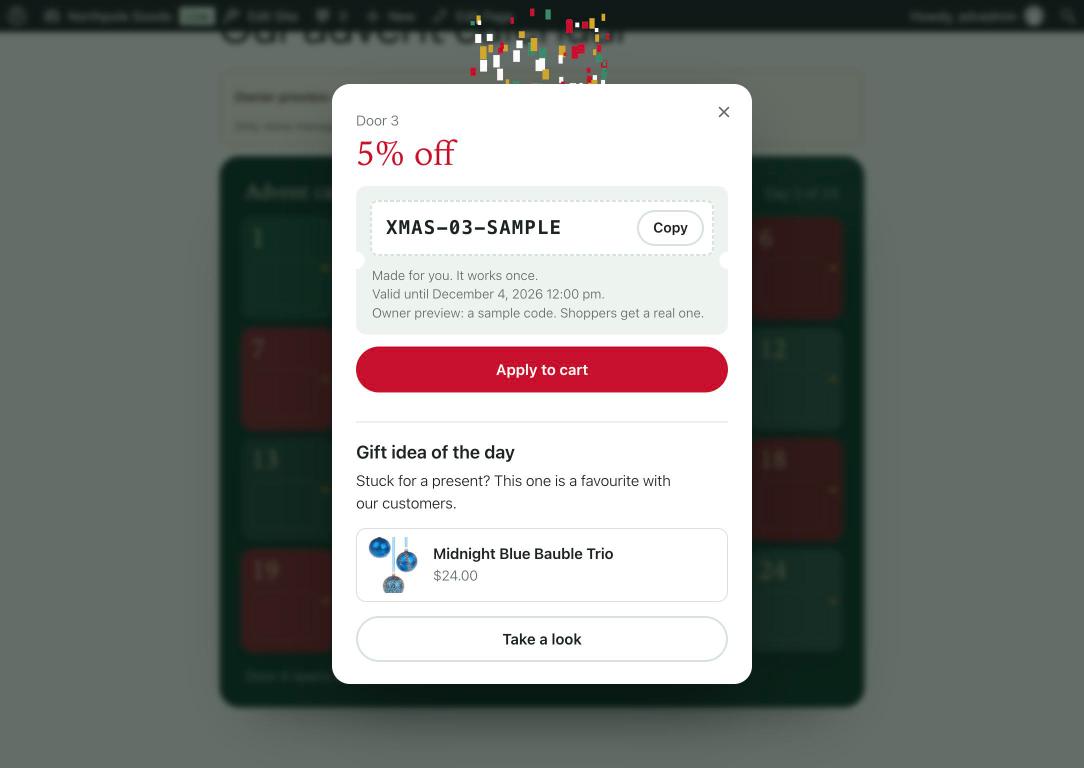
[advently]shortcode. - Doors that swing open on their hinge, then a coupon card with Copy and Apply to cart.
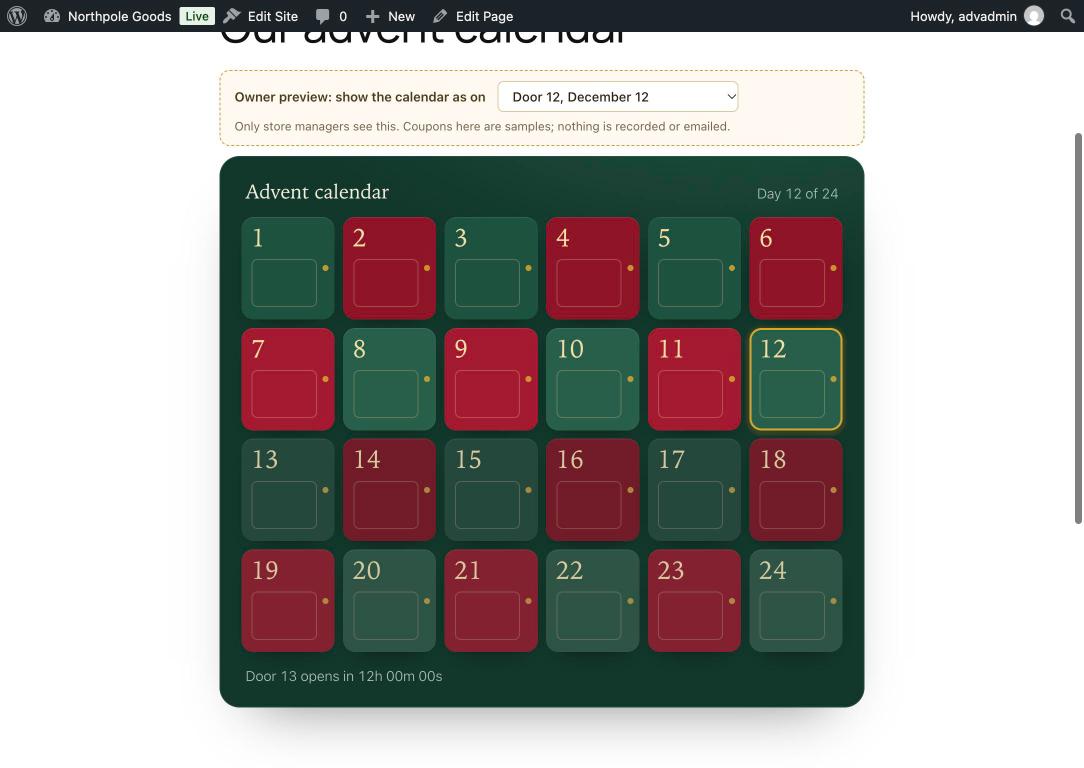
- Today’s door highlighted, a countdown to the next one, and doors they already opened shown open.
- A phone-first layout, full keyboard support, screen-reader labels and calm motion for people who turn animation off.
What you get
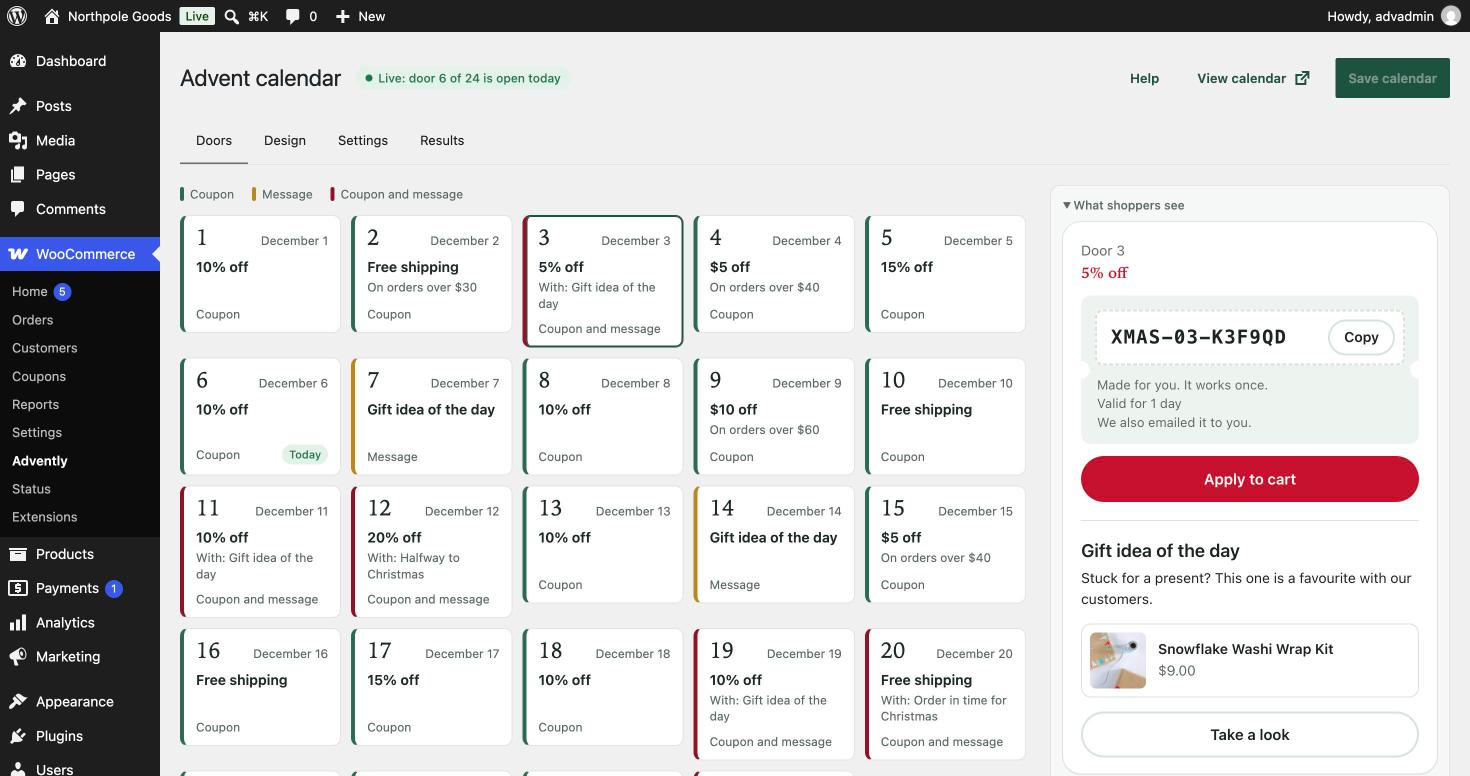
- Unique coupons per shopper and door. Percentage, fixed amount or free shipping, with validity, minimum order, product and category limits, and “can’t be combined”.
- Three ways to open the doors. Email first (the default), logged-in customers only, or anyone with one shared code per door.
- Missed days your way. Late doors can still be opened with their coupon, opened without it, or stay closed.
- A ready-made calendar. The setup wizard fills the doors with a rhythm of offers, gift ideas from your best sellers, and bigger offers halfway and on the last day.
- A visual door editor. Every door at a glance, its settings beside it and the card shoppers will see, live. Copy a door to other doors in one go.
- Owner preview. Open any door on any day before the calendar starts. Coupons in the preview are samples; nothing is recorded or emailed.
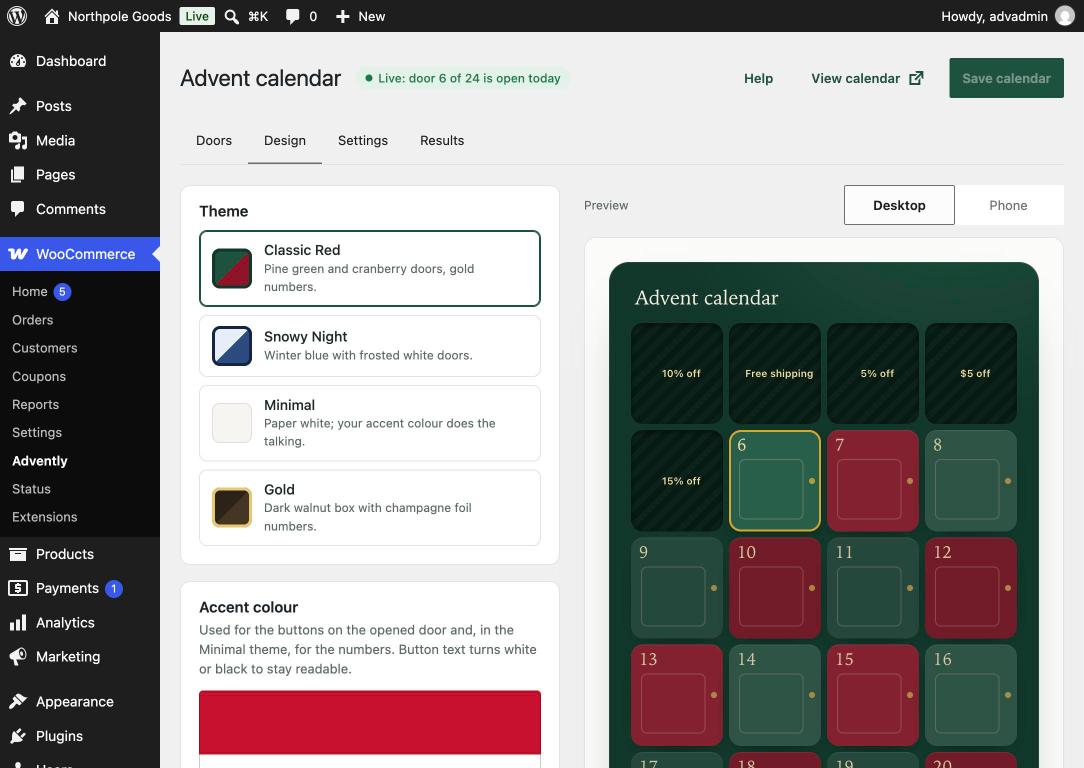
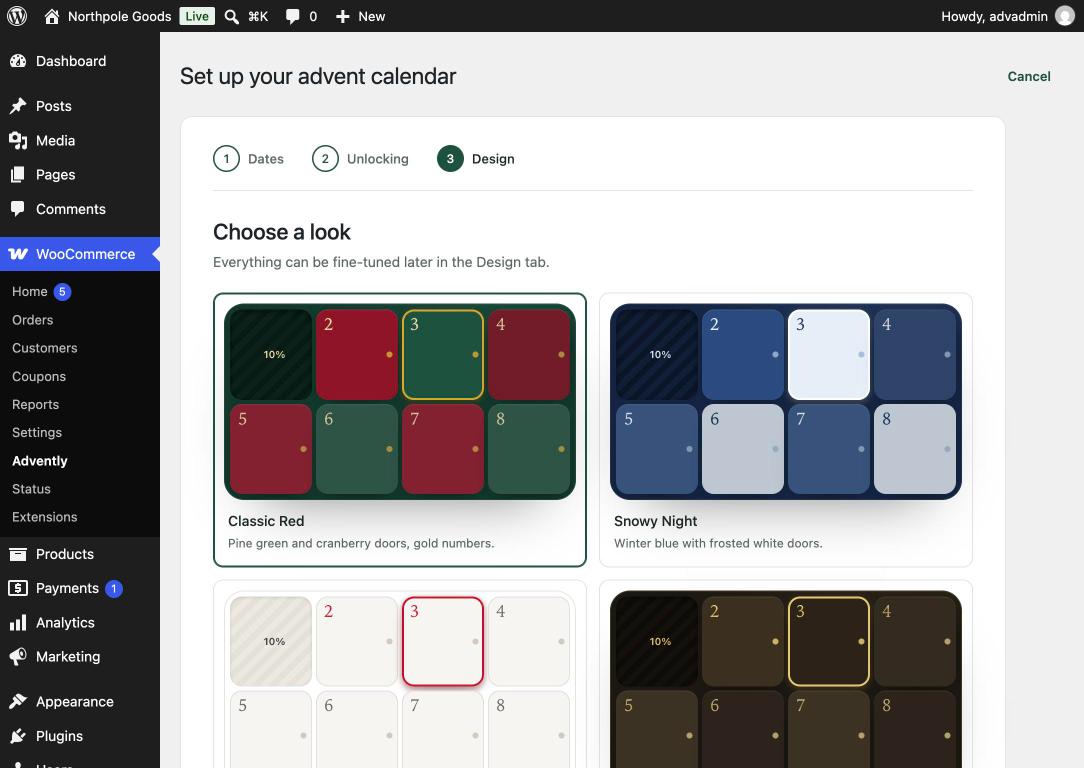
- Four designs. Classic Red, Snowy Night, Minimal and Gold, plus accent colour, door corners, number style, snowfall, background image and shuffled doors.
- Coupon emails in your WooCommerce email design.
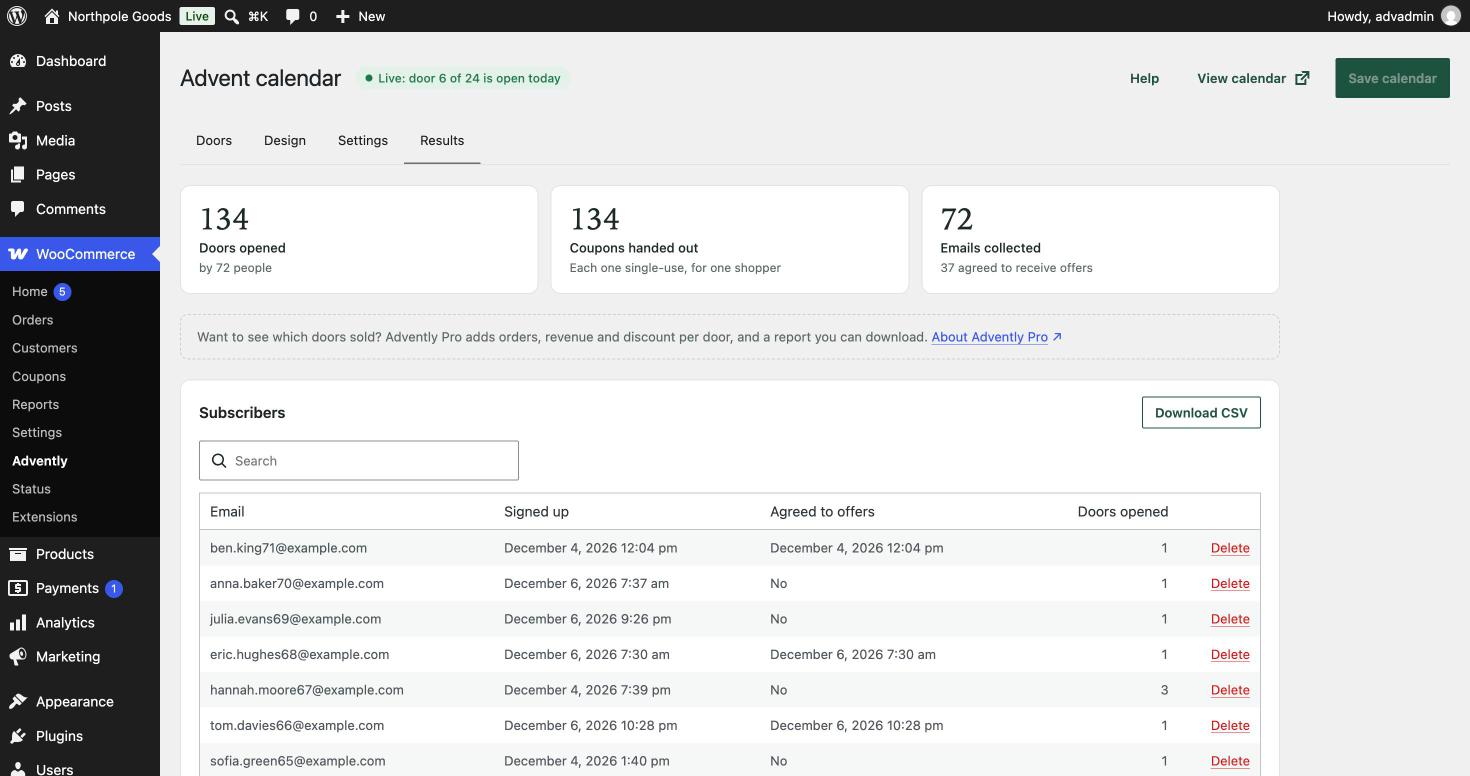
- Subscribers and counts. Doors opened, coupons handed out and emails collected, the subscriber list with search and delete, and a CSV download of it.
Advently Pro
Advently is complete on its own. Advently Pro is a separate add-on for shops that want more:
- Orders, revenue and discount per door, read from real paid orders, with charts and a CSV report.
- “A free product” doors: the gift goes into the cart with the coupon.
- Your own subject, heading and text for the coupon email, with a test send.
- An optional “Today’s door is open” link in a corner of every page.
Security
The page holds door numbers and dates only. A door’s content and coupon come from the server after it has checked its own clock, the unlock mode and a rate limit, so changing the computer’s clock or reading the page source reveals nothing.
Privacy
In email mode, the shopper enters an email address to receive their coupons. Agreeing to receive your offers is a separate, optional checkbox. Advently stores the address, when it was entered, whether offers were accepted, which doors were opened and a one-way hash of the IP address used only for rate limiting. Advently connects to WordPress’s Export Personal Data and Erase Personal Data tools and suggests text for your privacy policy. It contacts no external service.
Screenshots
Blocks
This plugin provides 1 block.
- Advent Calendar Your Advently calendar. Doors, coupons and design are set under WooCommerce → Advently.
Installation
- Upload the
adventlyfolder to/wp-content/plugins/, or upload the zip under Plugins Add New Upload Plugin. - Activate Advently. WooCommerce must be active.
- Go to WooCommerce Advently and follow the three-step setup.
- On the last step, click “Create the calendar page”, or add the Advent Calendar block or the
[advently]shortcode to a page of your own.
FAQ
-
Can shoppers see tomorrow’s offer early?
-
No. A door’s coupon and content are created on the server only when that day starts in your store’s time zone.
-
Which time zone is used?
-
Your site’s time zone, from Settings General. Each door opens at midnight there.
-
Do I have to collect emails?
-
No. You can also require a customer login, or let anyone open the doors with one shared code per door.
-
Is it only for Christmas?
-
December 1–24 is the default. You can choose any start date and up to 31 doors.
-
Does it work with the block cart and checkout?
-
Yes. “Apply to cart” works with the classic and the block cart and checkout, and the plugin declares compatibility with High-Performance Order Storage.
-
What does Advently Pro add?
-
Revenue per door, free-gift doors, your own coupon email texts and a “Today’s door is open” link on every page. Everything else, including unique per-shopper coupons, is in the free plugin. Pro is a separate plugin that needs this one.
-
Does it work with page caching?
-
Yes. Cached pages are fine: the calendar asks the server for today’s state as soon as it loads.
-
How do I test it before December?
-
Open the calendar page while logged in as a store manager and use the owner preview bar above the calendar, or the “Preview this door on your site” link in the door editor.
Reviews
There are no reviews for this plugin.
Contributors & Developers
“Advently – Advent Calendar for WooCommerce” is open source software. The following people have contributed to this plugin.
Contributors
Translate “Advently – Advent Calendar for WooCommerce” into your language.
Interested in development?
Browse the code, check out the SVN repository, or subscribe to the development log by RSS.
Changelog
1.0.1
- Display name: “Advently – Advent Calendar for WooCommerce”.
- Admin: a one-line note about Advently Pro where its features would be used — the door discount list and the coupon email settings. Hidden when Advently Pro is active.
1.0.0
- First release.