Description
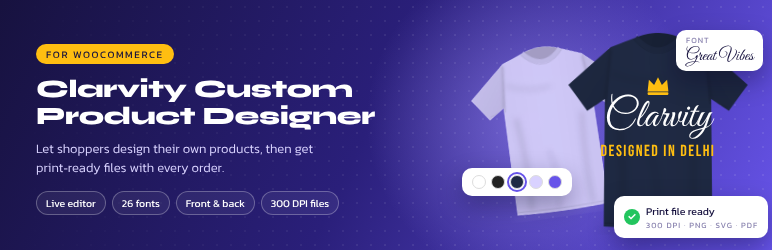
Clarvity Custom Product Designer adds a live design editor to WooCommerce product pages. Customers add text, photos, clipart and shapes to your product, see the price, and order. You get print-ready files at the real print size.
For customers
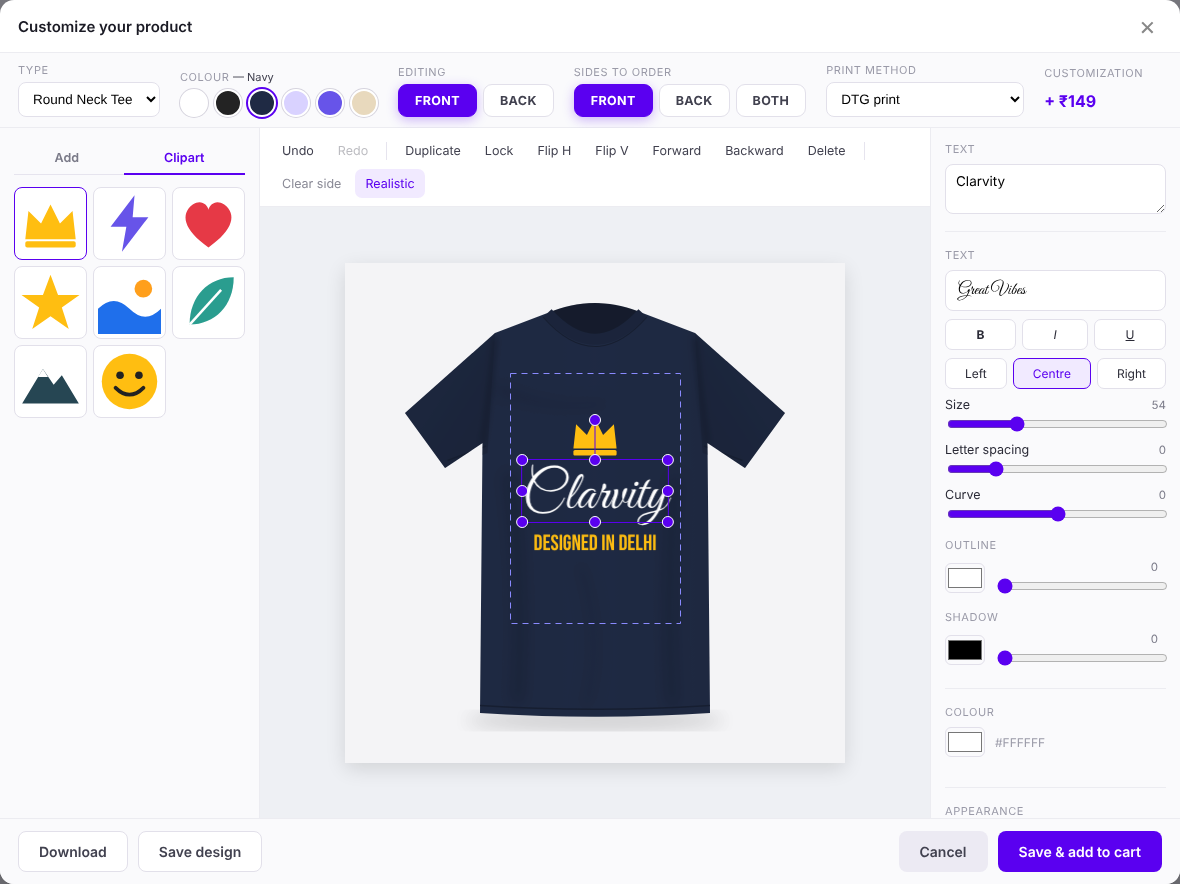
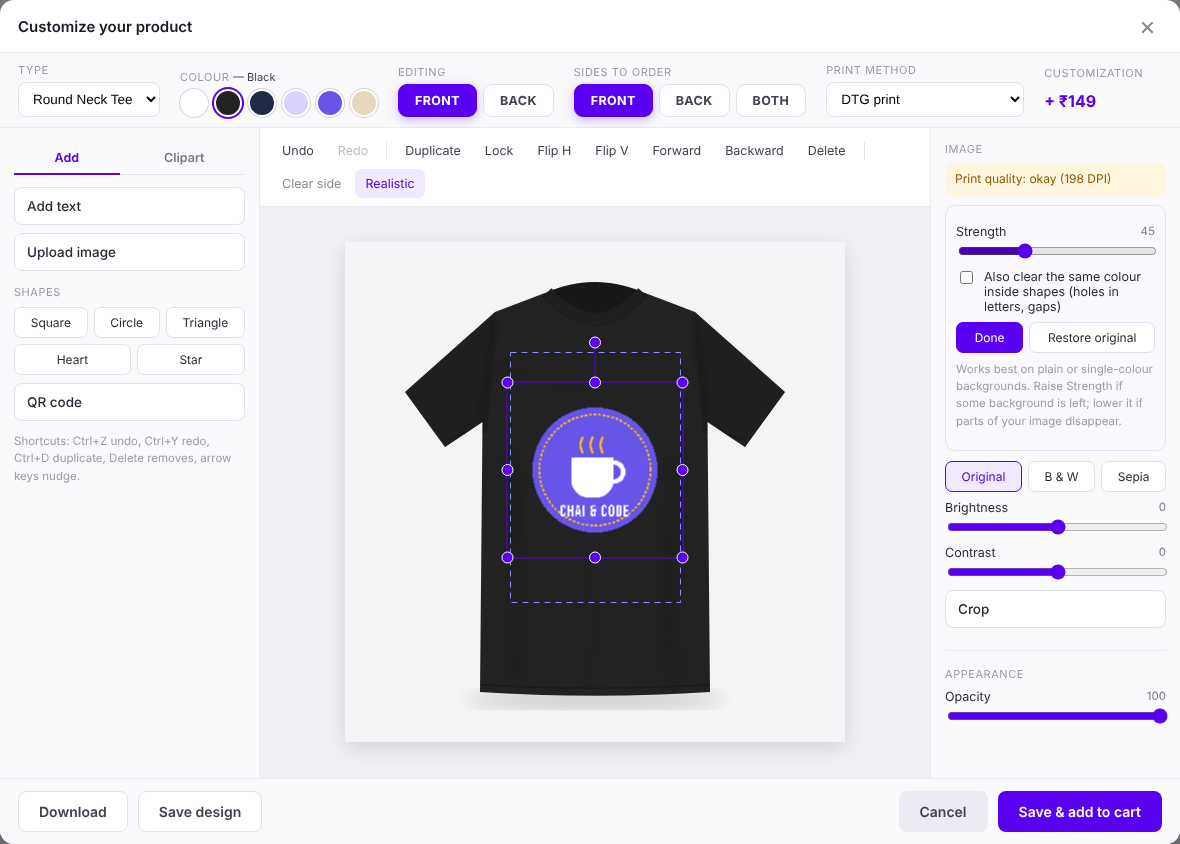
- Front and back sides, product types (Round Neck, Polo…) and product colours.
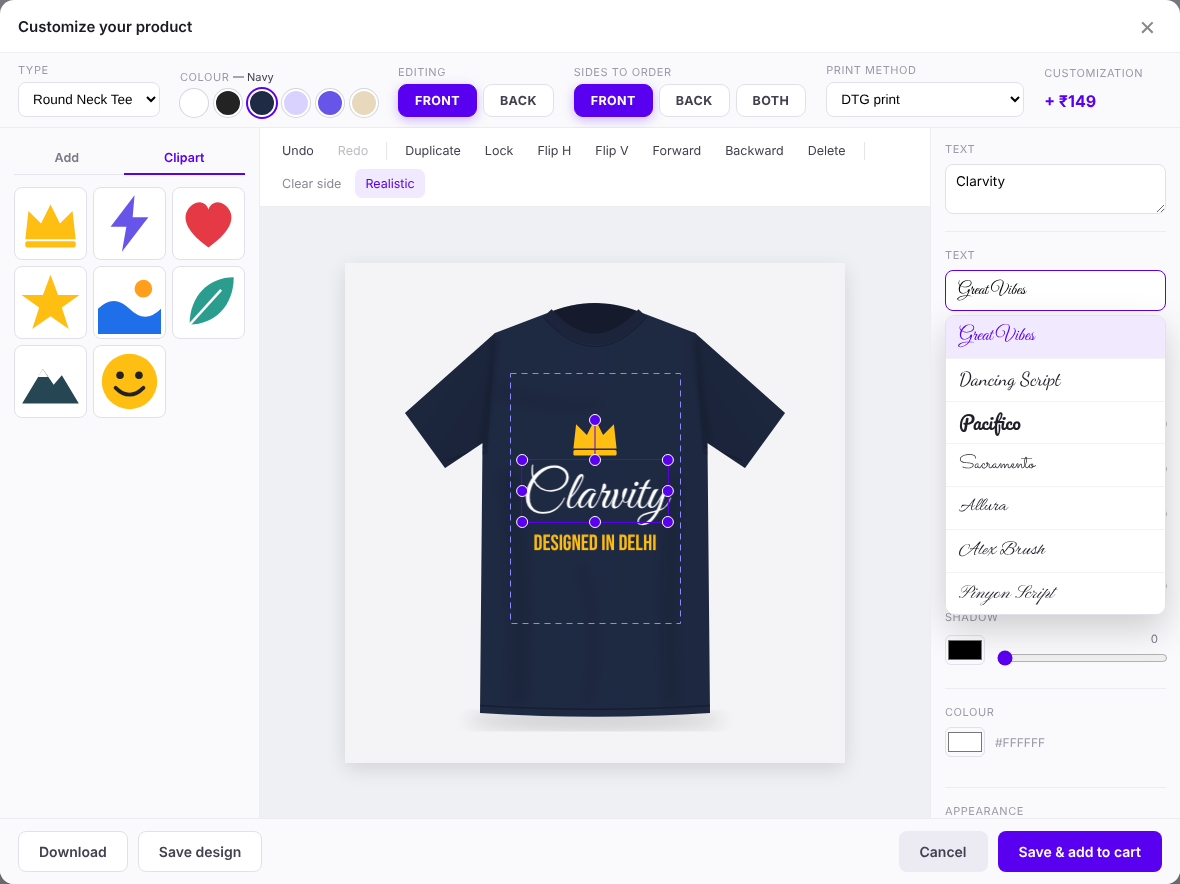
- 26 bundled fonts, curved text, outline, shadow and letter spacing.
- Photo tools: background remover (plain backgrounds), crop, filters, brightness and contrast.
- Clipart, QR codes, templates, undo/redo, snap guides and a low-resolution warning.
- Save a design and share it by link, WhatsApp or email; My Account > Saved designs.
- Brand kit for logged-in customers: logos, colours and fonts.
- Realistic preview that follows the folds of the product photo.
For shop owners
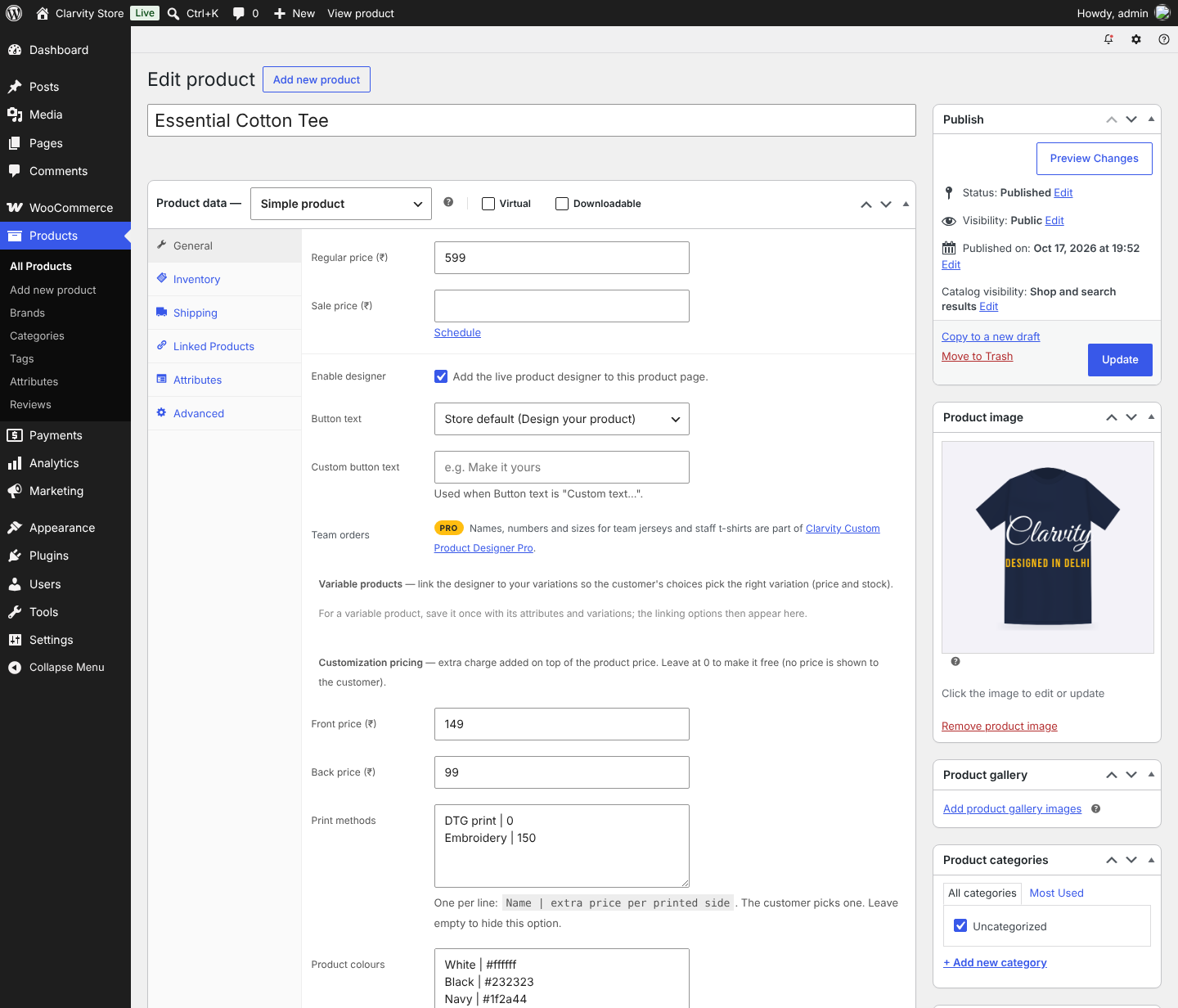
- Front/back prices and print methods (DTG, screen print, embroidery…) priced per side.
- Variable products: link types and colours to variation attributes.
- Locked “fill-in” templates (e.g. name and date only).
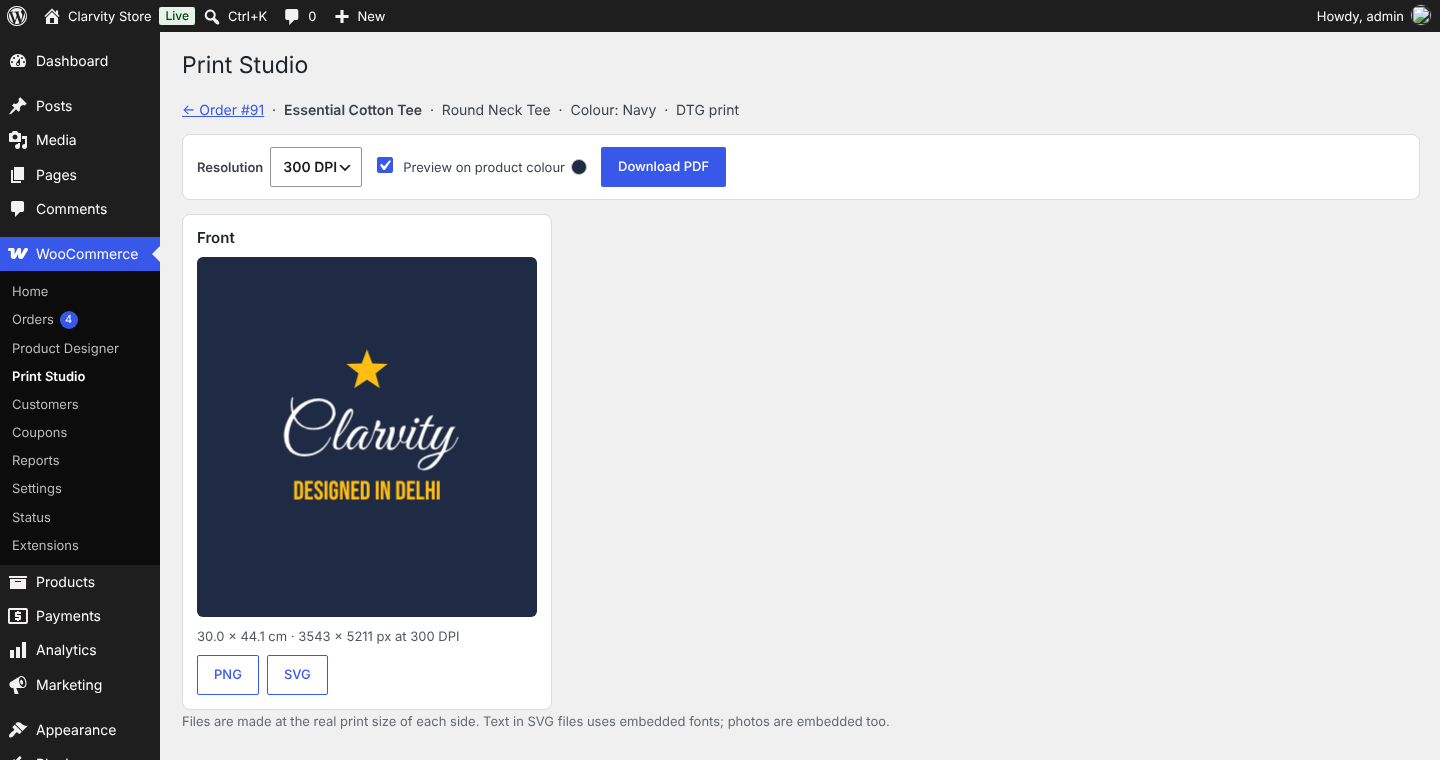
- Print Studio on every order: PNG at 150/200/300 DPI, multi-page PDF and SVG.
- Button text of your choice (“Customize your product”…).
Pro version
Clarvity Custom Product Designer Pro is an optional add-on for print shops, team-uniform sellers and agencies. It adds team orders (names, numbers and sizes) with sizes as separate cart lines, more print areas (sleeves, pocket, hood, neck label), a mockup library, 90 extra fonts and customer font upload, clipart and template packs, design approval, print files emailed to your printer, bulk export, print-shop PDFs with bleed and crop marks, a 3D preview and white-label. Everything runs on your own site, with no external services. Learn more at clarvity.com.
Everything listed above the Pro section is free and stays fully working without Pro.
Privacy
Uploaded images and designs are stored on your site to show and print orders. Shared designs can be opened by anyone with the link. Guest designs are deleted after 90 days without changes. A suggested privacy policy text is added under Settings > Privacy.
Source Code and Third-Party Resources
All plugin code is included unminified. Bundled libraries (minified builds of the published releases; source at the links):
- Fabric.js 5.3.0 – MIT – https://github.com/fabricjs/fabric.js
- jsPDF 2.5.2 – MIT – https://github.com/parallax/jsPDF
- qrcode-generator 1.4.4 – MIT – https://github.com/kazuhikoarase/qrcode-generator
- Fonts via Fontsource – SIL OFL 1.1 (24 fonts) and Apache 2.0 (Yellowtail, Satisfy) – https://github.com/fontsource/fontsource – see assets/fonts/LICENSES.txt
Screenshots
Installation
- Install and activate WooCommerce, then this plugin.
- Edit a product. In the General tab tick “Enable designer”, add a product type with a front (and optional back) mockup, the print area and the real print width.
- Optional: prices, print methods, colours and variation links on the same screen; button text, print resolution and clipart under WooCommerce > Product Designer.
- View the product and click the designer button.
FAQ
-
How do I get print files?
-
Open the order and click “Open Print Studio” on the customised item.
-
Does it work with variable products?
-
Yes. Choose the Type and Colour attributes on the product; their values must match your type and colour names. Other attributes, such as Size, appear inside the editor.
-
How do I make a “fill in your name” product?
-
As a shop manager, design it on the product page, select each text item and set “Customers can” to “only change the text”, lock the rest, and save it as a template. Then tick “Load automatically” and “Fill-in only” on the product.
-
What does the background remover handle?
-
Plain or single-colour backgrounds. It runs in the browser; busy photo backgrounds are not supported.
-
Does the plugin contact other websites?
-
No. All scripts and fonts are bundled. The “Share on WhatsApp” button is an ordinary link to wa.me that opens only when a shopper clicks it.
Reviews
There are no reviews for this plugin.
Contributors & Developers
“Clarvity Custom Product Designer” is open source software. The following people have contributed to this plugin.
Contributors
Translate “Clarvity Custom Product Designer” into your language.
Interested in development?
Browse the code, check out the SVN repository, or subscribe to the development log by RSS.
Changelog
1.9.1
- More extension hooks for add-ons: extra print areas, fonts, template placement and Print Studio PDF layout.
- The Escape key closes add-on windows before the editor.
1.9.0
- New: add-ons can extend the editor, cart, orders and Print Studio through hooks.
- New: “Free vs Pro” page under WooCommerce > Product Designer, and a Get Pro link on the Plugins screen. Shoppers never see Pro messages.
- Change: team orders have moved to the Pro add-on. Orders already placed keep their team roster.
- The editor accent colour is now a CSS variable (–cpdc-accent), so themes can restyle it.
- Print Studio previews can be shown on the product colour the customer chose, so white or light print is easy to check.
1.8.2
- Fix: on simple products, “Save & add to cart” now adds the product to the cart. Some themes reloaded the page without adding it.
- Fix: “Open Print Studio” on an order no longer shows “Sorry, you are not allowed to access this page”.
- Fix: product settings layout. The print-area boxes no longer overlap, and the print methods and colours boxes are taller with their help text underneath.
1.8.1
- Fix: with Realistic preview on, designs could look faded on mockups with a white or solid background. Flat fabric now keeps full strength.
- New name and prefixes for the WordPress.org directory; existing data is moved automatically.
- Declares compatibility with WooCommerce order storage (HPOS) and cart/checkout blocks.
- Privacy policy suggestion, uninstall clean-up and bundled font licences.
Full history: changelog.txt