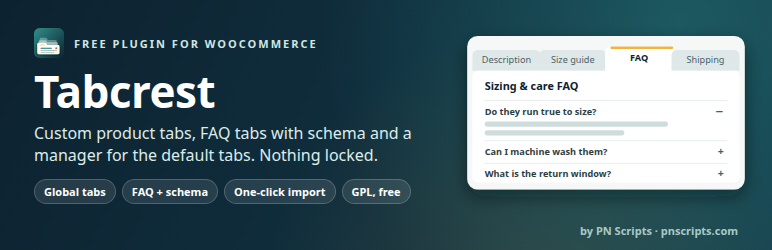

Description
PN Scripts Tabcrest adds the tabs your product pages need (size guides, shipping and returns, care instructions, warranties, ingredients, FAQs) and manages WooCommerce’s own Description, Additional information and Reviews tabs. Everything is free and nothing is locked.
Per-product tabs
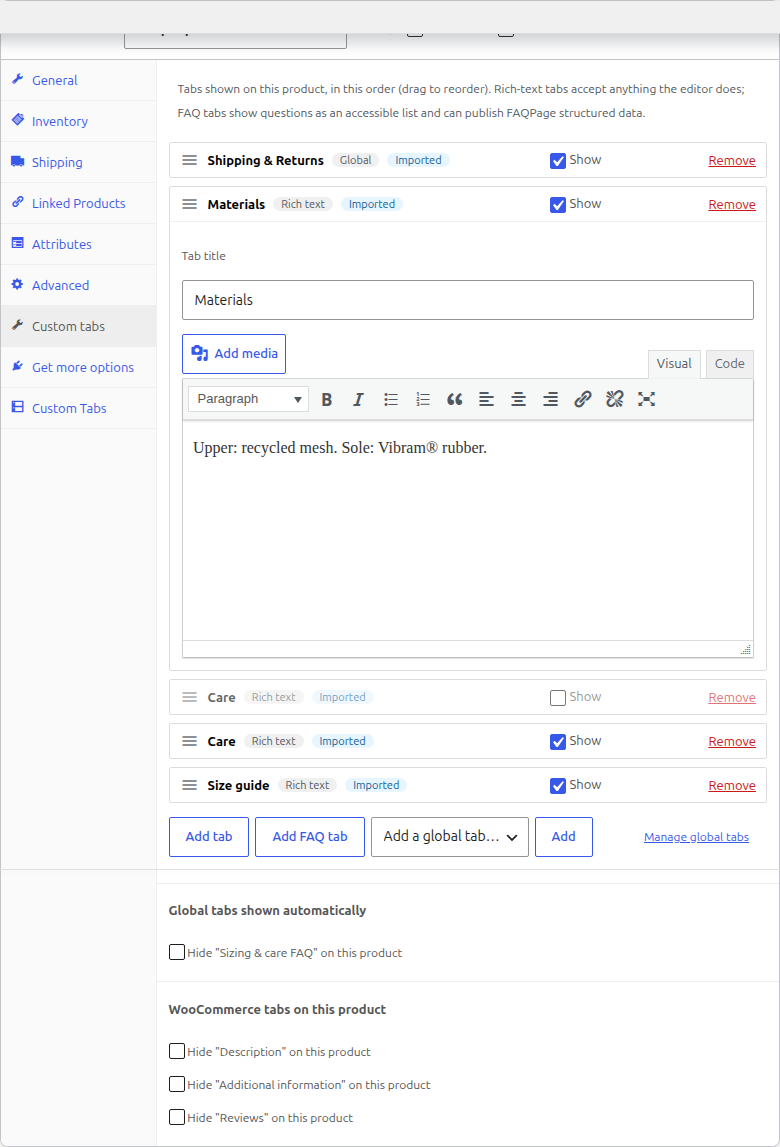
- Add any number of tabs to a product under Product data Custom tabs.
- Rich text with the WordPress editor (media, links, shortcodes, embeds), or a FAQ list.
- Drag to reorder, switch a tab off without deleting it, remove it.
Global (reusable) tabs
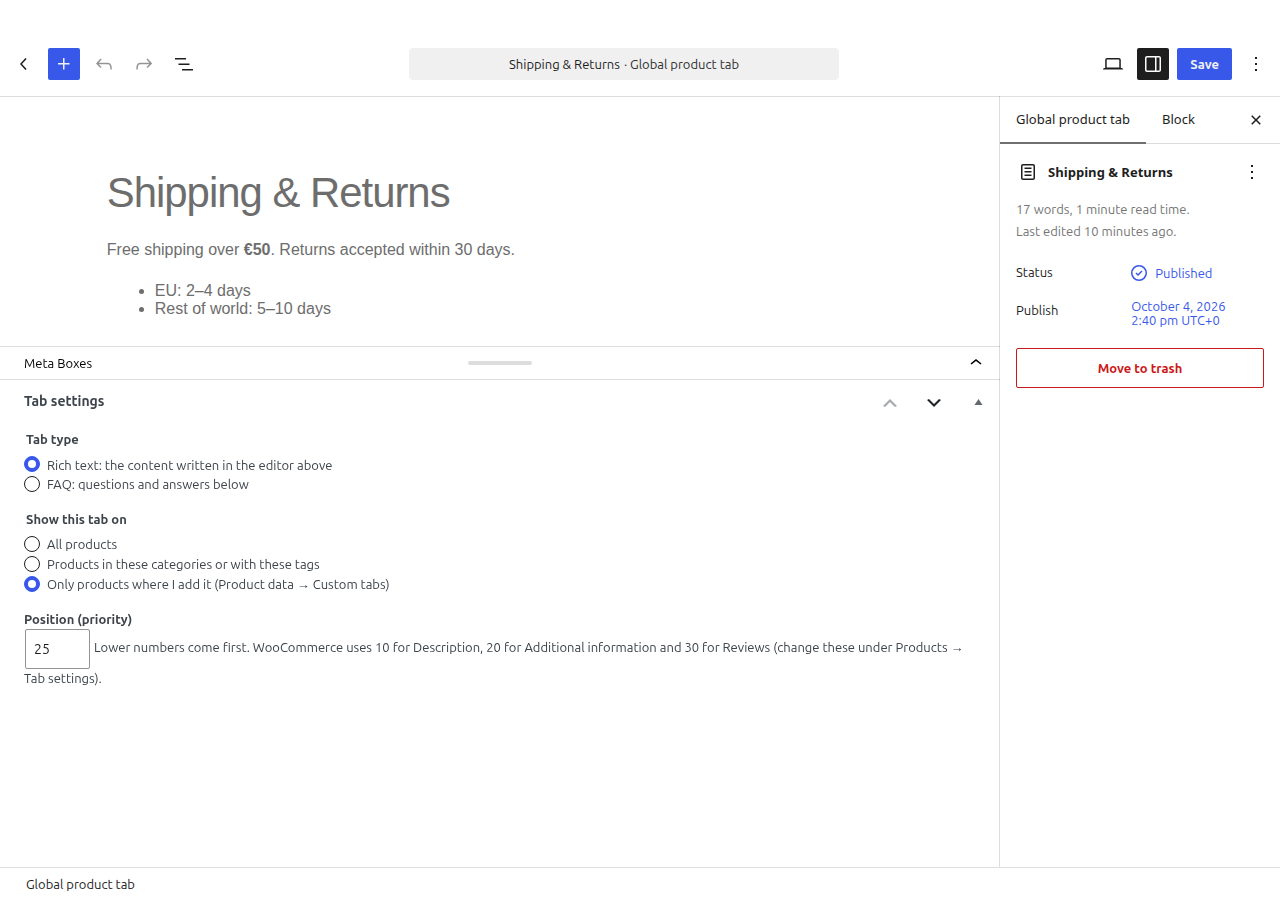
- Write a tab once in the block editor and show it on all products, on products in chosen categories (subcategories included) or with chosen tags, or only where you add it.
- Hide a global tab on a single product, or place it at a specific position on one product.
- Edit it once, every product updates.
FAQ tabs with FAQPage schema
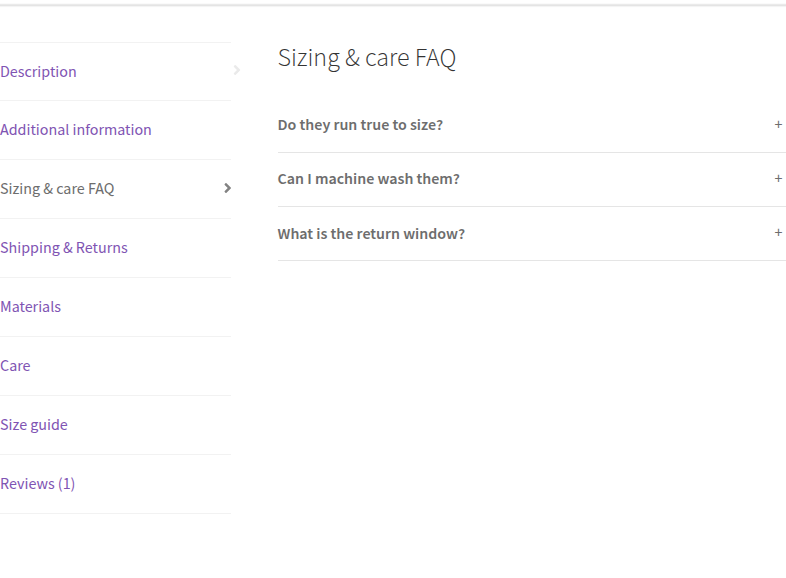
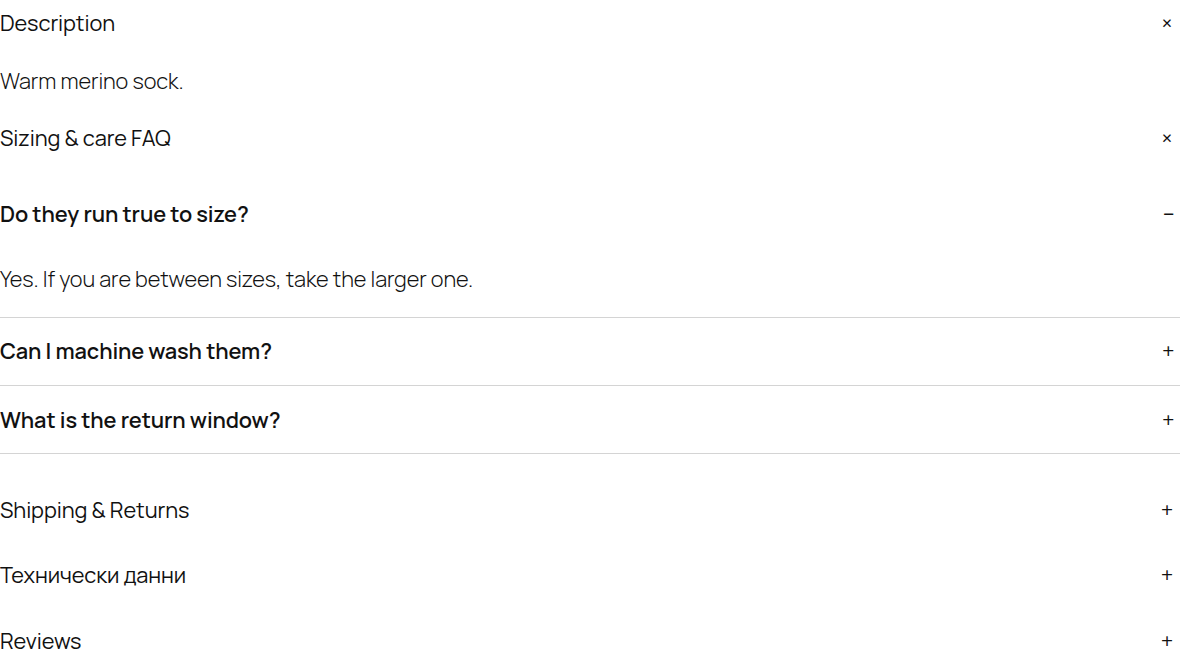
- Questions and answers as an accessible list (native details/summary, no JavaScript).
- Optional FAQPage structured data, one block per page, with a switch to turn it off when your SEO plugin already outputs FAQ markup.
Default WooCommerce tabs
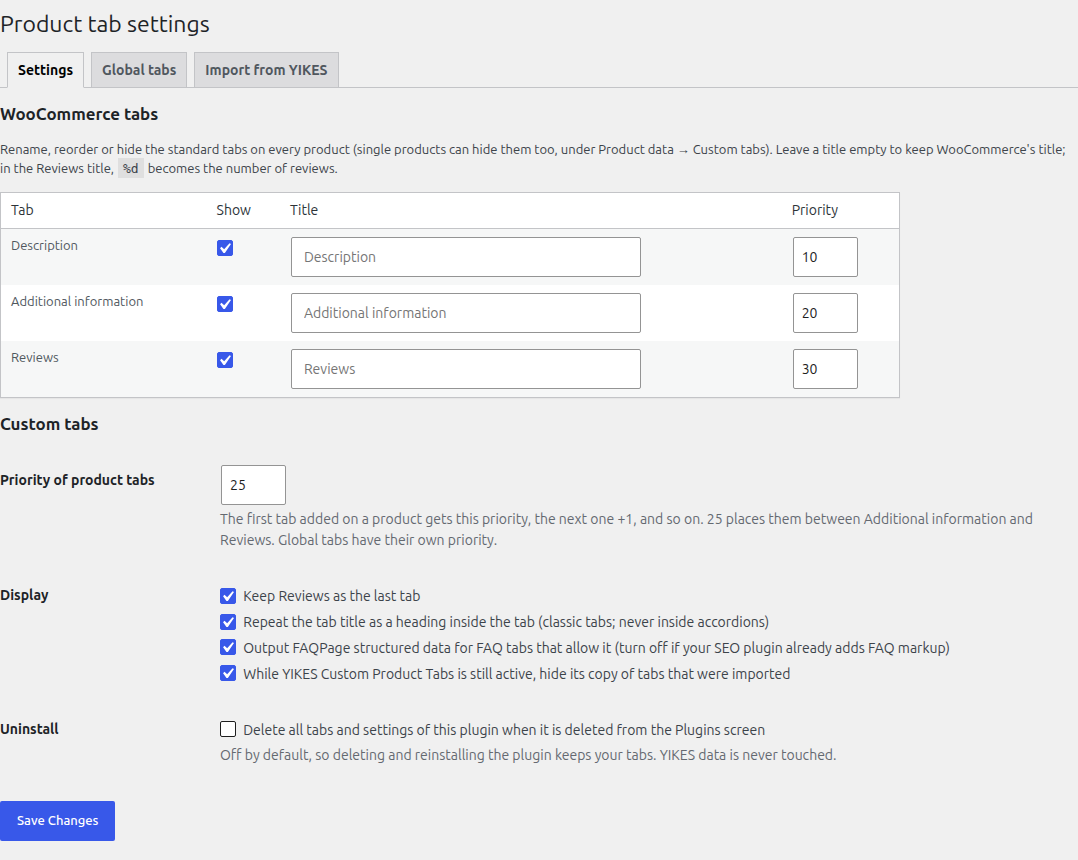
- Rename Description, Additional information and Reviews (the Reviews title can show the review count with %d).
- Reorder them by priority, hide them store-wide or on single products, keep Reviews last.
Classic and block themes
- Classic themes such as Storefront use the standard WooCommerce tabs.
- Block themes such as Twenty Twenty-Five: works with the Product Details block, both the tabbed version and the newer accordion version. In the accordion, custom tabs appear at their priority among Description, Additional information and Reviews, and renaming or hiding the default tabs works there too.
Moving from Custom Product Tabs for WooCommerce (YIKES)
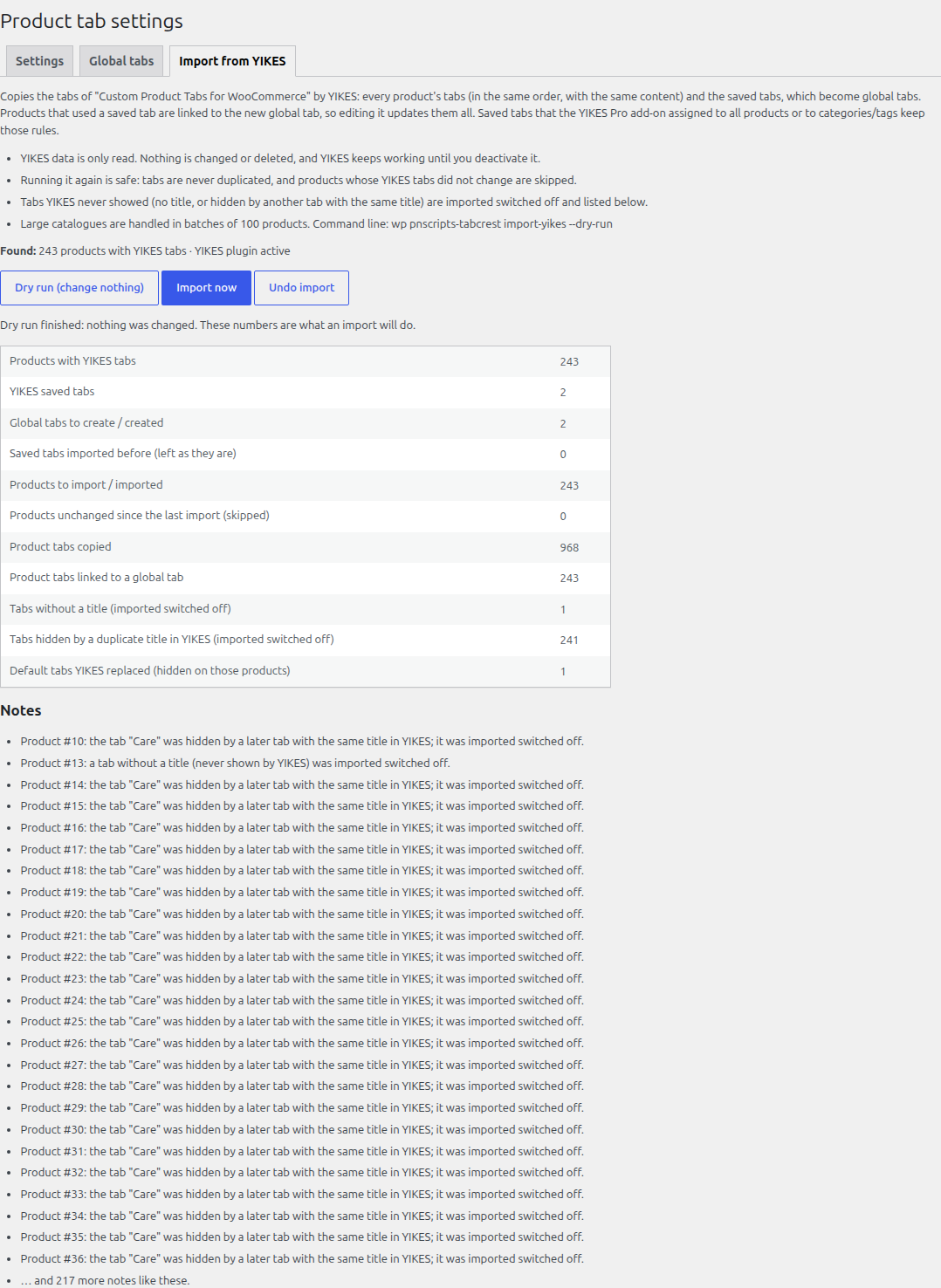
The importer copies every product’s YIKES tabs and the YIKES saved tabs in one click:
- Saved tabs become global tabs; products that used a saved tab are linked to it, so editing the global tab updates them all. Saved tabs that YIKES Pro assigned to all products or to categories/tags keep those rules.
- Your product pages look the same after the import: same tabs, same order, same content. Tabs YIKES never showed (no title, or hidden by another tab with the same title) are imported switched off and listed in the report.
- Dry run first: the report shows exactly what the import will do and changes nothing.
- YIKES data is only read, never changed. Until you deactivate YIKES, its copy of imported tabs is hidden so nothing shows twice.
- Safe to run again (no duplicates; unchanged products are skipped), works in batches for large catalogues, and can be undone.
- Command line:
wp pnscripts-tabcrest import-yikes --dry-run, thenwp pnscripts-tabcrest import-yikes.
Built for current WooCommerce
- Compatible with High-Performance Order Storage (HPOS) and the cart and checkout blocks (the plugin never touches orders, cart or checkout).
- Fast: tabs are stored with the product and global tabs are read from one cached index, so product pages do not run a query per tab. Styles load only when a FAQ tab is shown; no JavaScript on the storefront.
- Translation-ready; translations come from translate.wordpress.org.
- Clean uninstall: data is kept by default; one setting removes all tabs and settings when the plugin is deleted.
- No tracking, no external requests, no ads in the admin.
For developers
Filters and actions: pnscripts_product_tabs_resolved, pnscripts_product_tabs_global_tab_applies, pnscripts_product_tabs_content, pnscripts_product_tabs_heading, pnscripts_product_tabs_faq_schema, pnscripts_product_tabs_use_the_content, pnscripts_product_tabs_accordion_integration, pnscripts_product_tabs_index_entry, pnscripts_product_tabs_global_tab_settings, pnscripts_product_tabs_global_tab_saved, pnscripts_product_tabs_loaded.
Screenshots
Installation
- Install and activate WooCommerce (9.0 or newer).
- Upload the plugin folder to
/wp-content/plugins/or install it from Plugins Add New, then activate it. - Add tabs to a product under Product data Custom tabs, or create global tabs under Products Product tabs.
- Change the default tabs under Products Tab settings.
- Moving from YIKES Custom Product Tabs? Open Products Tab settings Import from YIKES, run the dry run, then import.
FAQ
-
Does it work with my theme?
-
Classic themes (Storefront, Astra, Kadence and others) show the tabs through WooCommerce’s standard template. Block themes show them through the Product Details block, tabbed or accordion. Themes that replace WooCommerce’s tab template completely may need their own template update.
-
Where do custom tabs appear?
-
Tabs added on a product start at priority 25 (between Additional information and Reviews) and follow the order of the list. Global tabs have their own priority. Description is 10, Additional information 20 and Reviews 30 by default; all of these can be changed.
-
Will the YIKES import change or delete my YIKES data?
-
No. It only reads it. You can keep YIKES active while you check the result, undo the import, and run it again.
-
What happens to YIKES tabs with the same title on one product?
-
YIKES shows only the last of them. The import keeps all of them, switches off the ones YIKES did not show, and lists them so you can decide.
-
Does the FAQ tab add structured data?
-
Yes, if “Publish as FAQPage structured data” is on for that tab and the store-wide setting is on. Search engines decide whether to show FAQ rich results (Google limited them to a small set of authoritative sites in 2023); the markup stays valid schema.org data either way.
-
Can I use the_content filters inside tabs?
-
Tab content is rendered like post content (blocks, embeds, shortcodes, paragraphs) without running the_content, so share buttons or related posts from other plugins do not appear inside every tab. Return true from the
pnscripts_product_tabs_use_the_contentfilter to use the_content instead. -
What is removed when I delete the plugin?
-
Nothing, unless you turn on “Delete all tabs and settings of this plugin when it is deleted” under Products Tab settings. YIKES data is never removed.
-
Is there a Pro version?
-
Not yet. The free plugin is complete and will stay complete; a later add-on may add advanced rules (attributes, stock, user roles), bulk editing, CSV import/export, a template library and scheduling.
Reviews
There are no reviews for this plugin.
Contributors & Developers
“PN Scripts Tabcrest – Custom Product Tabs & FAQ” is open source software. The following people have contributed to this plugin.
Contributors
Translate “PN Scripts Tabcrest – Custom Product Tabs & FAQ” into your language.
Interested in development?
Browse the code, check out the SVN repository, or subscribe to the development log by RSS.
Changelog
1.0.5
- Translations are no longer bundled; language packs come from translate.wordpress.org.
- The YIKES import notice appears only on the Global tabs screen and can be closed for good; the WooCommerce version notice appears only on the Plugins screen and is dismissible.
1.0.4
- Renamed to PN Scripts Tabcrest – Custom Product Tabs & FAQ; slug and text domain are now
pnscripts-tabcrest. The WP-CLI command iswp pnscripts-tabcrest(the 1.0.xwp pnscripts-product-tabsstill works) and the settings page address ispage=pnscripts-tabcrest(1.0.x links are redirected). Tabs, settings and imports are kept.
1.0.3
- Renamed to PN Scripts Tabwise – Custom Product Tabs & FAQ; slug and text domain are now
pnscripts-tabwise. The WP-CLI command iswp pnscripts-tabwise(the oldwp pnscripts-product-tabsstill works) and the settings page address ispage=pnscripts-tabwise(old links are redirected). Tabs, settings and imports are kept.
1.0.2
- Plugin name is now “PN Scripts Product Tabs – Custom Tabs & FAQ” (WordPress.org naming: distinctive name first). Slug and text domain stay
pnscripts-product-tabs. No functional change.
1.0.1
- Bundled translations load only when no language pack from translate.wordpress.org is installed (Plugin Check: no load_plugin_textdomain()).
- FAQPage JSON-LD is printed with wp_print_inline_script_tag().
1.0.0
- First release: per-product and global tabs, FAQ tabs with FAQPage schema, default tab manager, classic and block theme support, YIKES Custom Product Tabs importer (dry run, batches, re-runnable, undo), WP-CLI commands, Bulgarian, German and Polish translations.