

Description
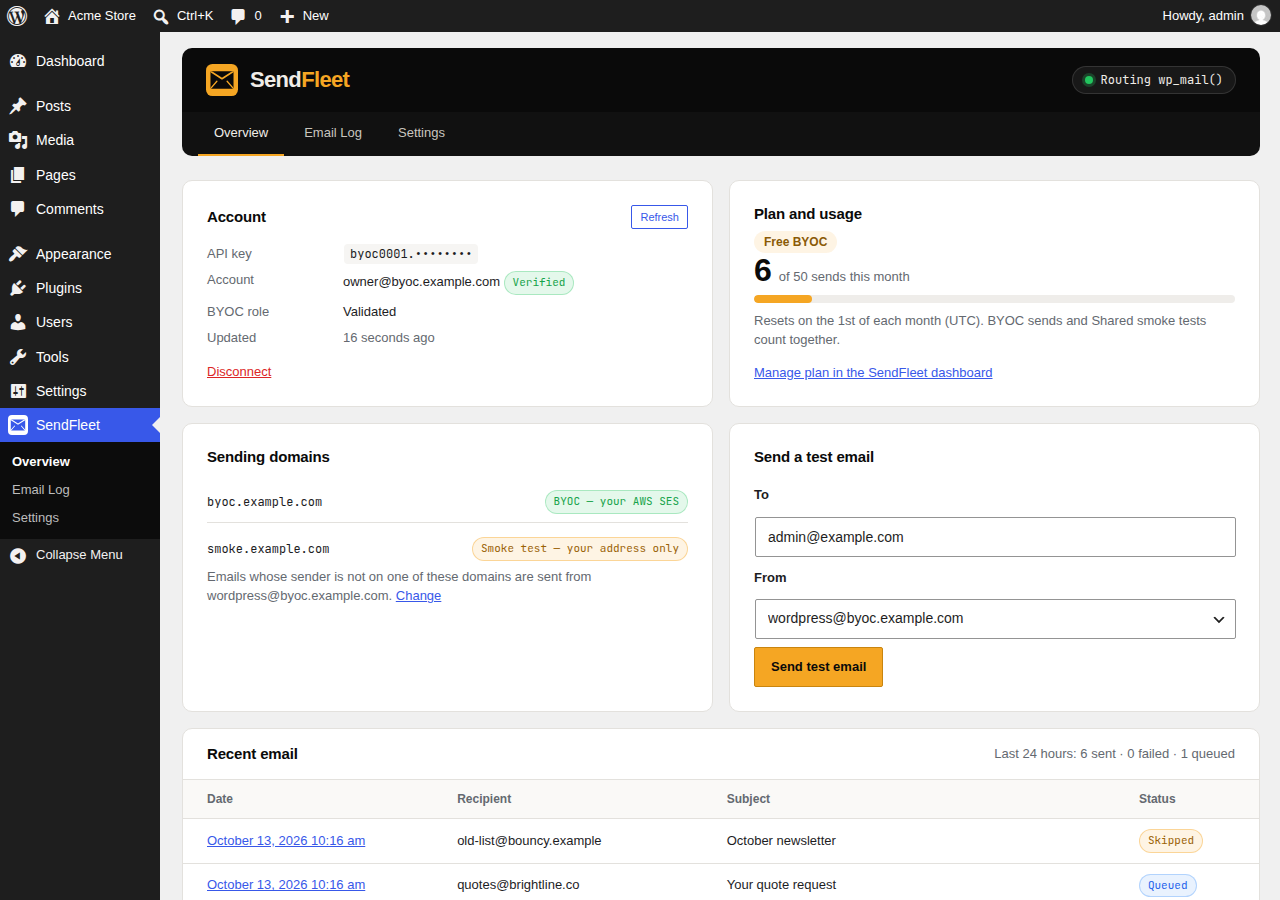
SendFleet is a transactional email API with two sending modes: BYOC sends through your own Amazon SES account, so SendFleet never stores your recipients, subjects or message bodies, and Managed plans send through SendFleet’s own SES with email logs, delivery webhooks and automatic bounce handling.
This is the official SendFleet plugin. It routes every email WordPress sends — password resets, new-user emails, WooCommerce orders, contact form submissions, comment notifications, anything that calls wp_mail() — through the SendFleet API instead of PHP mail() or SMTP.
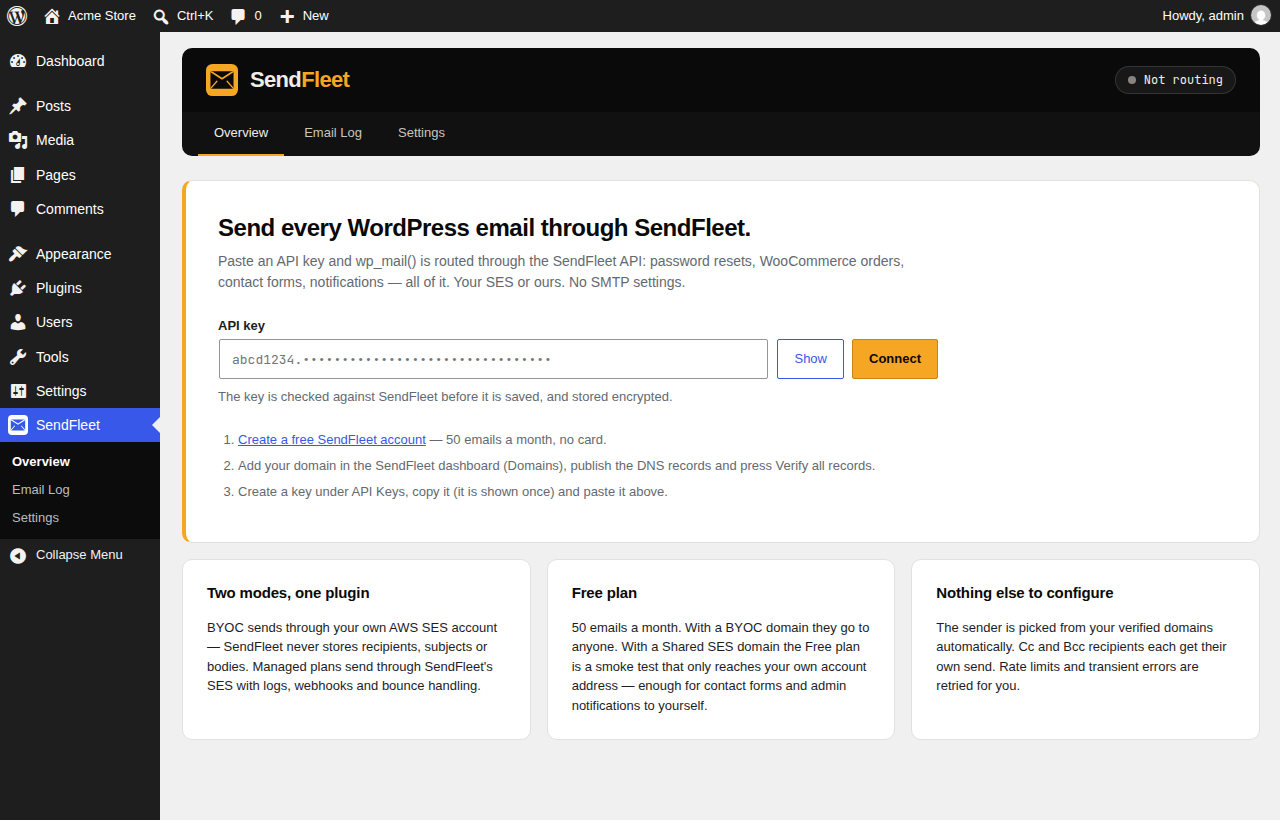
Setup is one field. Paste your API key. The plugin checks it, reads your plan and verified sending domains from SendFleet, and picks a sender address on one of those domains automatically. There are no SMTP hosts, ports or passwords to configure.
What it does for you
- Takes over wp_mail() cleanly. Uses WordPress’
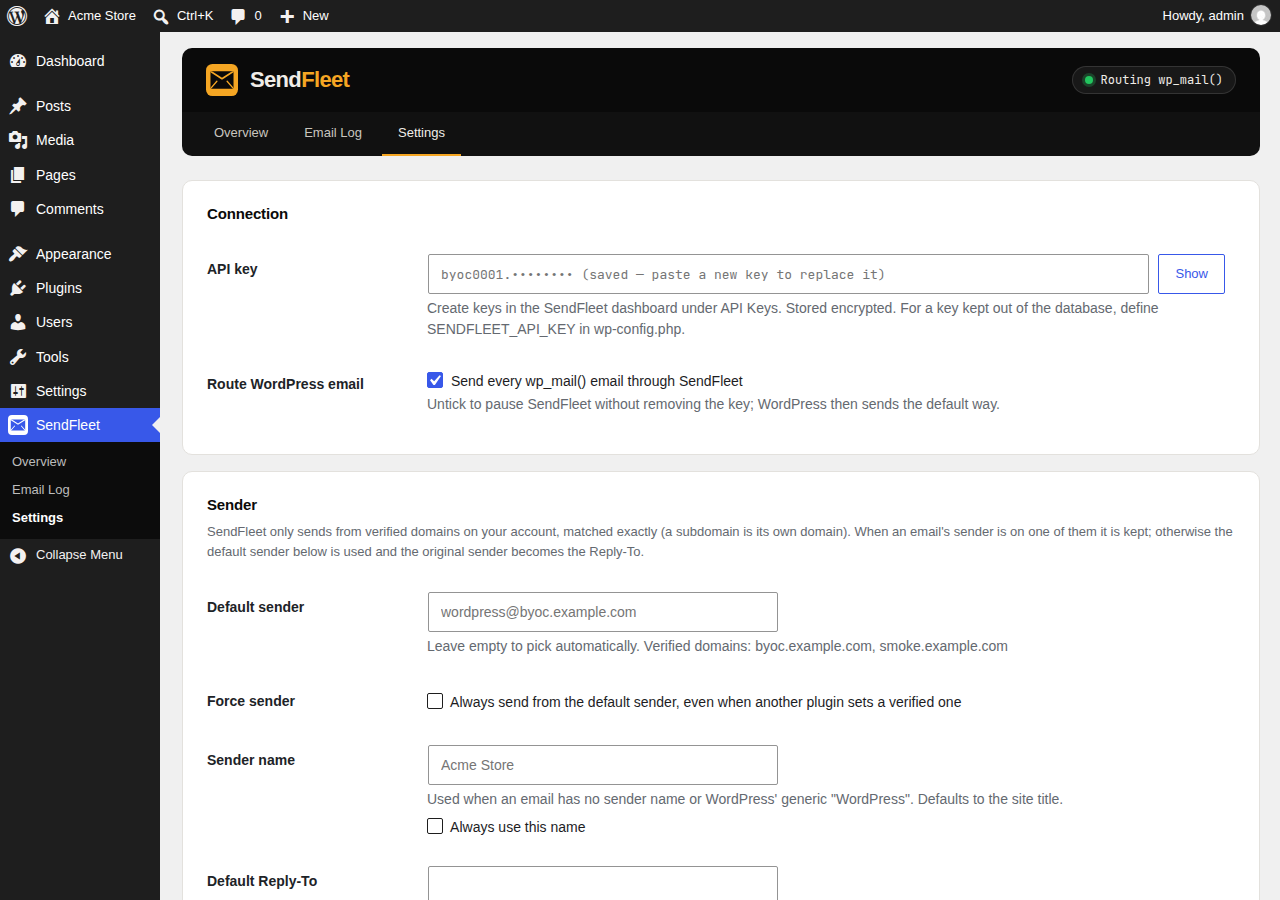
pre_wp_mailfilter rather than replacing the pluggable function, and builds each message exactly like WordPress does, sowp_mail_from,wp_mail_content_type,phpmailer_initand every other mail filter keep working (WooCommerce’s plain-text alternative included). - Always sends from a verified domain. If a plugin sets a sender on a domain your SendFleet account cannot send from, the plugin sends from your default sender instead and puts the original address in Reply-To, so replies still reach the right person.
- To, Cc and Bcc. Each email goes out as one SendFleet message with its To, Cc and Bcc recipients (up to 50 per message on a BYOC domain; larger lists are split). On a Shared SES domain a message is addressed to exactly one recipient, so the first address stays in To and the rest are sent as Cc, and the API’s 5-recipient ceiling applies. Every recipient appears in the log on their own row.
- HTML and plain text. A readable plain-text version is generated for HTML-only emails, as SendFleet recommends.
- Attachments. Checked against SendFleet’s limits (20 files, 25 MB each, 37 MB in total, no executables). A file that would be refused is left out and noted in the log, rather than failing the whole email.
- Retries done right. Rate limits (60 requests a minute per key),
502 queue_errorand other failures where SendFleet confirms nothing was sent are retried automatically from a queue. A timeout is never retried automatically, because the email may already have been accepted and a retry could deliver it twice. - Circuit breakers. A rejected key, a used-up plan or a suspended account stops further API calls straight away instead of hammering the API (and getting your server’s IP blocked for repeated failed authentication).
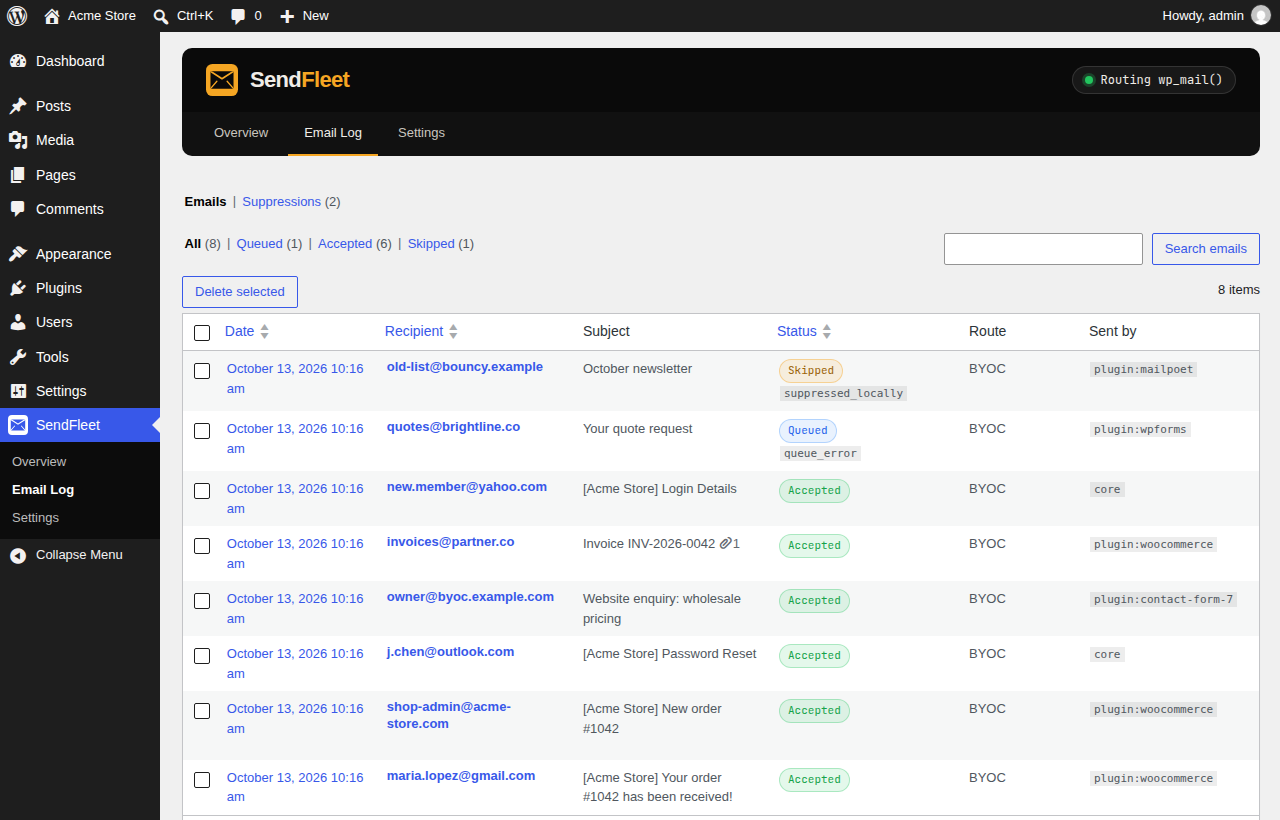
- Email log. Recipient, sender, subject, status, sending mode, SendFleet message ID and the plugin that sent it. Message bodies are never stored in the log. Entries are deleted after 30 days by default.
- Delivery status and suppressions (Managed plans). Point a SendFleet webhook at the plugin and delivered, bounced and complained statuses appear in the log. Hard bounces, spam complaints and suppressions are added to a local suppression list, so the site stops spending sends on addresses that will never accept mail.
- Background sending (optional). Queue emails and send them from WP-Cron so checkout and form pages respond faster.
- Fallback (optional). If SendFleet cannot take an email, send it the default WordPress way instead.
- Free plan support. The Free plan includes 50 emails a month. With a BYOC domain they go to anyone. With a Shared SES domain, the Free plan is a smoke test that only delivers to your own SendFleet account address — the plugin knows this and sends notifications addressed to you (contact forms, admin notices) while skipping everyone else, with a clear note in the log.
- Built for operations. Site Health checks, a WP-CLI command (
wp sendfleet status|connect|test|queue|refresh|purge-log), wp-config.php constants for every secret, encrypted key storage, multisite support, and personal data export and erasure.
Requirements
- A SendFleet account — create one for free (50 emails a month, no card).
- A sending domain added and verified in the SendFleet dashboard (DNS records for ownership and DKIM).
- An API key from SendFleet API Keys.
External services
This plugin connects to the SendFleet API (https://api.sendfleet.net), operated by SendFleet, to send email. That is its whole purpose; it sends nothing until you save an API key.
- When an email is sent (any call to
wp_mail()while the plugin is connected), the plugin sends a request toPOST https://api.sendfleet.net/v1/sendcontaining the recipient address, the sender address and name, the Reply-To address, the subject, the plain-text and HTML body and any attachments. - When you connect, when you open the plugin’s screens (at most every 10 minutes), after a send fails because of an account or domain problem, and otherwise twice a day, the plugin calls
GET https://api.sendfleet.net/v1/meto read your account’s name and email address, plan, current-month usage and verified sending domains. - Every request carries your API key in the
X-API-Keyheader and identifies the plugin, WordPress and PHP versions in theUser-Agentheader. No other site data is sent. - Webhooks are optional and inbound: if you configure one in the SendFleet dashboard, SendFleet sends delivery events to this site’s REST endpoint (
/wp-json/sendfleet/v1/webhook), which verifies an HMAC signature before accepting them.
Depending on your SendFleet plan, mail is delivered through your own Amazon SES account (BYOC; SendFleet does not store recipients, subjects or bodies) or through SendFleet’s managed Amazon SES infrastructure (Managed plans; SendFleet keeps an email log including content for 14 days).
- SendFleet terms and conditions: https://sendfleet.net/terms-and-conditions/
- SendFleet privacy policy: https://sendfleet.net/privacy-policy/
Screenshots
Installation
- In WordPress, go to Plugins Add New, search for SendFleet, then Install and Activate.
- In SendFleet, add your domain under Domains, publish the DNS records and press Verify all records.
- In SendFleet, create a key under API Keys and copy it (it is shown once).
- In WordPress, open SendFleet in the admin menu, paste the key and press Connect.
- Send a test email from the same screen.
To keep the key out of the database, add it to wp-config.php instead:
define( 'SENDFLEET_API_KEY', 'abcd1234.your-secret-part' );
Other constants: SENDFLEET_FROM_EMAIL, SENDFLEET_FROM_NAME, SENDFLEET_WEBHOOK_SECRET and SENDFLEET_ENCRYPTION_KEY (a custom key for encrypting stored secrets).
FAQ
-
Which plugins does it work with?
-
Anything that sends email through
wp_mail(), which is nearly everything: WordPress core, WooCommerce, Easy Digital Downloads, Contact Form 7, WPForms, Gravity Forms, Fluent Forms, Elementor forms, membership and LMS plugins, and so on. -
Do I need to deactivate my SMTP plugin?
-
Yes. Run one mailer at a time. If another plugin replaces
wp_mail()entirely, SendFleet shows a warning, because email may then bypass it. -
Which sender address is used?
-
If the sender an email already has is on one of your verified SendFleet domains, it is kept. Otherwise the default sender is used: the address you set under SendFleet Settings, or
wordpress@your site’s domain when that domain is verified, orwordpress@your first verified domain. SendFleet matches domains exactly, somail.example.comandexample.comare separate domains. -
What is the Free plan “smoke test”?
-
On the Free plan, a Shared SES domain only delivers to your own SendFleet account address. It exists so you can try SendFleet before setting up Amazon SES. The plugin delivers emails addressed to you and skips other recipients (they are listed in the log as skipped). Add a BYOC domain (free, through your own Amazon SES) or choose a Managed plan to email anyone. Never mark a smoke-test email as spam: SendFleet suspends the account on the first complaint.
-
How are Cc and Bcc handled?
-
As in any email: one message, with the Cc addresses visible to everyone and the Bcc addresses visible to nobody. SendFleet accepts up to 50 recipients per message on a BYOC domain, so a longer list is split into several messages. On a Shared SES domain the limit is 5 recipients and the message is addressed to exactly one of them, with the rest as Cc. Each recipient counts as one send against your SendFleet allowance, and on the Free plan’s Shared SES smoke test only your own address can receive, so Cc and Bcc recipients are skipped there.
-
What happens when SendFleet is unreachable or rate-limits me?
-
Requests that SendFleet confirms were not sent are retried automatically: inline once, then from a queue run by WP-Cron with backoff. Rate-limited emails wait for the limit window to pass. If you turn on the fallback, an email SendFleet cannot take is sent the default WordPress way.
-
Does the plugin store my emails?
-
The log stores recipient, sender, subject and status, never the body. An email waiting in the retry or background queue is held in the database until it is sent, then its content is deleted. You can turn the log off entirely.
-
Where is the API key stored?
-
Encrypted in the options table (libsodium, with a key derived from your site’s security salts), or not at all if you define
SENDFLEET_API_KEYinwp-config.php. If the salts change, the plugin asks you to paste the key again. -
Can I see delivery, bounce and complaint status?
-
On Managed plans, yes. Copy the endpoint URL from SendFleet Settings Webhooks into the SendFleet dashboard, select the events you want, and paste the signing secret back into the plugin. BYOC sends are delivered by your own Amazon SES account, so their events stay in your AWS account.
-
Does it support multisite?
-
Yes. Each site has its own settings and log. Define
SENDFLEET_API_KEYinwp-config.phpto use one key for the whole network. -
Is there a WP-CLI command?
-
wp sendfleet status,
wp sendfleet connect <key>,wp sendfleet test [<to>],wp sendfleet queue [list|run],wp sendfleet refreshandwp sendfleet purge-log. -
What is removed when I delete the plugin?
-
All of its settings, both database tables (log and suppression list) and its scheduled events.
Reviews
There are no reviews for this plugin.
Contributors & Developers
“SendFleet” is open source software. The following people have contributed to this plugin.
Contributors
Translate “SendFleet” into your language.
Interested in development?
Browse the code, check out the SVN repository, or subscribe to the development log by RSS.
Changelog
1.0.0
- First release: routes wp_mail() through the SendFleet API (BYOC and Managed), automatic sender selection, Free plan smoke-test support, attachments, retries and queue, background sending, fallback, email log, webhooks with a local suppression list, Site Health, WP-CLI, multisite and privacy tools.