
Description
Create promotional banners and announcements and place them on your store, without touching a template.
Each banner is written in the standard WordPress editor and controlled from its own screen, so you can run several at once with different targeting, scheduling and styling.
Here is a quick overview:
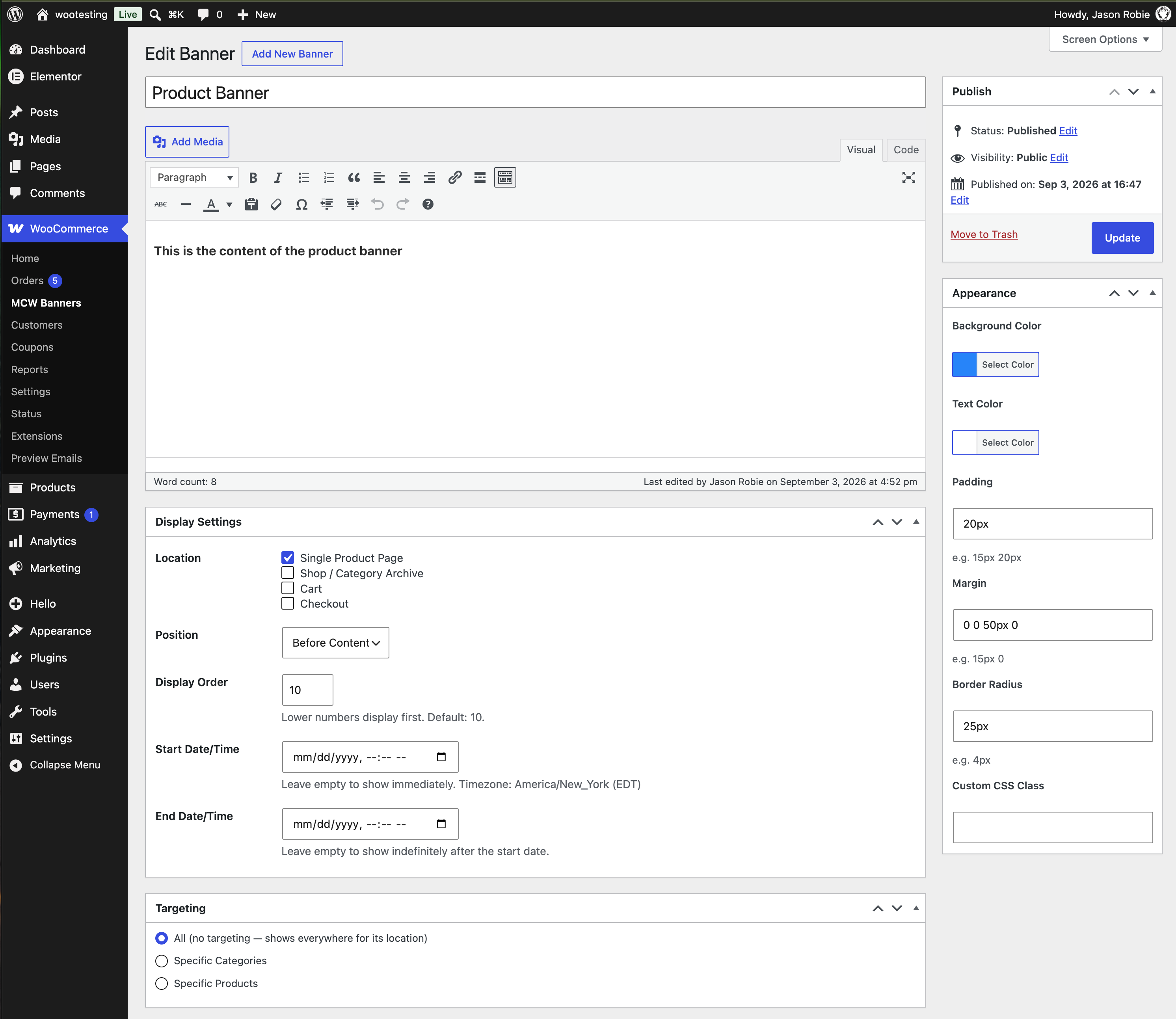
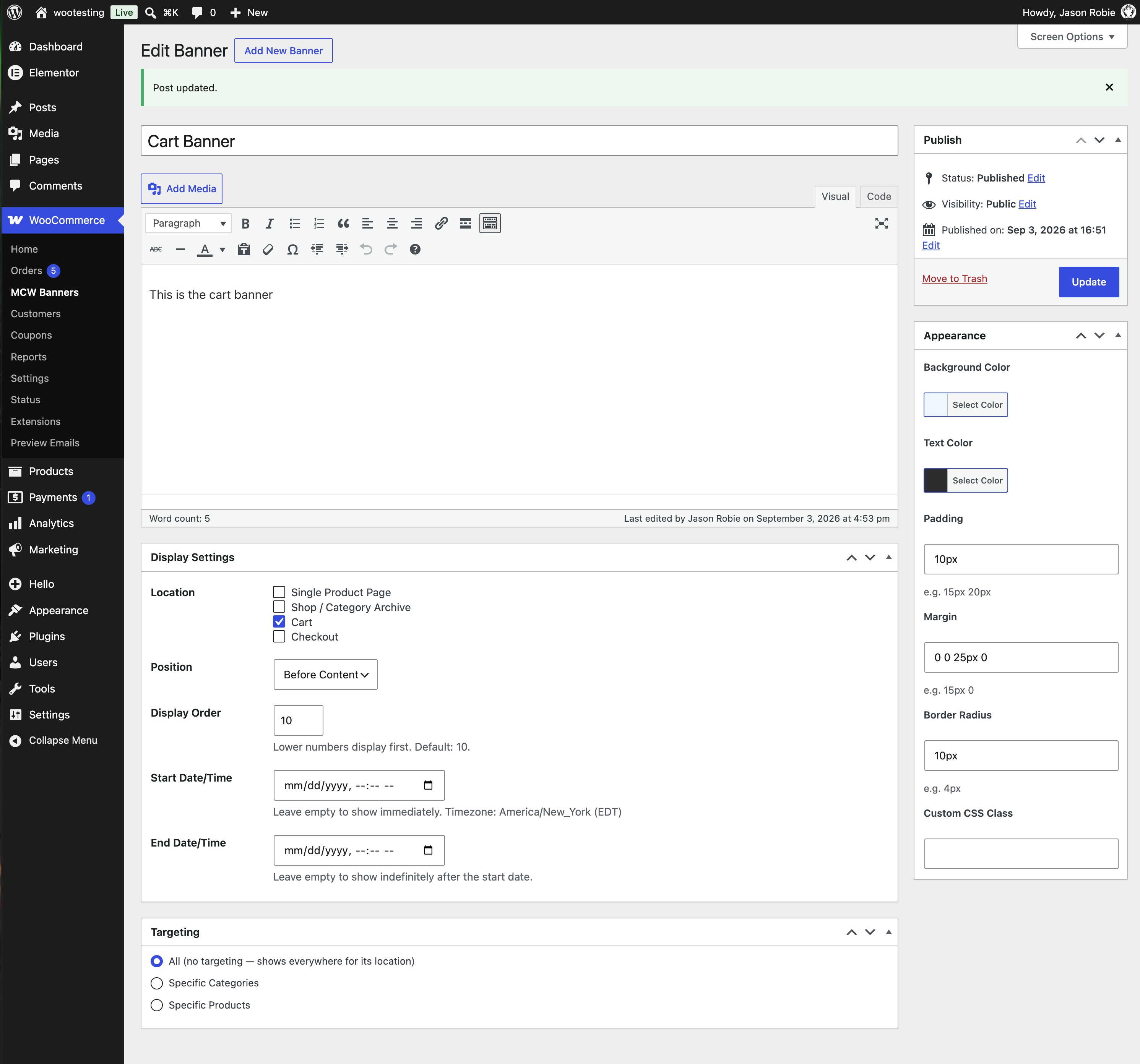
Where a banner can appear
- Single product pages
- Shop and category archives
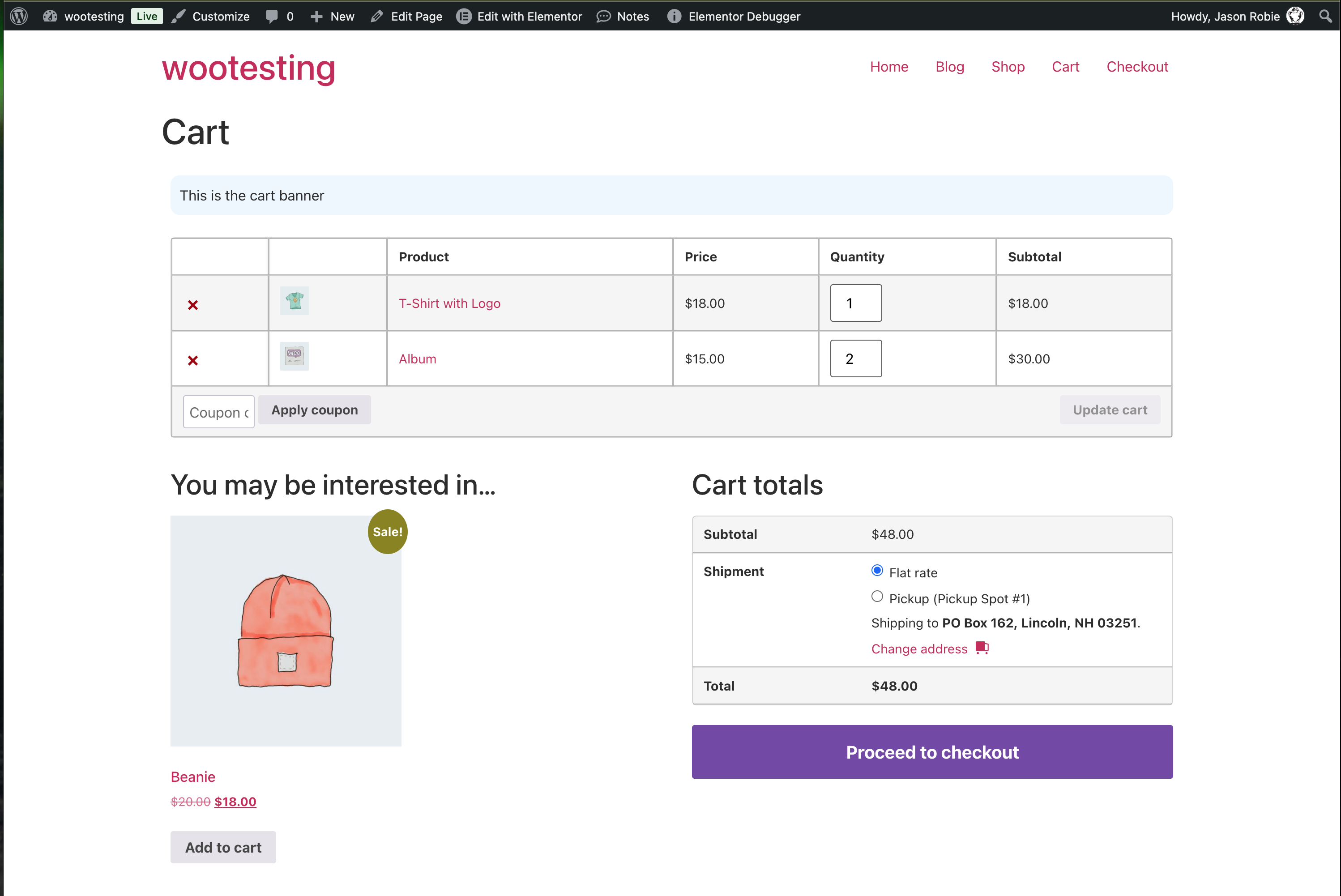
- Cart
- Checkout
Choose any combination, and place the banner before or after the page content.
Who sees it
- All products – shown everywhere the chosen locations apply
- Specific categories – only for products in the categories you pick
- Specific products – only for the products you pick
Scheduling
Give a banner a start and end date and time and it appears and disappears on its own. Leave them empty and it runs until you unpublish it. Dates use your site’s timezone.
Styling
- Background and text colour
- Padding, margin and corner radius
- Your own CSS class for finer control from your theme
- A display order, so several banners in the same spot stack predictably
Block Cart and Checkout
The cart and checkout banners work with both the classic shortcode pages and the newer Cart and Checkout blocks.
Requirements
WooCommerce 7.0 or later must be installed and active. Compatible with High-Performance Order Storage (HPOS).
Screenshots
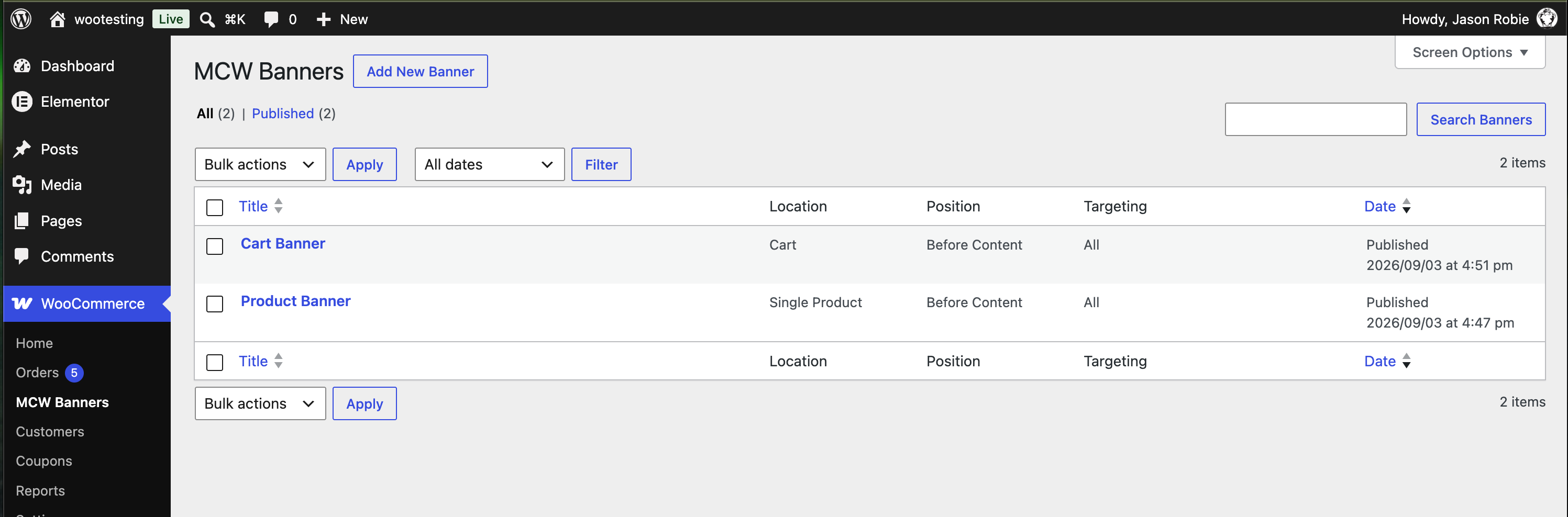
Installation
- Upload the
mad-cow-banners-for-woocommercefolder to/wp-content/plugins/, or install through the Plugins screen. - Activate the plugin through the Plugins screen.
- Go to WooCommerce > MCW Banners and add your first banner.
FAQ
-
Yes. Set a display order on each and they stack in that order.
-
Yes. The cart and checkout locations work with the classic shortcode pages and with the Cart and Checkout blocks.
-
What timezone do the start and end dates use?
-
Your site’s timezone, as set in Settings > General. The field shows the abbreviation so you can confirm it.
-
Yes. Banner content runs through the same filters as post content, so formatting, images, shortcodes and embeds all work.
-
Set it to draft, or give it an end date in the past.
-
Add your own CSS class to the banner and target it from your theme stylesheet.
Reviews
There are no reviews for this plugin.
Contributors & Developers
“Mad Cow Banners for WooCommerce” is open source software. The following people have contributed to this plugin.
Contributors
Translate “Mad Cow Banners for WooCommerce” into your language.
Interested in development?
Browse the code, check out the SVN repository, or subscribe to the development log by RSS.
Changelog
1.0.8
- Security: banner HTML is now escaped at output with
wp_kses_post(), and the inline style attribute is assembled unescaped and escaped once at output instead of per-part. - Hardening: admin settings markup no longer emits a conditional style attribute from an unescaped expression.
- Changed: the front-end banner query is capped at 25 published banners instead of being unbounded.
1.0.7
- Fixed: banners with no stored display order are no longer excluded from the front end. Ordering is now done in PHP instead of through a postmeta join, which also removes that join from every store page load.
- Fixed: the Padding, Margin and Border Radius fields are now validated as CSS measurements before being written into the banner’s style attribute. A value that is not a valid measurement is rejected with a notice and the previous value is kept, instead of being passed through to the page.
1.0.6
- Changed: prepared for the WordPress.org plugin directory. Updates now come from WordPress.org.
- Changed: the cart and checkout block banners now hook the block-specific render filters rather than the generic one, so the callback no longer runs on every block of every page.
- Changed: description now mentions scheduling and the before/after content placement.
- Fixed: three form values were read without unslashing before sanitisation.
- Changed: tested against WordPress 7.1 and WooCommerce 11.1.
1.0.5
- Previous self-hosted release.