

Description
GeekoDev Universal Product Feed for WooCommerce builds the product feeds the main shopping and advertising channels ask for, straight from your WooCommerce products, and keeps them up to date at a stable public URL. No product limit, no feed limit.
Channels
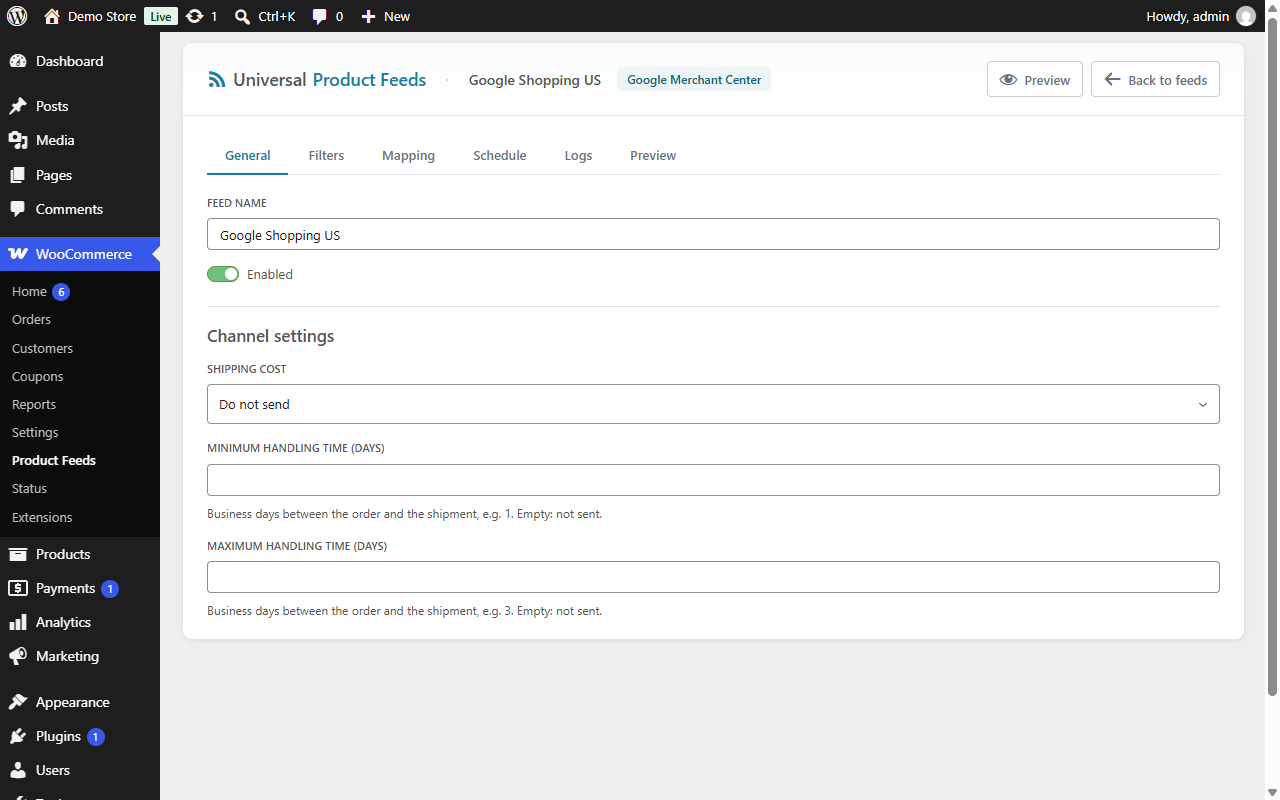
- Google Merchant Center (Google Shopping, free listings): XML feed with prices, sale prices, availability, brand, GTIN, MPN, condition, Google product category, variations, age group, gender, custom labels, shipping cost and handling times
- Facebook / Meta Catalog (Facebook and Instagram Shops, Advantage+ catalog ads)
- TikTok Shop / TikTok Catalog
- Microsoft Bing Merchant Center
- Pinterest Shopping
- Snapchat Ads Catalog
- Custom CSV: choose every column yourself, with your delimiter, for any other channel that takes a CSV file
Features
- Stable public URLs (
/feeds/your-feed.xml) that Googlebot, the Meta crawler and the other channels fetch on a schedule - Fast delivery: the generated file is served straight from disk and rebuilt automatically when products change; crawlers may cache it for the max age you set and get a “304 Not Modified” when it has not changed
- Background generation through WooCommerce’s Action Scheduler, in batches, so large catalogs don’t time out; the Run button regenerates a feed immediately
- Scheduled regeneration per feed: every 15 minutes, hourly, daily or weekly
- Variations exported as individual items, with their own link, image and an
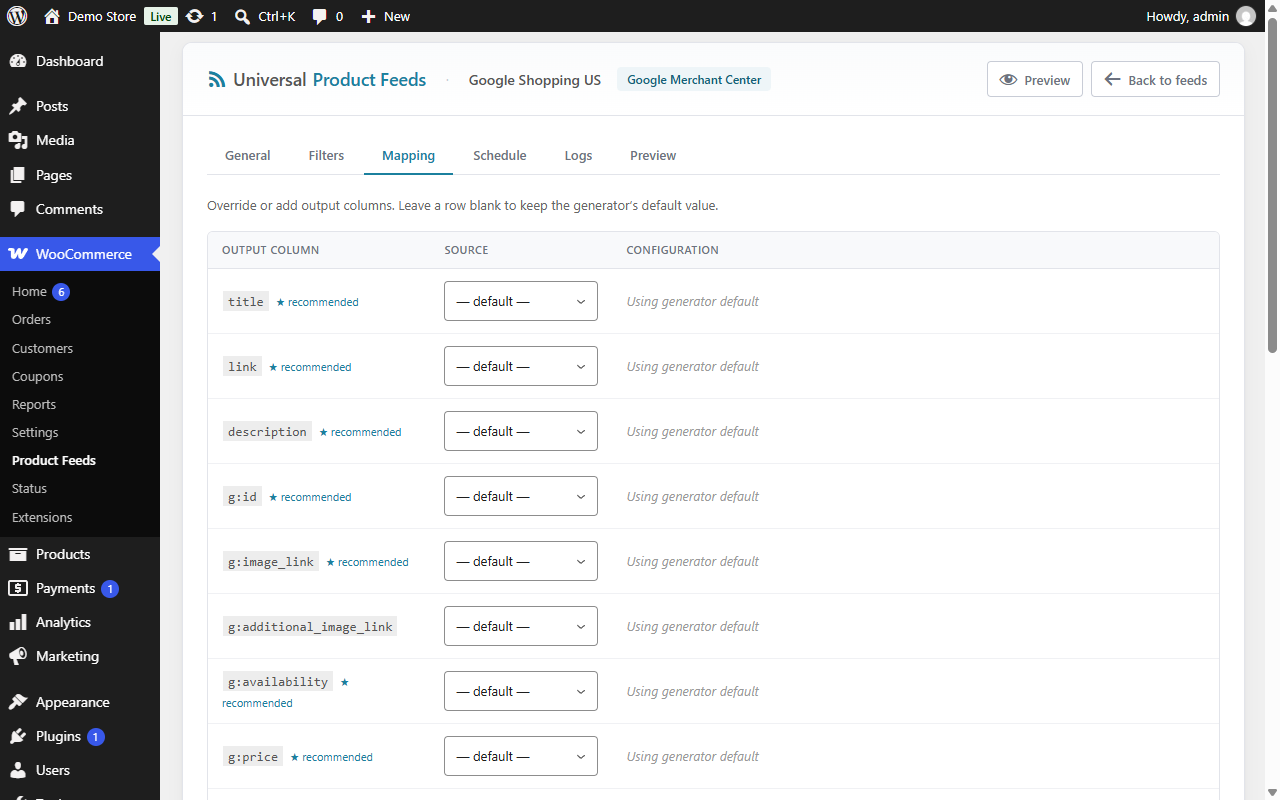
item_group_idpointing to their parent - A mapping editor on every channel: send a product field, a custom field (meta), a taxonomy term or a fixed value in any column
- Google category mapping: assign a Google product category to each WooCommerce category once; sub-categories and variations inherit it. The Google category list can be downloaded in your language
- Filters per feed: categories, stock status, product type, price range
- Prices as customers pay them: the sale price only while the sale runs, and prices shown the way your shop displays them
- Shipping cost per product for Google Merchant Center, from a WooCommerce shipping zone
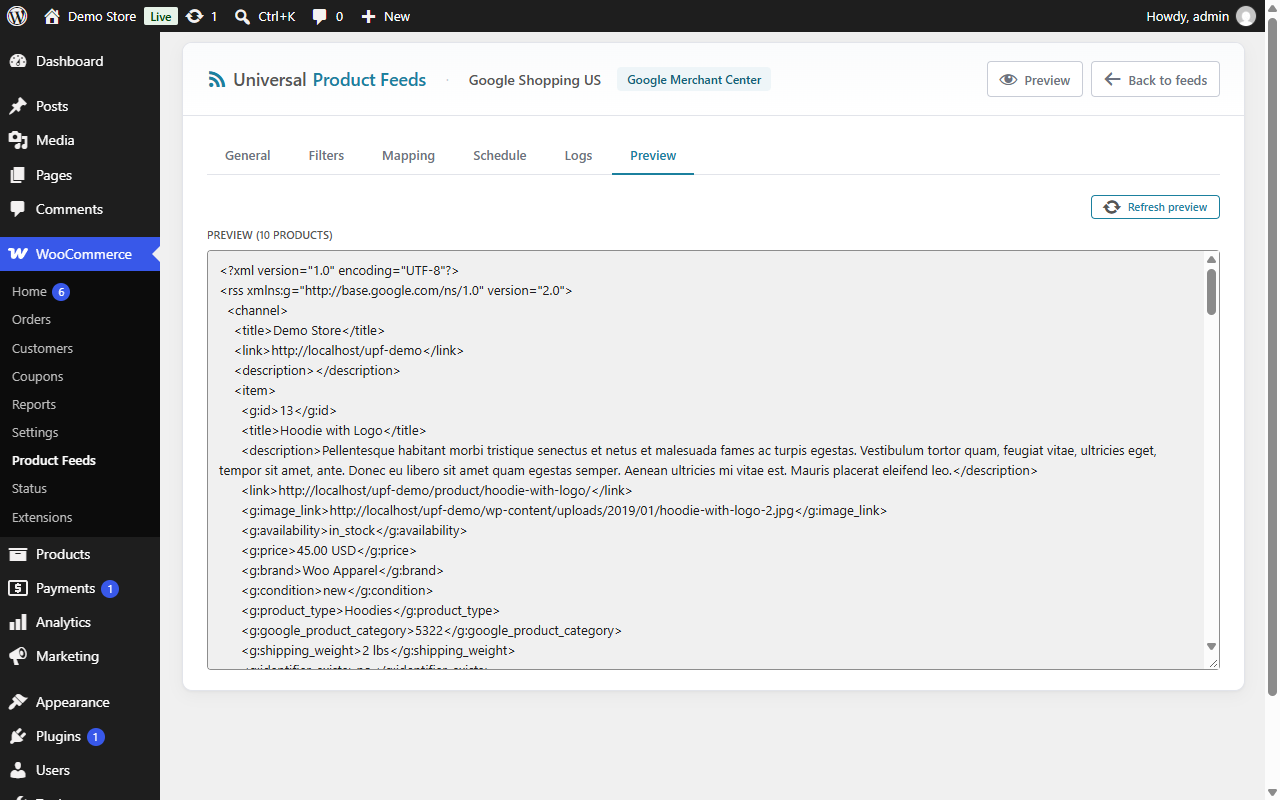
- Per-feed logs and a Preview tab to check the output before submitting it
- WooCommerce’s own GTIN field, or
_gtin/_ean/_upccustom fields; brands from a_brandcustom field, theproduct_brandtaxonomy (WooCommerce Brands, Perfect Brands, YITH Brands…) or a Brand attribute - Translation-ready, right-to-left languages included: translations are managed on translate.wordpress.org
- Compatible with WooCommerce High-Performance Order Storage (HPOS)
Universal Product Feed Pro
The Pro add-on adds:
- 39 more channels: the European price comparison engines and marketplaces (Idealo, Kelkoo, LeDénicheur, Skroutz, BestPrice, Heureka, Zboží.cz, Ceneo, Glami, Mall, Árukereső, Compari.ro, eMAG, Geizhals, PriceRunner, PriceSpy, Prisjakt, Trovaprezzi, KuantoKusta, Trendyol…), Google Ads, Google Product Reviews and Promotions, Amazon, Temu, Criteo, Fruugo, OpenAI / ChatGPT Shopping, Custom XML and Custom JSON
- Advanced mapping: composite templates (
{name} - {brand}), conditions and transforms (strip HTML, truncate, replace, regex, rounding, arithmetic) - One feed per language with WPML or Polylang, and feeds in other currencies with WooCommerce Multilingual (WCML) or Aelia Currency Switcher
- Shipping rules by price, weight, stock and category
- FTP / SFTP upload of the generated file and a signed webhook after each generation
- Category mapping for Heureka / Glami, Ceneo and Fruugo
The free plugin keeps working on its own: the add-on only adds to it.
Source code
The admin screens are a React app: build/ holds the compiled files and src/ their source, shipped in the plugin with the files that build it (package.json, webpack.config.js, tsconfig.json). To rebuild build/: npm install, then npm run build (@wordpress/scripts).
Trademarks
WooCommerce, Google, Meta, Facebook, Instagram, TikTok, Microsoft Bing, Pinterest and Snapchat are trademarks of their respective owners. This plugin is not affiliated with, or endorsed by, any of them.
External services
This plugin connects to one external service, only from its settings screen:
- Google product taxonomy (google.com). When an administrator opens Settings Taxonomy mapping (or clicks Refresh from source there), the plugin downloads Google’s list of product categories, in the site’s language, from
https://www.google.com/basepages/producttype/taxonomy-with-ids.{locale}.txt, so a Google category can be picked for each WooCommerce category. Only the language code is sent with the request; no data about the store, its products or its customers. The list is then kept for 30 days. Google’s Terms of Service and Privacy Policy apply.
The feeds themselves are files on your site: the channels you submit their URL to fetch them, and the plugin sends nothing to them.
Screenshots

Installation
Requirements
- WordPress 6.0 or higher
- WooCommerce 7.0 or higher
- PHP 7.4 or higher
- Pretty permalinks enabled (Settings Permalinks any structure other than “Plain”)
Install
- Go to Plugins Add New, search for “Universal Product Feed” and click Install Now, then Activate
- A new menu appears under WooCommerce Product Feeds
Create your first feed
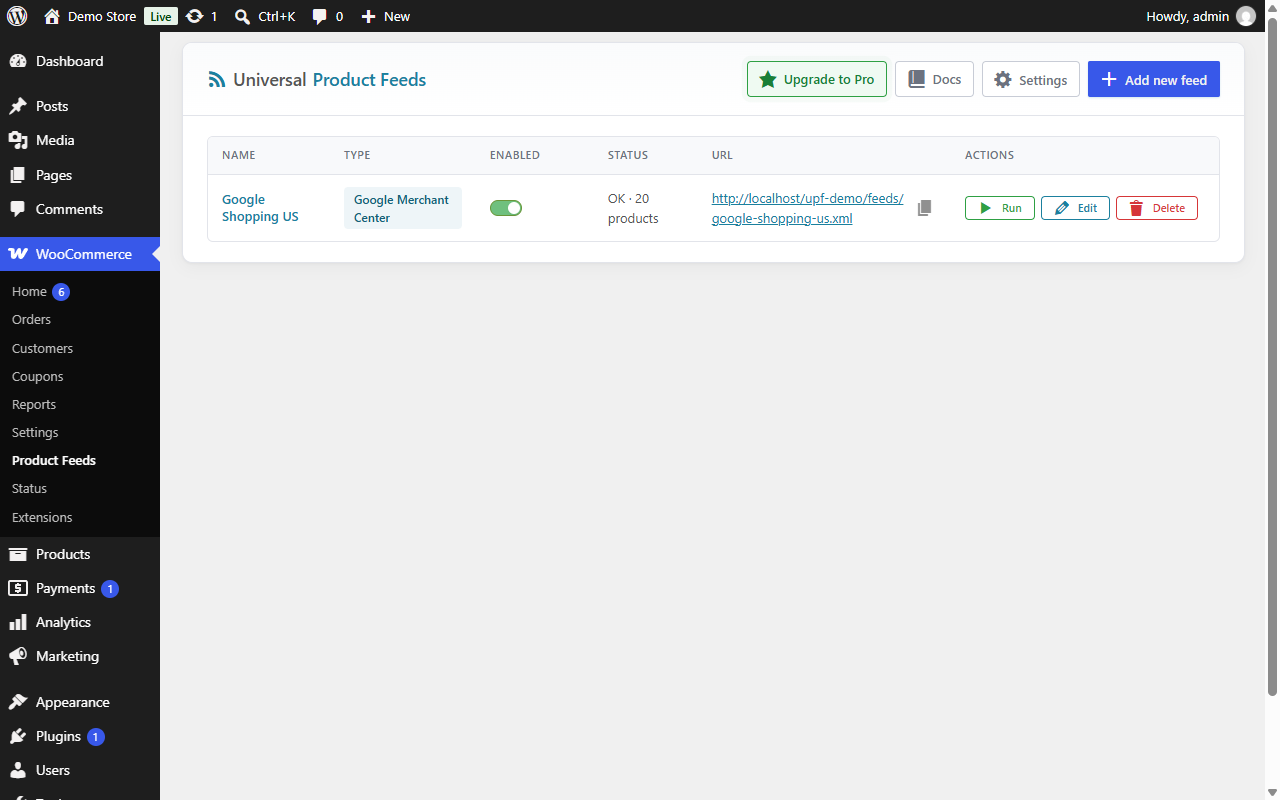
- Go to WooCommerce Product Feeds and click Add new feed
- Give it a name and pick the channel (e.g. Google Merchant Center)
- In the editor, toggle Enabled and Save
- Click Run: the feed is generated right away
- Copy the URL shown in the dashboard and submit it to the channel (Google Merchant Center, Meta Commerce Manager, TikTok Shop Seller Center…)
FAQ
-
Is there a limit on products or feeds?
-
No. Create as many feeds as you need, with as many products as your store has.
-
Do I need to install Action Scheduler separately?
-
No. WooCommerce already bundles Action Scheduler.
-
How often is the feed regenerated?
-
Each feed can regenerate on its own schedule: turn it on in the feed’s Schedule tab and pick every 15 minutes, hourly, daily or weekly (the schedule is off for a new feed). A WP-Cron event checks every 15 minutes which feeds are due and queues their generation. WP-Cron runs when the site gets visits: on a low-traffic site, a real cron job calling
wp-cron.phpkeeps the schedules on time.In addition, every time a product is created, updated or deleted, the next request for the feed gets the current file and its rebuild is queued in the background. The Run button regenerates a feed immediately.
-
My host answers /feeds/xxx.xml with a 404.
-
Make sure pretty permalinks are enabled at Settings Permalinks. Click Save Changes even if you don’t change the structure: WordPress then regenerates its rewrite rules.
-
Where is the feed file stored?
-
In the WordPress uploads directory, at
wp-content/uploads/gdupf/feeds/. An.htaccessfile there blocks direct access to files being written, so crawlers never receive a half-written feed. -
Does the plugin support variations?
-
Yes. Each variation is a feed item of its own, with its own link (the option is preselected on the product page), its own image when it has one, and
item_group_idpointing to the parent product. -
How do I set the Google product category?
-
Go to Settings Taxonomy mapping and assign a Google category to each WooCommerce category. Sub-categories inherit the mapping of their closest mapped parent.
-
- “Feed not found”: the feed is not enabled (save it with Enabled toggled on), or the URL doesn’t match an existing feed
- “503”: a generation is running. Retry in a few seconds; the file is available once the first run completes
-
Can I get feeds for Idealo, Kelkoo, Skroutz, Heureka or Ceneo?
-
Yes, with the Pro add-on, which adds 39 channels including the European price comparison engines. You can also build a Custom CSV feed in the free plugin for any channel that takes a CSV file.
-
How do I uninstall cleanly?
-
Deactivate the plugin, then delete it from Plugins Installed Plugins. Its uninstall script removes everything the plugin created: feeds, settings, the logs table, the generated files and the scheduled events.
Reviews
There are no reviews for this plugin.
Contributors & Developers
“GeekoDev Universal Product Feed for WooCommerce” is open source software. The following people have contributed to this plugin.
Contributors
Translate “GeekoDev Universal Product Feed for WooCommerce” into your language.
Interested in development?
Browse the code, check out the SVN repository, or subscribe to the development log by RSS.
Changelog
1.0.1
- New: running a feed by hand shows a notice with the number of products exported, or the error.
- Fix: no “translation loaded too early” notice when another plugin reads the cron schedules while plugins load.
1.0.0
- First release: Google Merchant Center, Facebook / Meta, TikTok, Bing, Pinterest, Snapchat and Custom CSV feeds, mapping editor, Google category mapping, filters, background generation, logs and preview.