
Description
Nyxify turns your WooCommerce shop into shop bots on Telegram, Bale and Rubika. Customers browse your categories and
products, fill a cart and check out inside the messenger; the order is created in WooCommerce and paid on your shop’s
own checkout page. You and the people you choose manage products from the bot too: prices, stock, descriptions,
photos, new products.
The bots run on the Nyxify service, not on your server. This plugin connects your shop to it:
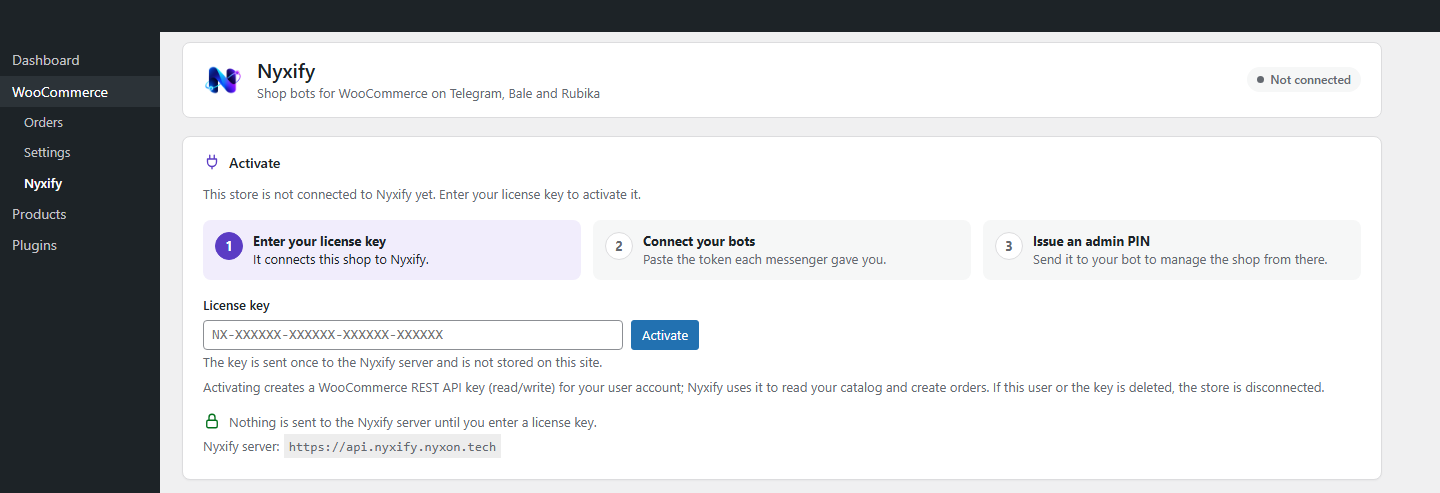
- Activation with a license key. Enter the key on WooCommerce > Nyxify. The plugin creates a WooCommerce REST API
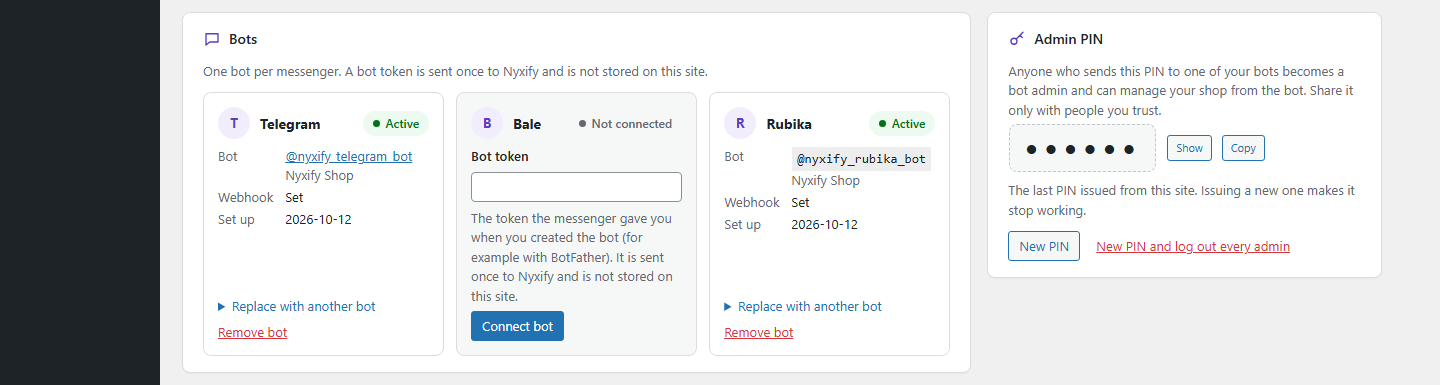
key for the service and connects the shop. Nothing is sent anywhere before you do this. - Your bots. Paste the token the messenger gave you (for example BotFather’s) and the service sets the bot up.
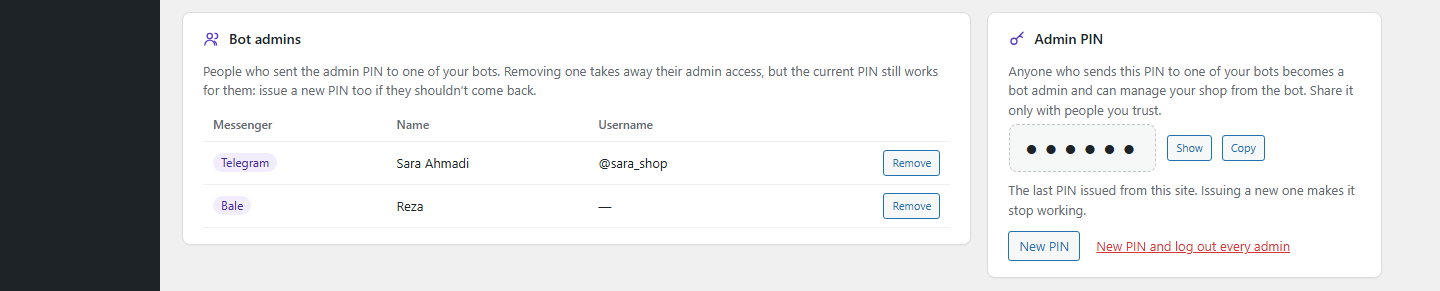
Replace or remove a bot at any time. - Bot admins. Issue an admin PIN; whoever sends it to one of your bots can manage the shop from the messenger.
See and remove the admins, or issue a new PIN and log everyone out. - Your bots’ look. On WooCommerce > Bot appearance: the main menu’s buttons and their layout, every text the bots
send (in Persian and English), the welcome message and banner, the back button, an icon and color per category, the
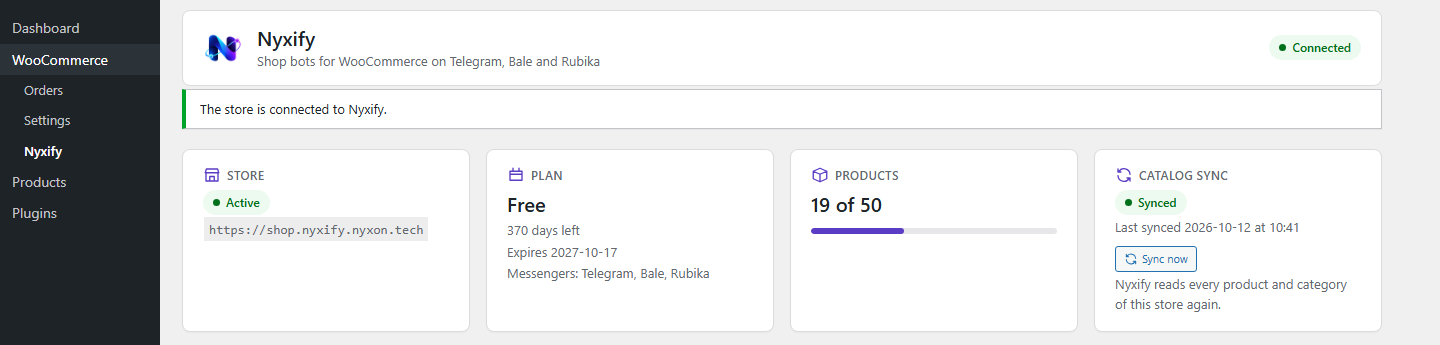
bot’s description, and your shop’s contact details. Your bot admins can change most of it from the bot too. - Your catalog stays in step. Every change to a product, a variation, its stock or a category reaches the service
within seconds in the background, and “Sync now” sends the whole catalog again. Saving a product never waits on
the service. - Orders placed through the bots stay in step. When such an order is paid, completed, cancelled or refunded, the
bot learns of it in the background. Orders from your shop’s own checkout are never sent. - Works behind strict hosts too. When the service can’t reach your shop, the plugin fetches the bot admins’
product edits itself every few minutes and applies them through WooCommerce. - Deactivating the plugin tells the service (the bots stop) and removes the connection and its REST API key;
deleting it removes its settings and data.
You need a Nyxify license key and an active subscription; plans decide which messengers and how many products you can
use. The plugin is translatable on translate.wordpress.org and works with right-to-left admin screens.
In Persian the settings page uses the Vazirmatn font by the Vazirmatn Project Authors, bundled with the plugin
(nothing is loaded from elsewhere) under the SIL Open Font License 1.1 (assets/fonts/vazirmatn/OFL.txt).
فارسی
نیکسیفای فروشگاه ووکامرس شما را به رباتهای فروشگاهی در تلگرام، بله و روبیکا تبدیل میکند. مشتریها در پیامرسان
محصولات را میبینند، سبد خرید میسازند و سفارش میدهند؛ سفارش در ووکامرس ثبت میشود و پرداخت در صفحهٔ پرداخت
فروشگاه خودتان انجام میشود. شما و مدیرانی که انتخاب میکنید، قیمت، موجودی، توضیحات و عکس محصولات را هم از داخل ربات
ویرایش میکنید. منو، متنها، پیام خوشآمد، رنگ و نماد دستهها و اطلاعات تماس فروشگاه را هم در ووکامرس > ظاهر ربات
تغییر میدهید. رباتها روی سرویس نیکسیفای اجرا میشوند و این افزونه فروشگاه را با کلید لایسنس به آن وصل میکند. پیش
از وارد کردن کلید لایسنس هیچ دادهای از فروشگاه ارسال نمیشود.
External services
This plugin connects your shop to the Nyxify service (https://api.nyxify.nyxon.tech), which runs your shop’s
bots. The service is provided by Nyxon. Without it the plugin has no function. Nothing is sent to it before you enter
a license key and click “Activate”; after that, every request is signed with a secret shared only between your shop
and the service.
What is sent, and when:
- Activation (when you click “Activate”): the license key, your site’s address and REST API address, your
WordPress and WooCommerce versions, and the consumer key and secret of a new WooCommerce REST API key (read and
write) that the plugin creates for your administrator account. The service uses that key to read your products and
categories, to create the orders customers place through the bots and read their status, and to apply the product
edits your bot admins make. - Status, “Check connection”, “Rotate secret” and deactivation (when you open the settings page, click those
buttons or deactivate the plugin): only your shop’s id and a signature; the answer is the shop’s status. - Bots, admin PIN and bot admins (when you use those sections of the settings page): the bot token you enter, sent
once and never stored by the plugin, and your requests to issue a PIN or remove a bot or an admin. The service then
talks to Telegram, Bale or Rubika for your bots; the plugin itself never contacts the messengers. - Bot appearance and contact details (when you open WooCommerce > Bot appearance, and when you save one of its
tabs): the page reads your bots’ appearance settings from the service and sends the part you save. The “Contact” tab
sends the details you enter (phone, email, your ids on Telegram, Bale, Rubika and Instagram, a WhatsApp number, an
address, working hours and an introduction); your bots show them to everyone who opens them. - Catalog changes (in the background, seconds after you save, import or sell something, and when you click “Sync
now”): products, their variations and product categories as WooCommerce’s REST API describes them, cut down to name,
slug, type, status, visibility, link, SKU, prices, stock, descriptions, images, categories, attributes and dates;
and the ids of products and categories deleted for good. Custom fields (meta data) are never sent. - Order changes (in the background, after an order placed through a bot changes): the order’s id, status, number,
currency, total, dates and line items (name, product, variation, quantity and total). No customer, address, contact,
note or payment detail. - Pending product edits (every 5 minutes in the background while the shop is connected): the plugin asks the
service for bot admins’ edits it couldn’t deliver, applies them through WooCommerce and reports each result (ok, or
WooCommerce’s error). Product photos in those edits are downloaded by WooCommerce from the links the service gives.
The service’s terms of service: https://nyxify.nyxon.tech/terms/
The service’s privacy policy: https://nyxify.nyxon.tech/privacy/
Screenshots
Installation
- Install and activate WooCommerce (9.0 or later).
- Install Nyxify from Plugins > Add New, or upload the zip, and activate it.
- Go to WooCommerce > Nyxify, enter your license key and click “Activate”. Do this as the administrator who should own the REST API key the service uses: deleting that user or the key disconnects the shop.
- In the “Bots” section, add a bot for each messenger your plan includes, using the token the messenger gave you.
- Issue an admin PIN and send it to your bot to become its admin.
Your shop must be reachable over HTTPS from the internet, and its REST API (/wp-json/) must answer without a
redirect. Background work runs on WooCommerce’s Action Scheduler, so WP-Cron has to run (a page load every few minutes,
or a system cron).
FAQ
-
Do I need an account with Nyxify?
-
Yes. The bots run on the Nyxify service, so the plugin does nothing until you enter a license key from Nyxify, and the
shop works with the bots while your subscription is active. -
Does the plugin send anything before I enter a license key?
-
No. Installing and activating the plugin sends nothing. The first request to the service is the activation you start
on WooCommerce > Nyxify. See “External services” below for everything that is sent after that. -
Does it send my customers’ details?
-
No. Only orders the service created through a bot are sent, and only their id, status, number, currency, total, dates
and line items (name, product, variation, quantity and total). Addresses, names, e-mail addresses, phone numbers,
notes, payment details and custom fields are never read. Orders from your shop’s own checkout are never sent. -
Where do I find the bot’s settings?
-
On WooCommerce > Nyxify, once the shop is activated: the shop’s status, the bots, the admin PIN and the bot admins.
How the bots look and what they say is on WooCommerce > Bot appearance. Only users who can manage WooCommerce see
these pages. -
What happens when I deactivate or delete the plugin?
-
Deactivating tells the service that the shop is gone (the bots stop answering) and removes the connection and the REST
API key the plugin created (if the service can’t be reached at that moment, both stay until you delete the plugin).
To connect again, enter the license key again. Deleting the plugin also removes its settings, its queue table, its
scheduled actions and its entries in WooCommerce’s log. Your products and orders stay. -
Can I use it on a multisite network?
-
Yes. Each site is a separate shop with its own license key.
-
Which messengers are supported?
-
Telegram, Bale and Rubika. Your plan decides which of them you can use.
Reviews
There are no reviews for this plugin.
Contributors & Developers
“Nyxify – Shop Bots for WooCommerce” is open source software. The following people have contributed to this plugin.
Contributors
Translate “Nyxify – Shop Bots for WooCommerce” into your language.
Interested in development?
Browse the code, check out the SVN repository, or subscribe to the development log by RSS.
Changelog
1.1.0
- New page, WooCommerce > Bot appearance, with a tab per part: the main menu (which buttons, in which rows, their
icons and colors), the texts the bots send (each with its default, in Persian and English), the welcome message and
its banner (chosen or uploaded from the media library), the back button, an icon and color per product category,
the bot’s description, and the shop’s contact details. Each tab saves only its own part; a save made at the same
time by a bot admin is never overwritten.
1.0.0
- First public release: activation with a license key, Telegram, Bale and Rubika bots, the admin PIN and bot admins,
catalog and order changes sent in the background, and fetching bot admins’ edits when the service can’t reach the
shop.