
Description
Content Change Observer tells one WordPress site what changed on another. The observed site records modifications – saved and deleted posts, and anything a theme or plugin reports – and the sites observing it receive them and react in their own code, for example to refresh a cached teaser list or a mirrored menu.
The plugin moves no content by itself. It transports the modification (content id, content type, create/update/delete and time); what happens next is up to the content_observer_on_modifications action on the observing site.
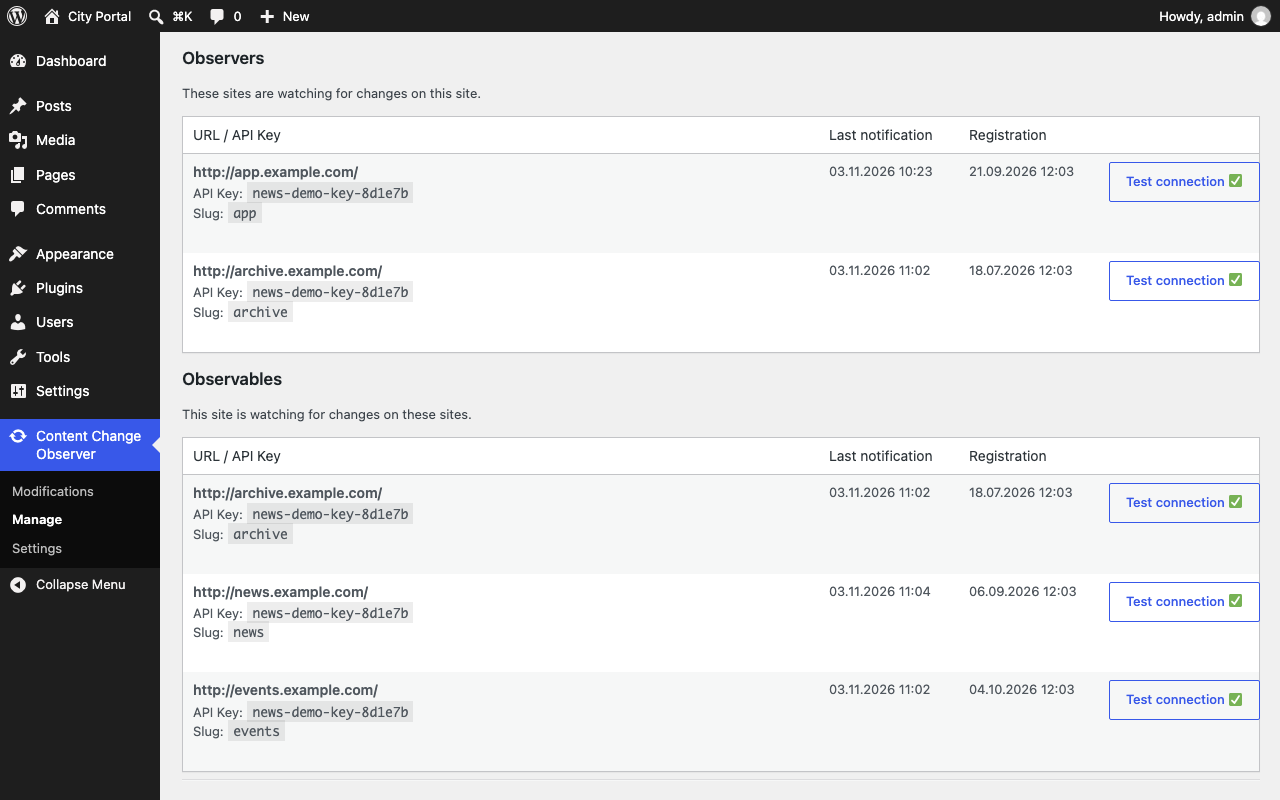
- Connect sites as observer, observable or both, secured by an API key
- Modifications are pushed hourly (notify) or pulled on demand (fetch)
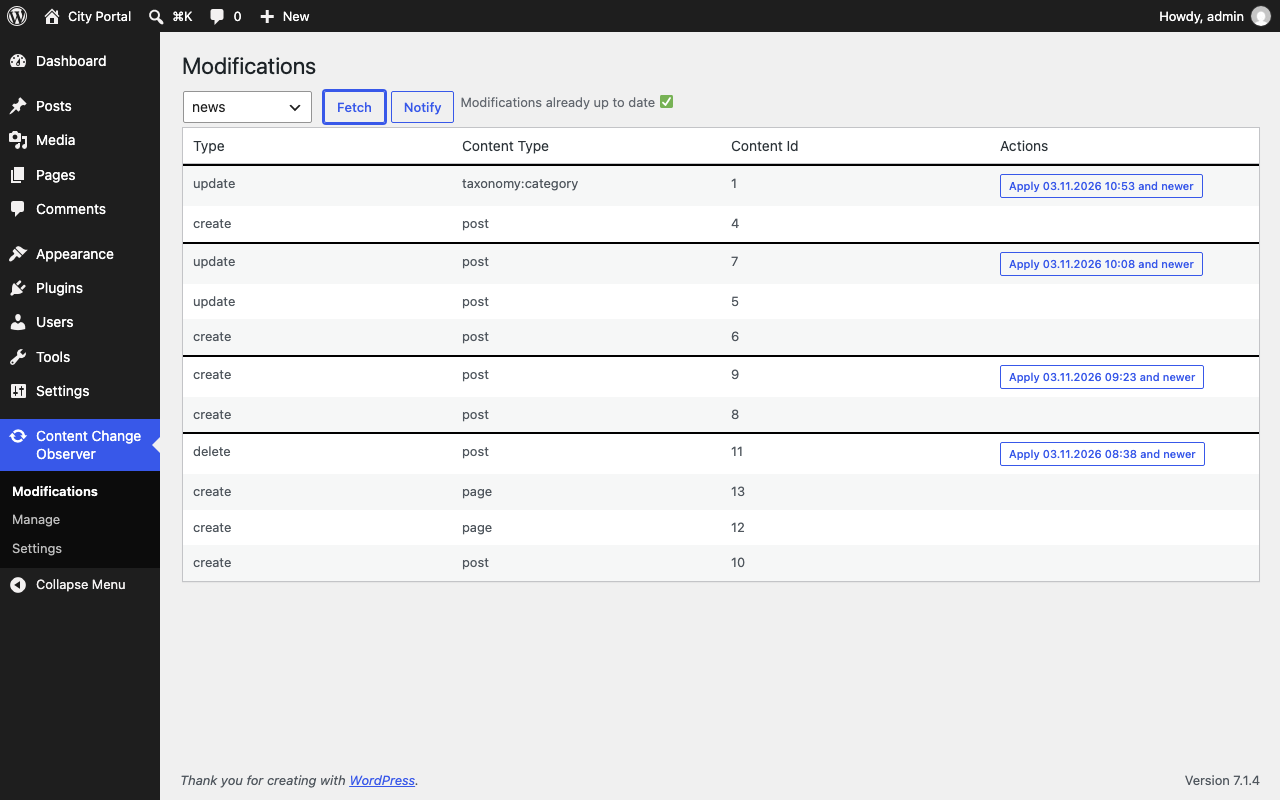
- Admin pages to manage connections and inspect and apply modifications
- WP-CLI commands for every step, so a system cron can replace WP-Cron
Typical uses:
- A portal clears its cached teaser list as soon as an article on the news site changes
- Several sites rebuild a mirrored navigation when the main site’s menu changes
- A central search site re-indexes changed posts and drops deleted ones
- An archive site stores a copy of every article, so it survives a later deletion
Developer documentation: github.com/palasthotel/wp-palasthotel-content-change-observer
External services
The plugin only talks to the WordPress sites an administrator connects under Content Change Observer Manage. It sends them this site’s URL, its API key and the list of modifications, and requests theirs. No other service is contacted.
Screenshots


Installation
- Install the plugin on every site that observes or is observed, from Plugins > Add New or by uploading
palasthotel-content-change-observer.zip - Activate it
- Enter an API key under Content Change Observer Settings on each site
- Connect the sites under Content Change Observer Manage
- React to the
content_observer_on_modificationsaction in your theme or plugin
FAQ
-
Does it copy posts between sites?
-
No. It reports which content changed. Copying or refreshing content is done by your own code reacting to the modifications.
-
Can I record changes other than posts?
-
Yes.
content_observer_add_modification( Modification::build( $id, 'my-type' )->update() )records a modification of any content type.
Reviews
There are no reviews for this plugin.
Contributors & Developers
“Palasthotel Content Change Observer” is open source software. The following people have contributed to this plugin.
Contributors


Translate “Palasthotel Content Change Observer” into your language.
Interested in development?
Browse the code, check out the SVN repository, or subscribe to the development log by RSS.
Changelog
2.0.0
⚠ BREAKING CHANGES
* the plugin folder is palasthotel-content-change-observer instead of content-observer. WordPress treats it as a new plugin: install it, deactivate and delete the old one, then activate the new one. Settings, connected sites and modifications stay, as options and tables keep their names.
Features
* rename the plugin to Palasthotel Content Change Observer (c40e088)
Bug Fixes
* show log notices only on the plugin’s own admin pages (5acb3b4)
1.2.4
Bug Fixes
* connection test can no longer make the site request arbitrary URLs (4f494f5)
* escape admin notice logs and keep API keys out of them (08b8c06)
* escape the API key field on the settings page (8fc9ae1)
* modifications page disappears after applying modifications (c3f6bb8)
* protect Fetch, Notify and Apply against cross-site requests (1ae6a34)
* reject requests to other sites’ routes when no API key is set (7775e3d)
1.2.3
- Major library updates
- all js(x) files converted to typescript
- fix: use admin_url passed from php for ajax calls
1.2.1
- Feature: Admin notices logger
1.2.0
- New modifications page
1.1.0
- Library update
- all js api calls are cors independent
1.0.0
- First release