
Description
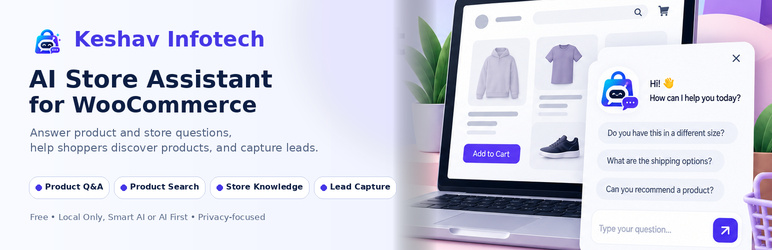
Keshav Infotech AI Store Assistant adds a storefront assistant to your WooCommerce shop. It answers questions about your products, your store FAQ and your shipping, returns, payment and contact information, and it can collect visitor details with explicit consent.
What it does
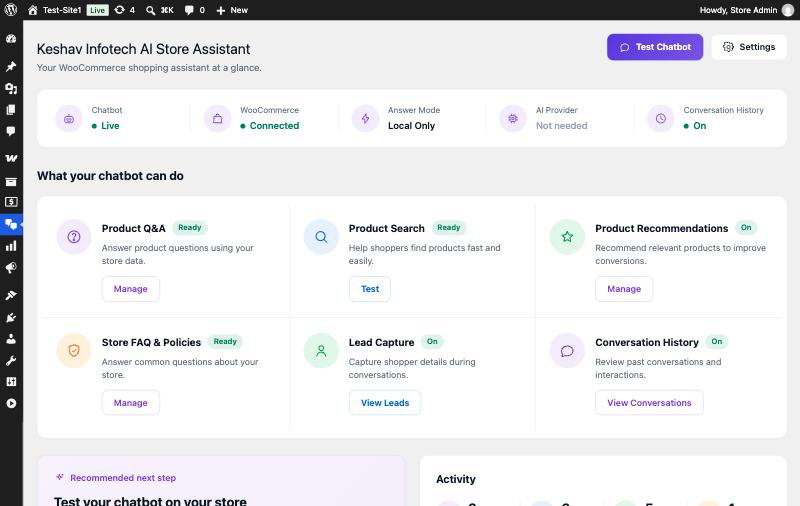
- Answers product questions using your WooCommerce catalogue
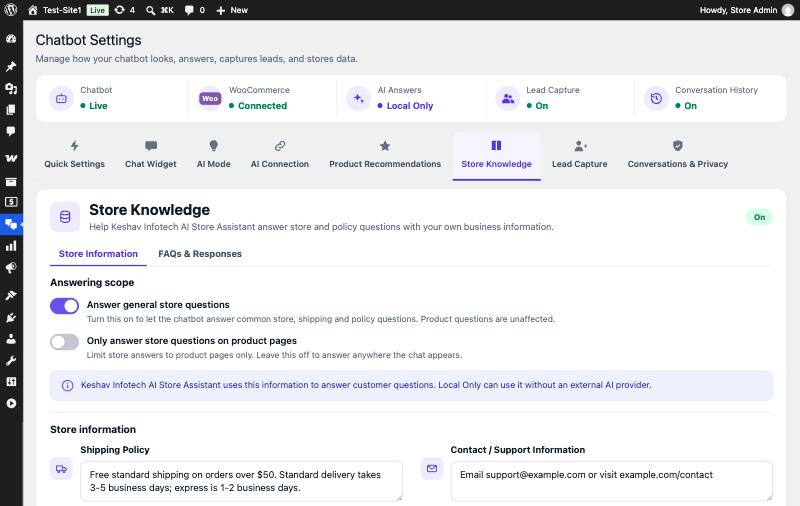
- Answers store FAQ and policy questions from information you enter
- Basic product search and simple product suggestions
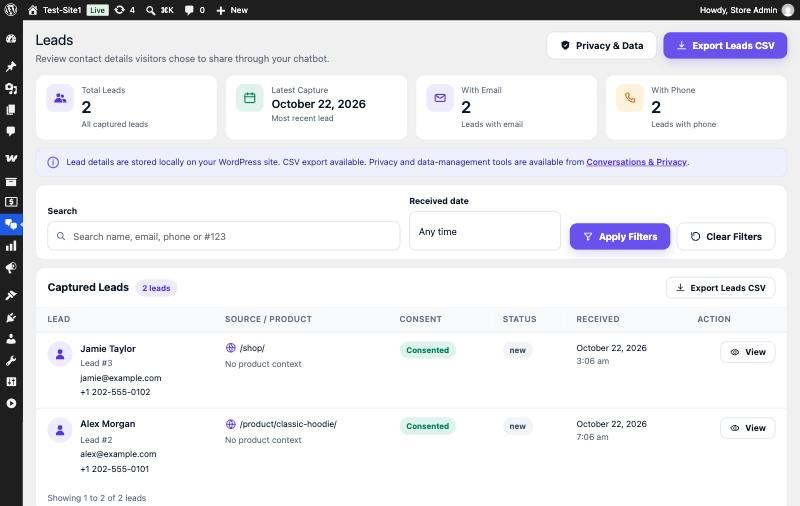
- Lead capture with an explicit consent tick, stored on your own site
- Lead list, detail view and CSV export in your dashboard
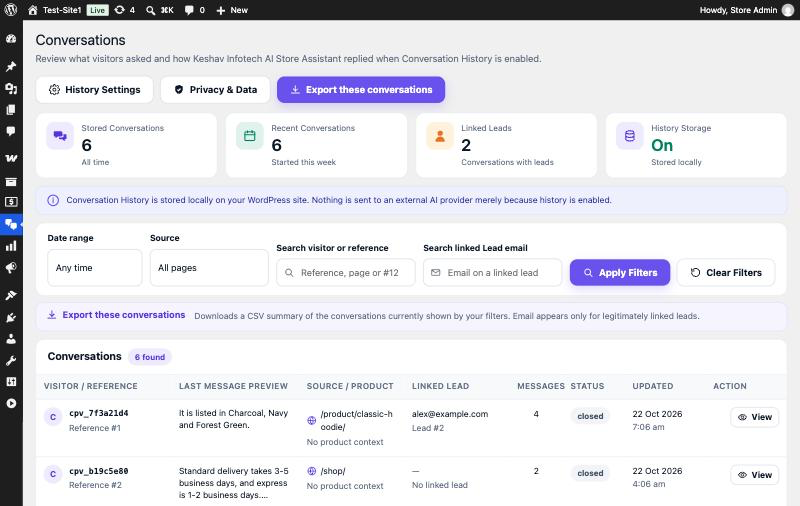
- Optional conversation history, off by default, kept on your own site
- Privacy tooling: export, erase and retention for the data actually stored
Three answer modes, you choose
- Local Only — answers come only from your products and the store information you enter. No external AI service is contacted at all. No API key required. This is the default.
- Smart AI — local answers first. When the chatbot is unsure, it may use your own OpenAI key to produce a short grounded answer.
- AI First — natural answers composed with your own OpenAI key, still grounded strictly in your store data.
Bring your own key
Smart AI and AI First require your own OpenAI API key. Keshav Infotech AI Store Assistant provides no AI credits and does not resell AI usage — your provider bills you directly. Your key is stored encrypted on your own site.
WooCommerce is required
WooCommerce must be installed and active. If WooCommerce is deactivated, the chatbot pauses safely: your settings and captured leads are untouched.
External services
This plugin can contact OpenAI (https://api.openai.com) to generate answers, and only under all of these conditions:
- you selected the Smart AI or AI First mode, and
- you selected OpenAI as the provider, and
- you saved your own API key.
In Local Only mode no external service is contacted at any time.
There are two places in the plugin that can call OpenAI: the AI provider and the store assistant service. Both pass the same data boundary first.
What may be sent: the visitor’s question after personal details are removed, plus a minimal amount of product or store information needed to answer it.
What is never sent: customer names, email addresses or phone numbers; cart or order contents; account data; payment, card or billing details; passwords; API keys or other secrets; administrator notes; full URLs with query strings; and raw logs.
OpenAI’s terms: https://openai.com/policies/terms-of-use
OpenAI’s privacy policy: https://openai.com/policies/privacy-policy
This plugin sends no analytics, telemetry or usage statistics anywhere.
Privacy and data
Lead details. When a visitor submits the lead form and ticks the consent box, their name, email, phone (if provided), the page they were on and the time are stored in a table on your own site. Nothing is sent to Keshav Infotech AI Store Assistant.
Chat transcript in the visitor’s browser. The visible conversation is kept in the visitor’s own browser storage so it survives a page change. That copy is never sent to an external service. It expires by itself after 30 minutes of inactivity, and is capped at 30 messages. Browser storage can persist beyond a single browsing session, so until it expires it may remain on the visitor’s device. The chat window header includes a Clear chat button that removes it immediately, entirely in the browser.
Clear chat clears the browser copy only. It removes the transcript from the visitor’s own device. It does not delete anything from your server. If you have conversation history switched on, the record on your site stays until you remove it or your retention period ends.
Conversation history is optional and OFF by default. Version 1.0 stores no conversation or message records on your server unless you switch conversation history on under Settings Conversations & Privacy.
When you do switch it on, each exchange is stored on your own site and nothing is sent to Keshav Infotech AI Store Assistant or to any external service. What is stored is limited to: the visitor-facing question and the chatbot’s final answer, the role and time of each message, an anonymous session reference, the page path the chat happened on (without any query string), the product being viewed if any, a linked lead only when that same visitor submitted the lead form, and the conversation status.
It never stores raw AI prompts or provider payloads, API keys or other secrets, payment or card details, passwords, order or account data, or the visitor’s email address in the conversation record itself.
You can set a retention period, run a manual cleanup, view a read-only transcript, export one conversation or the filtered list, and erase a conversation — by its anonymous reference, or by email where that visitor also submitted the lead form. Switching conversation history off stops new records immediately and never deletes what you already have.
Personal data requests. Lead data, and any conversation history linked to that lead, is included in WordPress’s built-in personal data export and erase tools, alongside the plugin’s own export, erase and retention controls.
How your OpenAI API key is stored. The key you enter is encrypted before it is written to your database, using a value derived from your site’s own WordPress salts in wp-config.php. Those salts are never stored in the database, so a copy of the database on its own does not reveal a usable key. The key is never printed in a page, never passed to JavaScript, never exposed through the REST API and never written to a log; the settings screen shows only whether a key is saved. It is decrypted only for the moment a request is sent to OpenAI, and it is sent to no other address.
Keeping the key out of the database. If you would rather your key never reached the database at all, define it in wp-config.php as CARTPILOT_CHAT_OPENAI_API_KEY. The plugin then uses the constant, the settings field is disabled, and the key cannot be changed or removed from the admin screens.
Two things worth knowing. Any plugin running on a WordPress site can read that site’s other plugin data, so install plugins you trust — encryption protects the database, not code that is already running on your site. And if you regenerate your WordPress salts, an already-saved key can no longer be decrypted: the plugin simply reports that no key is saved, and you enter it again.
Screenshots


Installation
- Install and activate WooCommerce.
- Install and activate Keshav Infotech AI Store Assistant for WooCommerce.
- Open Keshav Infotech AI Store Assistant Setup and complete the six short steps.
- Visit your storefront to try the chatbot.
FAQ
-
Does this send my store data anywhere by default?
-
No. Local Only is the default mode and contacts no external service.
-
Do I need an OpenAI account?
-
Only for Smart AI or AI First. Local Only works without any key.
-
Does it store chat conversations?
-
Only if you choose to. Conversation history is off by default, so nothing is kept on your server. The visible transcript lives in the visitor’s browser, expires after 30 minutes of inactivity, and the visitor can remove it at any time with the Clear chat button in the chat window header. If you switch conversation history on under Settings Conversations & Privacy, each exchange is also saved on your own site, where you can read, export, erase it, or let your retention period remove it. Nothing is ever sent to Keshav Infotech AI Store Assistant.
-
Does Clear chat delete the conversation from my dashboard?
-
No. Clear chat only removes the copy in the visitor’s own browser. Anything saved on your site by conversation history stays until you erase it or your retention period removes it.
-
Where is my OpenAI API key kept, and how is it protected?
-
On your own site only. It is encrypted before it is saved, using a value derived from your WordPress salts in wp-config.php, which are not in the database — so a database copy on its own does not reveal a usable key. It is never shown in a page, sent to JavaScript, exposed through the REST API or written to a log, and it is decrypted only to send a request to OpenAI. You can keep it out of the database entirely by defining
CARTPILOT_CHAT_OPENAI_API_KEYin wp-config.php. -
What happens if I deactivate WooCommerce?
-
The chatbot pauses. Your settings and captured leads are left exactly as they are.
-
Where do I get help?
-
Through the support forum on WordPress.org, plus the help text built into each screen.
Reviews
There are no reviews for this plugin.
Contributors & Developers
“Keshav Infotech AI Store Assistant for WooCommerce” is open source software. The following people have contributed to this plugin.
Contributors
Translate “Keshav Infotech AI Store Assistant for WooCommerce” into your language.
Interested in development?
Browse the code, check out the SVN repository, or subscribe to the development log by RSS.
Changelog
1.0.0
- Initial release: chatbot answers, product questions, store FAQ and policy answers, lead capture with consent, and optional conversation history that is off by default.