
Description
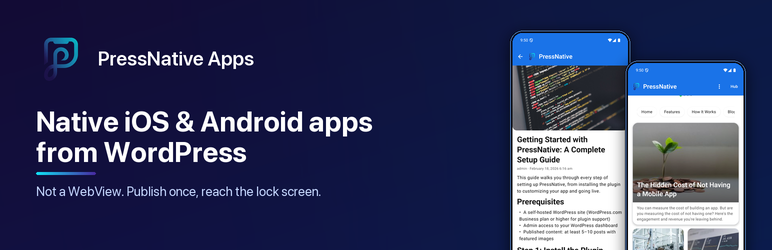
PressNative Apps connects your WordPress site to PressNative Cloud, a service that renders your posts, pages and WooCommerce products as real native screens (SwiftUI on iOS, Jetpack Compose on Android), not a WebView wrapper. Layout, branding and content come from your WordPress admin, so changes appear in the app without an app store update.
This plugin is a connector for that service. It needs a free PressNative Cloud connection, which you create from Settings PressNative with one click. No separate sign-up is required.
Free
- PressNative Hub listing. Opt in and your site appears in the free PressNative Hub app (iOS and Android), where readers discover sites, follow them and read them natively.
- Automatic new-post notifications. When you publish a post, page or product, readers who follow your site in the Hub get a push notification. Per-post control lives in the editor sidebar.
- App branding and layout. App name, logo, colors and typography; hero carousel, post grid, category and page lists, product grids; drag-and-drop ordering and a live preview.
- WooCommerce. Native product grids and details, cart and checkout handoff, products embedded in posts.
- REST API. Layout endpoints for home, posts, pages, categories, products and search.
Paid plans (optional)
- Your own branded app in the App Store and Google Play.
- Custom push notifications sent from wp-admin, with audience targeting.
- Analytics dashboard with views, top content, searches and push performance.
Paid features are provided by PressNative Cloud. The plugin never locks its own functionality.
External services
This plugin connects to PressNative Cloud (https://pressnative.app), operated by PressNative, to deliver your content to the PressNative mobile apps and send push notifications. Nothing is sent until a site administrator clicks Connect (or saves an API key) under Settings PressNative. After that:
- Connect (
/api/v1/sites/register,/api/verify-site): sent when you click Connect or save an API key. Data: site URL, site name, the REST URL used to confirm ownership, a one-time challenge, your Hub choice and categories, the optional email you enter, and WordPress and plugin versions. - Settings sync (
/api/v1/notify/config-changed): sent when you save app branding, layout, Hub, store listing or notification settings. Data: site URL, app branding (name, logo URL, colors, fonts), Hub opt-in and categories, store listing text, and the published post count. - New content (
/api/v1/notify/content-changed): sent when a post, page or product is first published, or when you choose to notify again. Data: site URL, post ID, type, title, excerpt, permalink and featured image URL, plus categories if you target by category. - App analytics (
/api/v1/analytics/event): sent when the mobile app loads content from your site. Data: content type, ID and title, device platform (iOS or Android) and an anonymous app-install identifier. No visitor names, emails or IP addresses are sent by the plugin. - Push notifications (
/api/v1/push/send,/api/v1/push/subscriber-stats): sent when an administrator sends a notification from PressNative Push Notifications. Data: notification title, body, link and image URL. - WooCommerce reminders (
/api/v1/notify/commerce): sent when cart-recovery or back-in-stock reminders are enabled and triggered. Data: product or cart title and link and the anonymous app-install identifier. - Share links and account (
/api/v1/preview-link,/api/stripe/subscription-status,/api/stripe/portal,/api/v1/analytics/*): requested when you open the QR/share, billing or Analytics pages in wp-admin. Data: site URL and your API key.
PressNative Cloud Terms of Service · Privacy Policy
Push notifications to app users are delivered through Google Firebase Cloud Messaging by PressNative Cloud, not by this plugin.
Installation
- Install the plugin from Plugins Add New, or upload the
pressnative-appsfolder to/wp-content/plugins/. - Activate it through the Plugins menu.
- Go to Settings PressNative, choose whether to list your site in the PressNative Hub, and click Connect.
- Configure branding under PressNative App Settings and layout under PressNative Layout Settings.
FAQ
-
Do I need a PressNative account?
-
You need a PressNative Cloud connection, which the Connect button creates for free. PressNative Cloud confirms you control the site by calling back to it, then returns an API key that is stored in your WordPress options. If you already have an API key, you can paste it on the same page.
-
What is the PressNative Hub?
-
A free iOS and Android app where readers browse PressNative sites, follow the ones they like and get notified about new posts. Listing is opt-in. When enabled, your site name, logo, colors and categories are shown publicly in the Hub once your site has at least three published posts. You can turn it off any time under PressNative App Settings.
-
Does it work without connecting?
-
The plugin’s REST endpoints and settings work locally, but nothing is shown in any app and no data leaves your site until you connect.
-
What is server-driven UI?
-
Your WordPress site defines what the app shows: layout, components and content. When you change a post or the home layout, the app fetches the update and renders it natively. No app store update is needed.
-
Does the plugin work with WooCommerce?
-
Yes. With WooCommerce active you get native product grids, product detail screens, cart management and checkout in a secure browser view. Products can also be embedded in posts.
-
What happens when I deactivate or delete the plugin?
-
Deactivating removes the REST endpoints and keeps your settings. Deleting the plugin removes its options, transients, per-post data and the devices table. Your posts, pages and media are not affected.
Reviews
There are no reviews for this plugin.
Contributors & Developers
“PressNative Apps” is open source software. The following people have contributed to this plugin.
Contributors
Translate “PressNative Apps” into your language.
Interested in development?
Browse the code, check out the SVN repository, or subscribe to the development log by RSS.
Changelog
1.3.2
- Prefix QR encoder class (
PressNative_QR_Encoder) and vendor namespace (PressNative\Vendor\splitbrain\phpQRCode) - Sanitize QR code SVG and shortcode HTML output with
wp_kses() - Enforce single-use challenge verification in
permission_callbackfor/verify-ownershipand restrict/store-listingto administrators or Registry requests
1.3.0
- New one-click Connect: PressNative Cloud verifies the site server-to-server and returns the API key directly. Keys are never passed through browser redirects.
- Free plan: Hub listing and automatic new-post notifications without a paid account
- Hub listing is now an explicit choice on the Connect screen. Sites connected before 1.3.0 keep their current listing.
- Notifications are sent once, when content is first published; updating a post no longer re-notifies unless you tick “Send a notification again”
- Category-targeted notifications now match reader preferences
- Settings saves send one sync instead of one per changed option, and first-time saves are synced too
- Removed the self-hosted updater; updates now come from WordPress.org
- Removed the WooCommerce demo-data generator and unused ad code
- Uninstall now removes all plugin options, transients and per-post data
- Rate limiting for public device registration and tracking endpoints
- Assets use WordPress enqueue APIs throughout
1.2.13
- Fixed a fatal error that made wp-admin unreachable: Monetization referenced an option constant that was never declared
- Monetization settings no longer register while AdMob is disabled
- A second copy of the plugin now shows an admin notice instead of a fatal redeclaration error
- Releases are blocked unless the packaged zip can boot WordPress and load wp-admin and the REST API
1.2.0
- Abandoned-cart reminders target the device that added items, with a separate Cart reminders preference
- Normalized product variations for native pickers
- Fresh Store API nonce endpoint for cart retries
- CartPromoBanner when the WooCommerce cart is non-empty
- Admin Cart Recovery settings (delay, back-in-stock)
1.1.3
- WordPress.org compliance: no external Registry contact until the site is connected
- Removed marketing/upsell admin page and Pro lock helper
- Cart mutations require Store API nonce; checkout uses short-lived transfer tokens
- Removed remote Unsplash placeholder images from empty layouts
- Aligned plugin folder/slug with text domain
pressnative-apps
1.1.2
- Plugin Check and packaging fixes
1.1.1
- Plugin Check and i18n / coding standards fixes
1.1.0
- SaaS Connector MVP: Settings PressNative page with Jetpack-style connect flow (connect button, auth catcher, disconnect)
- AOT on connect: Initial sweep of top 10 posts after remote auth
- WooCommerce Integration: Native product grids, product details, shopping cart, secure checkout via Chrome Custom Tabs
- Shoppable Content: Embed products in blog posts with native add-to-cart
- Cart Transfer: Short-lived token for app-to-browser cart handoff
- Demo Data API: Endpoint for sample WooCommerce products
- Real-time Cart Updates: Cart badge updates from embedded products
1.0.0
- Initial release
- REST API: home layout, post detail, page detail, category archive, search
- Admin: Registry settings, app branding, layout builder, analytics, push notifications
- Theme presets and device registration for FCM
- Live preview and WebView template
- Shortcode-to-native component mapping