

Description
Mloun MenuScope lets you clean up the WordPress dashboard for clients and team members:
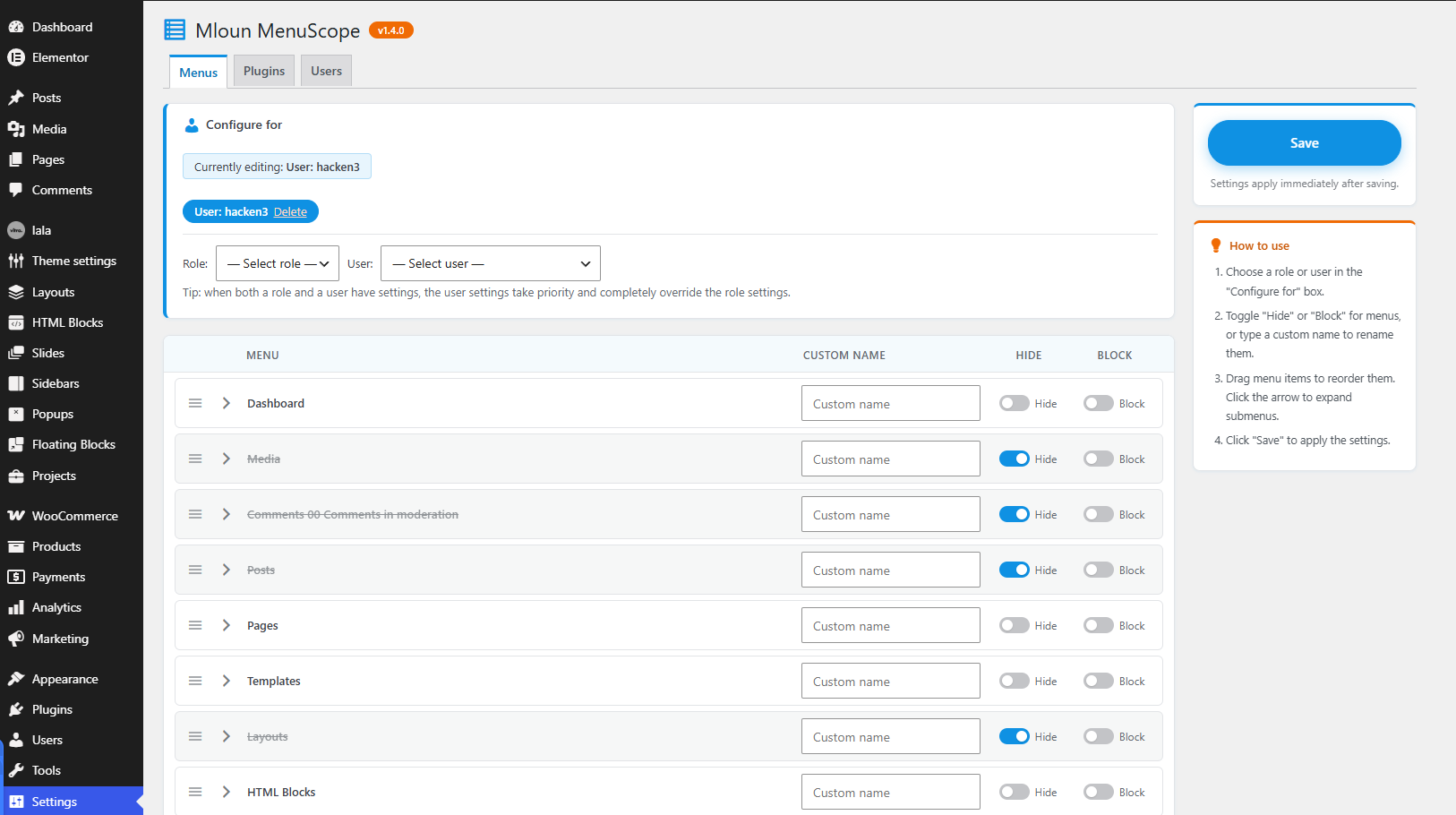
- Hide menus per role or user — the menu disappears but the URL stays reachable.
- Hide & block menus per role or user — direct URL access is denied with a 403 error.
- Drag & drop menu ordering — reorder top-level menus and submenus per role or user. Submenus are collapsible in the editor.
- Rename menus per role or user — give any admin menu or submenu a custom label for a specific role or user.
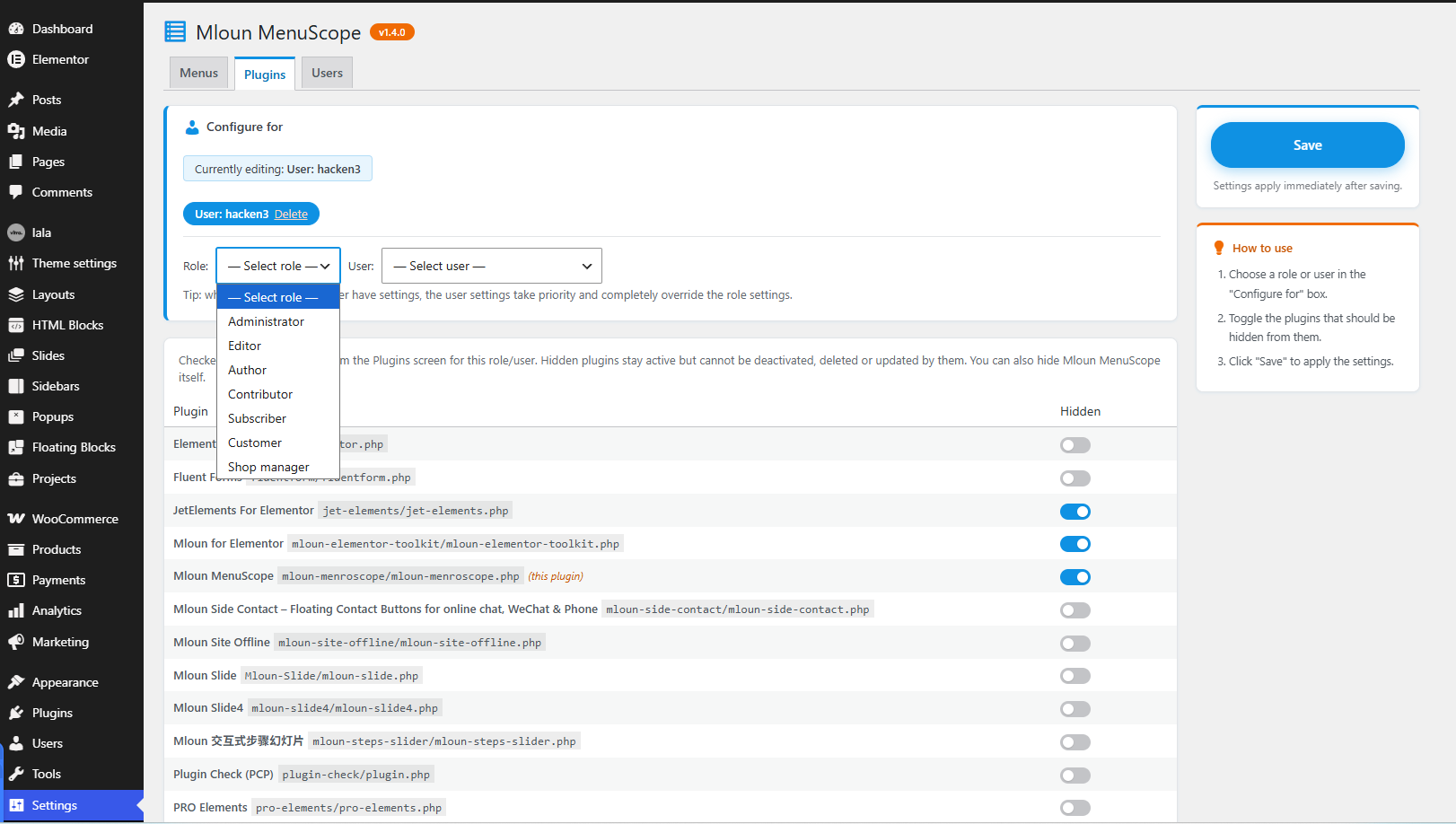
- Hide plugins per role or user — hidden plugins vanish from the Plugins screen and cannot be deactivated, deleted or updated by them. You can hide Mloun MenuScope itself.
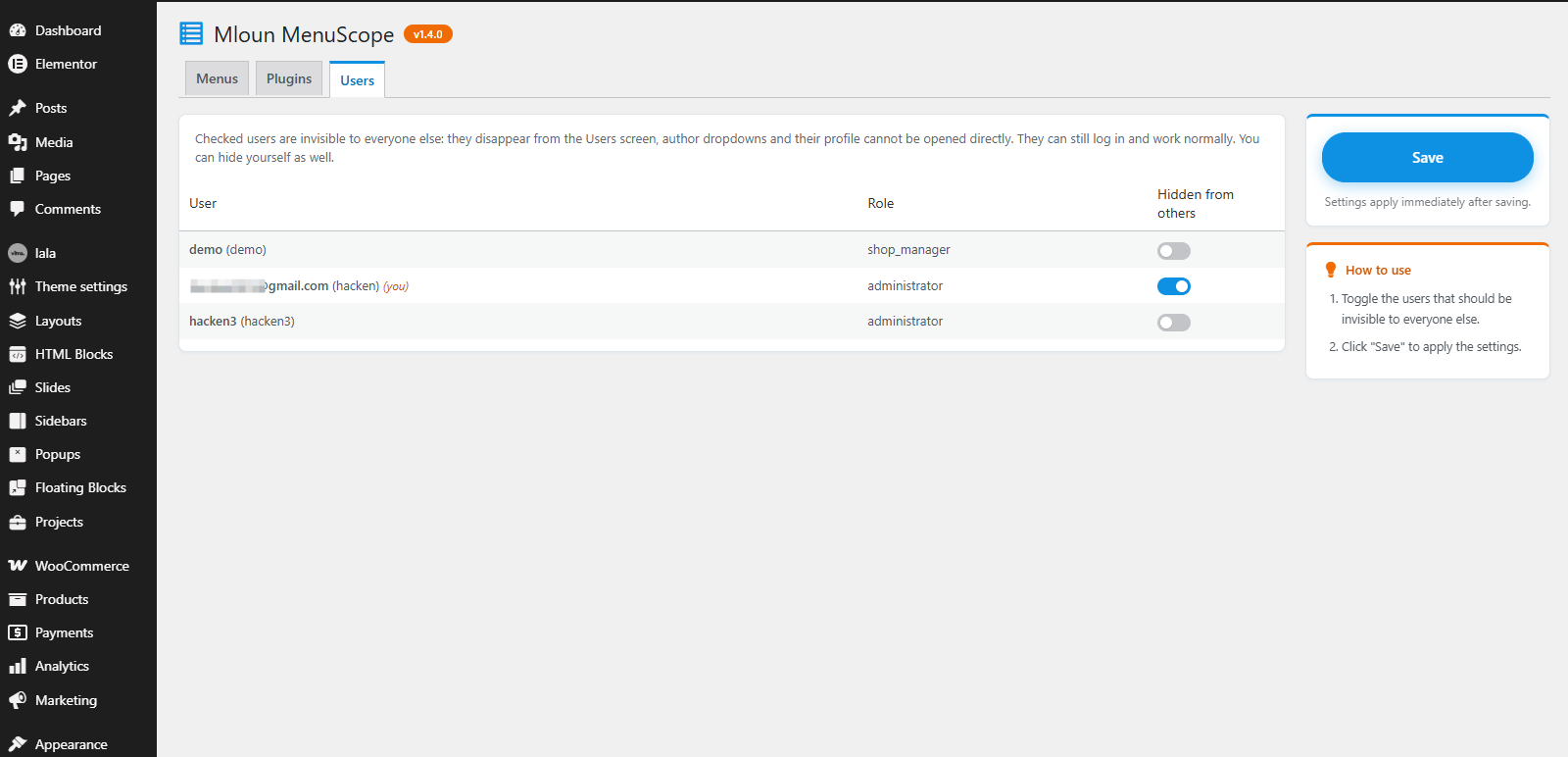
- Hide users — selected users become invisible to everyone else: they disappear from the Users screen, author dropdowns, and their profile page cannot be opened directly. They can still log in and work normally. You can hide yourself.
- User settings override role settings — when both a role and a user have settings for the same section, the user settings win completely.
Find it under Settings MenuScope.
All strings are translatable (text domain: mloun-menroscope). Community translations are managed at translate.wordpress.org.
Screenshots
Installation
- Upload the plugin zip via Plugins Add New Upload Plugin, or copy the
mloun-menroscopefolder towp-content/plugins/. - Activate the plugin.
- Go to Settings MenuScope.
FAQ
-
What is the difference between “Hide” and “Block”?
-
“Hide” only removes the menu item from the sidebar; the page can still be opened via its URL. “Block” additionally blocks the URL with a 403 error.
-
What happens when a role and a user both have settings?
-
The user settings take priority: any section (menus, plugins, renames) configured for the user completely replaces the same section from their roles.
-
Can I lock myself out?
-
Users with the
manage_optionscapability always keep access to the MenuScope settings page. -
How do I undo settings for a role or user?
-
On the Menus or Plugins tab, click “Delete” next to the role/user in the “Configure for” box.
Reviews
There are no reviews for this plugin.
Contributors & Developers
“Mloun MenuScope” is open source software. The following people have contributed to this plugin.
Contributors
Translate “Mloun MenuScope” into your language.
Interested in development?
Browse the code, check out the SVN repository, or subscribe to the development log by RSS.
Changelog
1.4.1
- Added the
languages/mloun-menroscope.pottemplate so the community can translate the plugin via GlotPress.
1.4.0
- Renamed to “Mloun MenuScope” (slug
mloun-menroscope) to avoid confusion with existing “Admin Menu” plugins. - Removed bundled translation files; translations are now delivered via translate.wordpress.org.
- Dropped the “Domain Path” header (no bundled languages folder); WordPress automatically loads community translations under the plugin slug for WordPress.org-hosted plugins.
1.3.2
- Added a “Settings” action link under the plugin name on the Plugins screen.
1.3.1
- Author URI updated to mloun.com. No functional changes.
1.3.0
- Slug alignment for WordPress.org: text domain, folder name, main file, language files and Plugin URI renamed to mloun-admin-menu-edit. Contributors fixed to a valid WordPress.org username. No functional changes.
1.2.3
- Plugin renamed to “Mloun Admin Menu Edit”. No functional changes.
1.2.2
- WordPress.org Plugin Check compliance: removed the site_transient_update_plugins filter (flagged as plugin updater), removed the discouraged load_plugin_textdomain() call, fixed an unescaped output error, added nonce-verification phpcs annotations, limited readme tags to 5 and shortened the short description.
1.2.1
- Added Simplified Chinese (zh_CN) translation.
- Plugins tab: shows an info notice when the selected role/user lacks the “activate_plugins” capability instead of listing all plugins.
- Save button: plain label (no icon), blue by default and orange on hover.
1.2.0
- The editor now shows the real menu tree the selected role/user would see (filtered by their capabilities).
- Hiding “Settings Admin Menu Edit” now also works for other administrators (block is auto-downgraded to hide to prevent lockout).
- New two-column layout: sticky save card and how-to guide in the right sidebar.
- Version number shown next to the page title.
- Redesigned UI with a blue (#0f91e3) / orange (#f06b04) palette.
1.1.1
- Updated Plugin URI to the WordPress.org plugin page; readme “Tested up to” bumped to 7.1.
1.1.0
- Moved settings page under Settings.
- Menu rename is now per role/user in the Menus tab (was global).
- Fixed: hiding a submenu item no longer hides its parent menu when they share the same slug.
- Added collapsible submenus (collapsed by default) with a hidden-items badge.
- Floating save button on the right edge.
- User dropdown instead of a username text field.
- Users can hide themselves; Admin Menu Edit can hide itself from the plugin list.
- Redesigned settings UI with toggle switches.
1.0.0
- Initial release.