
Description
Everything a restaurant needs on its WordPress site, done simply:
Free
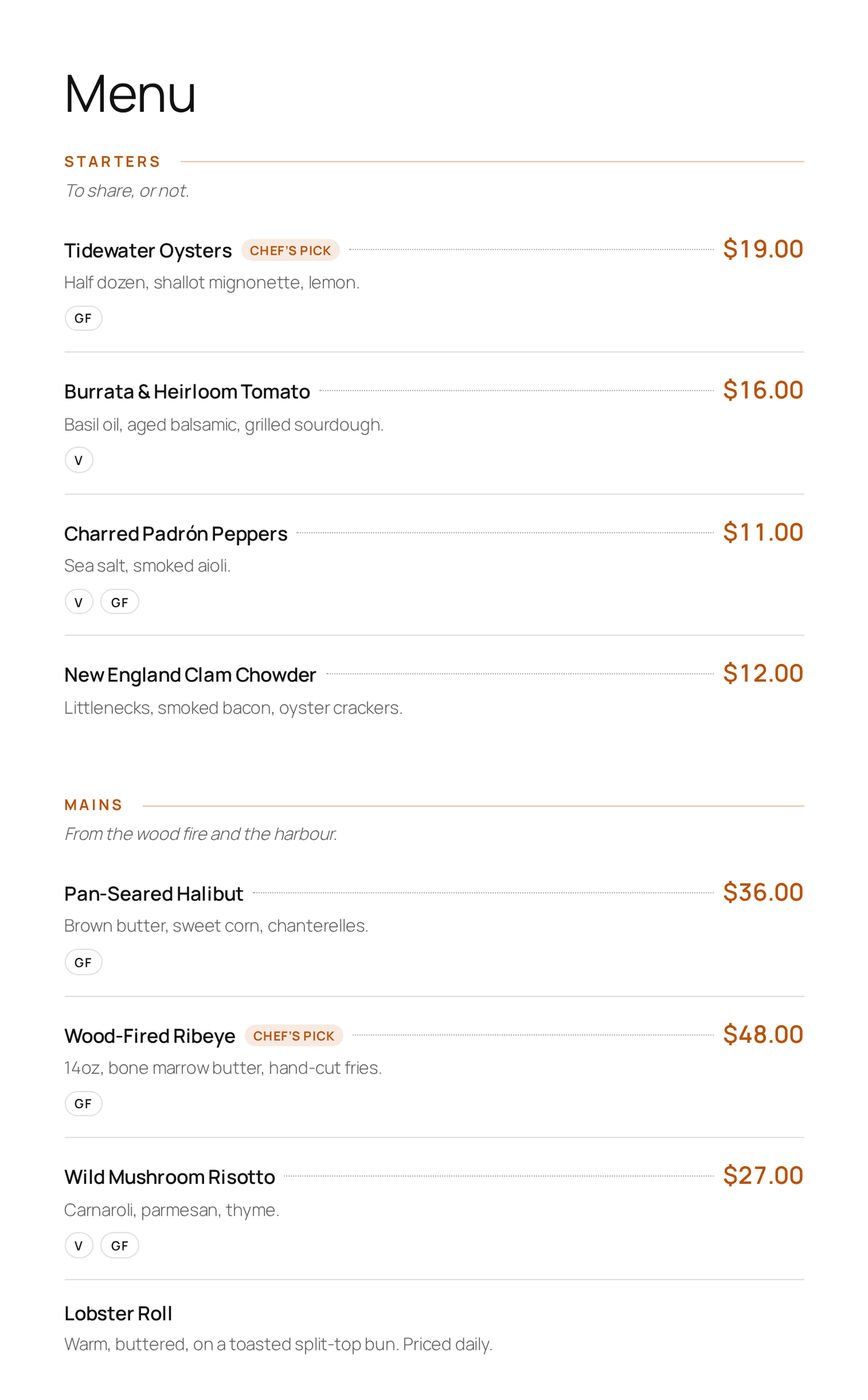
- A polished menu — add dishes with price, description, photo and dietary tags, grouped into sections (Starters, Mains, Desserts…). Show it anywhere with
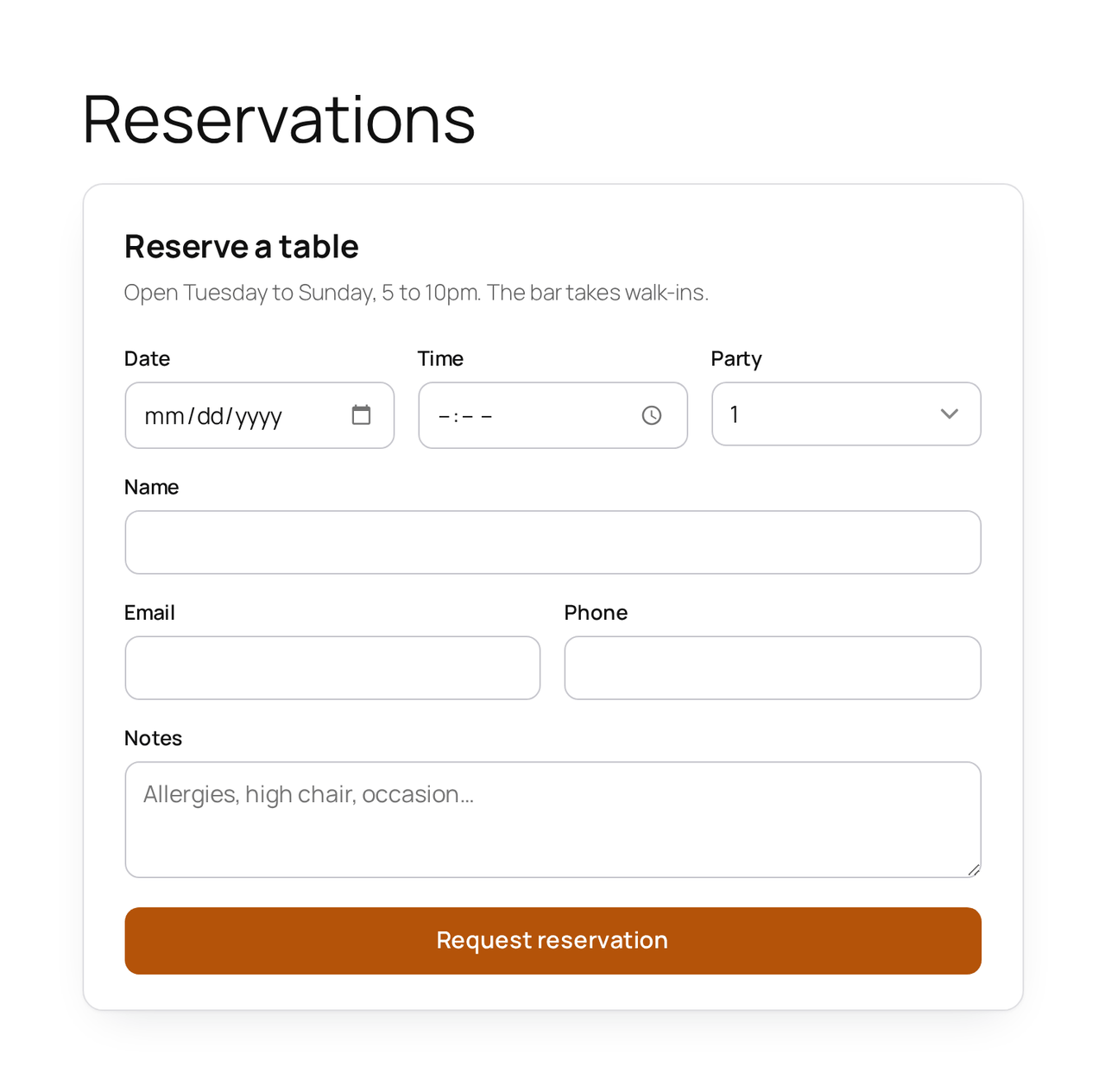
[rs_menu]. - Table reservations — a clean booking form (
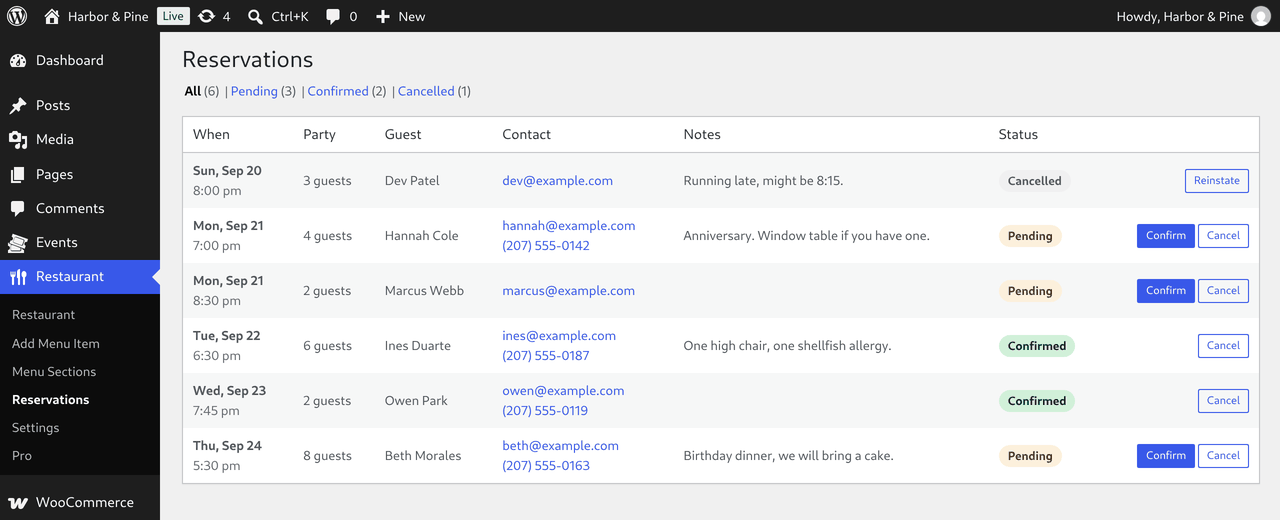
[rs_reservation]) with date, time, party size and notes. The guest gets a confirmation email; you get a notification and can confirm or cancel from the admin, which emails the guest. - A printable QR menu — a QR code that opens your menu page, ready to print for your tables.
- No monthly fees, nothing phones home — the QR is generated on your own server.
Pro
Pro adds online ordering for pickup and delivery with order-ahead times, and reservation deposits, both paid through your own WooCommerce checkout.
Other plugins by Rebel Studios
Focused WooCommerce plugins that each do one job well:
- Rebel Studios Event Tickets & QR Check-in — events, RSVP and QR tickets you scan at the door.
- Rebel Studios Membership & Content Restriction — restrict content to members, with front-end registration.
- Invoice Documents for WooCommerce — automatic PDF invoices, packing slips and delivery notes.
- Brazilian Checkout Fields for WooCommerce — CPF/CNPJ validation and CEP autofill for Brazilian stores.
Screenshots
Installation
- Install and activate. A Restaurant menu appears.
- Add menu sections and items (with prices and photos).
- Create a page with the
[rs_menu]shortcode, and another with[rs_reservation]. - Under Restaurant Settings, set your name, notification email and pick your Menu page to generate the QR code.
FAQ
-
Do I need WooCommerce?
-
No. Menu, reservations and the QR menu are standalone. WooCommerce is only used by Pro for paid online ordering.
-
How do reservations work?
-
Guests submit a request; you get an email and see it in Restaurant Reservations, where you confirm or cancel. Confirming emails the guest automatically.
-
Who can see reservations?
-
Editors and Administrators. Bookings hold guests’ names, emails, phone numbers and notes, and confirming or cancelling emails the guest, so Authors and Contributors can’t open the Reservations screen or change a booking. If your floor staff use another role, give it the capability you want with the
rsres_staff_capabilityfilter (it returnsedit_others_postsby default).
Reviews
There are no reviews for this plugin.
Contributors & Developers
“Rebel Studios Restaurant Menu & Reservations” is open source software. The following people have contributed to this plugin.
Contributors
Translate “Rebel Studios Restaurant Menu & Reservations” into your language.
Interested in development?
Browse the code, check out the SVN repository, or subscribe to the development log by RSS.
Changelog
1.1.1
- Security: the Reservations screen and confirming or cancelling a booking now need an Editor or Administrator. Before, any Contributor could read every guest’s name, email, phone and notes, and confirm or cancel bookings, which emails the guest.
- Developer:
rsres_staff_capabilityfilter.
1.1.0
- Improvement: redesigned menu (section headings, “Chef’s pick” badges, one tag per dietary label) and reservation card.
- Fix: reservation fields no longer overlap or overflow the card on themes that don’t set box-sizing.
- Fix: items without a price no longer show a dotted leader to nowhere.
- Improvement: Reservations can be filtered by status (with counts), read as “Mon, Sep 21, 7:00 pm”, sort by table time with upcoming first, and offer only the changes that apply, including Reinstate for a cancelled booking.
- Fix: the Reservations screen now loads the plugin’s admin styles.
1.0.1
- Fix: reservations could be requested for dates that had already passed.
- Fix: menu items without a price showed “$0.00”; they now show no price.
- Improvement: with WooCommerce active, the menu uses the store’s currency symbol unless you set one, and follows it if the store currency changes later.
- Improvement: the stylesheet now loads only on pages with the menu or reservation form.
- Fix: cancelling a reservation now emails the guest (only confirming did), and changing a status twice no longer emails twice.
- Fix: a booking that arrives already confirmed (a paid deposit in Pro) no longer tells the guest “we will confirm shortly”.
- Improvement: guests can reply to reservation emails and reach the restaurant’s reservation address.
1.0.0
- Initial release: menu, table reservations with email confirmation, and a printable QR menu.